 BuildWell
Free window and door receipt template
A window and door receipt with 11 common line items already listed, each with its unit, and room for how the client paid and what’s still owed. Keep the lines the payment covers and send it.
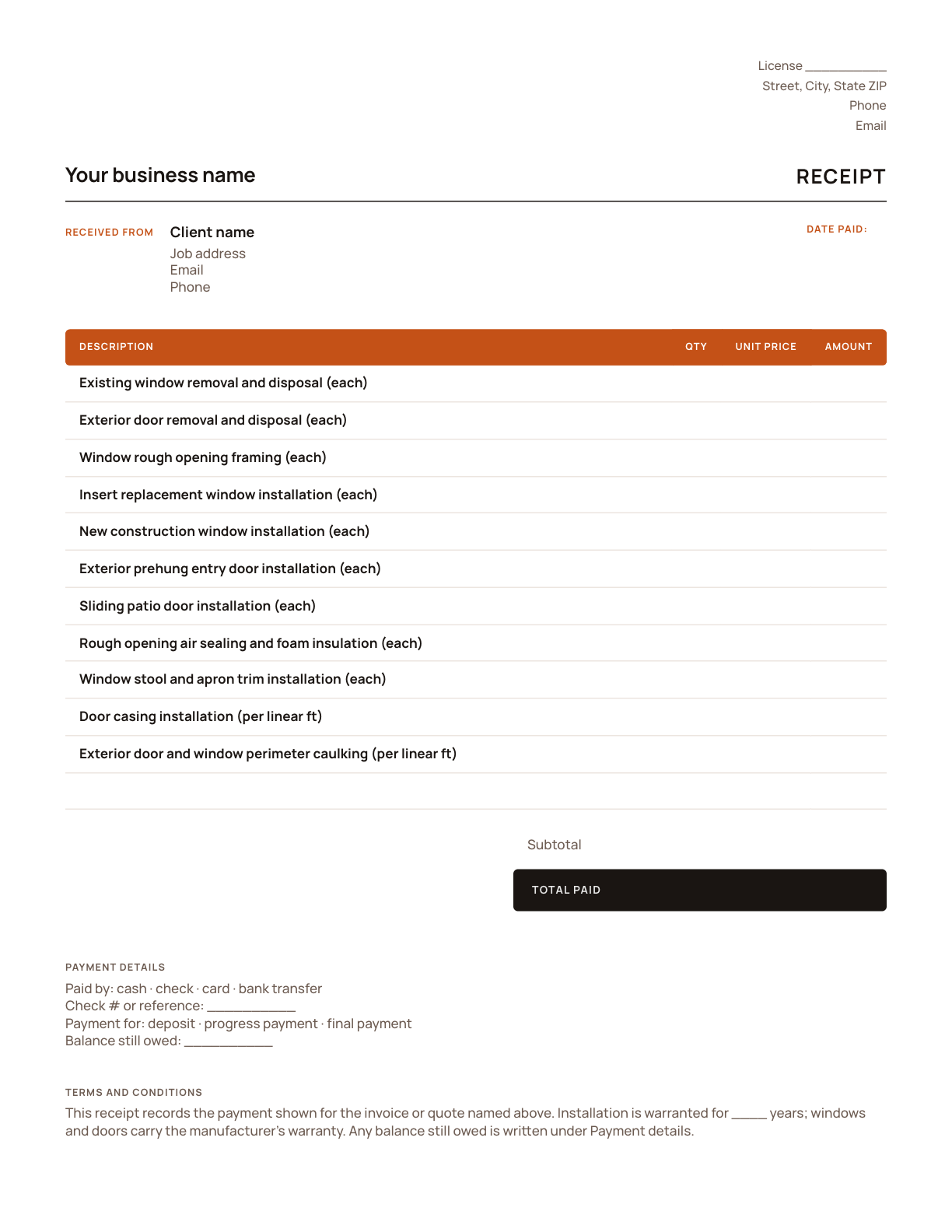
Free, no sign-up. Amounts are left blank for the payment you received.
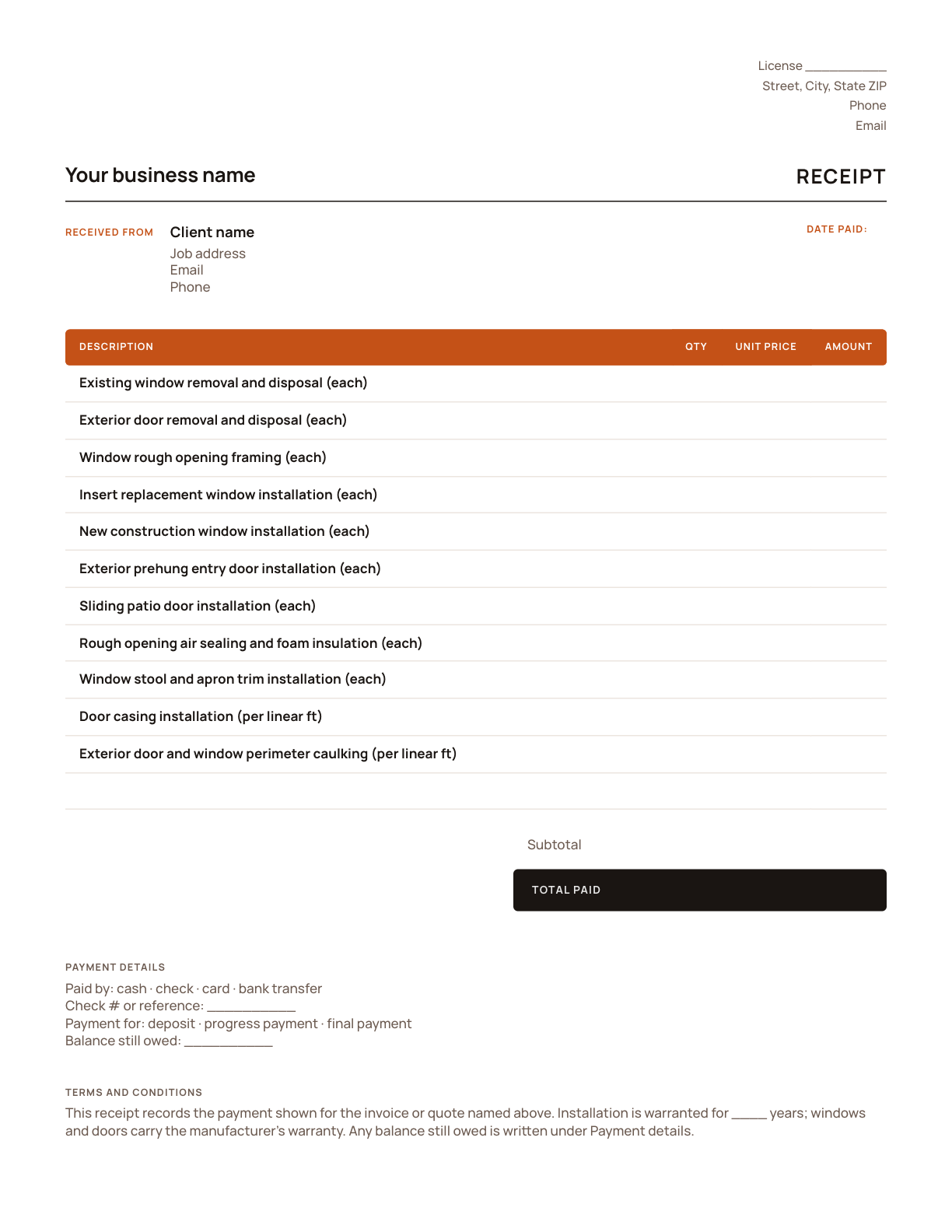
What’s on a window and door receipt
Every line is one part of the window and door job, listed on its own so the client can see exactly what their payment covered.
| Line item | Unit | Why it’s its own line |
|---|---|---|
| Existing window removal and disposal | each | Removing the old unit is priced per opening and depends on how it was installed. |
| Exterior door removal and disposal | each | Old exterior doors come out with their frames, priced each. |
| Window rough opening framing | each | Changing an opening’s size means framing work, priced per opening. |
| Insert replacement window installation | each | Insert windows fit the existing frame and go in faster than full-frame windows. |
| New construction window installation | each | A full-frame window goes to the rough opening and is flashed in, so it’s priced differently from an insert. |
| Exterior prehung entry door installation | each | Entry doors are priced each, including the threshold, shimming and adjustment. |
| Sliding patio door installation | each | Patio doors are large, heavy units with their own price per door. |
| Rough opening air sealing and foam insulation | each | Sealing the gap around each unit is easy to skip and matters for drafts. A line shows it’s done. |
| Window stool and apron trim installation | each | Interior window trim is priced per window, separately from the install. |
| Door casing installation | per linear ft | Casing is measured around each opening in linear feet. |
| Exterior door and window perimeter caulking | per linear ft | Outside caulking is the last seal against water, priced by the foot. |
Your window and door receipt in four steps
- 1
Add your details
Put in your business name, phone, email and license number once, and save the file as your master copy.
- 2
Name what it pays
Write the number of the invoice or quote the payment is for, and whether it’s a deposit, a progress payment or the final payment.
- 3
List what it covers
Keep the lines the payment covers, with the quantities in each and linear feet and the prices from the invoice, and delete the rest.
- 4
Record the payment
Fill in the date paid, how the client paid with the check number or reference, and any balance still owed. Save it as a PDF and send it.
How window and door jobs get paid
Window and door jobs often take a large deposit at signing, because the units are made to size and can’t be returned. The deposit receipt should list what it paid for: each unit ordered, by room or opening, with its size and type. If the order changes before it’s placed, write a new receipt rather than editing the old one.
Big orders may arrive and go in batches. Write a receipt for each payment and name the openings it covers. If a unit arrives damaged and one opening is left, the receipt for the payment you take shows what’s done and what is still owed for that opening.
Clients may need the final receipt for more than their files. Some energy credits and utility rebates ask for proof of what was paid and when, so list the units installed and the date; check the current rules for what qualifies. If a lender paid part of the job, name the lender on that receipt, and add the warranty so it’s with the record of payment.
Terms already on the template
Fill in the blanks, or change them to match how you work.
- This receipt records the payment shown for the invoice or quote named above.
- Installation is warranted for ____ years; windows and doors carry the manufacturer’s warranty.
- Any balance still owed is written under Payment details.
Done with templates? Let it price the job.
- AI estimates priced for your area
- Estimates, invoices, clients and projects
- Clients sign on any phone
- Card and bank payments, no extra BuildWell fee
- iPhone, Android and the web
- AI estimates priced for your area
- Estimates, invoices, clients and projects
- Clients sign on any phone
- Card and bank payments, no extra BuildWell fee
- iPhone, Android and the web
Both plans include every feature and start with a 3-day free trial. Add a card to start; you’re not charged until the trial ends. Cancel anytime.
Window and door receipt template FAQ
01Is this window and door receipt template free?
02How do I show a deposit or a partial payment?
03Can BuildWell send receipts for me?
04What should a receipt for a window deposit list?
05Can a receipt help a client claim an energy credit or rebate?
06How do I write receipts when windows are installed in batches?
Browse by format
- Receipt template for PDF
- Receipt template for Word
- Receipt template for Excel
- Make a receipt online
- Window and door estimate template
- Window and door invoice template
- Window and door quote template
- Window and door software
Guides for window and door receipts
Browse by trade
- Plumbing receipt template
- Roofing receipt template
- Bathroom remodeling receipt template
- Kitchen remodeling receipt template
- Electrical receipt template
- Painting receipt template
- Drywall receipt template
- Flooring receipt template
- Handyman receipt template
- Carpentry receipt template
- Concrete receipt template
- Deck and fence receipt template
- Siding receipt template

Price your next window and door job today
Estimates, invoices, e-signatures and payments in one place, on your phone and on the web.