 BuildWell
An e-signature app that closes jobs on the spot
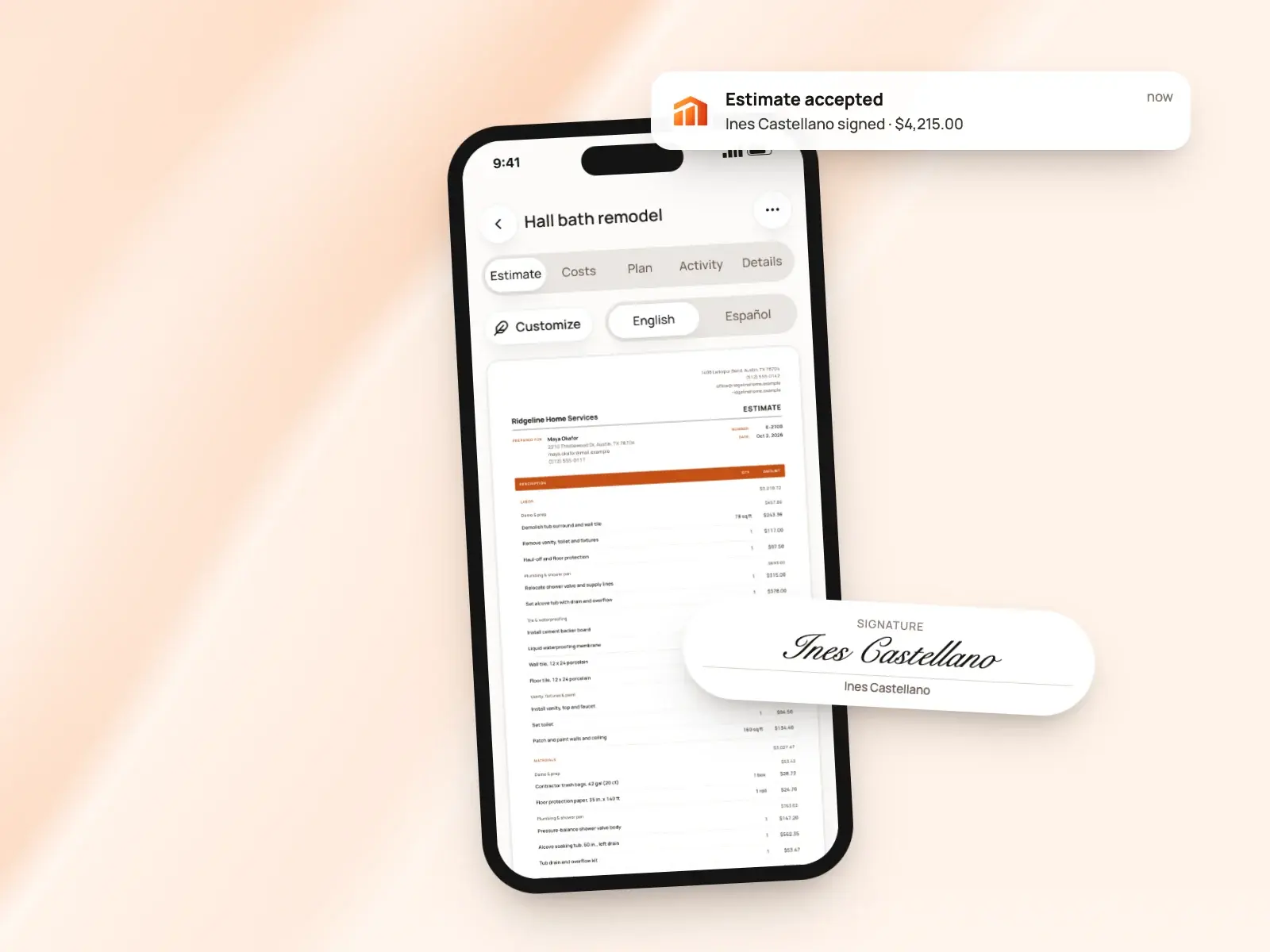
Send a link and the client signs with a finger on their phone, or hand them yours at the kitchen table.
E-signature app, in short
- Clients sign with a finger, no app or account
- Accept or decline right from the estimate
- Collect a signature in person on your phone
- Name, signature and date printed on the signed document
- Ask for a signature on invoices too
- Revisions go out for a fresh signature
Signed on their phone, from a link
Text or email the estimate as a link. Your client opens it in any browser and reads the whole document, with your logo, line items, totals and terms, exactly as it will print.
There’s nothing to install, no account to create and no password to forget. That matters when your client is a busy homeowner reading your estimate between other things on a small screen. On the page, they:
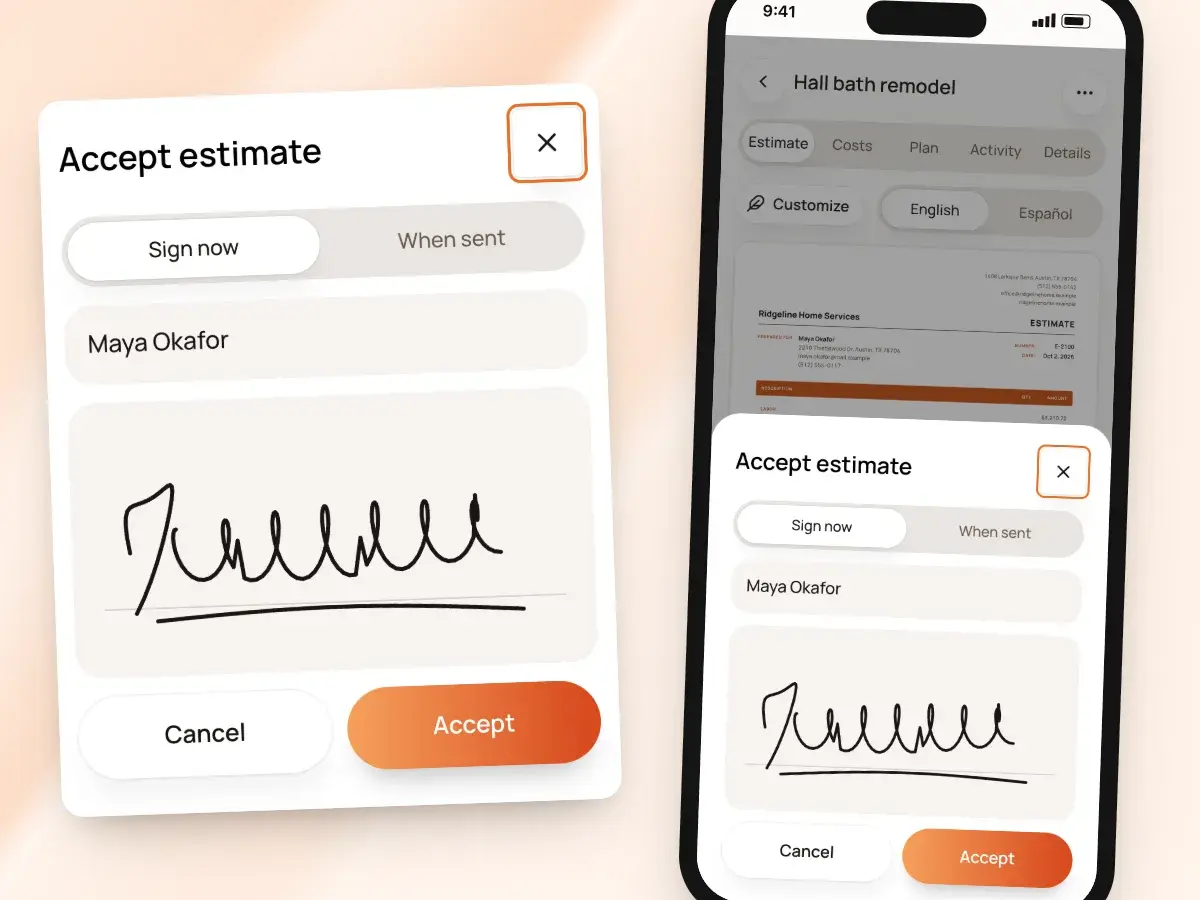
- Type their name, sign with a finger, and tap accept
- Can’t accept without a name and a signature, so no half-finished yes
- Can decline from the same page, and you know it’s time to call
- Can download the estimate as a PDF to read twice or show a partner first
In person, at the kitchen table
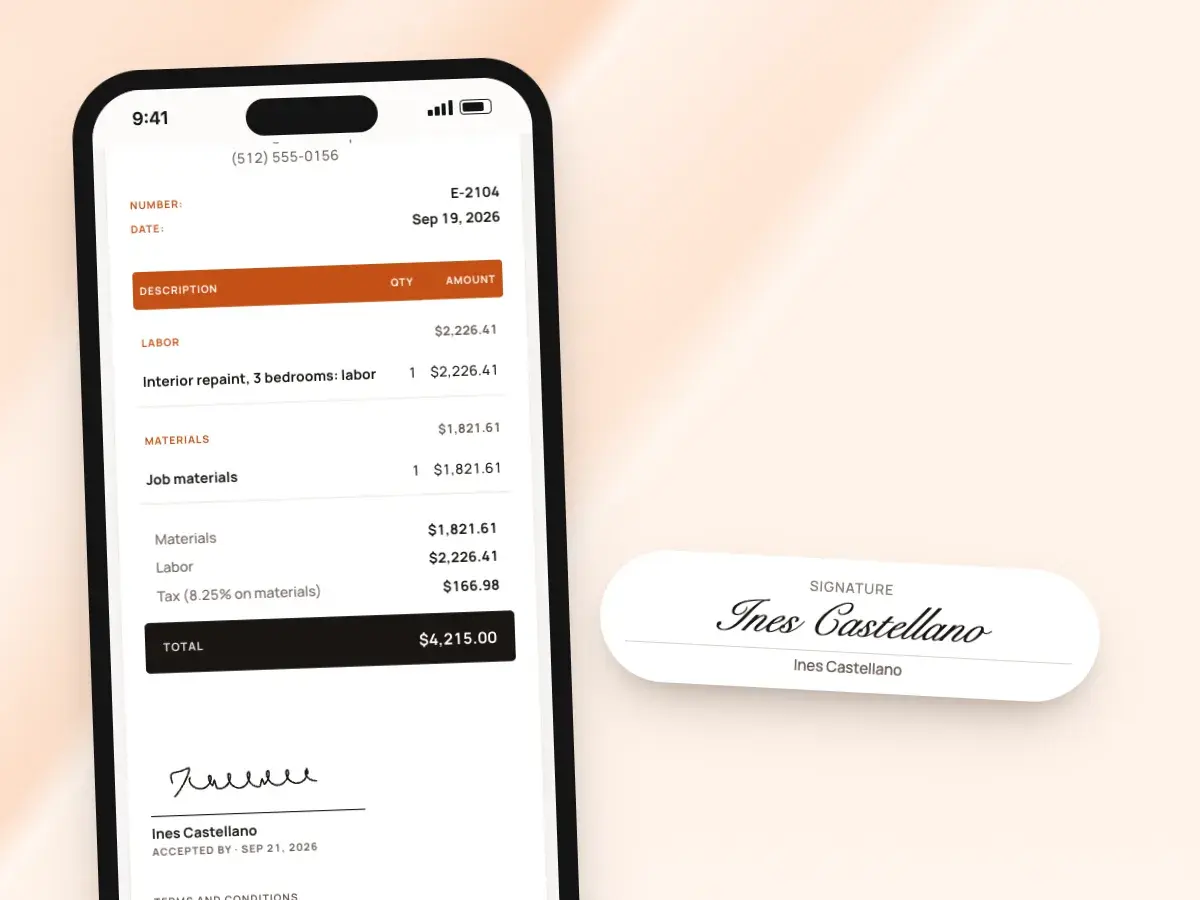
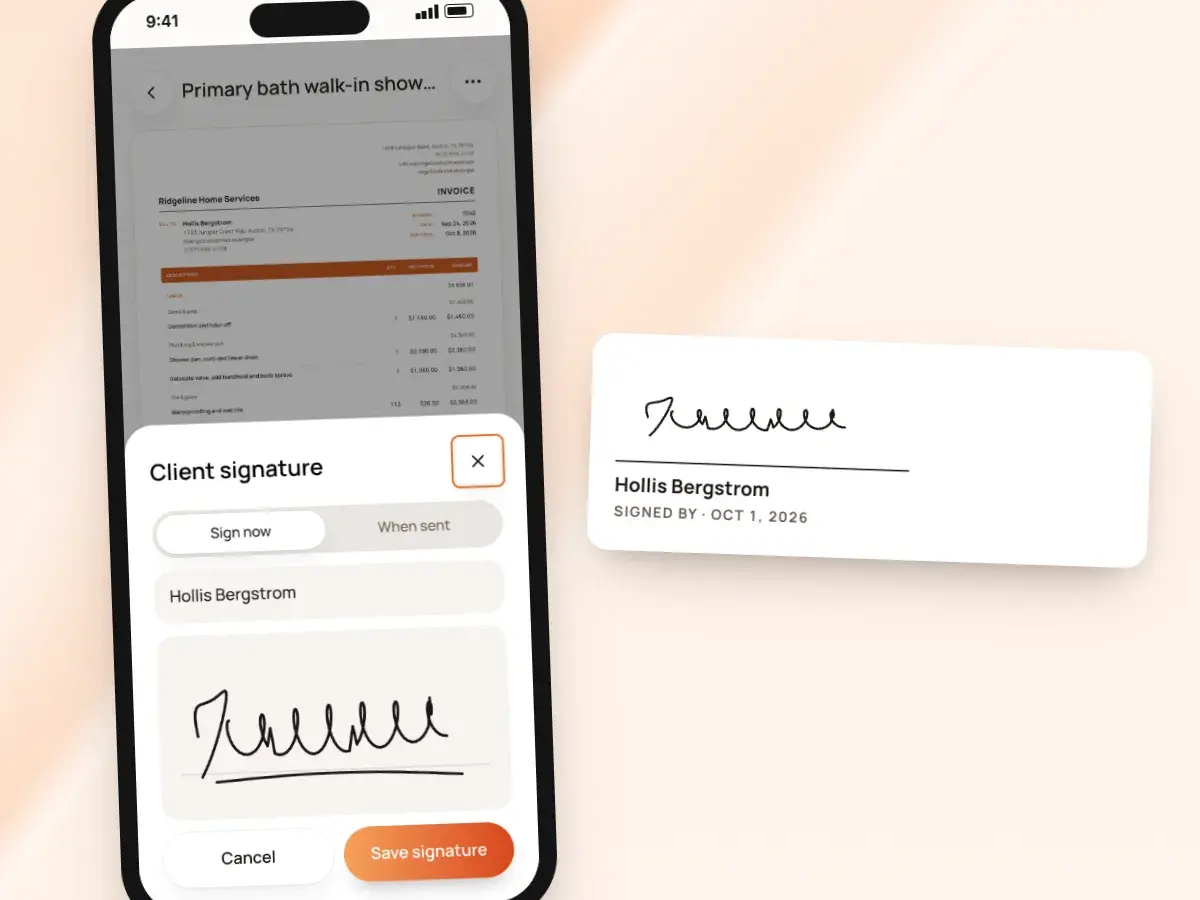
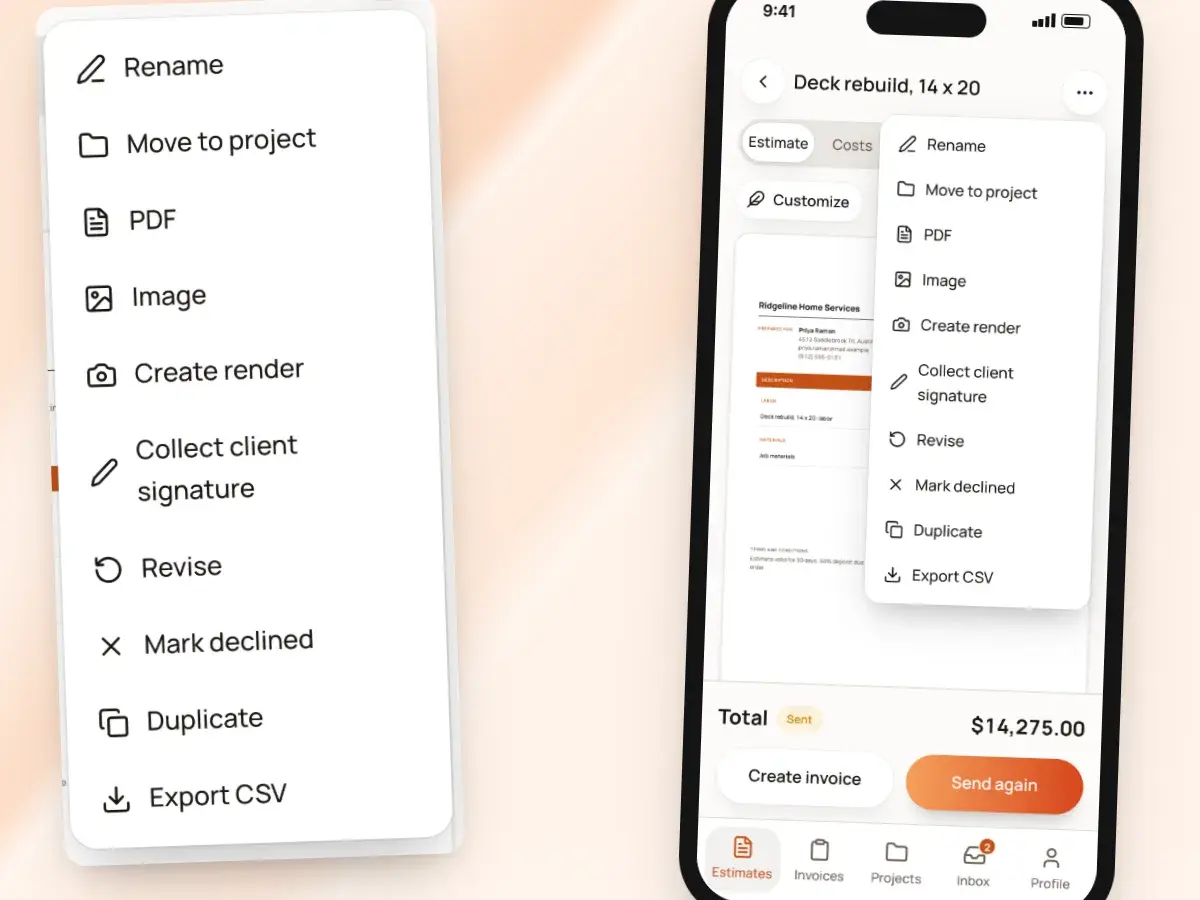
Some clients decide on the spot. Open the estimate on your phone, choose “Collect client signature,” and hand it over; they sign on your screen, and the estimate is accepted right there.
If it was still a draft, BuildWell sends it first, so the client has their own link to the same estimate. For clients who aren’t ready to sign today:
- Choose to collect the signature when you send instead
- The link goes out with the signing form on it
- They can take the evening to read it and talk it through at home
- Then they sign from the couch when they’re ready
What gets recorded
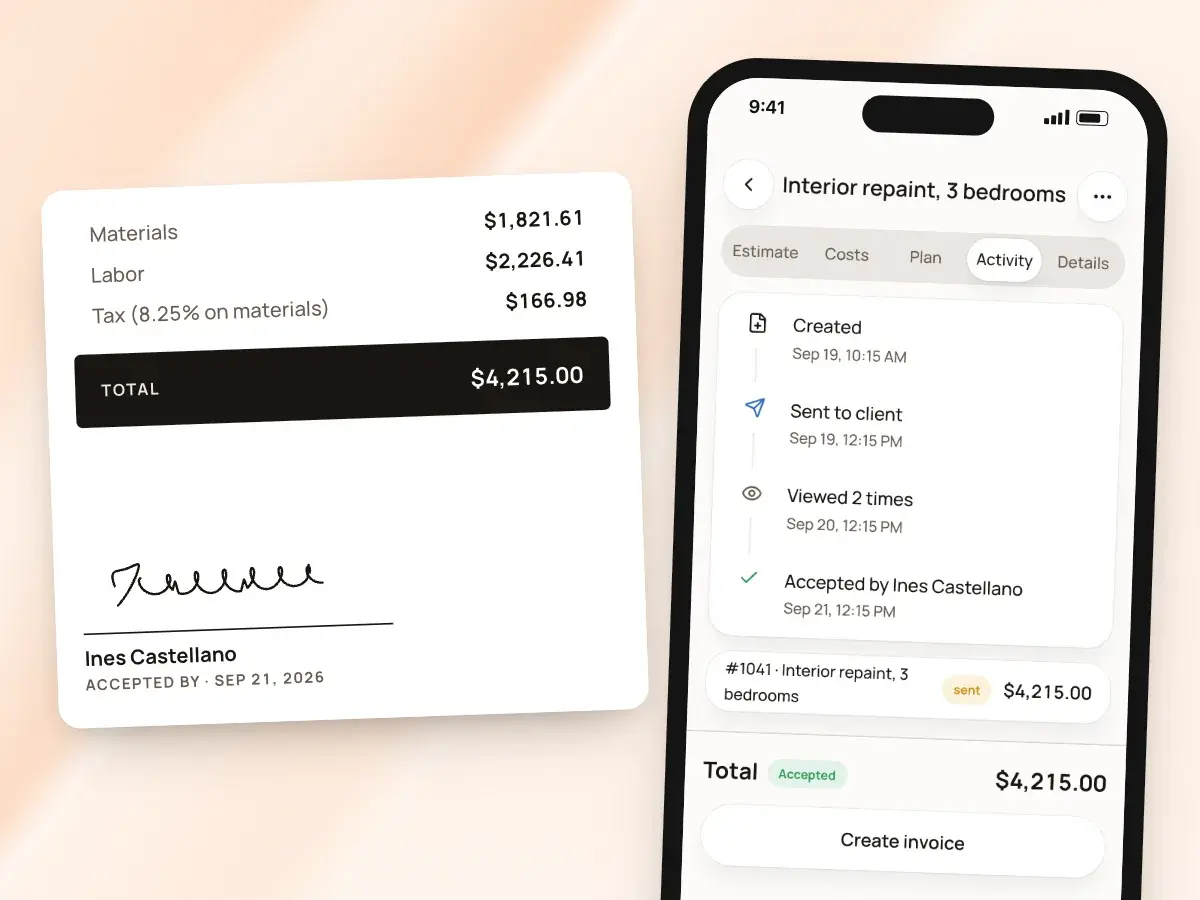
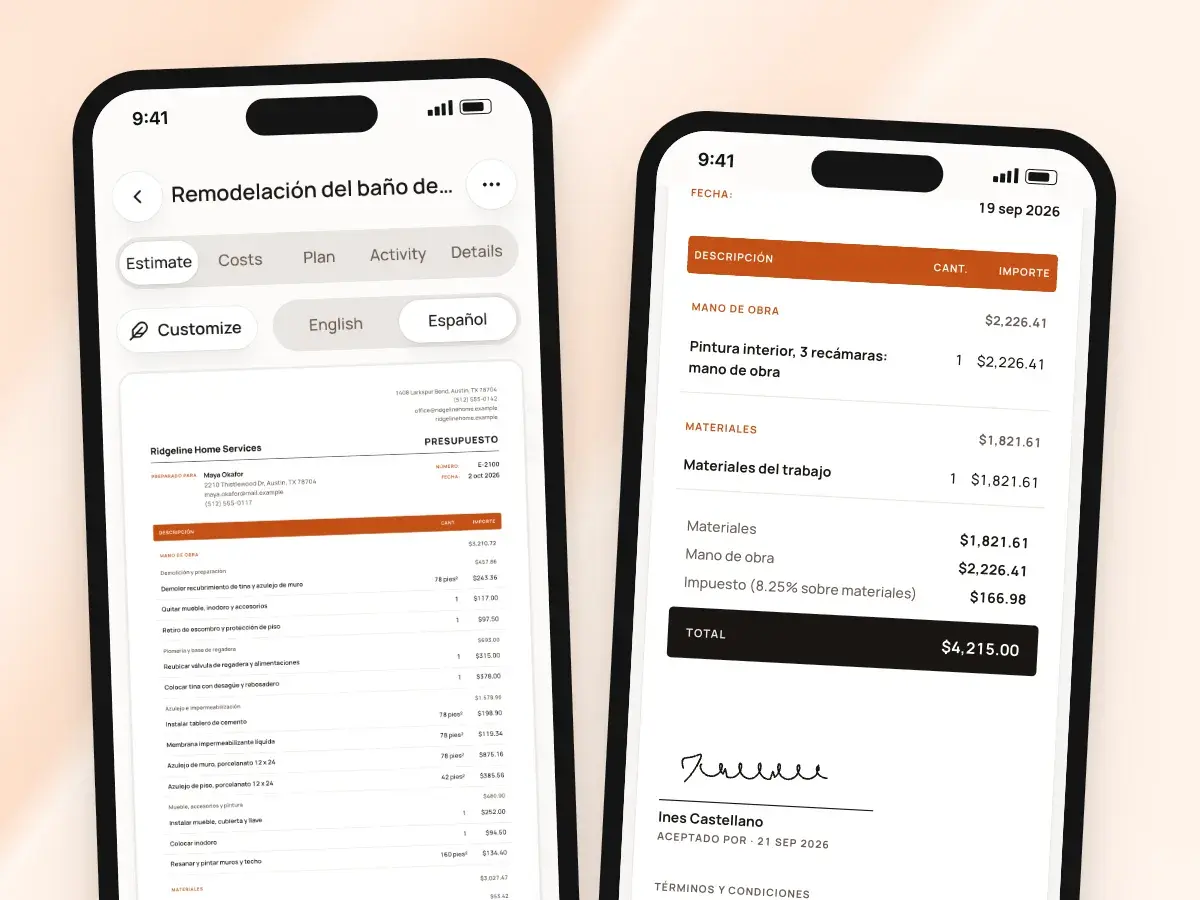
The signed estimate prints an “Accepted by” block with the client’s name, signature and date. It stays with the job in BuildWell, on your phone and on the web, next to the invoices you create from it.
Share it as a PDF from the app whenever you need a copy for your records or for the client. An in-person signature is recorded as signed in person; when a client accepts from the link, BuildWell records:
- The name they typed
- Their drawn signature
- The date and time
- The network address the signature came from
Invoices can be signed too
Some jobs call for a signature on the bill as well, such as sign-off that the work is complete. A signed invoice and a paid invoice are two different things in BuildWell, so you can ask for the signature, the payment, or both, depending on how you run your jobs.
Here’s how signing an invoice works:
- Ask for a signature when you send an invoice
- The invoice link gets the same name and signature form, next to the pay buttons
- Or collect the signature in person on your phone
- You get a notice when an invoice is signed
- The signature prints on the invoice with the signer’s name and the date
Your signature on the document
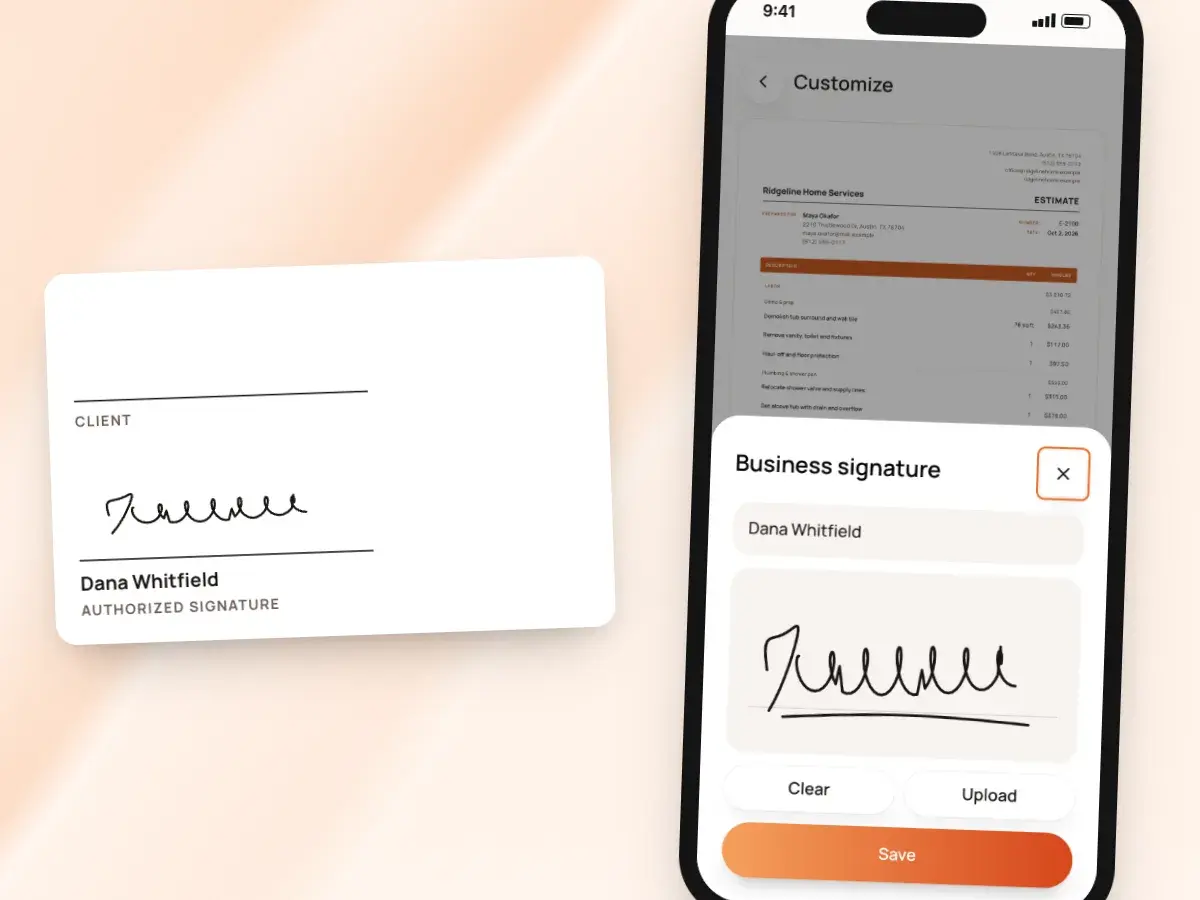
Add your own signature to your documents, and it prints as an authorized signature on your estimates and invoices. That way the document is signed on both sides.
It sits alongside your logo, brand color, license number and terms, in whichever of the six document designs you choose. To set it up:
- Draw it once in the app, or upload an image of it
- Add the name to print under it
- Turn on the business signature line
A change means a new signature
Once an estimate is sent, it’s read-only, so what the client signs is exactly what you sent. When the job changes before they sign, or they decline and you rework it, revise the estimate:
- BuildWell keeps the original
- It retires the original’s link so the old version can’t be signed
- The new version goes out for its own signature
- You always know which version the client agreed to, who signed it and when
Know where every signature stands
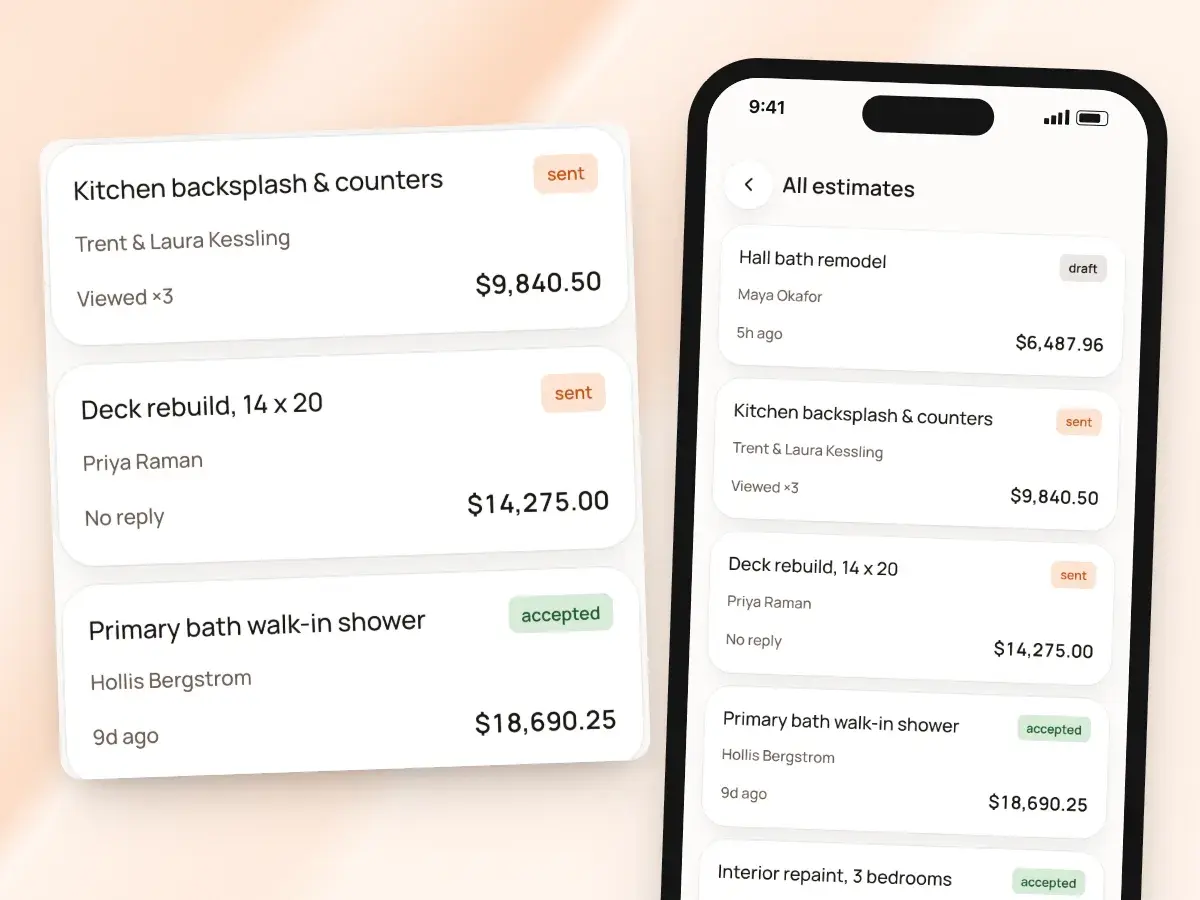
You see when the client opens the estimate and how many times, and you get a notice in the app the moment they accept or decline. If there’s no answer after a few days, BuildWell reminds you to follow up, and one tap re-shares the link from your own phone.
Accepted estimates move straight to invoicing:
- Create the invoice from the signed estimate
- It carries over the same lines and totals
- Not invoiced a week after it was accepted? BuildWell reminds you about that too
- So signed work doesn’t sit unbilled
Signing in English or Spanish
Print and send any estimate in English or Spanish, and the signing page follows the estimate’s language, buttons and all. A client who reads Spanish signs a Spanish estimate on a Spanish page, even if you run the app in English.
The language is set on each estimate before you send it:
- Send one client an English estimate and the next a Spanish one
- Nothing else needs to change between them
- A sent estimate keeps the language it went out in
- So the version the client signs is the version they read
From sent to signed
- 1
Send the estimate
Text or email the link, or hand over your phone to sign in person.
- 2
The client reads it
The full estimate opens in any browser, with your logo, lines, totals and terms.
- 3
They sign
They type their name and sign with a finger, or decline.
- 4
You’re notified
You get a notice, and you can invoice from the signed estimate.
By hand vs with BuildWell
Getting the same estimate signed on paper, with a printer and a pen, and getting it signed in BuildWell.
| The job | By hand | With BuildWell |
|---|---|---|
| Getting it to the client | Print it, or email a PDF they have to download. | A link by text or email that opens in any browser. |
| Signing | Print, sign, scan or photograph, send back. | A finger on their phone screen, then accept. |
| Signing in person | Carry paper copies and a pen to every visit. | Hand them your phone and collect it on the spot. |
| Knowing they’ve seen it | Call and ask. | View count and a notice when they accept or decline. |
| Keeping the record | A signed sheet in the truck, somewhere. | Name, signature and date on the document in the app. |
| Handling a change | Cross out, initial, and hope everyone remembers. | A revision that keeps the original and is signed again. |
Built for your trade
Line items, labor hours and local prices for the work you actually do.
One plan. Every feature.
- AI estimates priced for your area
- Estimates, invoices, clients and projects
- Clients sign on any phone
- Card and bank payments, no extra BuildWell fee
- iPhone, Android and the web
- AI estimates priced for your area
- Estimates, invoices, clients and projects
- Clients sign on any phone
- Card and bank payments, no extra BuildWell fee
- iPhone, Android and the web
Both plans include every feature and start with a 3-day free trial. Add a card to start; you’re not charged until the trial ends. Cancel anytime.
Free tools to go with it
Generators, templates, calculators and guides. No sign-up.
E-signature app FAQ
01Does my client need an app or an account to sign?
02Can I collect a signature in person?
03What does BuildWell record when a client signs?
04Can clients decline?
05Can I get invoices signed?
06What happens if the job changes after I send it?
07Can I add my own signature?
08Is an electronic signature legally binding?
09Can clients sign in Spanish?
10How much does BuildWell cost?
More of BuildWell
Client portal
Send a link, and clients read your estimate, accept and sign it on their phone, or decline. Invoices open the same way with pay buttons. You see every view.
Learn more →Quote software
Price a job from local material prices and your area’s labor rates, send the quote as a link, and get it accepted and signed on the client’s phone.
Learn more →Estimating software
Describe a job and get an itemized estimate with materials at local store prices and labor at your area’s wage. Edit any line, send it, get it signed.
Learn more →Invoicing software
Turn a signed estimate into an invoice, bill deposits and progress payments, send a link clients pay from, and see what’s still owed. Built for contractors.
Learn more →Spanish estimates
Use BuildWell in Spanish, and print any estimate or invoice in Spanish or English, whichever your client reads. Signing and pay pages follow the document.
Learn more →Estimate app
Estimate on site by voice or photos with the BuildWell app for iPhone and Android, then finish at your desk on the web. One account, everything in sync.
Learn more →
Try BuildWell today
Estimates, invoices, e-signatures and payments in one place, on your phone and on the web.