 BuildWell
Quote software that wins jobs on the first visit
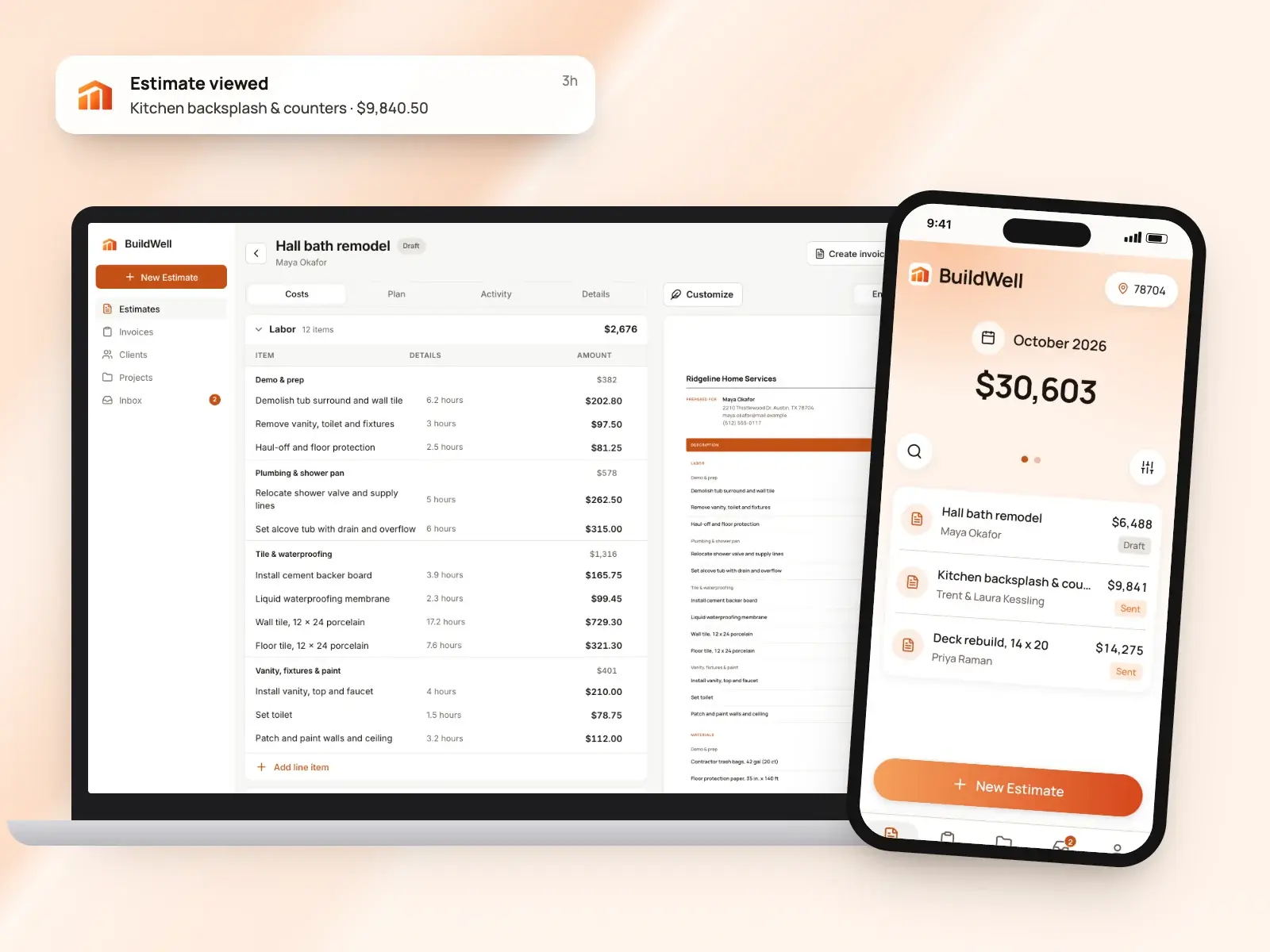
Walk the job and send a priced, itemized quote before you leave. You get a notice when the client signs.
Quote software, in short
- Itemized quotes priced with local prices and wages
- Call it a quote, an estimate or anything
- Sent by text or email from your phone
- Clients accept and sign on their phone, or decline
- See when the client opens it, and how often
- Signed quote to invoice in a few taps
A priced quote before you leave the job
Quoting usually means a night at the kitchen table with a notepad and a spreadsheet. With BuildWell, you describe the job while you’re standing in it, by voice, text or photos.
A quick, clear quote is often the first thing a homeowner judges you on. That happens before they’ve seen a minute of your work.
- BuildWell lays out the work in the order it happens
- Then it prices the job line by line
- Review it in the truck and adjust what you want
- Send it while the client still remembers your visit
Your document, your word for it
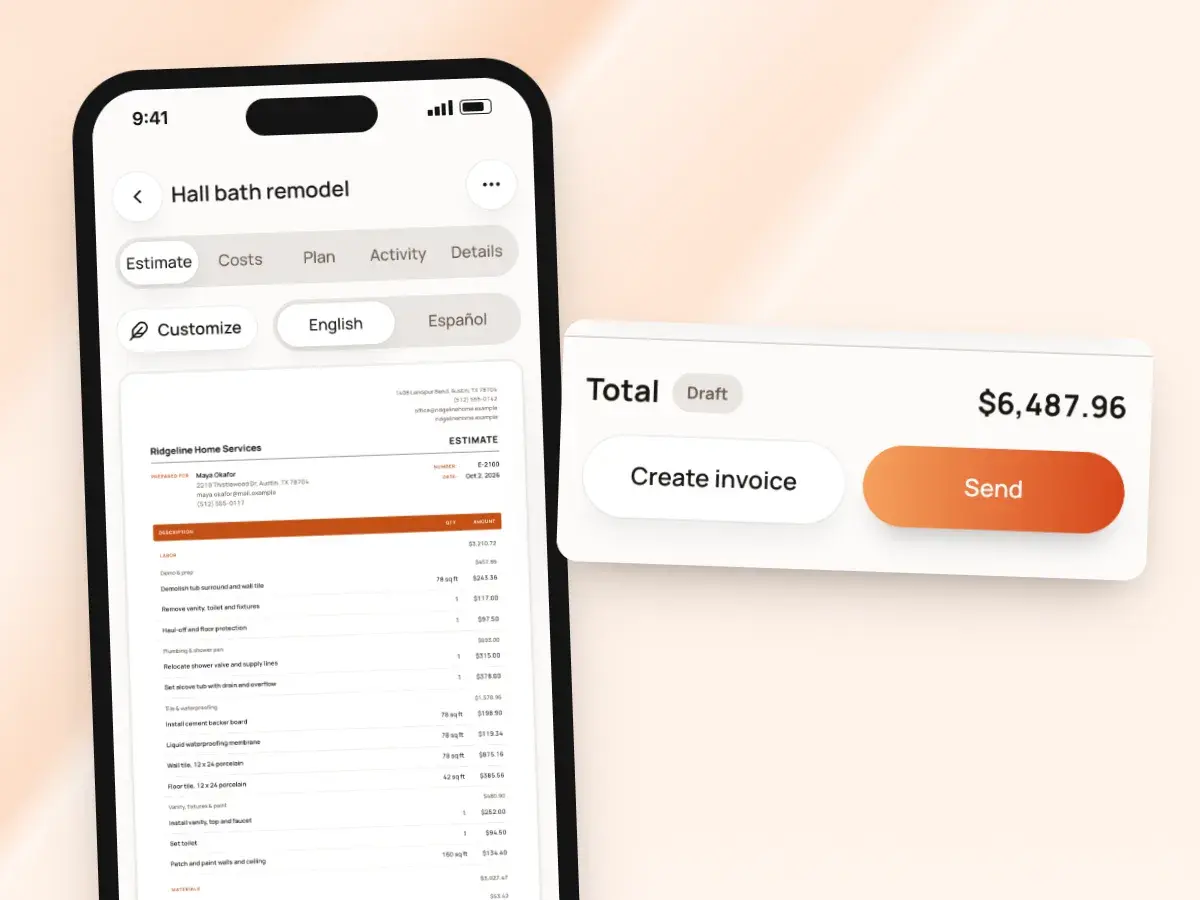
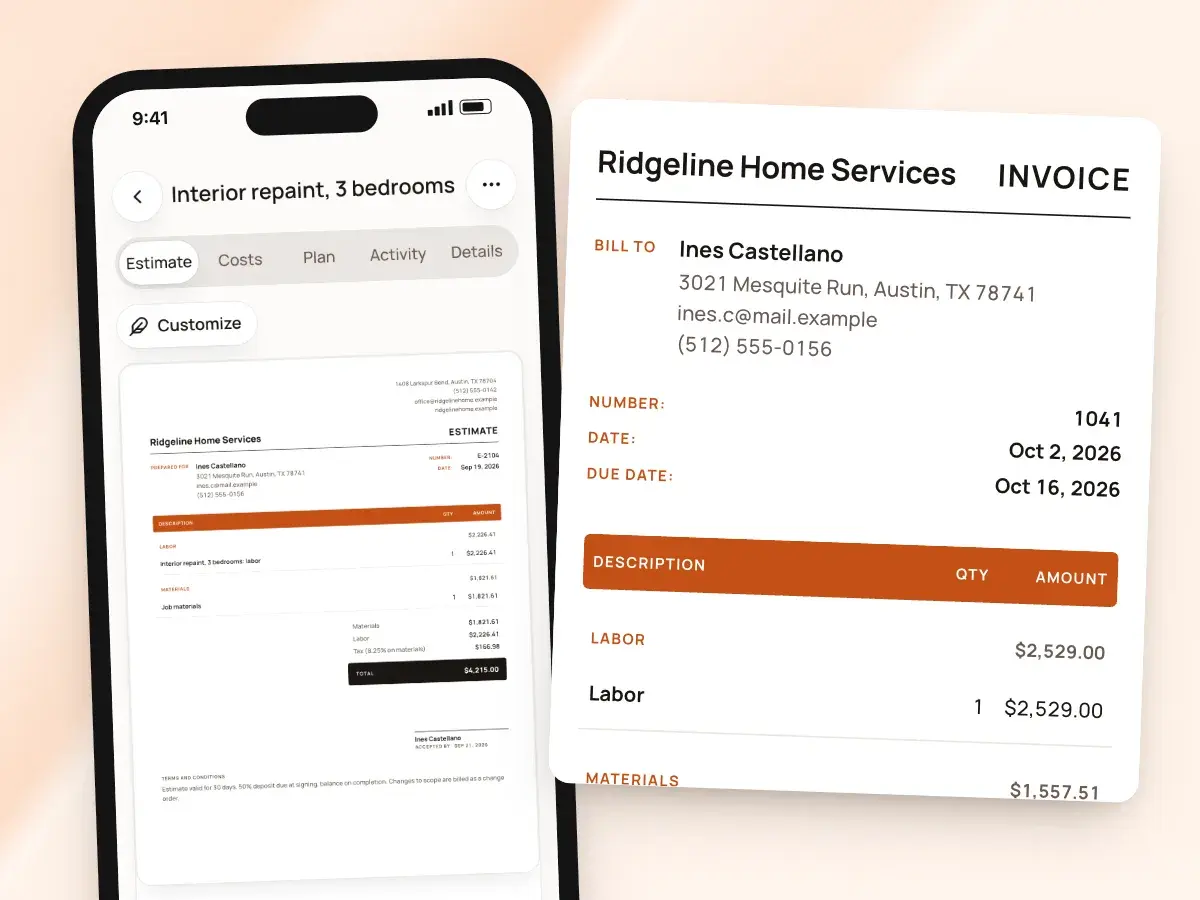
In BuildWell the priced document is an estimate, and it works the way most contractors use the word quote. It’s an itemized price for a defined scope, which the client accepts and signs.
For the difference between the two terms, our glossary explains when contractors call a price a quote and when they call it an estimate.
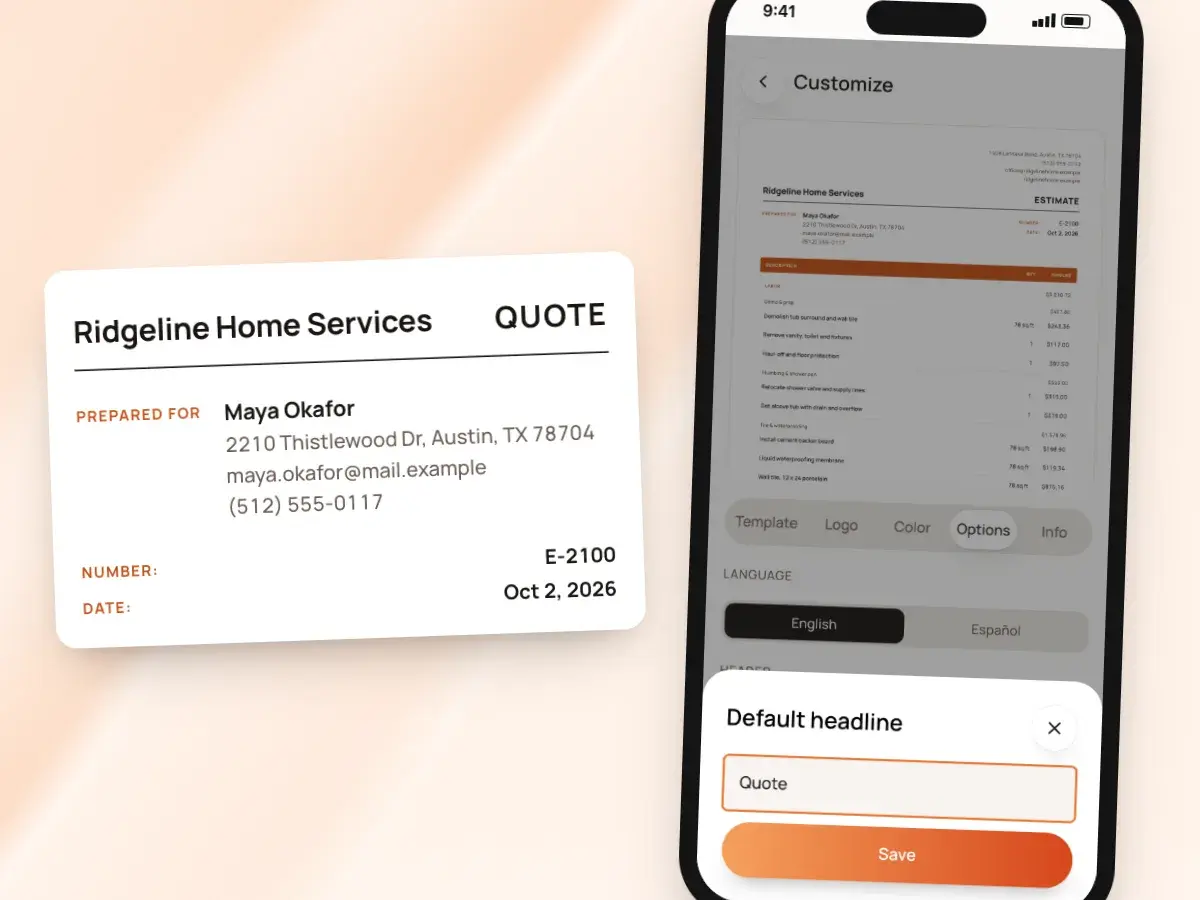
- If your clients expect to see “Quote” at the top, change the headline in Customize
- Every new document then goes out titled your way
- You can rename the labels on the document too
- The wording then matches how you talk to clients
Prices you can stand behind
A quote is a promise, so the numbers have to hold up. Nothing goes out with a number you haven’t checked.
When a material has no store price, the line is flagged and any suggested price is marked as a suggestion. You confirm it or enter your own before the quote can be sent.
- Materials priced at stores near the job
- Store prices checked within the last 30 days
- A link to where each price came from
- Labor at the Bureau of Labor Statistics median wage for each trade in your metro
- Plus your own overhead and markup
Your margins on every line
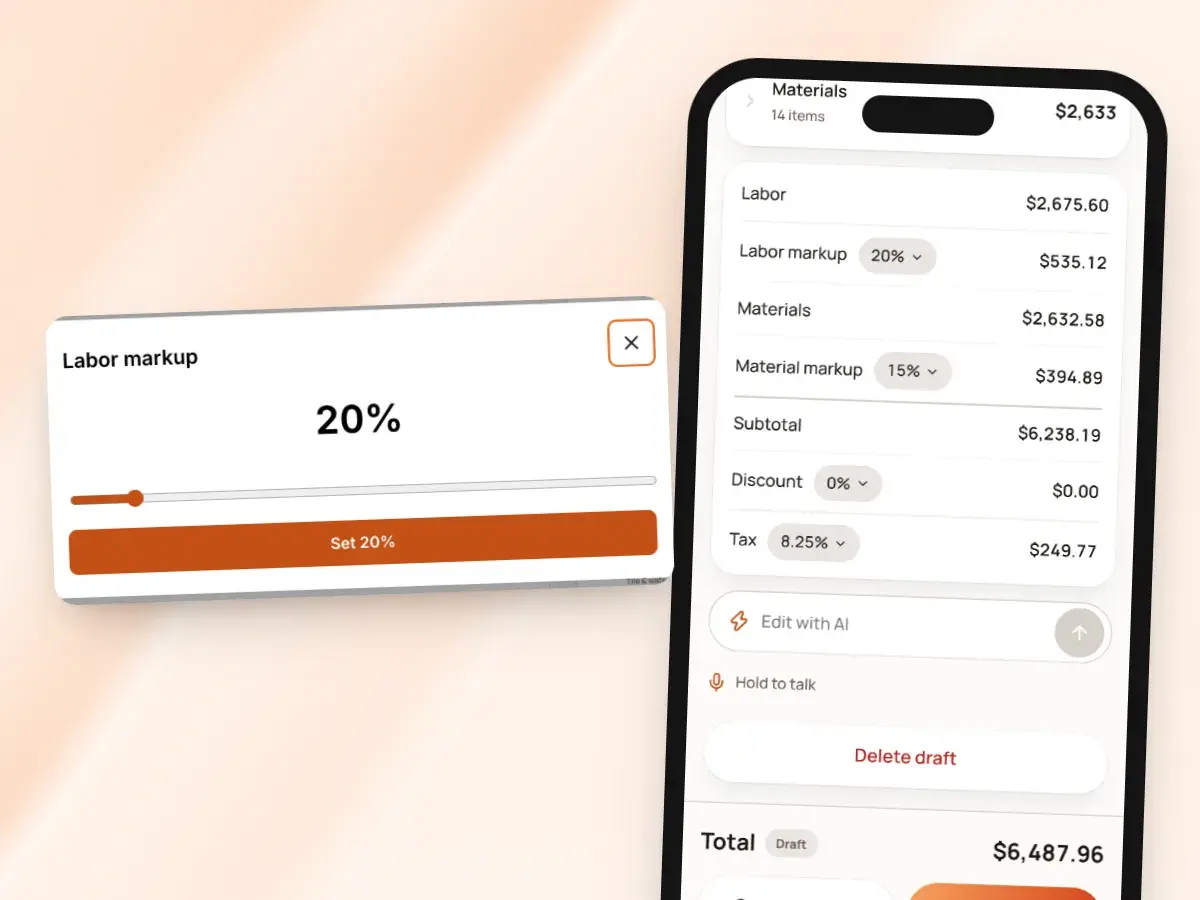
Set your pricing once, and every quote starts from your numbers. Change it on any one job.
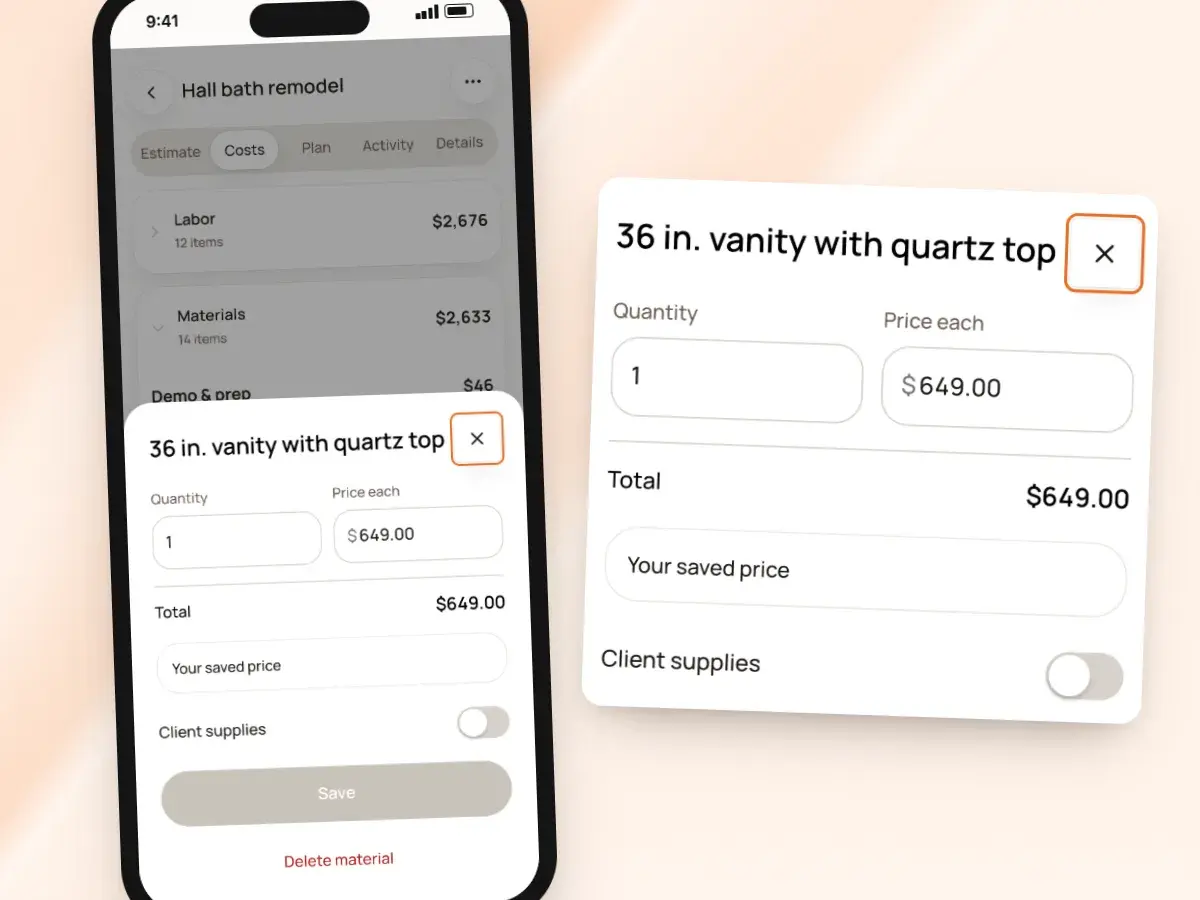
Every quantity, hour and price stays editable, and the totals update as you type. When you enter your own price for a material, BuildWell remembers it for your next quote.
- Labor overhead, labor markup and material markup
- Sales tax and your permit fee
- A percentage discount for a repeat client
- Client-supplied items at no charge, so nobody argues about who’s buying the faucet
Clear enough to say yes to
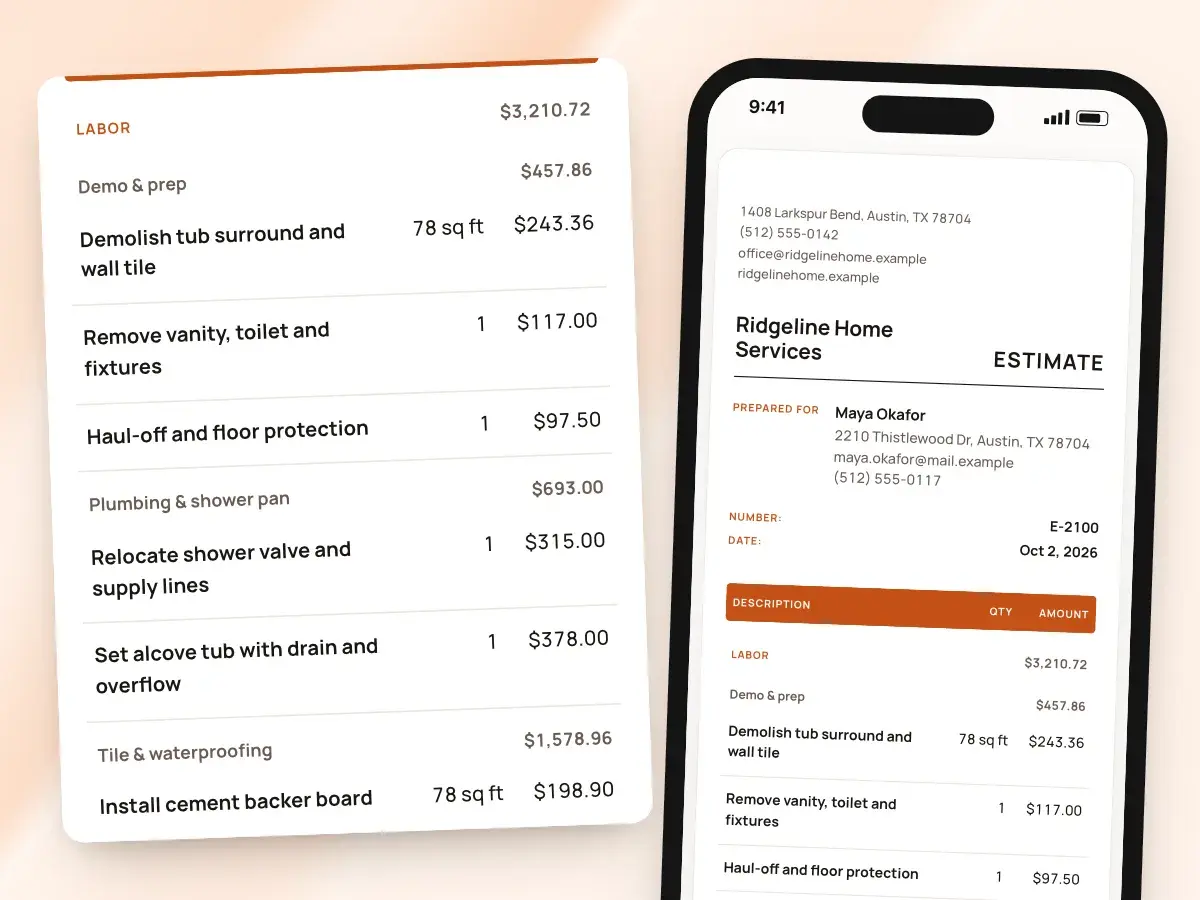
Clients say yes to what they understand. Lines are grouped by job step, so the quote reads like the job: demolition, then rough-in, then finishes.
Add a before-and-after render from a photo of the room, and it prints as its own page after the quote. The client can picture the finished job while they read the price.
- Show or hide quantities, unit prices, discount and tax
- Pick one of six document designs
- Add your logo, colors, license number and terms
Accepted and signed on their phone
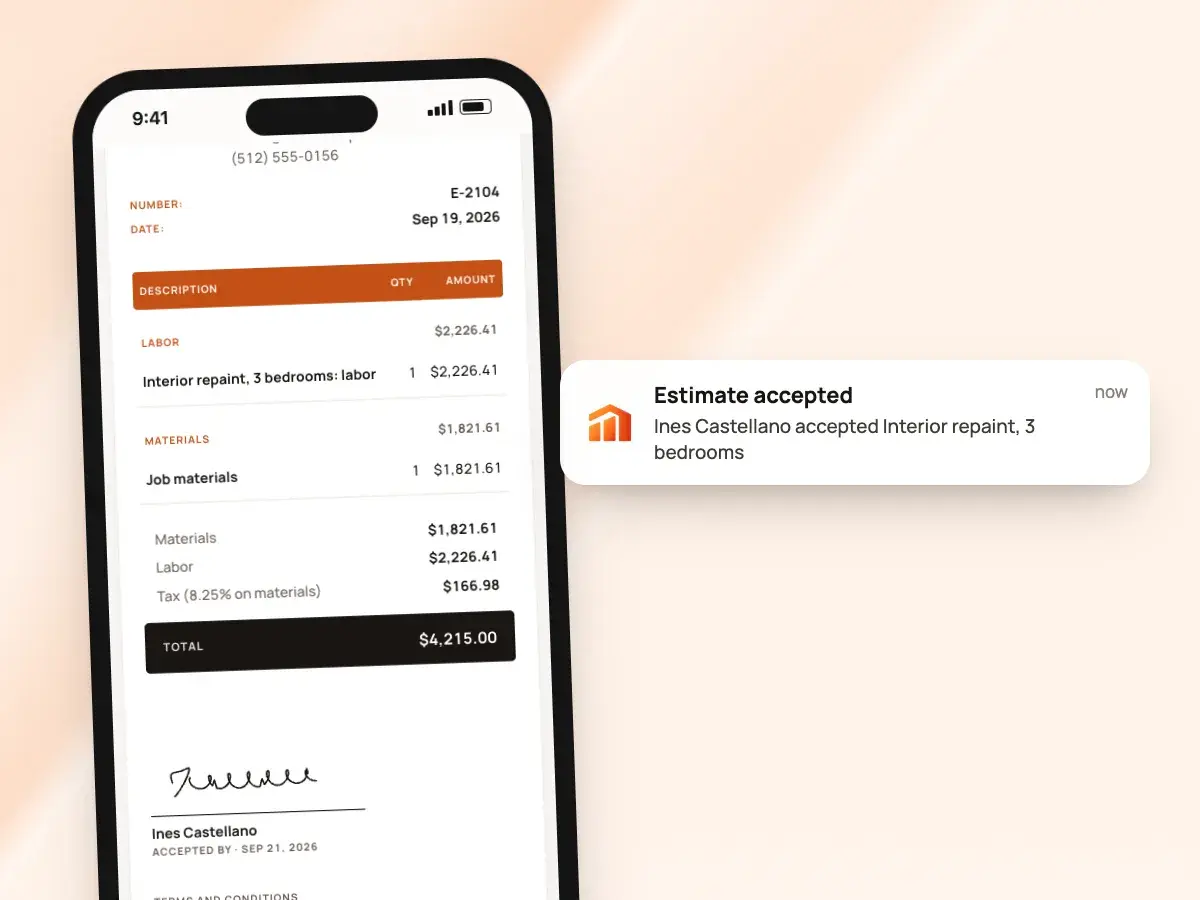
Text or email the quote as a link with your own message. The client opens it in any browser, with no app or account.
If you’re sitting together at the kitchen table, collect the signature on your own phone right there. Either way, the signed quote shows their name, signature and the date.
- They read it, type their name, sign with a finger and tap accept
- Or they decline, and you know to call
- Share it as a PDF whenever the client asks for a copy for their records
Know when to follow up
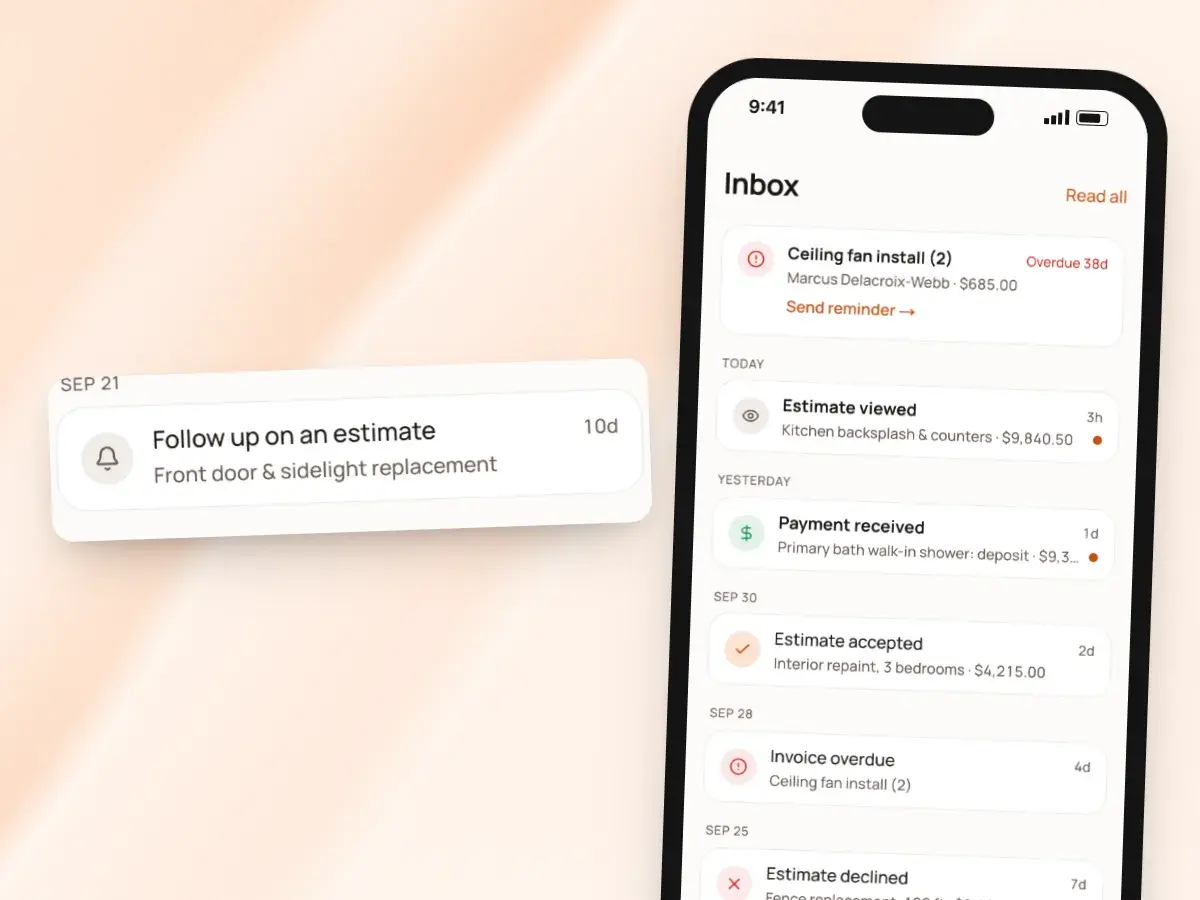
You see when the client opens the quote and how many times, and you get a notice in the app when they accept or decline. If three days pass with no answer, BuildWell reminds you, so a good lead doesn’t go cold because life got busy.
When the client asks for a change, revise the quote. BuildWell keeps the original, retires its link, and the new version goes out for a fresh signature.
- Your list of quotes shows each one as draft, sent, accepted or declined
- You can see your open bids at a glance
- You know exactly who to call this week
From yes to invoice
Once the quote is signed, create the invoice from it: the same lines, grouped the same way, with the discount and tax carried over. Nothing is retyped, and nothing drifts from what was agreed.
One quote can lead to more than one invoice, and each one is listed on the quote. A deposit invoice and a final invoice stay tied to the price the client signed.
- Ask for a deposit when you send it
- Clients can pay by card or bank transfer from the link once you’ve connected Stripe
- Or they pay with the Zelle, Venmo or check details you list
From site visit to signed quote
- 1
Describe the job
Talk, type or snap photos on site. BuildWell asks only what changes the price.
- 2
Check the price
Review the itemized lines, local prices and your markups. Change anything you like.
- 3
Send the link
Text or email it, titled “Quote” if that’s what your clients expect.
- 4
Get the signature
The client signs on their phone. You get a notice, then invoice from it.
By hand vs with BuildWell
Quoting the same job with a notepad and a spreadsheet, and quoting it in BuildWell.
| The job | By hand | With BuildWell |
|---|---|---|
| Writing it up | Back at the office that night, from memory and a few photos. | On site, by voice, text or photos, with the work planned in order. |
| Material prices | Last job’s prices, or a round of store websites. | Stores near the job, checked within 30 days, with the source linked. |
| Labor | One rate for everything, whatever the trade. | Each trade’s local median wage, plus your overhead and markup. |
| Sending it | A PDF attached to an email that lands in spam. | A link by text or email from your own phone. |
| Getting a yes | Print, sign, scan, send back, or a verbal “sounds good.” | Accepted and signed with a finger on the client’s phone. |
| Following up | Guess whether they’ve even opened it. | View count, a notice when they decide, and a reminder to you. |
Built for your trade
Line items, labor hours and local prices for the work you actually do.
One plan. Every feature.
- AI estimates priced for your area
- Estimates, invoices, clients and projects
- Clients sign on any phone
- Card and bank payments, no extra BuildWell fee
- iPhone, Android and the web
- AI estimates priced for your area
- Estimates, invoices, clients and projects
- Clients sign on any phone
- Card and bank payments, no extra BuildWell fee
- iPhone, Android and the web
Both plans include every feature and start with a 3-day free trial. Add a card to start; you’re not charged until the trial ends. Cancel anytime.
Free tools to go with it
Generators, templates, calculators and guides. No sign-up.
Quote software FAQ
01Is a quote different from an estimate in BuildWell?
02How fast can I send a quote?
03Can I quote a job without the AI?
04Where do the prices come from?
05Can clients sign the quote on their phone?
06Can I see whether the client opened it?
07What if the client wants changes?
08Can I put my logo and terms on it?
09Can I quote in Spanish?
10How much does BuildWell cost?
More of BuildWell
Estimating software
Describe a job and get an itemized estimate with materials at local store prices and labor at your area’s wage. Edit any line, send it, get it signed.
Learn more →E-signature app
Clients sign your estimates with a finger on their phone, from a link or in person. Name, signature and date go on the document. No app or account for them.
Learn more →Estimate templates and branding
Six built-in designs for estimates and invoices. Add your logo, color, license number and terms, and every document matches, on the PDF and the client’s link.
Learn more →AI estimates
Describe a job by voice, text, photos or a floor plan. AI plans the work and quantities; prices come from local stores and BLS wages, and you confirm any gaps.
Learn more →Client portal
Send a link, and clients read your estimate, accept and sign it on their phone, or decline. Invoices open the same way with pay buttons. You see every view.
Learn more →Invoicing software
Turn a signed estimate into an invoice, bill deposits and progress payments, send a link clients pay from, and see what’s still owed. Built for contractors.
Learn more →
Try BuildWell today
Estimates, invoices, e-signatures and payments in one place, on your phone and on the web.