 BuildWell
Accurate AI estimates, priced in minutes
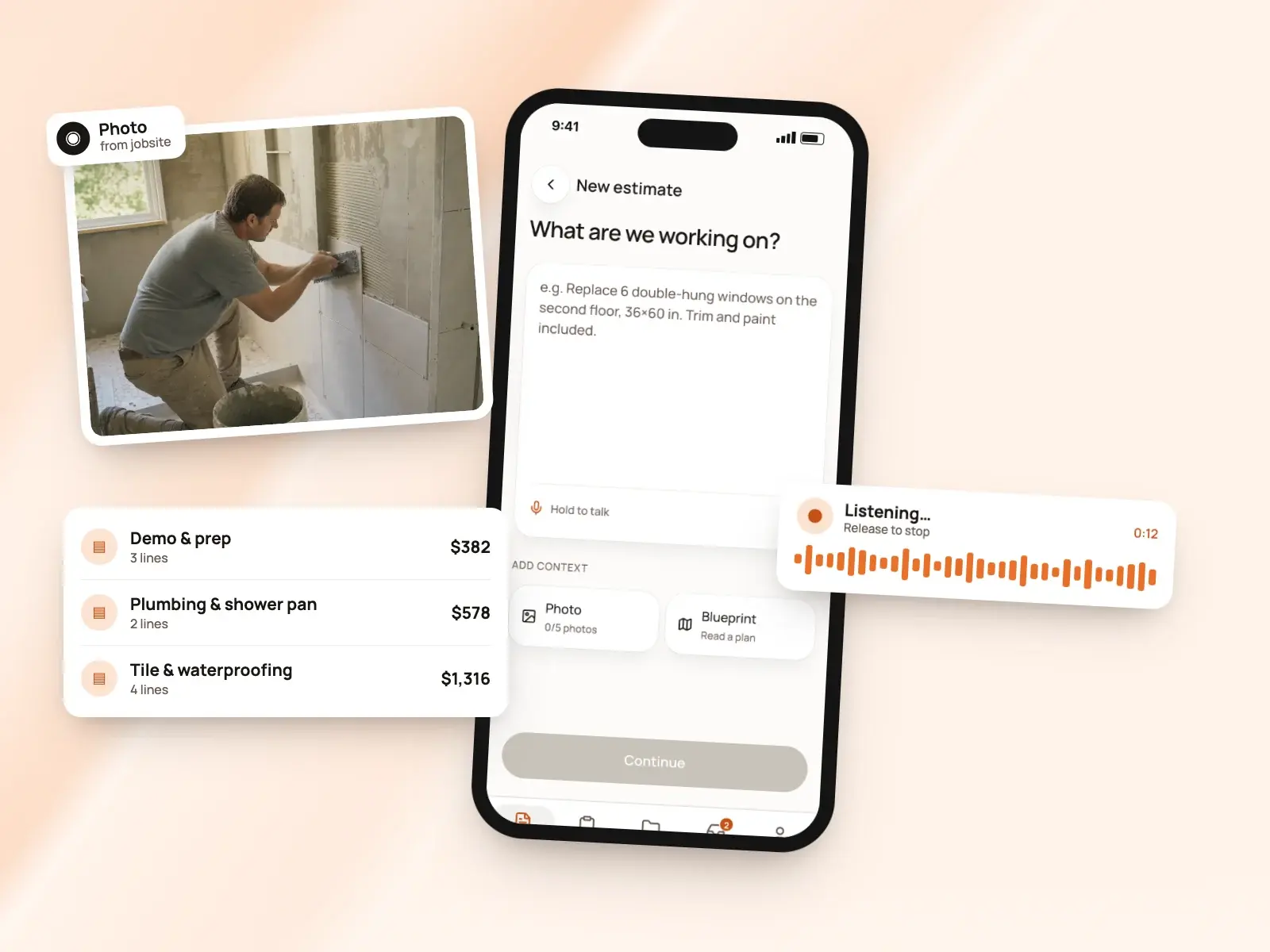
Describe the job by voice, text or photos. BuildWell plans the work and prices every line with local store prices and wages.
AI estimates, in short
- Voice, text, photos or a floor plan
- Only the questions that change the price
- Check the plan of work before it’s priced
- Prices from local stores and your area’s wages
- Edit any line, and the AI keeps your edits
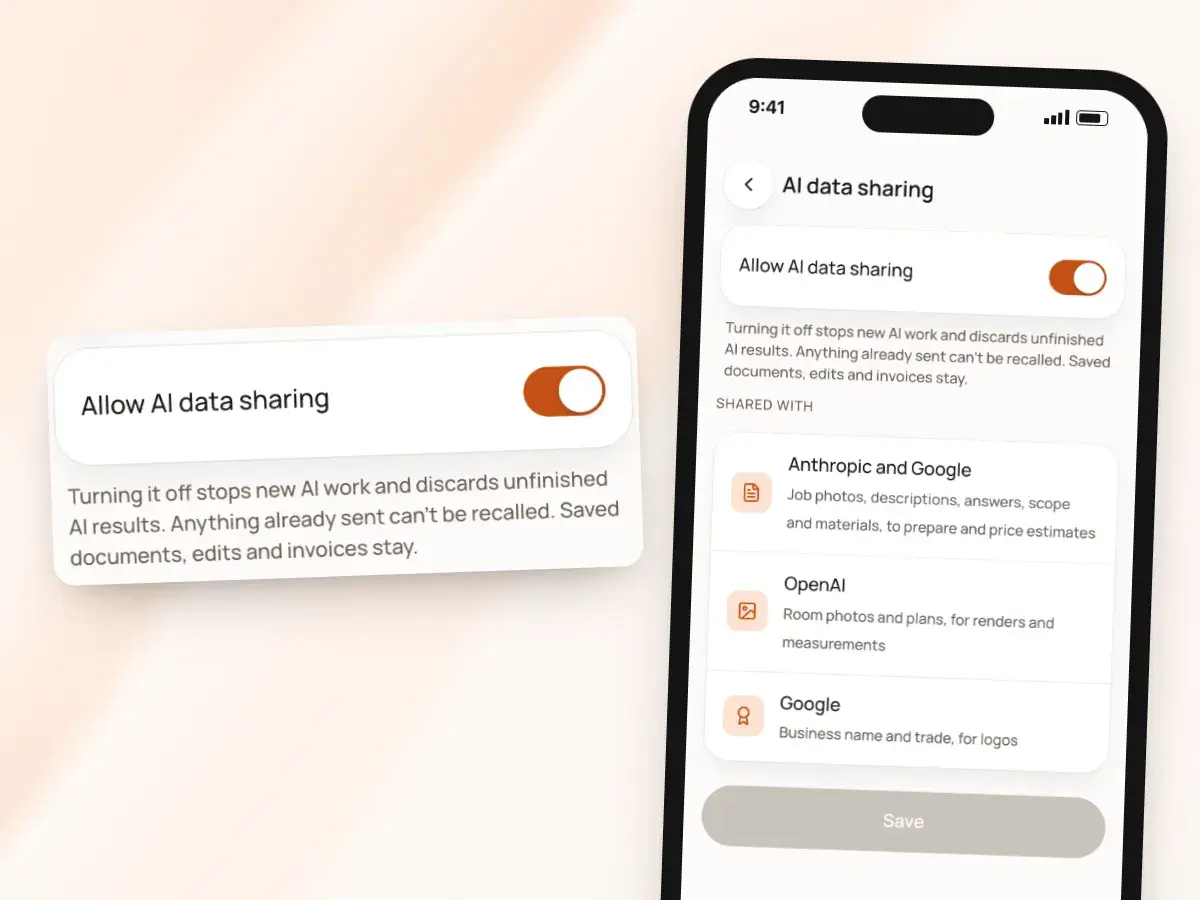
- Turn off AI data sharing in your profile
Describe it any way you like
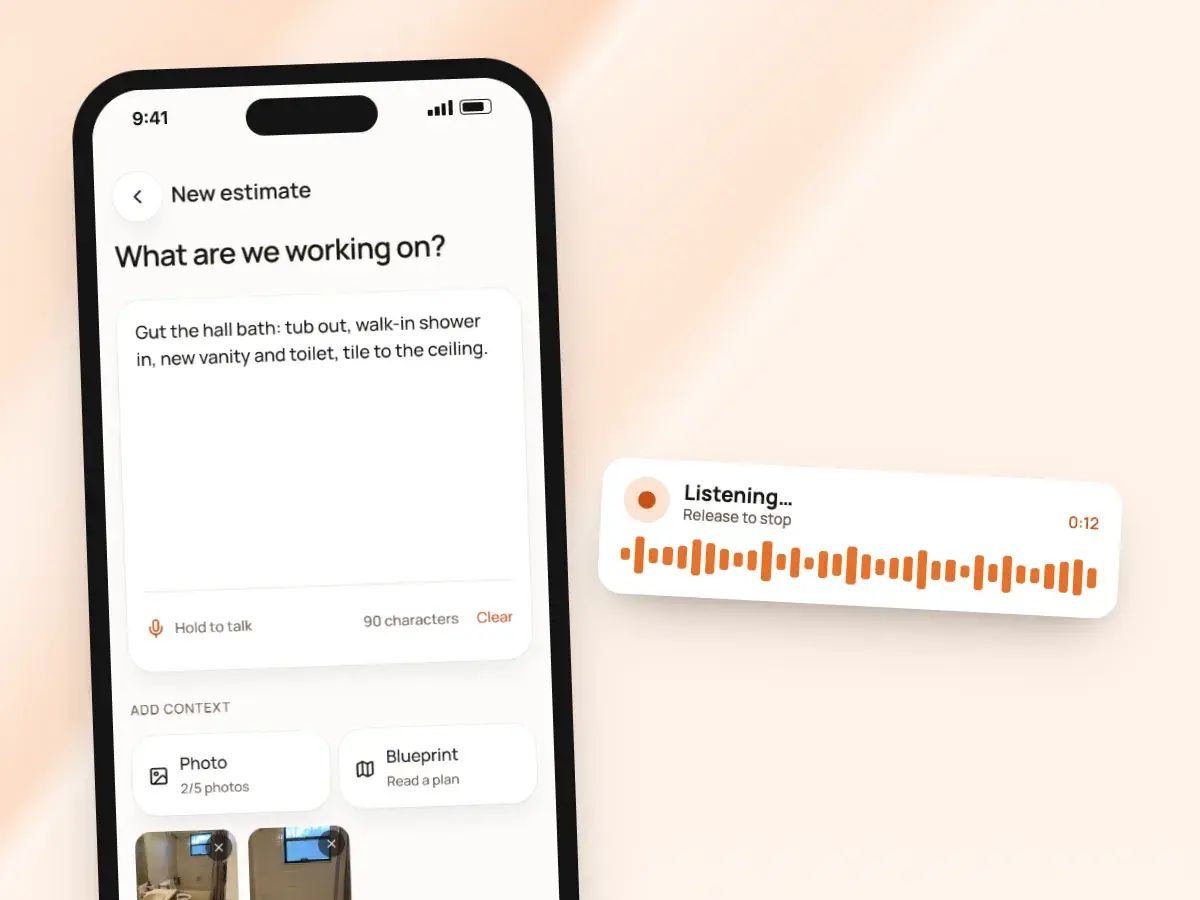
Talk through the job while you walk it, type a few lines in the truck, or both. Then add whatever you have on hand, and BuildWell reads it:
- Up to five photos of the space; the AI reads what it can see
- What photos show: the tub you’re pulling out, the old vinyl, the water heater
- A floor plan or dimensioned sketch: photograph it and it reads the room sizes
- On an iPhone Pro with LiDAR, scan the room for a top-down plan instead
- The scan’s wall lengths go straight into the job description
Only the questions that change the price
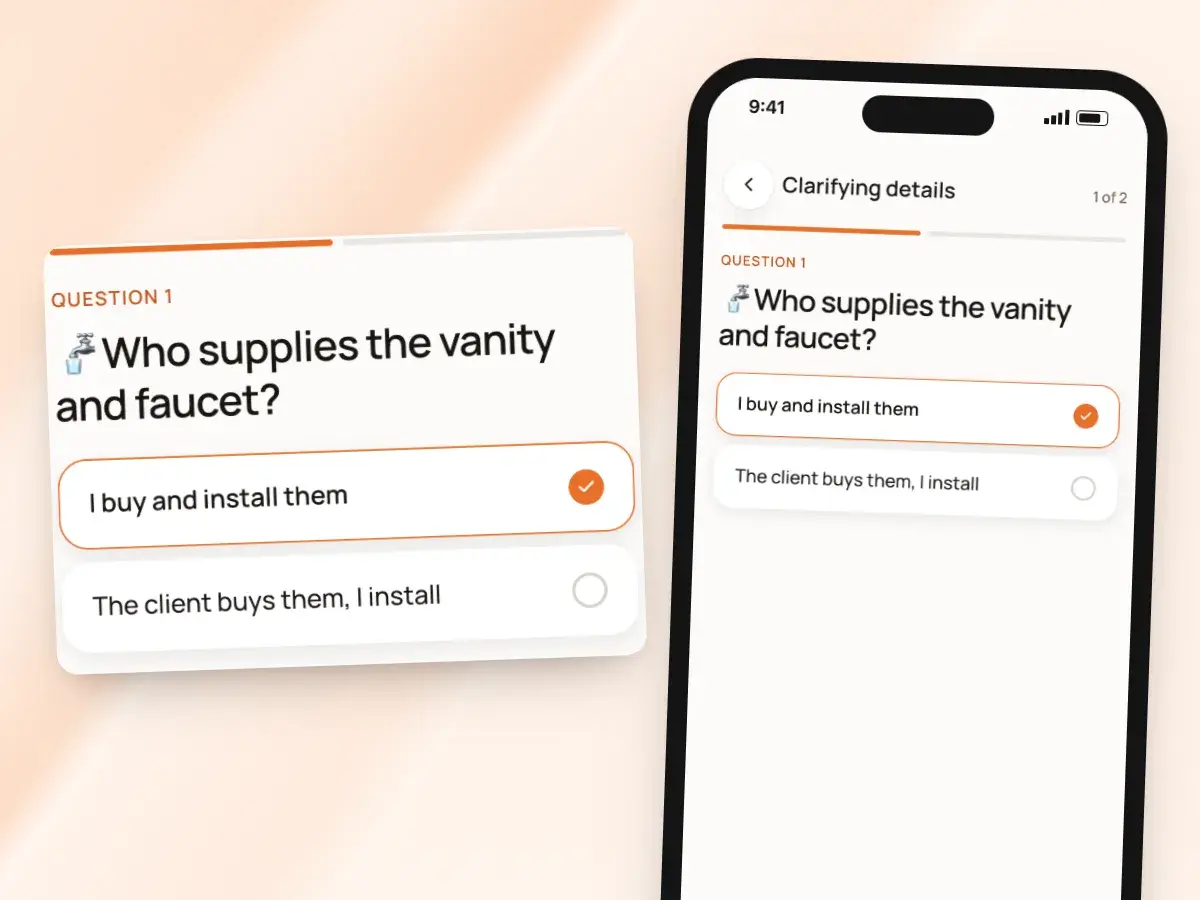
Before it plans anything, BuildWell asks a few short questions, like who supplies the vanity or whether the subfloor is staying. Each one changes what you’d buy, what work you’d do or how much of it.
Every question has concrete answers you can tap on site. A few rules keep the list short:
- It won’t ask for something you already said
- It won’t ask about something it can see in a photo
- Don’t know yet? Answer “not sure, confirm on site”
- The estimate then states that assumption clearly for the client
A plan before the numbers
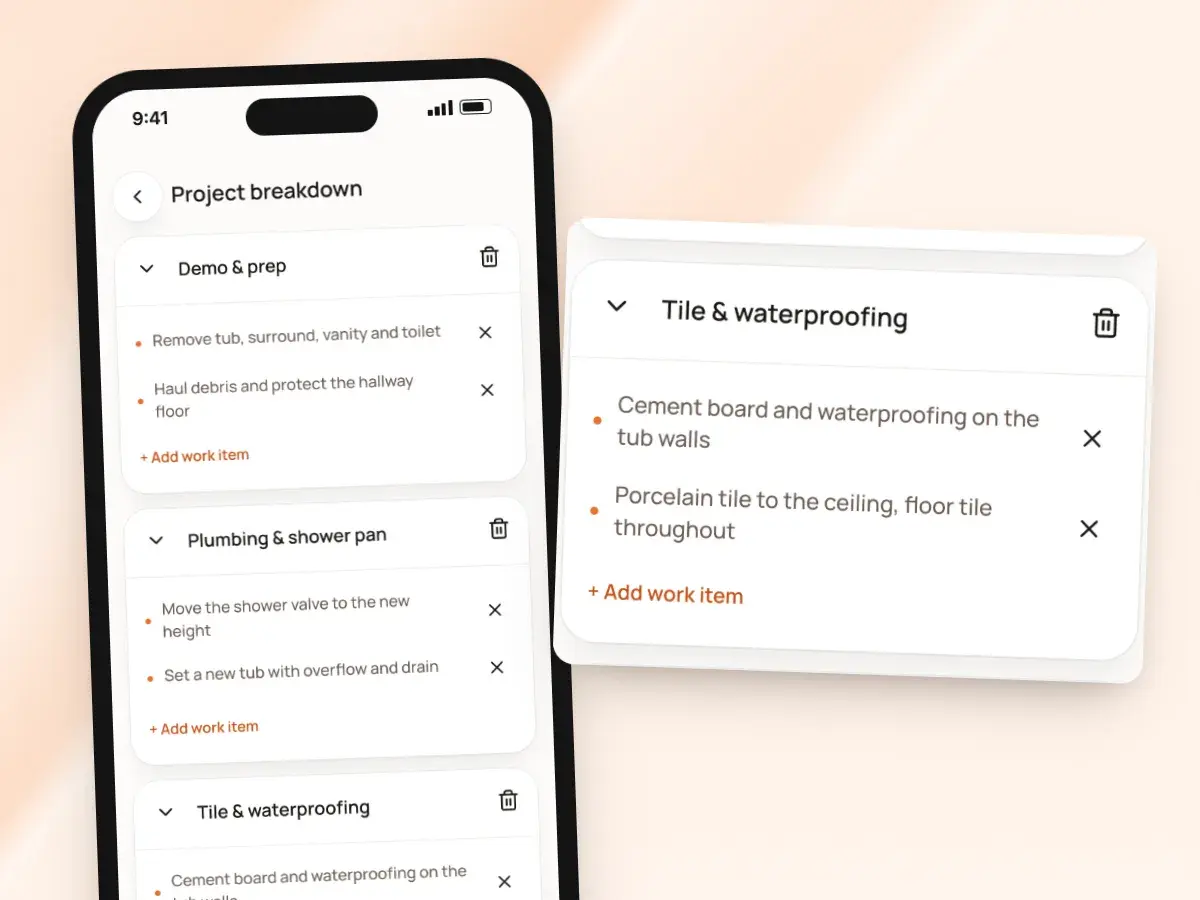
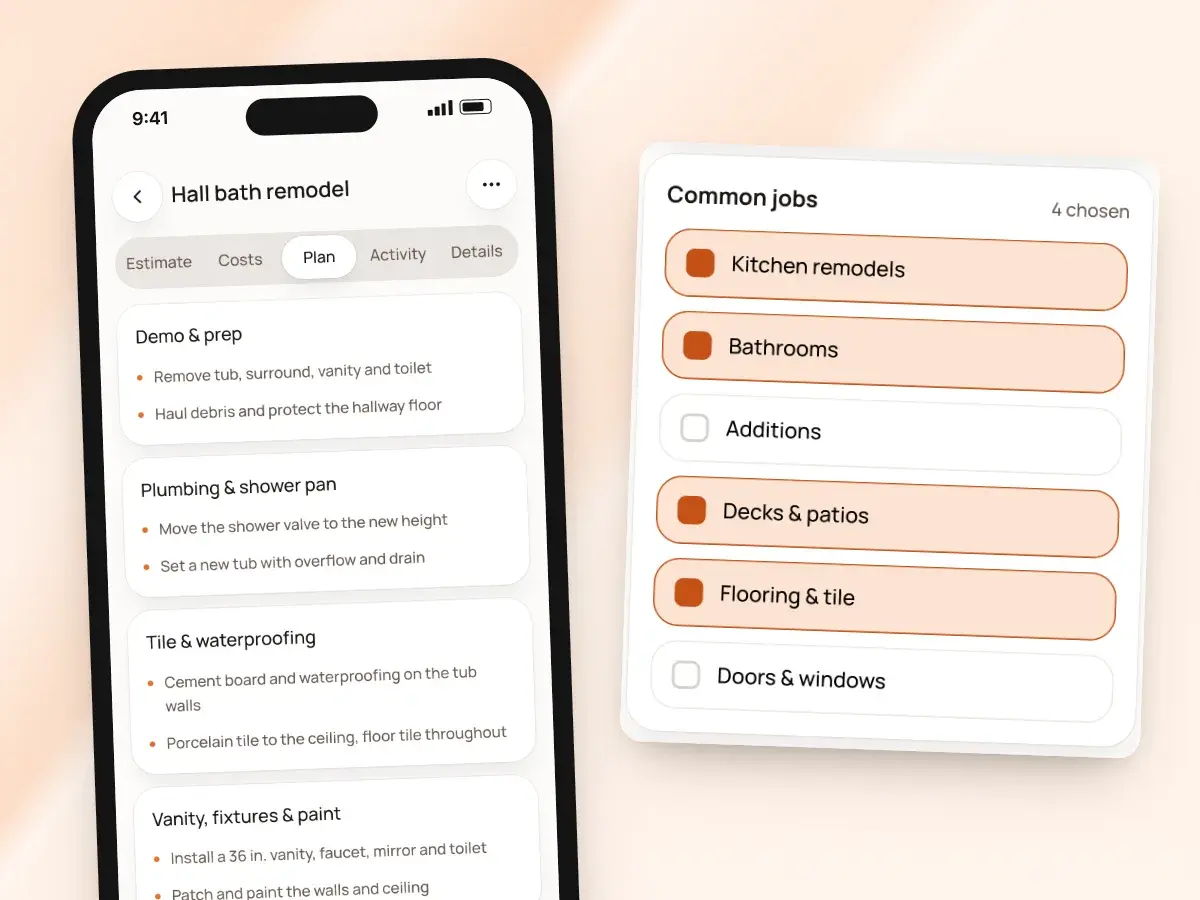
Before pricing, you see the plan: the work grouped into phases, in the order it happens. Your dimensions and product choices are kept word for word, so it reads the way you’d build the job.
Then BuildWell turns the plan into line items, each a real unit of work from its catalog with labor hours by trade and the materials it takes. Until then, the plan is yours to change:
- Edit any phase yourself
- Remove what isn’t in your scope
- Tell the AI what to change in plain words
Prices backed by real local data
The AI chooses the work and the quantities; real data sets the prices. Here’s where each number comes from, and what happens when one is missing:
- Materials: priced at stores near the job, checked within 30 days
- Each material price links to where it came from
- Labor: the median wage for each trade in your metro
- That wage comes from the Bureau of Labor Statistics
- Your overhead and markup go on top of the labor wage
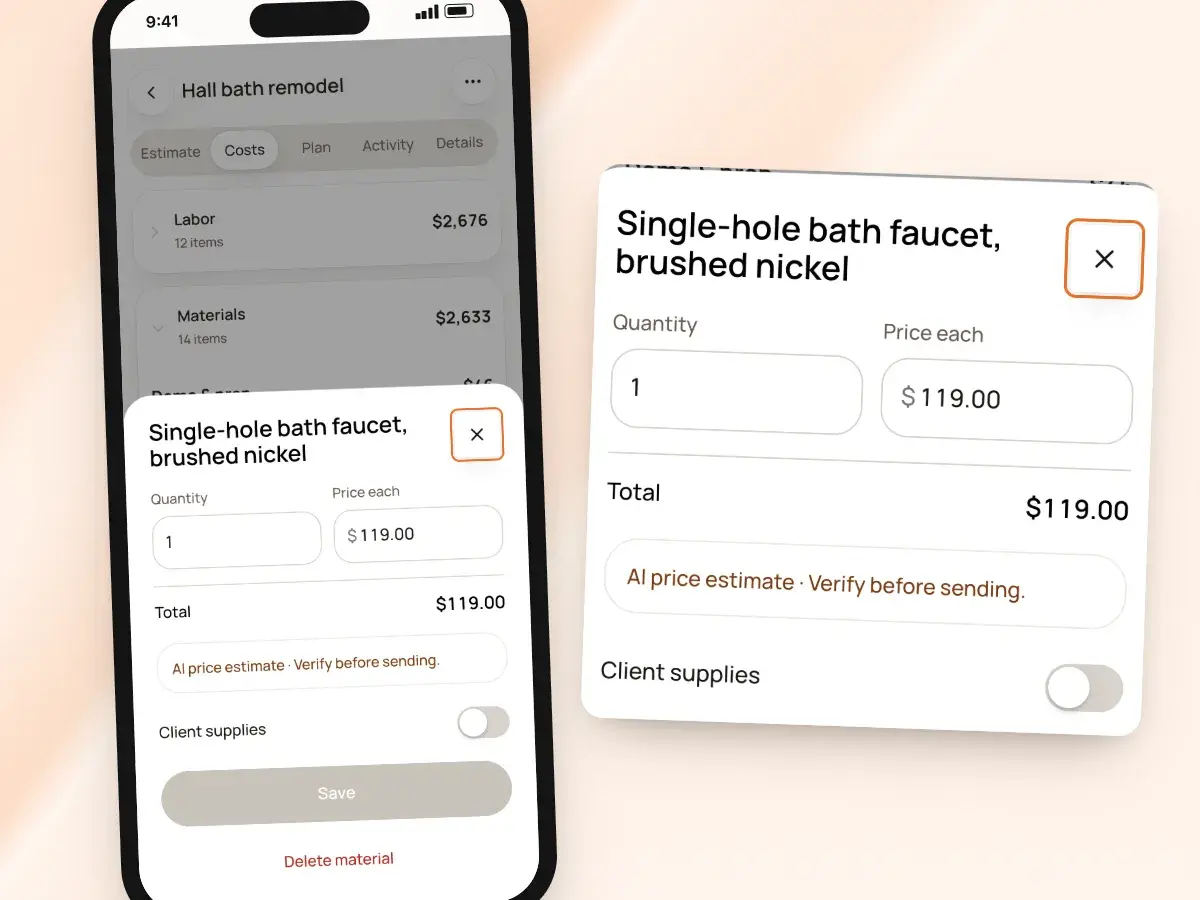
- No store price for a material? The estimate says so
- Any suggested price is clearly marked as a suggestion
- You confirm it or enter your own before the estimate can be sent
Edit freely, then ask for more
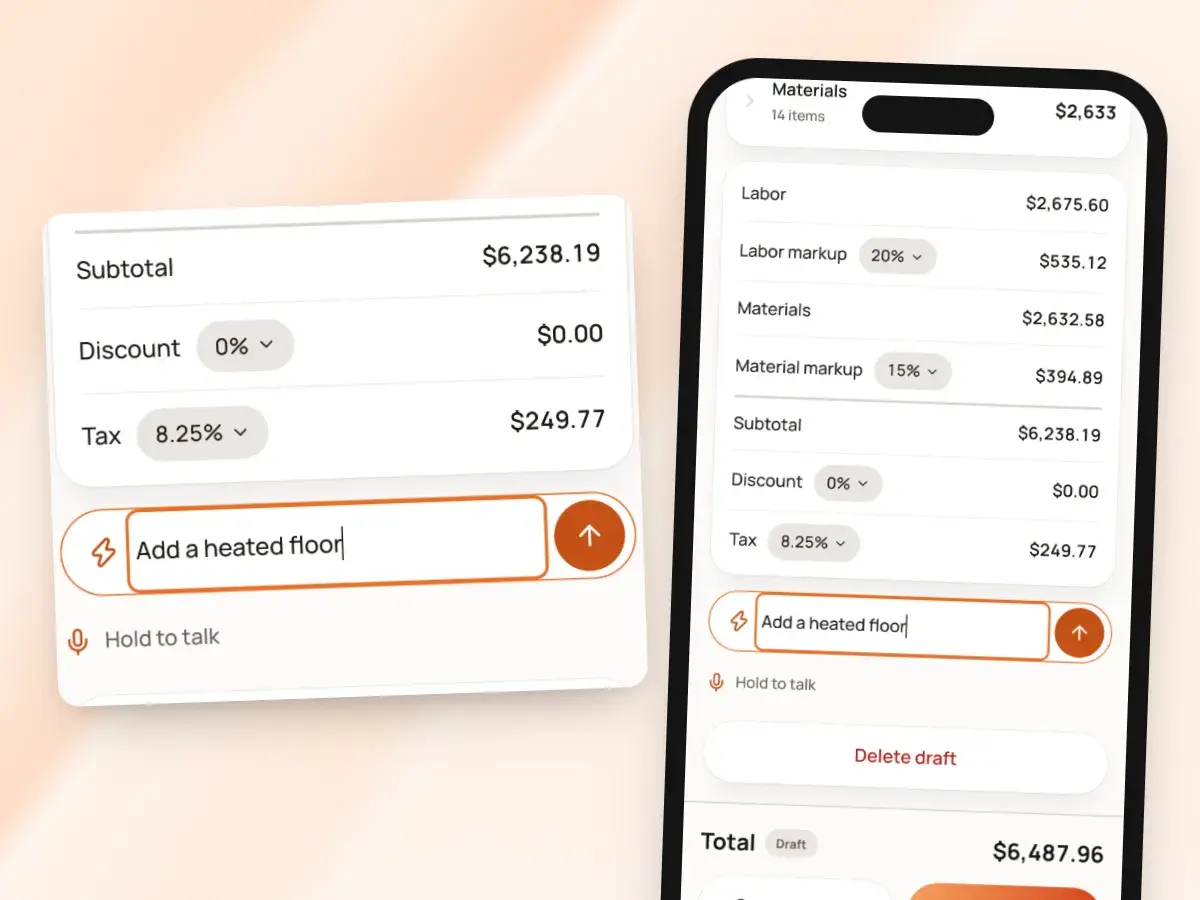
Every line, quantity, hour and price is yours to change. Add lines from the catalog or write your own, delete what you don’t need, and set the markups and discount for this job.
Then keep going with the AI: it updates the estimate and keeps the edits you’ve already made, so you never have to choose between your judgment and its speed. Ask for things like:
- “Add a heated floor”
- “Switch to a solid-surface vanity top”
- “Take out the paint”
Built on how the trades actually work
BuildWell’s catalog is organized by job type: bathrooms, kitchens, roofing, flooring, painting, decks, fences, plumbing, electrical and more. Each unit of work knows which trade does it, roughly how long it takes, and what materials it uses.
So the AI is choosing from real building steps rather than inventing them. It also knows the questions each trade gets wrong when they’re skipped:
- Who supplies the main fixture
- Whether there’s rot under the old floor
- How far the new circuit runs
- Conditions hidden until demolition get a clear scope note, so the client knows up front
Written in English or Spanish
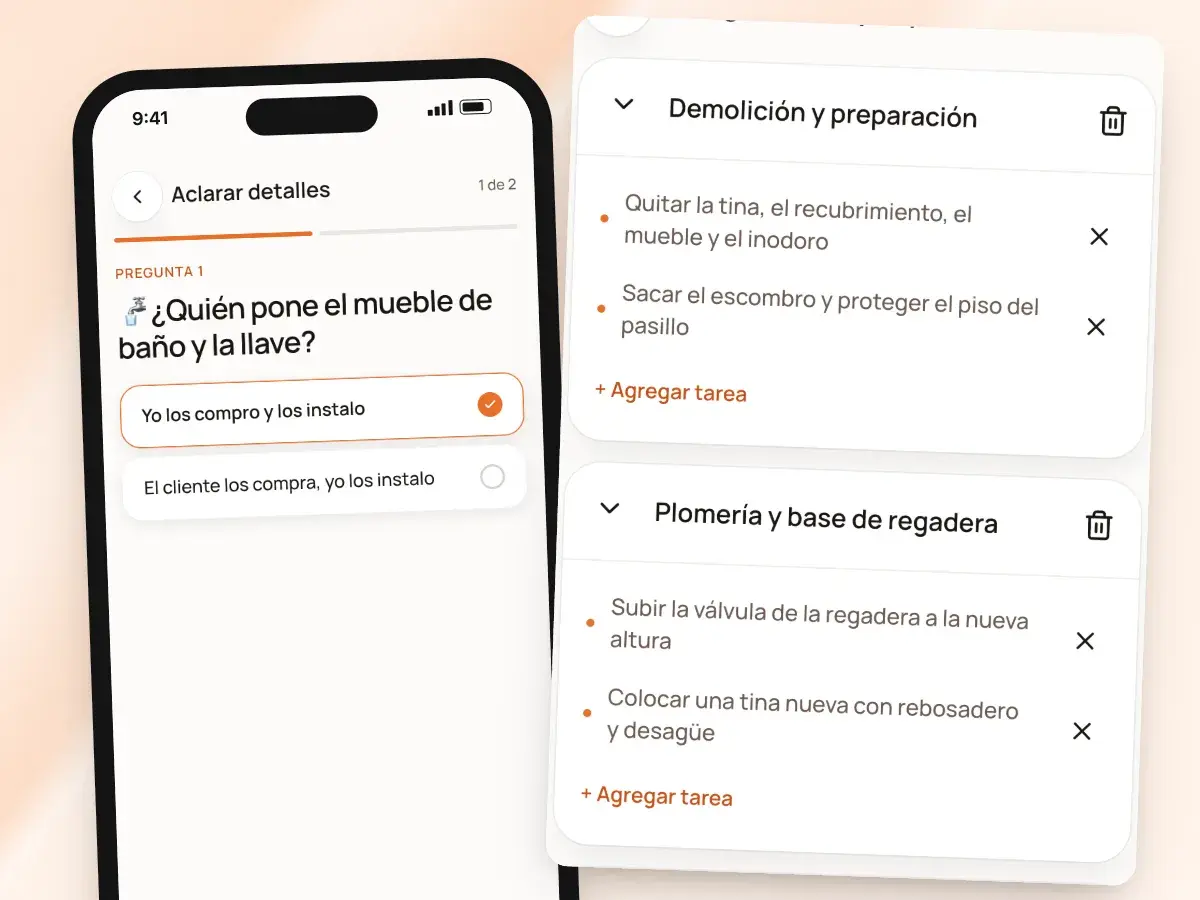
Use BuildWell in Spanish and the AI asks its questions, writes the plan and names the lines in clear, neutral Spanish.
Print any estimate in either language, whatever language you use the app in. The language is a setting on each document, not a separate copy to keep in sync:
- Free-text lines you’ve written are translated for the printed copy
- A crew lead can build the estimate in Spanish on site
- The homeowner can still receive it in English, or the other way round
Your data, your choice
To make estimates, renders and logos, BuildWell shares your job details and photos with Anthropic, Google and OpenAI. You agree to that when you sign up, and the details are listed under AI data sharing in your profile.
You stay in charge of the AI and of what your client gets:
- Turn AI data sharing off in your profile at any time
- The AI is a tool for drafting the work, not for sending it
- Your client gets the estimate you reviewed and sent
- You can always build an estimate yourself from the catalog and your own lines
- It gets the same local prices, and the same signing and invoicing afterwards
How an AI estimate comes together
- 1
Tell it about the job
Voice, text, up to five photos, a floor plan or a LiDAR scan.
- 2
Answer a few questions
Tap the answers that change the price, or mark them to confirm on site.
- 3
Check the plan
Review the phases of work. Edit them or ask the AI to change them.
- 4
Review and send
Lines come priced from local data. Adjust anything, then send it to sign.
By hand vs with BuildWell
Where AI helps on an estimate, where BuildWell keeps it on a short leash, and what you’d be doing by hand instead.
| The job | By hand | With BuildWell |
|---|---|---|
| Writing the scope | Type every step from scratch, or copy an old job and fix it. | Describe the job once; the AI drafts the phases of work for you to check. |
| Measurements | Tape measure, notepad, and transcribing later. | Read from a floor plan photo, or a LiDAR scan on iPhone Pro. |
| Missing details | Find out at demo day that you forgot to ask. | The questions that change the price, asked before pricing. |
| Material prices | Guess from memory, or a chatbot’s confident number. | Local store prices checked within 30 days, with the source. |
| Labor | One rate for every trade. | BLS median wage per trade in your metro, plus your overhead and markup. |
| Changes | Rebuild the estimate by hand and hope the totals still add up. | Tell the AI what changed; your edits stay put and the totals update. |
Built for your trade
Line items, labor hours and local prices for the work you actually do.
One plan. Every feature.
- AI estimates priced for your area
- Estimates, invoices, clients and projects
- Clients sign on any phone
- Card and bank payments, no extra BuildWell fee
- iPhone, Android and the web
- AI estimates priced for your area
- Estimates, invoices, clients and projects
- Clients sign on any phone
- Card and bank payments, no extra BuildWell fee
- iPhone, Android and the web
Both plans include every feature and start with a 3-day free trial. Add a card to start; you’re not charged until the trial ends. Cancel anytime.
Free tools to go with it
Generators, templates, calculators and guides. No sign-up.
AI estimates FAQ
01Can I edit what the AI produces?
02Does the AI set the prices?
03What if the AI misses something?
04How many photos can I add?
05Can it read a floor plan?
06What if I don’t know an answer yet?
07Which trades can the AI estimate?
08Which AI models does BuildWell use?
09Does it work in Spanish?
10Is the AI included in the price?
More of BuildWell
Estimating software
Describe a job and get an itemized estimate with materials at local store prices and labor at your area’s wage. Edit any line, send it, get it signed.
Learn more →Job photos and renders
Keep job photos with the estimate, invoice and project, and show clients the finished room with an AI render from a before photo. Renders print with the job.
Learn more →Spanish estimates
Use BuildWell in Spanish, and print any estimate or invoice in Spanish or English, whichever your client reads. Signing and pay pages follow the document.
Learn more →Estimate app
Estimate on site by voice or photos with the BuildWell app for iPhone and Android, then finish at your desk on the web. One account, everything in sync.
Learn more →Quote software
Price a job from local material prices and your area’s labor rates, send the quote as a link, and get it accepted and signed on the client’s phone.
Learn more →E-signature app
Clients sign your estimates with a finger on their phone, from a link or in person. Name, signature and date go on the document. No app or account for them.
Learn more →
Try BuildWell today
Estimates, invoices, e-signatures and payments in one place, on your phone and on the web.