BuildWell

Landscaping estimating software that wins more jobs

Estimating and invoicing software for landscapers. Describe the sod, beds and plants, and send a priced estimate before you leave.

  • Store prices near the job
  • Wages for your metro
  • iPhone, Android and web
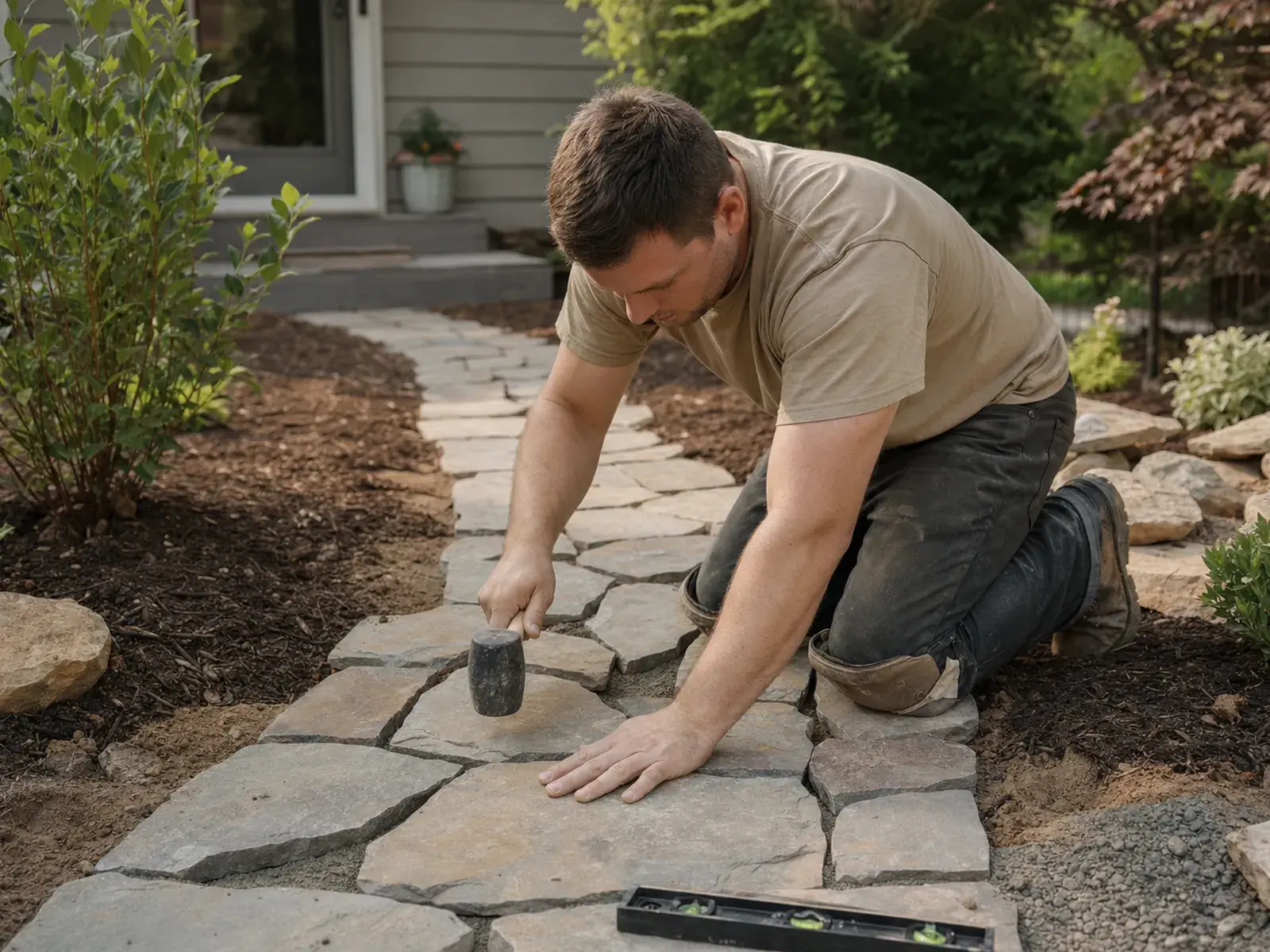
A landscaper laying stone pavers for a backyard garden path

Run every landscaping job start to finish

Estimate on site, get it signed before you leave, invoice when the work’s done and see the payment land.

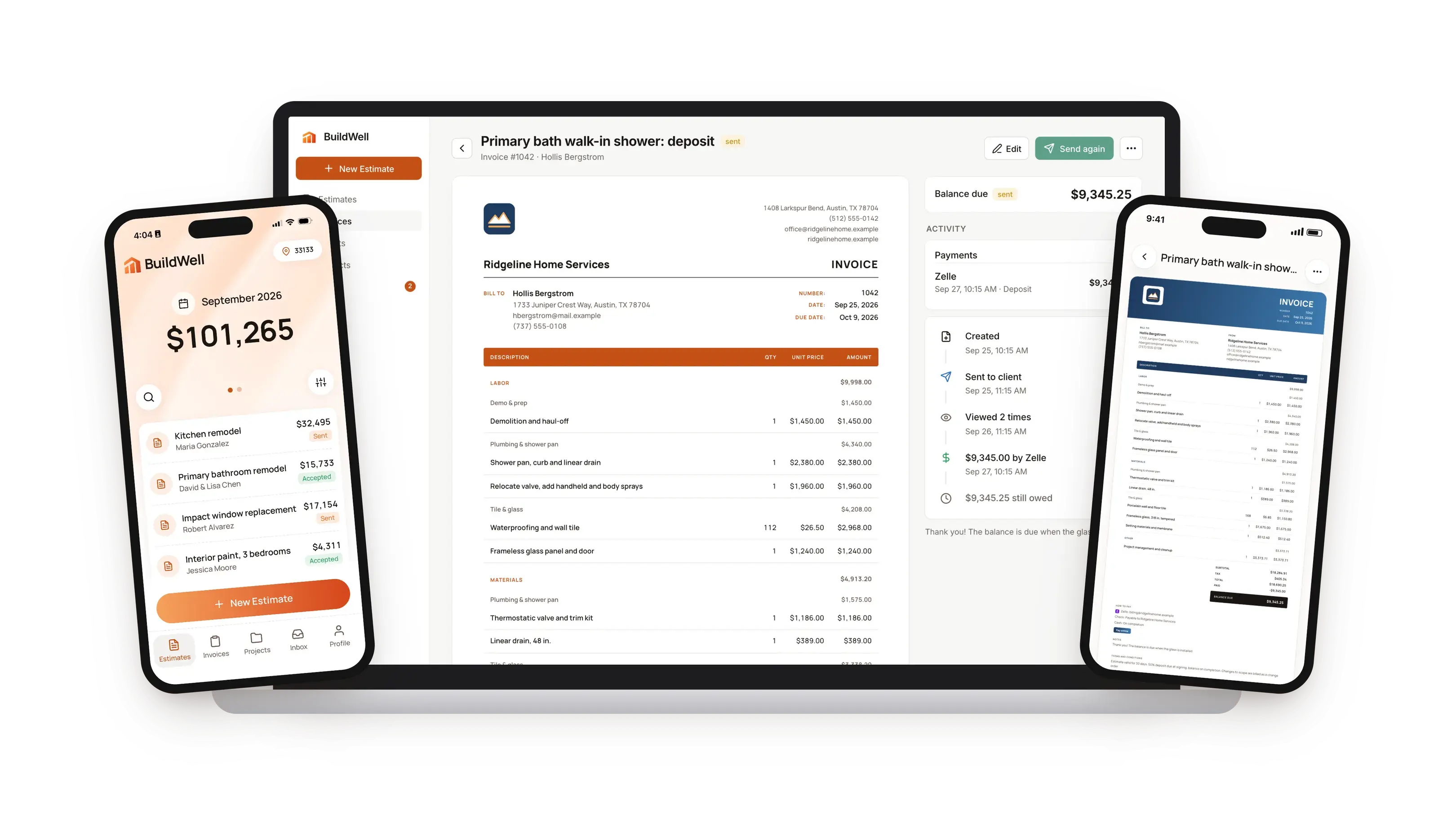
BuildWell on a laptop showing a branded invoice and its payments, the estimates home screen on one phone and an invoice in a different style on another

What is landscaping estimating software?

Landscaping estimating software turns a walk of the yard and a plan for it into a priced, itemized estimate. It replaces the notepad sketch, the supplier price list and the evening spent adding it all up.

A landscape estimate covers six kinds of work

A landscape estimate covers more kinds of work than most trades:

  • Site work: removing old turf and plants, grading and drainage.
  • Soil and turf: topsoil, compost, sod or seed, priced by area or by the yard.
  • Beds and planting: edging, fabric, mulch, shrubs, perennials and trees.
  • Water: irrigation zones, heads and drip line.
  • Hardscape and lighting: patios, walkways, retaining walls and low-voltage lights.
  • Disposal: what you haul away, and what it costs to dump.

Two common ways landscapers price

Most landscapers price these jobs one of two ways:

  • A rough number from experience. It's fast, but it misses the extra yard of soil and the shrubs that cost double this year.
  • A full takeoff with supplier quotes. It's accurate, but it can take longer to write than the first day of the install.

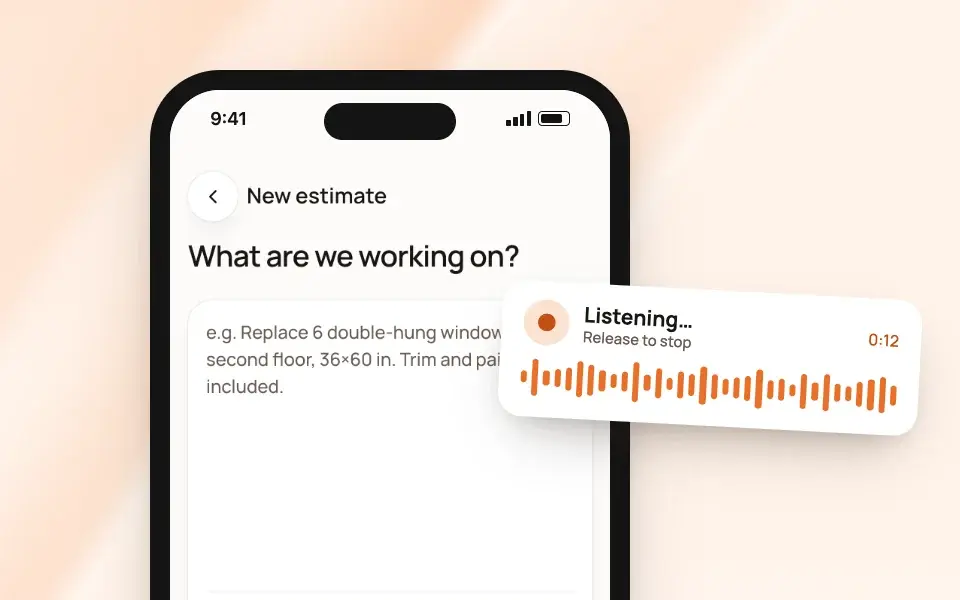
BuildWell builds the takeoff from what you describe

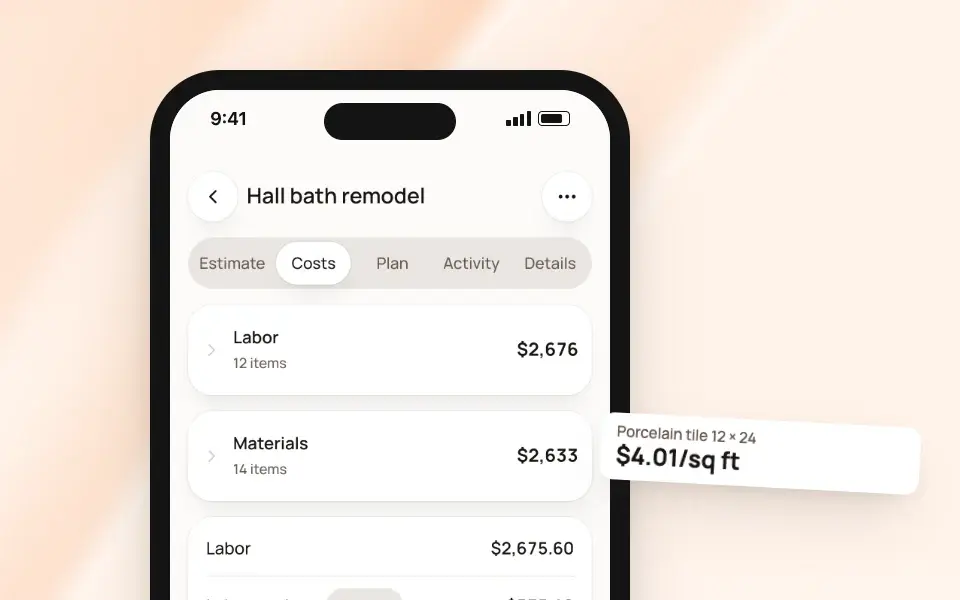
Each part of the plan becomes its own line, with the materials it needs and the hours BuildWell expects. Materials are priced at stores near the job, and you set the price on anything that comes from your nursery or your bulk yard.

You review the lines, adjust the hours to your crew, and send it. When the job is done, the signed estimate becomes the invoice, with the deposit already recorded against it.

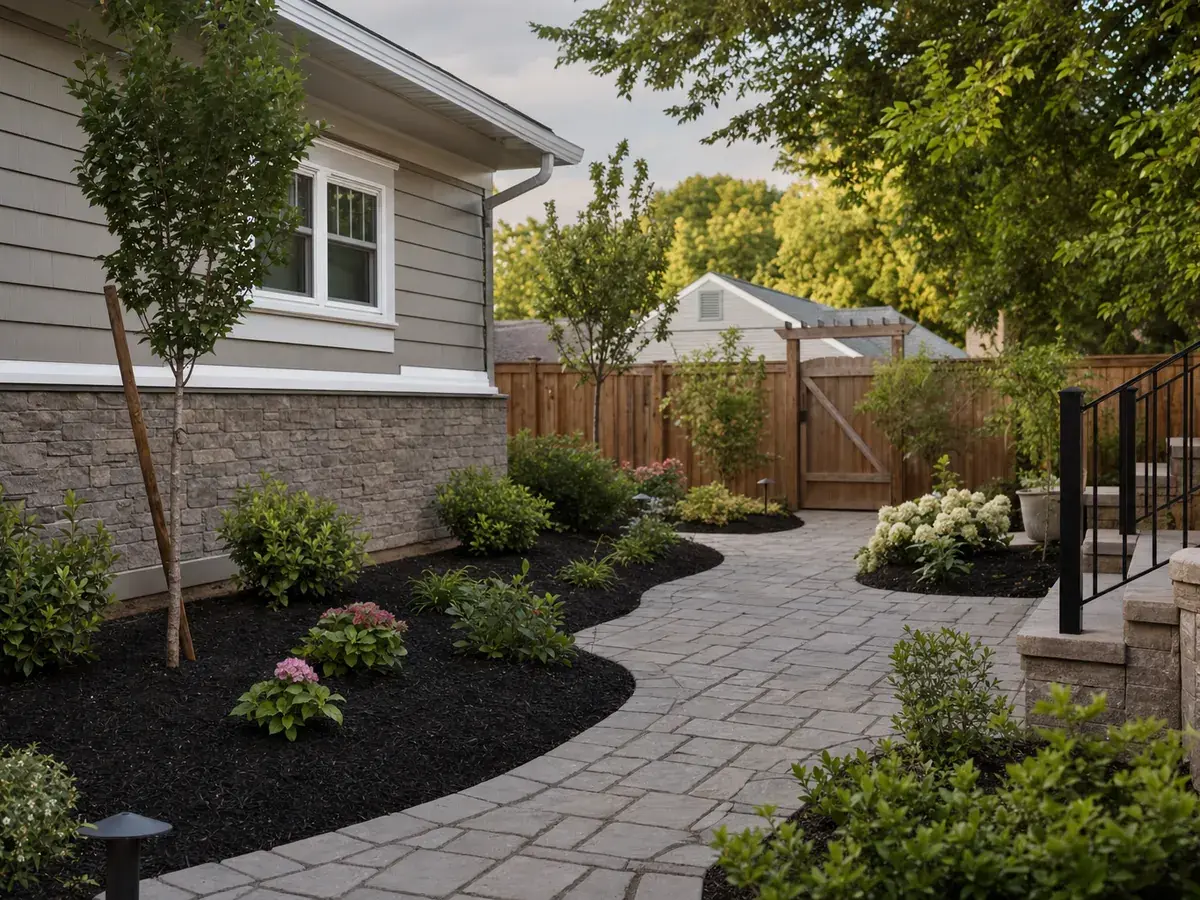
A finished backyard with a paver path, mulch beds and young shrubs

Why landscapers choose BuildWell

The estimate is ready while they're still excited

Describe the plan as you walk it, before the picture fades.

It asks what changes the price

How much lawn comes out? Keep the soil? Who supplies the plants?

Each part of the yard gets a line

Homeowners can cut a bed instead of cutting your price.

Materials are priced at stores near the job

Soil, sod, mulch and pavers. Enter your supplier price once; it's saved.

Your crew sets the hours

AI writes planting and irrigation lines. Change hours and rate to match.

Deposits and changes are on the record

Invoice a deposit before ordering. Added beds get signed on their phone.

Estimates in English or Spanish

Send each client their estimate and invoice in their language.

Same account on phone and computer

Start on site and finish at your desk. Nothing to sync.

Built for landscapers

What changes when landscapers price jobs from real data instead of memory.

  • A landscape plan into line itemsDescribe sod, beds, plants and drip line. Each becomes its own line.
  • Plants and mulch at local pricesPriced at a store near the job. Enter nursery prices once.
  • Hours you can stand behindAI writes the planting and sod lines. Check hours against your crew.
  • Deposits, changes and the final billInvoice a deposit, revise when they add a bed, bill the balance.
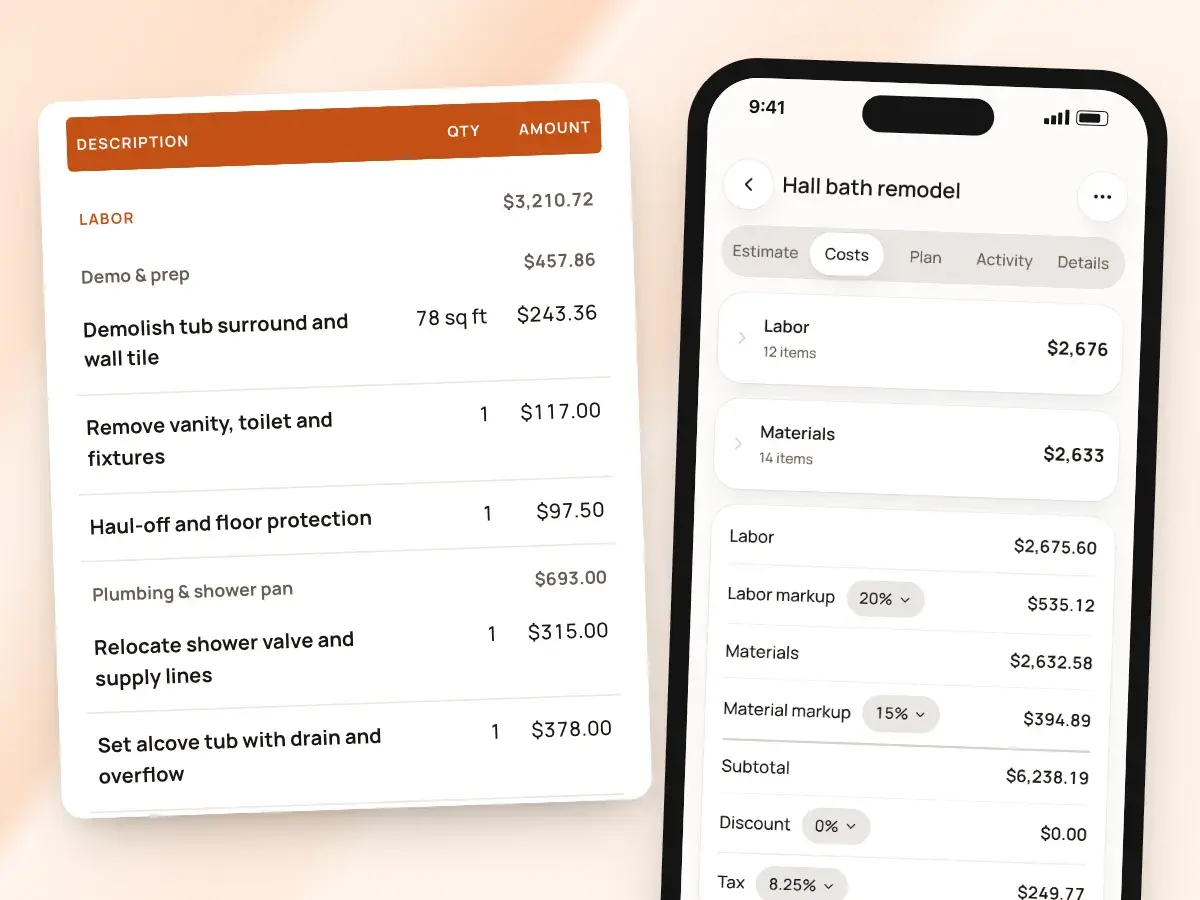
An estimate’s costs on a phone beside its priced lines, grouped by job step

How to price landscaping jobs

A landscaping price is built from five pieces:

  1. Labor: the crew hours for each part of the job, times a rate that covers your costs.
  2. Materials: soil, sod, mulch, plants, irrigation parts and hardscape, plus a markup.
  3. Equipment: the skid steer, sod cutter, trencher or plate compactor, owned or rented.
  4. Disposal: old turf, soil, roots and debris hauled away.
  5. Risk: what you can't see until you dig, and the plants you guarantee.

What goes on a landscaping estimate

These are the lines a typical residential landscape install carries, and how each is usually counted. BuildWell has no built-in lines for planting, sod or irrigation, so the AI drafts the lines and their hours, and you set them.

Line item Usually counted by
Turf and plant removal By area
Rough and finish grading By area
Topsoil or compost By the cubic yard
Sod By area
Seed and straw By area, plus seed
Bed edging By the foot
Landscape fabric and mulch By bed area, with mulch by the cubic yard
Shrubs and perennials Each, by container size
Trees Each, by size
Irrigation zone Per zone, or per head
Drip line By the foot
Paver patio or walkway By area
Retaining wall By face area, or by the foot
Landscape lighting Per fixture, plus the transformer
Disposal Per load

Labor and materials keep their own units

In BuildWell, the work on each line is counted by the piece, the square foot or the linear foot, and materials keep their own units. Sod is square feet, edging is linear feet, and a tree is one piece.

A mulch line can be square feet of bed with cubic yards of mulch in it.

Hardscape has built-in lines

Hardscape is the one part of landscaping BuildWell's built-in lines do cover. Its concrete and masonry work includes a paver patio on a sand bed and a segmental block retaining wall.

The AI uses those lines when they match what you describe.

Measure, then add for waste and depth

Area drives most of a landscape price. Measure beds, lawn and patios on site, and convert to the units you buy:

  • Mulch and soil: area times depth gives cubic yards. A bed mulched 3 inches deep takes twice the mulch of one mulched 1.5 inches deep.
  • Sod: add a little for cuts along curves and edges.
  • Pavers and wall block: add for cuts and breakage, and remember the base: gravel and sand under a patio are material and labor too.

Enter quantities after waste, so what you order matches what you priced.

Your labor rate covers more than wages

A crew member's wage isn't your labor rate. Your rate has to cover:

  • wages, payroll taxes and workers' comp
  • liability insurance
  • trucks, trailers and equipment, owned or rented
  • the hours spent designing, bidding and picking up material

Then it needs a profit.

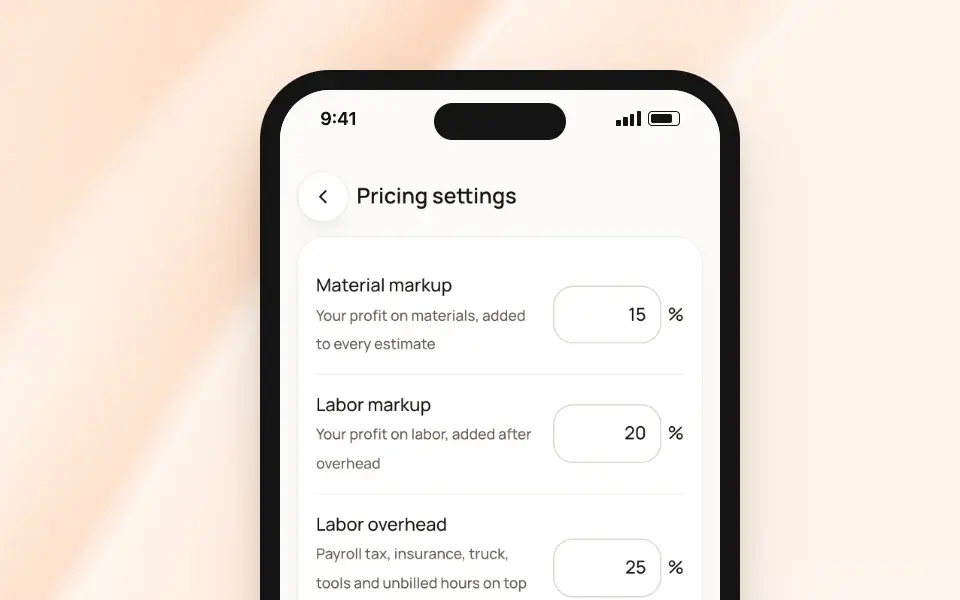
How BuildWell prices each hour

BuildWell builds each hour's price in three steps:

  1. Wage: a local wage from Bureau of Labor Statistics data. BuildWell's wage data covers construction trades, so landscaping lines start from a construction wage, not a landscaping worker's wage.
  2. Overhead: your labor overhead, which starts at 100% and doubles the wage.
  3. Markup: your labor markup, which starts at 20%.

What a front-yard install's labor comes to

Example: Say a crew member costs you $22 an hour in wages. Use your real number. Say a front-yard install takes a three-person crew two days, 48 crew hours:

  • Wages: 48 × $22 = $1,056
  • With 100% overhead: $2,112
  • With 20% markup: $2,534.40 for labor

Materials, equipment and disposal come on top.

Price materials and plants, then mark up

Price soil, sod, mulch and hardscape at what they cost near the job this week, and plants at what your nursery charges you. Then add a markup that covers:

  • pickup and delivery
  • the plants that don't survive the truck
  • the time spent choosing them

Material markup starts at 20% in BuildWell; change it on any estimate.

If the homeowner is buying the plants themselves, mark them client-supplied. They're listed so the scope is clear, but not charged.

Equipment, disposal and what's underground

  • Equipment: put rented machines on the estimate as their own lines, with delivery. If you own them, build their cost into your rate.
  • Disposal: price dump fees and the trips to get there. Old sod and soil are heavy, and loads add up.
  • Underground: rock, roots and buried debris slow digging. Say what's included, and how you'll price what you find. Call 811 before you dig, every time.

Put plant guarantees in your terms

Decide whether you guarantee plants, for how long, and on what condition, such as the homeowner watering as instructed. Write it in your terms and price it in your materials markup, so a replacement shrub doesn't come out of your profit.

The guide to pricing landscaping jobs prices a front-yard refresh line by line from your own crew hours.

How to start a landscaping business

Check your state's licensing rules

Requirements vary widely:

  • Some states license landscape contractors, often above a dollar threshold per job or for hardscape work.
  • Some states license irrigation installers, and backflow testing usually needs its own certification.
  • Applying pesticides or herbicides for pay usually requires a commercial applicator license from your state's agriculture or pesticide agency.

Check with your state's contractor licensing board, its pesticide agency and your city before you take your first install.

Form the business and separate the money

Start as a sole proprietor or a single-member LLC. Get a free EIN from the IRS, open a business bank account, and run every deposit and supplier payment through it.

Insure before you dig

  • General liability: a cut cable or a cracked driveway is your problem.
  • Workers' compensation: most states require it once you hire, and digging and lifting are hard on a crew.
  • Commercial auto: for the trucks and trailers.

Set up your suppliers

Open accounts with a nursery and a bulk material yard before your first job. Know what delivery costs, and what each yard charges to take your waste.

Show the plan, not just the price

A sketch, photos of similar work and an itemized estimate with your logo and terms win installs. In BuildWell, set your logo, signature and terms once, and every estimate and invoice carries them.

Get your first clients from four places

Early landscaping work tends to come from:

  • Neighbors who watch the install go in. A yard sign during the work helps.
  • Lawn care companies that don't do installs.
  • Builders and remodelers who need final grading and planting.
  • Local search. Set up your free business profile on the map apps homeowners use, and ask every client for a review.

Track every job from bid to final payment

Know which bids are out and which were signed, which deposits came in and which balances are unpaid.

The guide to starting a landscaping business walks through each step in more detail, from planning and insurance to first clients and cash flow.

Landscaper pay and taxes

Pay depends on the season and the work

What landscapers earn depends on the season and the mix of work. Pay varies between metro areas and with experience. Install work pays differently from maintenance.

Many landscaping businesses have a long busy season and a short slow one. Owners earn the margin between what they charge and what the work costs, which is why your labor rate and your materials markup matter more than any wage table.

Self-employment tax is 15.3% of net earnings

As a sole proprietor or single-member LLC, you pay self-employment tax on your net earnings: 15.3% in total.

  • Social Security, 12.4%: applies to net earnings up to the Social Security wage base, which is $184,500 for 2026.
  • Medicare, 2.9%: applies to all of it.
  • Deduction: you can deduct half of the self-employment tax on your income tax return.

That's on top of federal and state income tax. Set aside part of every deposit and final payment.

Pay quarterly estimated taxes

No one withholds tax from what clients pay you, so the IRS expects payments during the year on Form 1040-ES. They're usually due in mid-April, mid-June, mid-September and mid-January.

Track these deductions

Landscaping businesses commonly deduct:

  • tools and equipment, and equipment rentals
  • the business share of trucks and trailers
  • fuel
  • insurance and license fees
  • dump fees
  • phone and software

Keep receipts and log mileage as you go.

Send a 1099-NEC to crews and subs you pay

If you pay an unincorporated subcontractor for services, you'll generally need to send them a Form 1099-NEC. For payments made in 2026 and later, that applies once you've paid them $2,000 or more in a year, up from $600 before 2026.

Collect a Form W-9 before you pay anyone. Whether a crew member is a contractor or an employee depends on how you direct the work, not on what you call them.

Sales tax rules vary by state

States treat landscaping differently:

  • some tax plants and materials
  • some also tax landscaping services
  • some treat hardscape as a real property improvement with its own rules

Check your state's revenue department. In BuildWell, sales tax applies to materials only, not labor, at the rate you set. If your state taxes the service too, ask a tax professional how to charge it and show it on your invoices.

This is general information, not tax or legal advice. A tax professional who works with contractors can tell you what applies in your state.

Estimates in minutes
talk through the job, get every line priced
Real local prices
materials and labor priced for your ZIP code
Get paid faster
professional invoices clients pay by card or bank
English or Spanish
on your phone and your computer

Pricing for landscaping businesses

One plan with everything, billed weekly or yearly.

Weekly
$7.99 / week
Billed weekly. Cancel anytime.
  • AI estimates priced for your area
  • Estimates, invoices, clients and projects
  • Clients sign on any phone
  • Card and bank payments, no extra BuildWell fee
  • iPhone, Android and the web
Start free trial
Best value
Annual
$79.99 / year
About $6.67 a month, billed yearly
  • AI estimates priced for your area
  • Estimates, invoices, clients and projects
  • Clients sign on any phone
  • Card and bank payments, no extra BuildWell fee
  • iPhone, Android and the web
Start free trial

Both plans include every feature and start with a 3-day free trial. Add a card to start; you’re not charged until the trial ends. Cancel anytime.

Landscaping software FAQ

01Can BuildWell estimate a full landscape install?
Yes. Describe the work (removal, grading, soil, sod or seed, beds, plants, mulch, irrigation, hardscape) with the sizes you measured, and BuildWell lists each part as its own line with materials and hours. You can change every quantity, hour and price before you send it.
02Where do the labor hours come from?
BuildWell has no built-in lines for planting, sod, mulch or irrigation, so the AI writes those lines and estimates their hours from what you describe. Treat them as a draft and set your crew's real pace. When part of the job matches one of BuildWell's built-in lines, like a paver patio, the AI can use it instead.
03What wage does BuildWell use for landscaping labor?
BuildWell's wage data comes from the Bureau of Labor Statistics and covers construction trades, not landscaping workers, so these lines start from a local construction wage, then your overhead and markup. If you charge your own rate, put it on the line; the change stays on that estimate.
04How do I price plants from my nursery?
Nursery stock often has no store price near the job. BuildWell flags those lines, and you enter what you'll pay. It remembers the price for later estimates, and your material markup goes on top.
05Can I take a deposit before I order materials?
Yes. When you send the invoice, ask for a deposit as a percentage of the total. Bill progress payments as the work moves, or create more than one invoice from the same estimate. BuildWell doesn't set up fixed payment schedules, so you bill each stage when it's time.
06What if the homeowner adds a bed halfway through?
Revise the estimate and add the lines. BuildWell keeps the original, and the homeowner signs the new version on their phone, so the extra work is agreed before you do it.
07Can I add photos of the finished job to the invoice?
Yes. Attach up to 10 photos to an invoice, and they print after it on their own pages. It's an easy way to show the finished beds and the cleanup.
08Can I send estimates in Spanish?
Yes. Any estimate or invoice can be printed in English or Spanish, and the app works in both languages.
09What does BuildWell cost?
$7.99 a week or $79.99 a year, and both plans start with a 3-day free trial. One subscription covers iPhone, Android and the web.

Price your next landscaping job today

Estimates, invoices, e-signatures and payments in one place, on your phone and on the web.

Start for free →3-day free trial. Cancel anytime.