 BuildWell
Online payments by card or bank, right from the invoice
Set up payments once, and clients pay any invoice by card or bank. Money goes to your bank, with no BuildWell fee.
Online payments, in short
- Card and US bank transfer (ACH) on every invoice
- Payments go to your bank account
- Processing fee at cost; BuildWell adds nothing on top
- Online payments recorded on the invoice automatically
- Zelle, Venmo, Cash App and PayPal details on invoices
- Cash and check payments recorded in a few taps
Card and bank transfer from the invoice
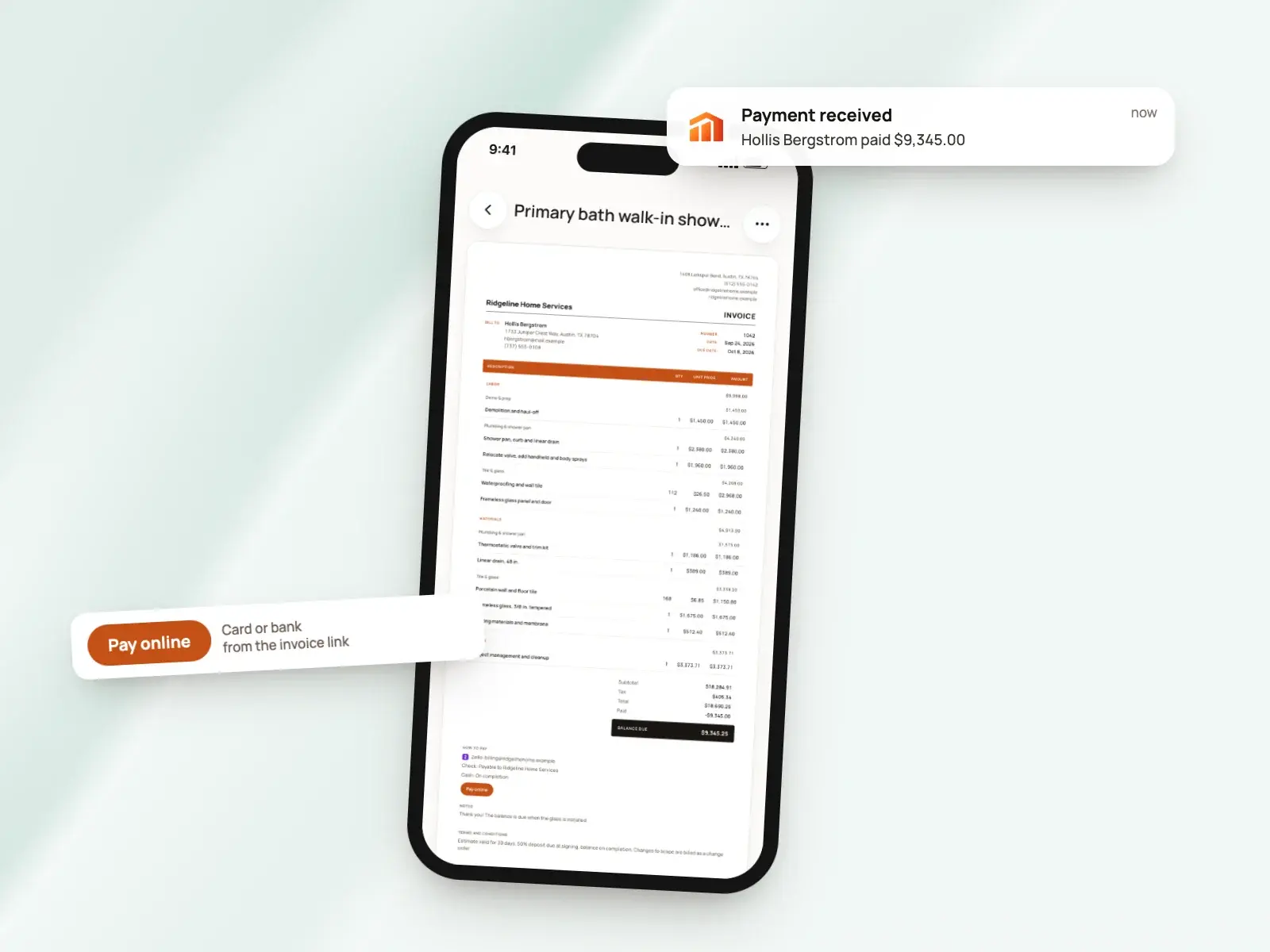
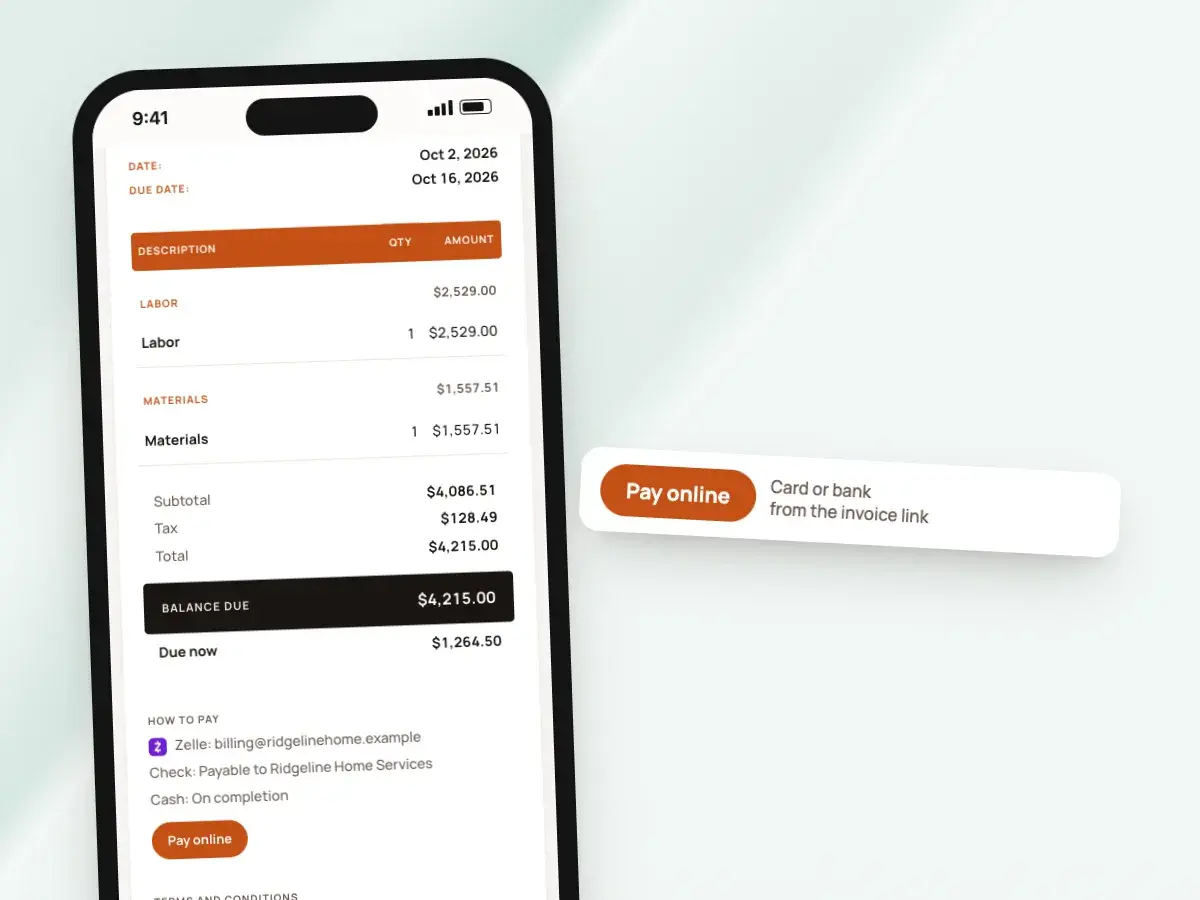
Clients open your invoice link on their phone or computer and see two buttons: pay by card, or pay by bank. Either one opens Stripe’s secure checkout, so card and bank details go straight to Stripe and never pass through BuildWell or sit on your phone.
The pay buttons sit right under the invoice itself, with your logo, the line items and the total due. The client is paying for something they can see and check.
- When the payment goes through, it’s recorded on the invoice automatically
- The balance updates, and the invoice shows as paid or partly paid
- There’s nothing to match up by hand at the end of the month
- No separate payment page with a bare amount and your business name in small print
What online payments cost
BuildWell adds no fee of its own. Stripe’s processing fee is passed through at cost.
Your BuildWell subscription is the same whether you take one online payment a month or fifty. There’s no payments add-on and no higher plan to pay for.
- Card payment: 2.9% plus 30¢
- Bank transfer: 0.8%, capped at $5
- Both are domestic US rates
- On a large invoice, a bank transfer costs far less than a card
- That’s why clients see both options and can choose
Your Stripe account, your money
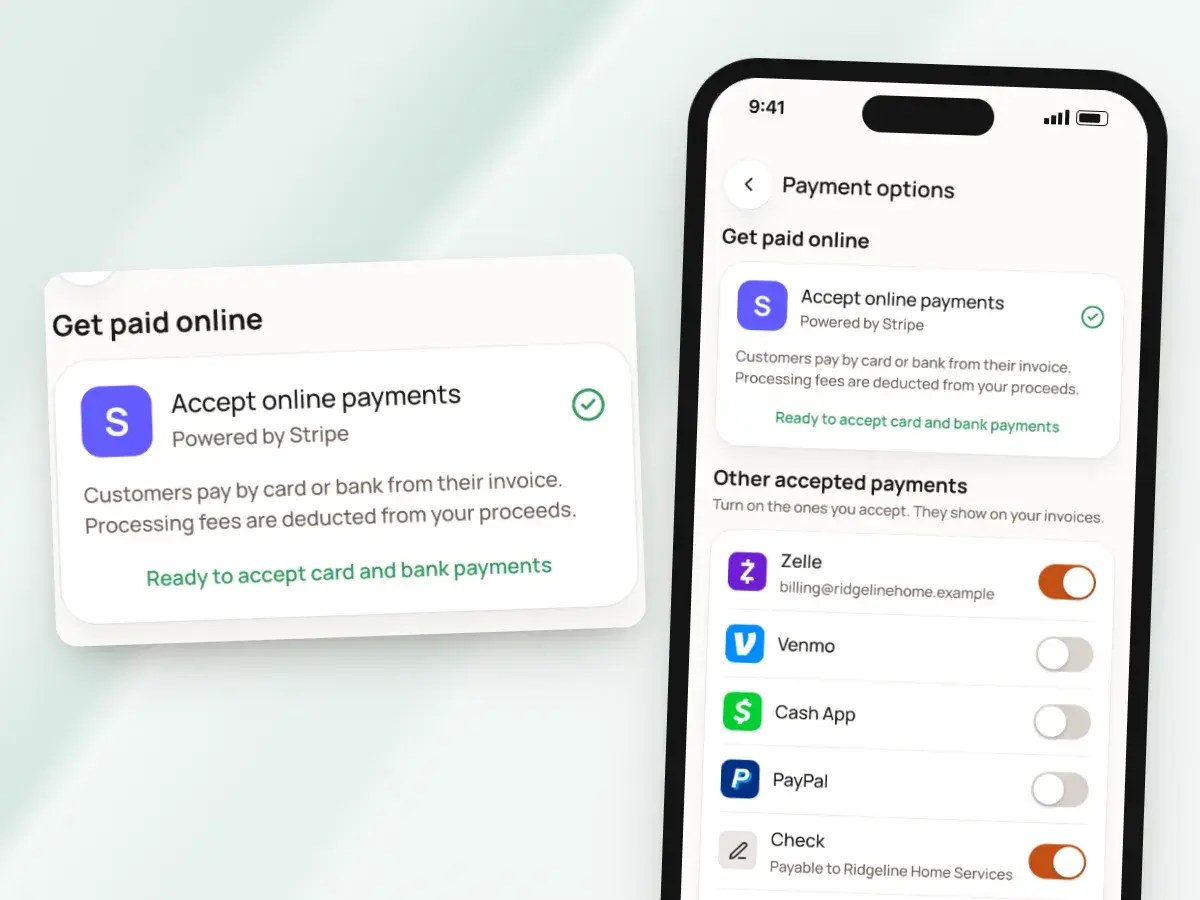
You connect payments from Payment options in the app. Payments are made to your account, and BuildWell never holds your money.
As soon as Stripe has finished verifying you, the pay buttons appear on your invoice links. Until then, invoices go out as usual with the payment details you’ve listed.
- Stripe walks you through setting up your account
- Stripe verifies your business and your bank account
- You get your own Stripe dashboard
- Stripe pays out to your bank on its usual schedule for your account
- Start sending invoices on day one, and add online payments when you’re ready
Or the way your clients already pay
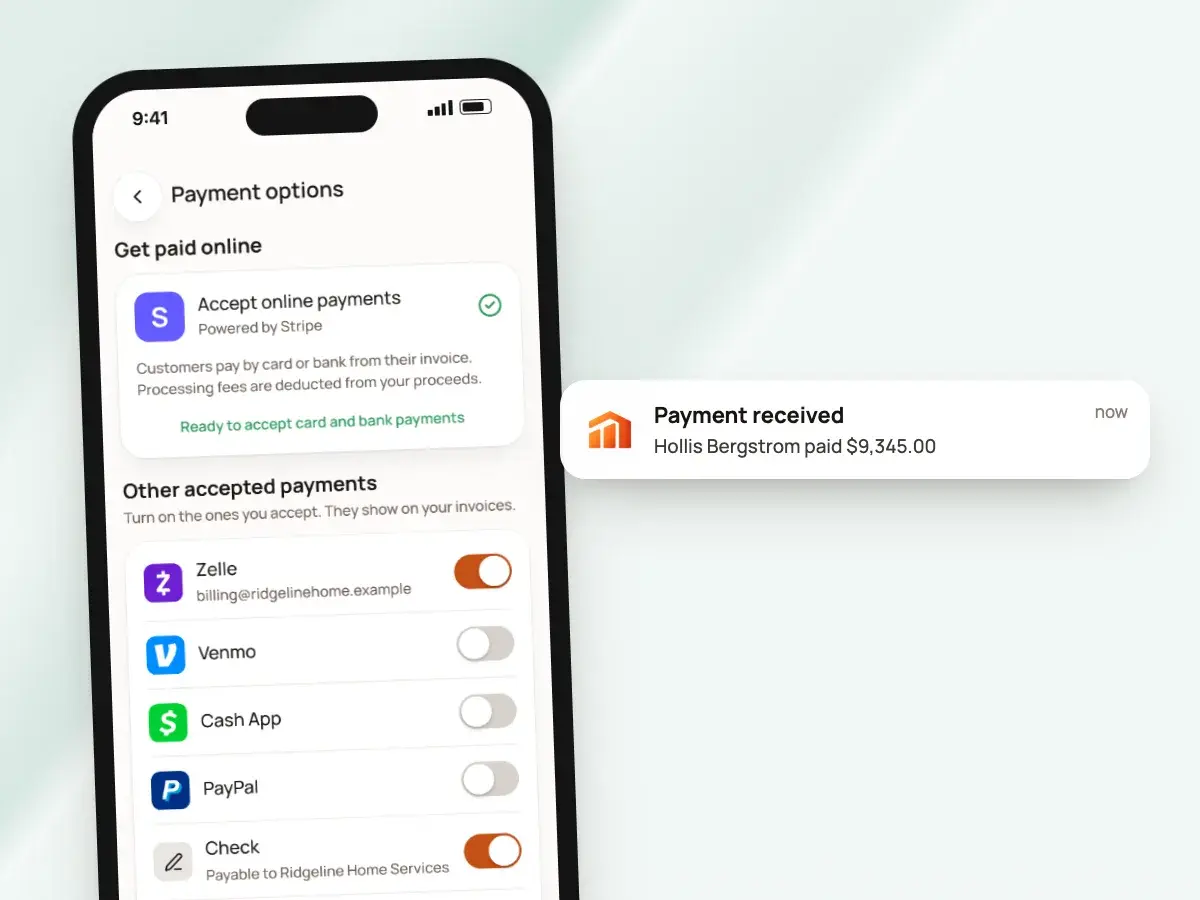
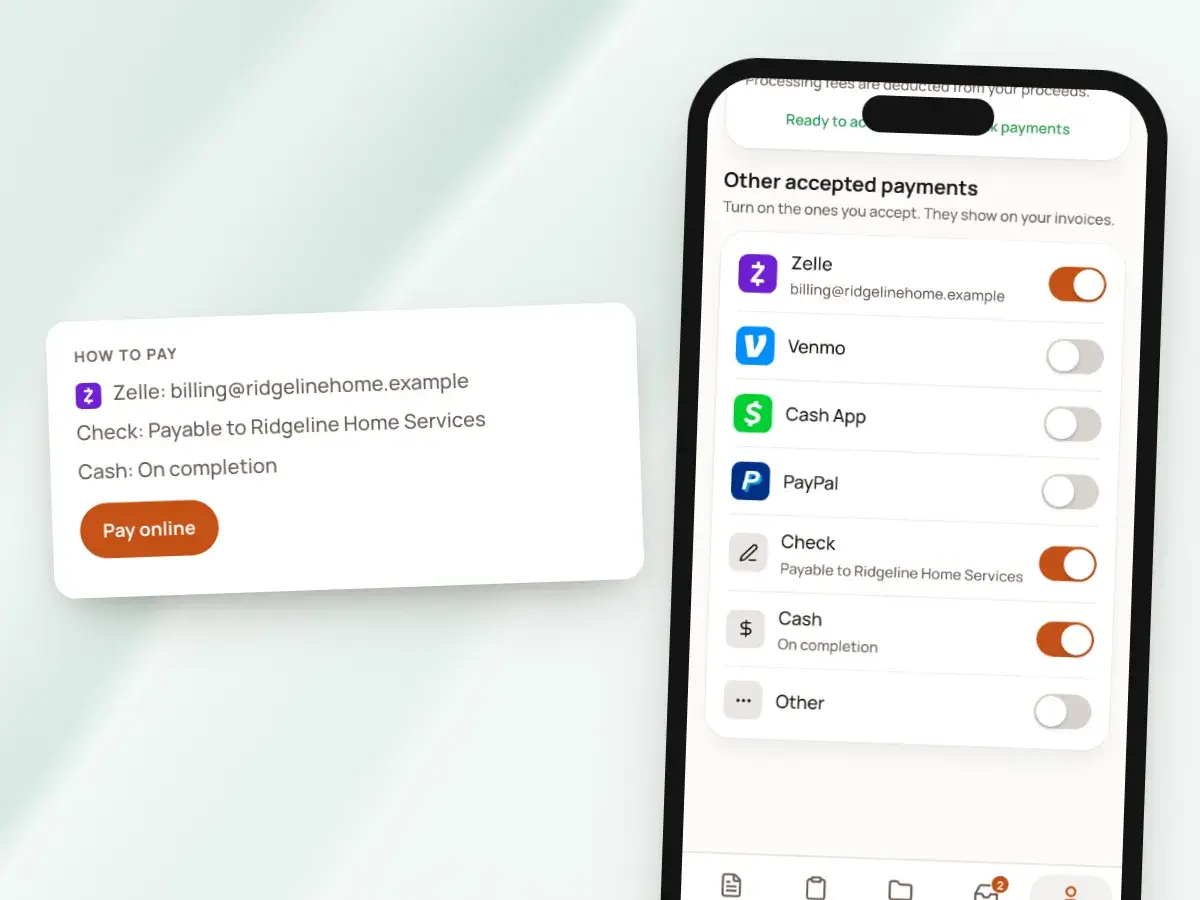
Plenty of clients would rather send a Zelle or write a check. Turn on the methods you accept and add your details once.
When a payment arrives outside Stripe, mark it paid on the invoice with the amount, the method and a note. The invoice and the client’s balance stay right either way.
- Zelle, Venmo, Cash App, PayPal, check or cash
- They print under “How to pay” on every invoice
- They show on the invoice link, so the client always knows how to pay you
- A PayPal entry even becomes a PayPal button for the amount due
Deposits paid before you buy materials
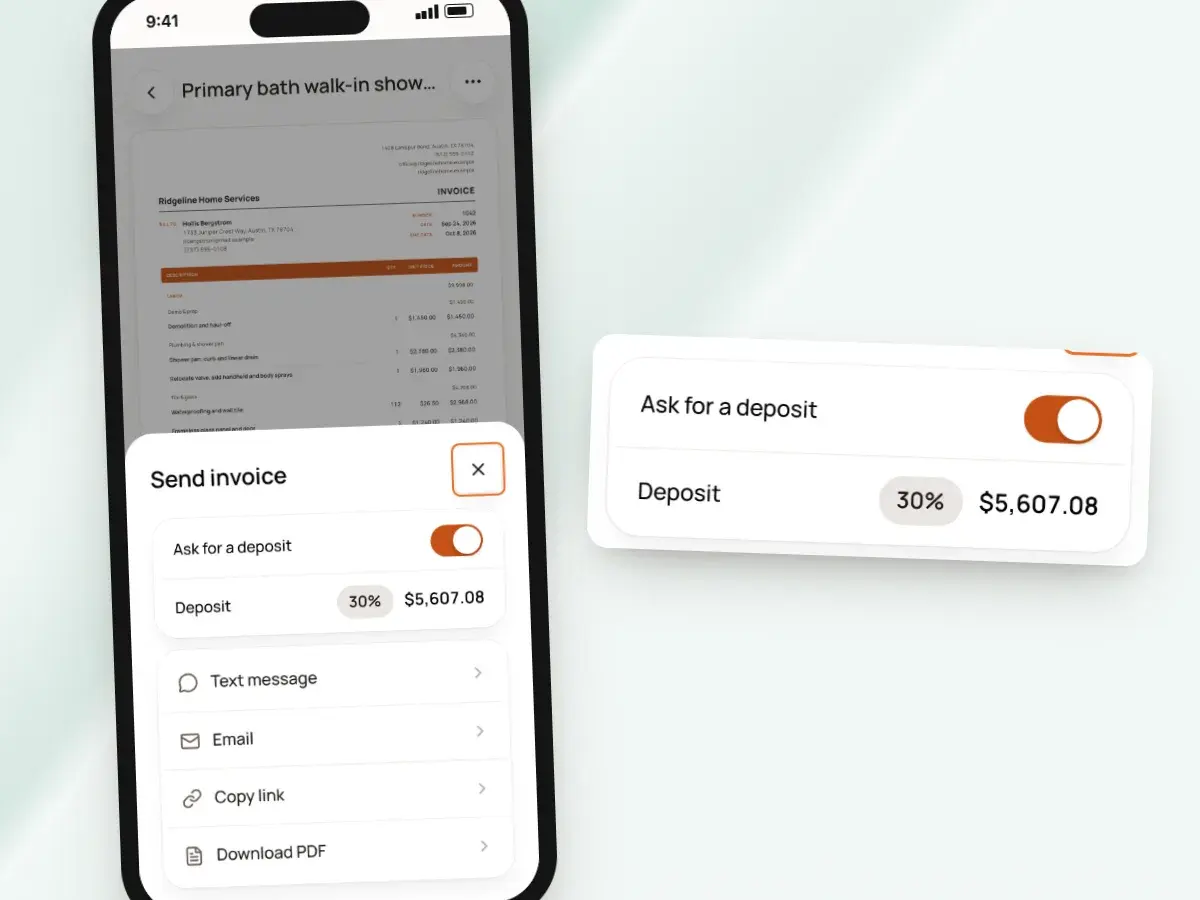
When you send an invoice, ask for a deposit: pick a percentage, from 5% to 90%, and the invoice shows that amount as due now. The pay buttons charge exactly that amount.
Once the deposit is recorded, the invoice asks for the remaining balance. You always see what’s been paid and what’s left.
- The client pays the deposit by card or bank transfer in a couple of minutes
- You can order materials without waiting on a check in the mail
Know the moment you’re paid
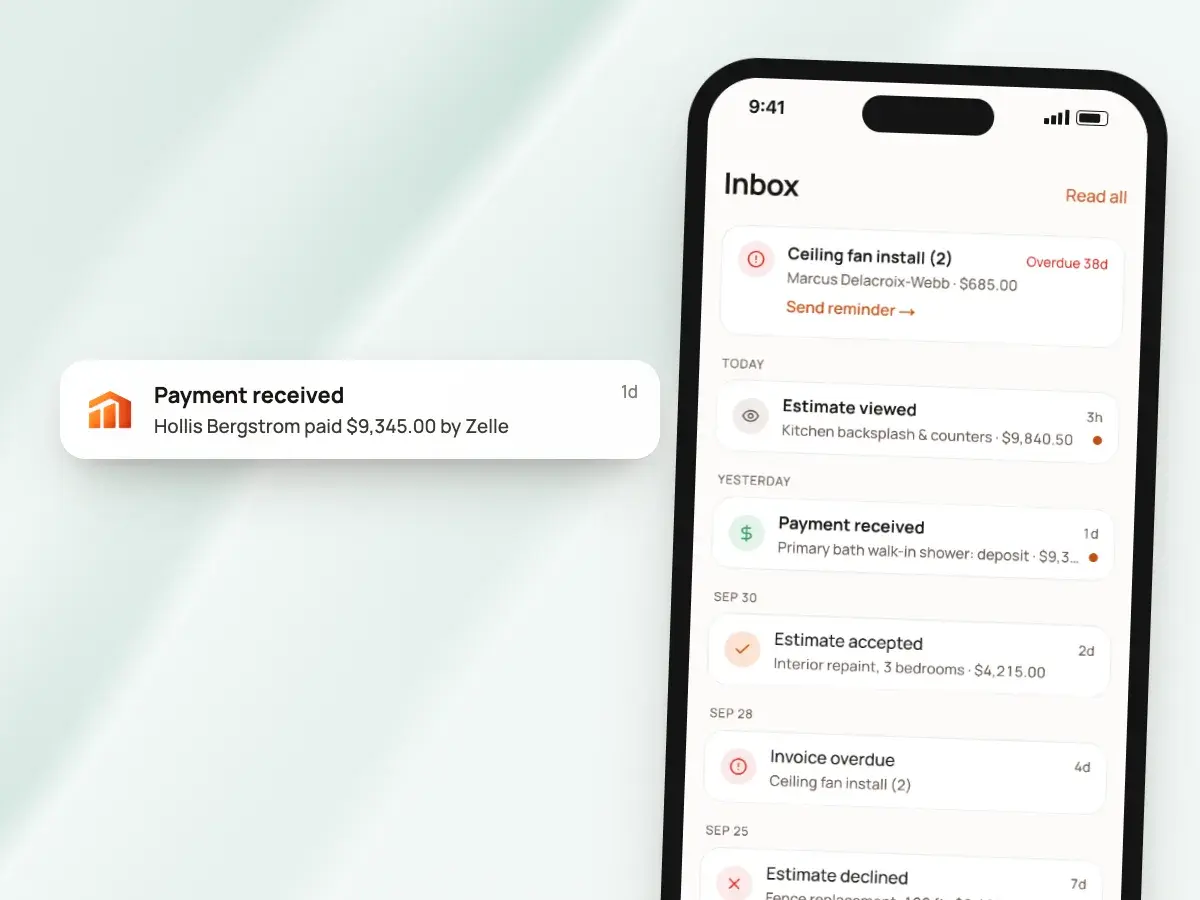
You get a notice in the app when a client pays, and the invoice shows the payment with its date and method. Nothing surprises you a week later.
If an invoice is coming due or running late, BuildWell reminds you. One tap opens the link to send the client a friendly nudge from your own phone.
- A notice if a bank payment fails
- A notice if a client disputes a card charge
- Refunds are made from your Stripe dashboard
- You also see when the client opens the invoice, and how many times
Nothing for the client to sign up for
Clients don’t need an account, an app or a password to pay you. The fewer steps between “I should pay that” and paid, the sooner the money is on its way to your bank.
The invoice page shows in English or Spanish, matching the language of the invoice you sent.
- They tap the link you texted or emailed
- They see the invoice with your logo and line items
- They pay
A receipt and a clear record
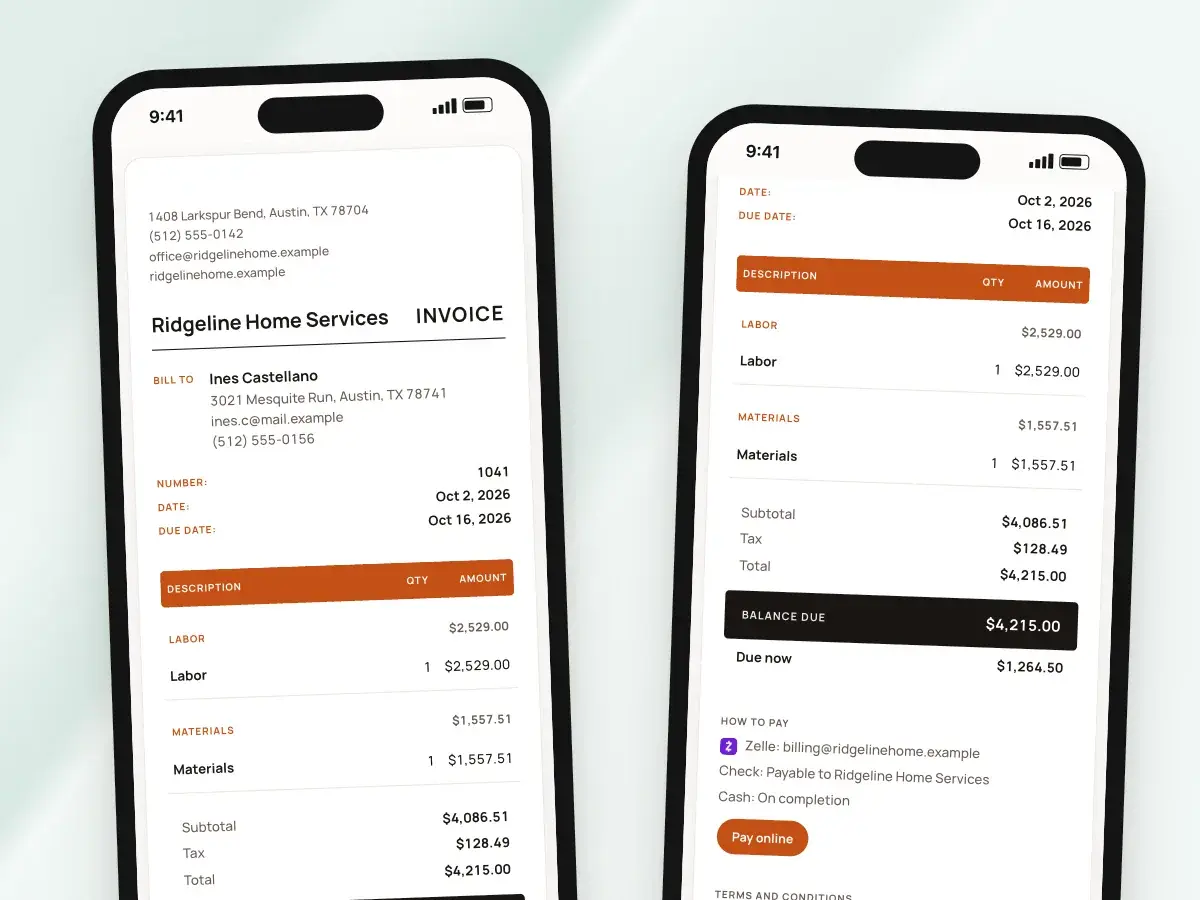
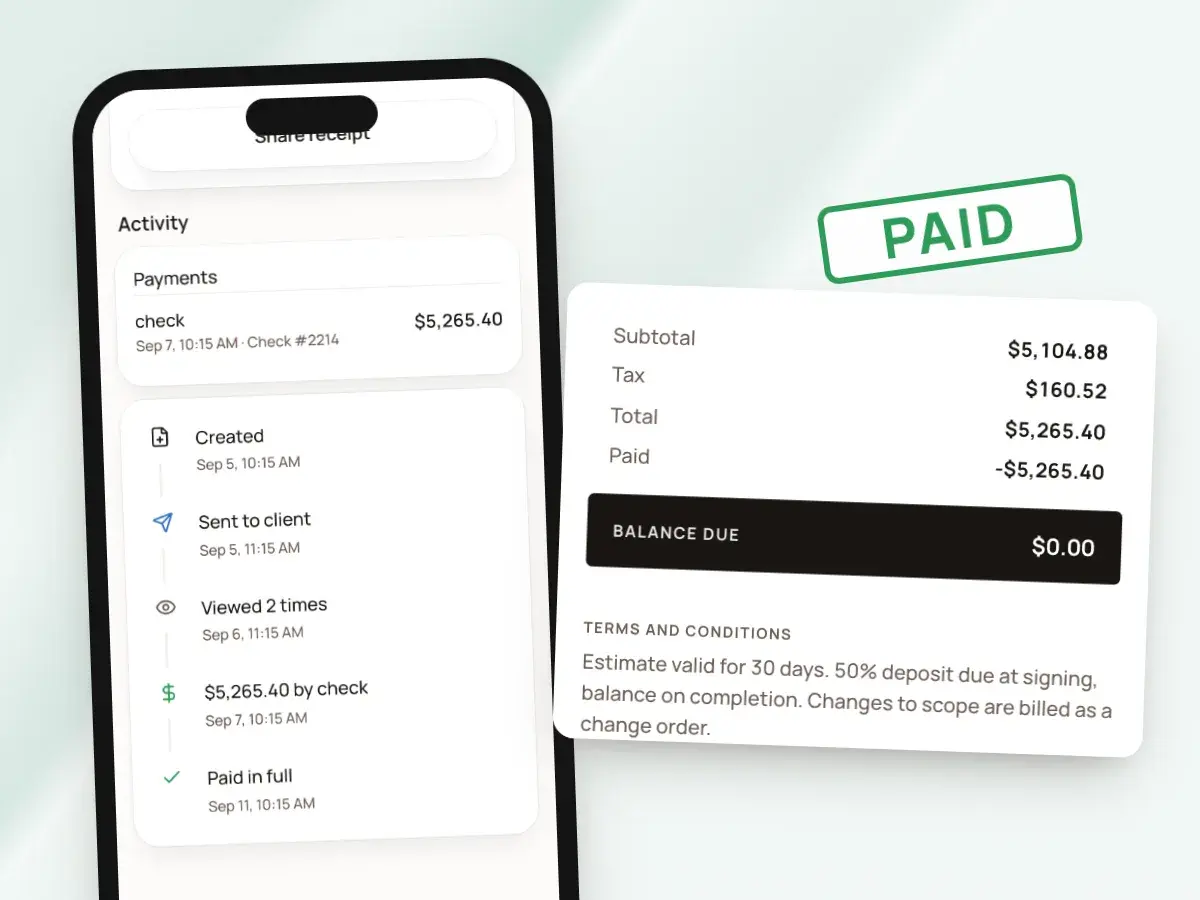
When an invoice is paid in full, it can print with a paid stamp. BuildWell offers a ready-made message, so you can share the receipt with the client by text or email in one step.
Your invoice list shows totals and balances by day, week or month. You can see at a glance what came in this week and who still owes you.
- Every payment stays listed on its invoice with the amount, the method and the date
- Filter the list to paid, unpaid and overdue
- Each client’s page shows their outstanding balance across every invoice
From invoice to paid
- 1
Connect payments
Open Payment options and follow the setup. Your business and bank get verified.
- 2
Send the invoice
Text or email the invoice link, and ask for a deposit if you want.
- 3
The client pays
They pick card or bank transfer on the invoice page and pay there.
- 4
It’s recorded
Payment shows on the invoice, the balance updates, and money goes to your bank.
By hand vs with BuildWell
Collecting on the same invoice, the old way with paper, a card reader and a spreadsheet, and with BuildWell.
| The job | By hand | With BuildWell |
|---|---|---|
| Asking for payment | Mail or email a PDF and wait for a check. | A link the client pays from on their phone. |
| Taking a card | A separate card reader or payment app, with its own records to reconcile. | Card payments right on the invoice, through your own Stripe account. |
| Large invoices | Card fees on the whole amount, or a trip to the bank. | Bank transfer at 0.8% capped at $5, right next to the card option. |
| Recording the payment | Match bank deposits to invoices in a spreadsheet. | Online payments recorded on the invoice automatically. |
| Knowing what’s owed | Add up what each client has paid against what you billed. | Every invoice and every client shows what’s paid and what’s left. |
| Other ways to pay | Text your Zelle details to each client, again. | Your Zelle, Venmo, Cash App, PayPal and check details on every invoice. |
Built for your trade
Line items, labor hours and local prices for the work you actually do.
One plan. Every feature.
- AI estimates priced for your area
- Estimates, invoices, clients and projects
- Clients sign on any phone
- Card and bank payments, no extra BuildWell fee
- iPhone, Android and the web
- AI estimates priced for your area
- Estimates, invoices, clients and projects
- Clients sign on any phone
- Card and bank payments, no extra BuildWell fee
- iPhone, Android and the web
Both plans include every feature and start with a 3-day free trial. Add a card to start; you’re not charged until the trial ends. Cancel anytime.
Free tools to go with it
Generators, templates, calculators and guides. No sign-up.
Online payments FAQ
01How do I start taking online payments?
02When do I get the money?
03Does the client pay the fee?
04What are the fees exactly?
05Can clients pay part of an invoice?
06Can I still take checks and Zelle?
07Do clients need an account to pay?
08How do refunds and disputes work?
09Can I take online payments from the web app?
10Is online payment included in my subscription?
More of BuildWell
Invoicing software
Turn a signed estimate into an invoice, bill deposits and progress payments, send a link clients pay from, and see what’s still owed. Built for contractors.
Learn more →Deposits and progress payments
Ask for a deposit from 5% to 90% when you send the invoice, then bill the balance or the next payment. Every partial payment is recorded and added up for you.
Learn more →Invoice app
Invoice from your phone before you leave the job. Add photos, collect a signature in person, record cash or Zelle, and share a receipt. Works on the web too.
Learn more →Client portal
Send a link, and clients read your estimate, accept and sign it on their phone, or decline. Invoices open the same way with pay buttons. You see every view.
Learn more →Client management
Keep every client’s contact details, private notes, estimates and invoices in one list, and see who still owes you at a glance. Clients are added as you work.
Learn more →Estimating software
Describe a job and get an itemized estimate with materials at local store prices and labor at your area’s wage. Edit any line, send it, get it signed.
Learn more →
Try BuildWell today
Estimates, invoices, e-signatures and payments in one place, on your phone and on the web.