 BuildWell
Deposits and progress payments that keep cash flowing
Ask for a deposit when you send the invoice, then the balance. On longer jobs, bill in stages from the same estimate.
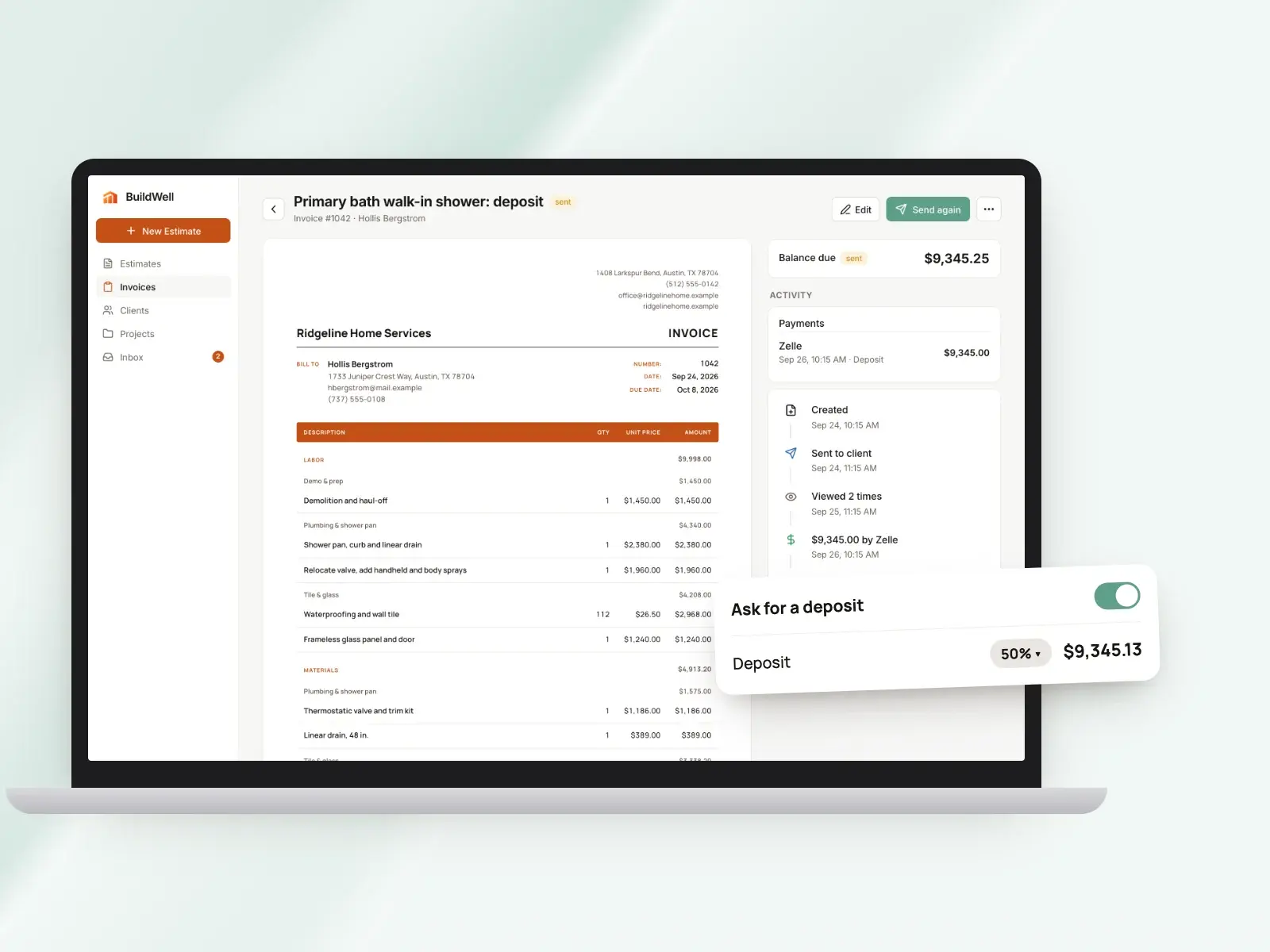
Deposits and progress payments, in short
- Deposits from 5% to 90%, in 5% steps
- The deposit shows as “Due now” on the invoice
- Pay buttons charge just the deposit amount
- Then the balance, once the deposit is recorded
- Several invoices from one estimate for longer jobs
- Partial payments recorded and added up
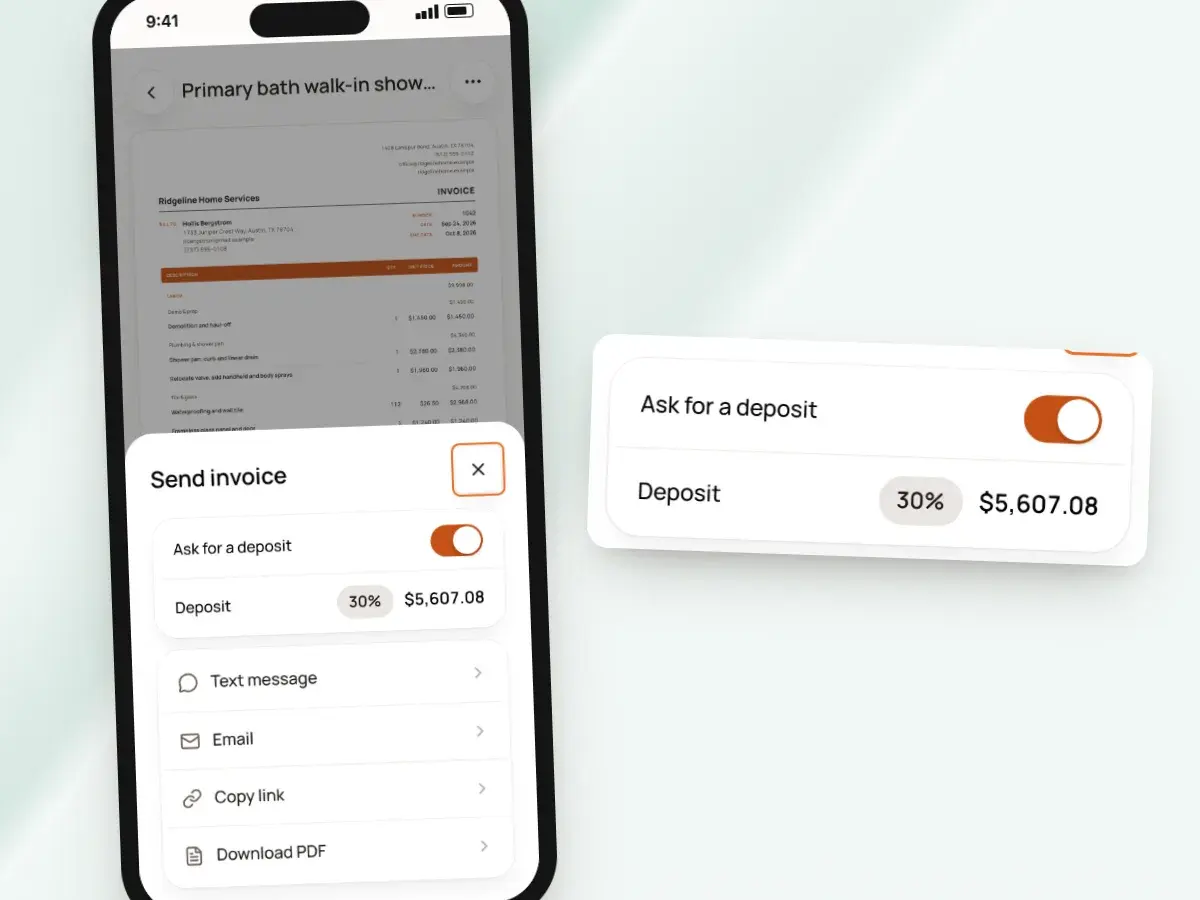
Ask for a deposit when you send
Deposits are set the first time you send the invoice, and the invoice shows that amount as “Due now.” The client sees both the full price of the job and the part you’re asking for today.
There’s no separate deposit invoice to write, no math for the client to do, and no back-and-forth about which number to pay. Turn on Ask for a deposit and pick a percentage:
- Anywhere from 5% to 90%, in steps of 5%
- It starts at 30%
- Change it on each invoice to suit the job and the client
- Weigh how much of the cost is materials you need to buy first
Clients pay the deposit from the link
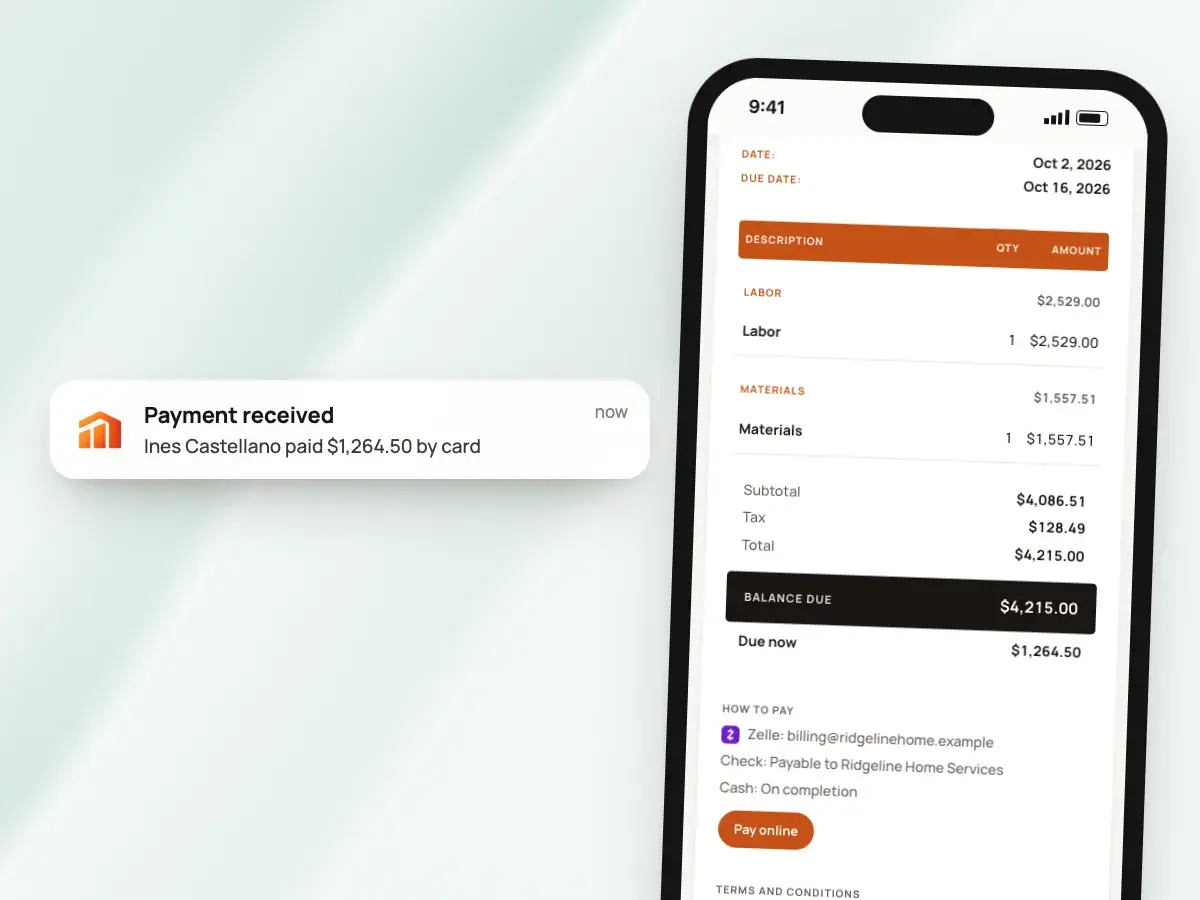
If you’ve connected Stripe, the Pay by card and Pay by bank buttons on the invoice link charge exactly the deposit amount, not the full total. The payment is recorded automatically, and you get a notice on your phone when it comes in, so you can order materials with confidence.
Clients who’d rather pay another way see your details under “How to pay”:
- Zelle, Venmo, Cash App or check
- PayPal, which becomes a PayPal button for the amount due
- Check or Zelle arrived? Record it with the amount, method and a note
Then the remaining balance
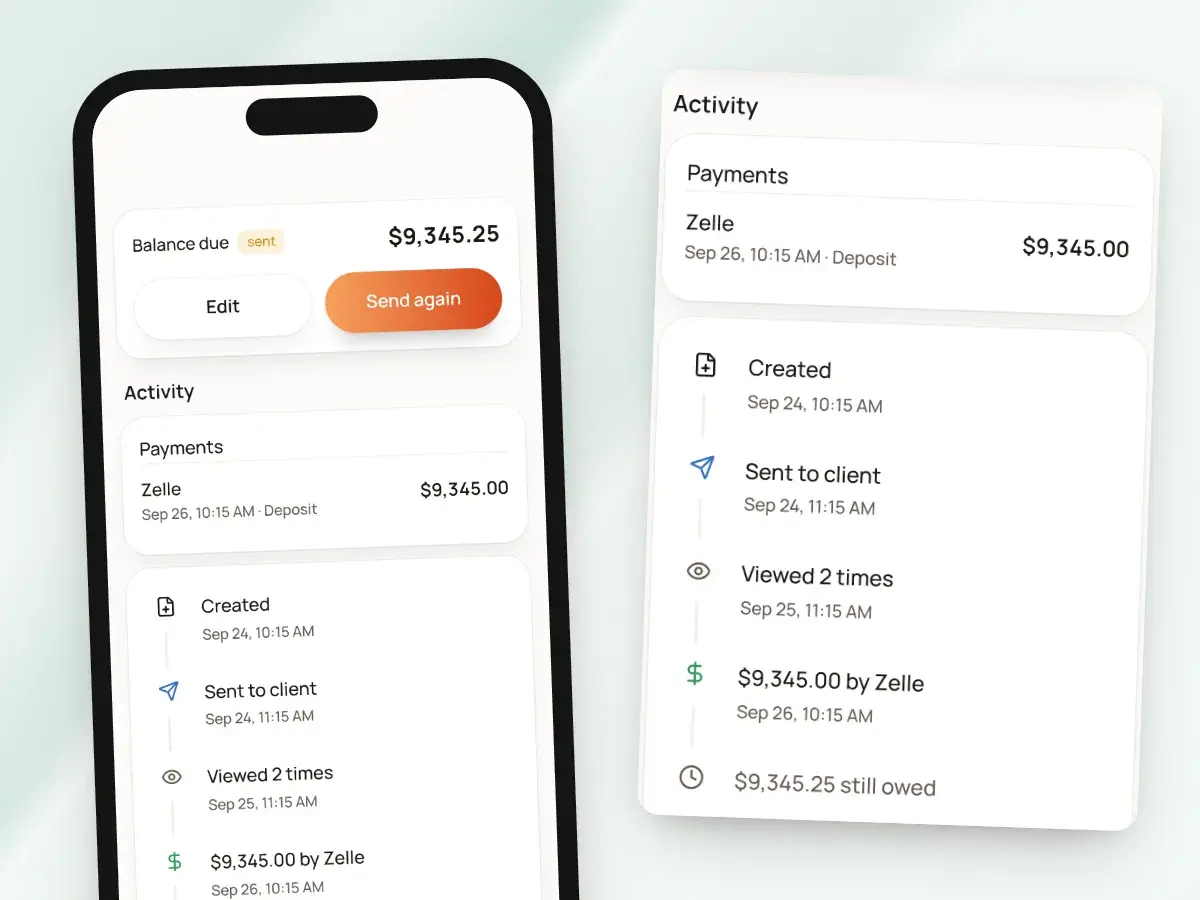
Once a payment is recorded, the invoice switches to asking for the remaining balance. You don’t write a second invoice just to finish the job.
Here’s what the invoice does from there:
- The client’s link shows what’s left to pay, not the deposit they already covered
- The pay buttons charge the balance
- Every payment stays listed with its amount and method
- You can’t record more than the balance, so typos can’t show more paid than owed
- When the payments add up to the total, the invoice is marked paid
- Then you can share a receipt
Progress payments, your way
Longer jobs rarely get paid in two pieces, so BuildWell gives you two ways to bill as the work moves along. Pick whichever approach fits the client and the job.
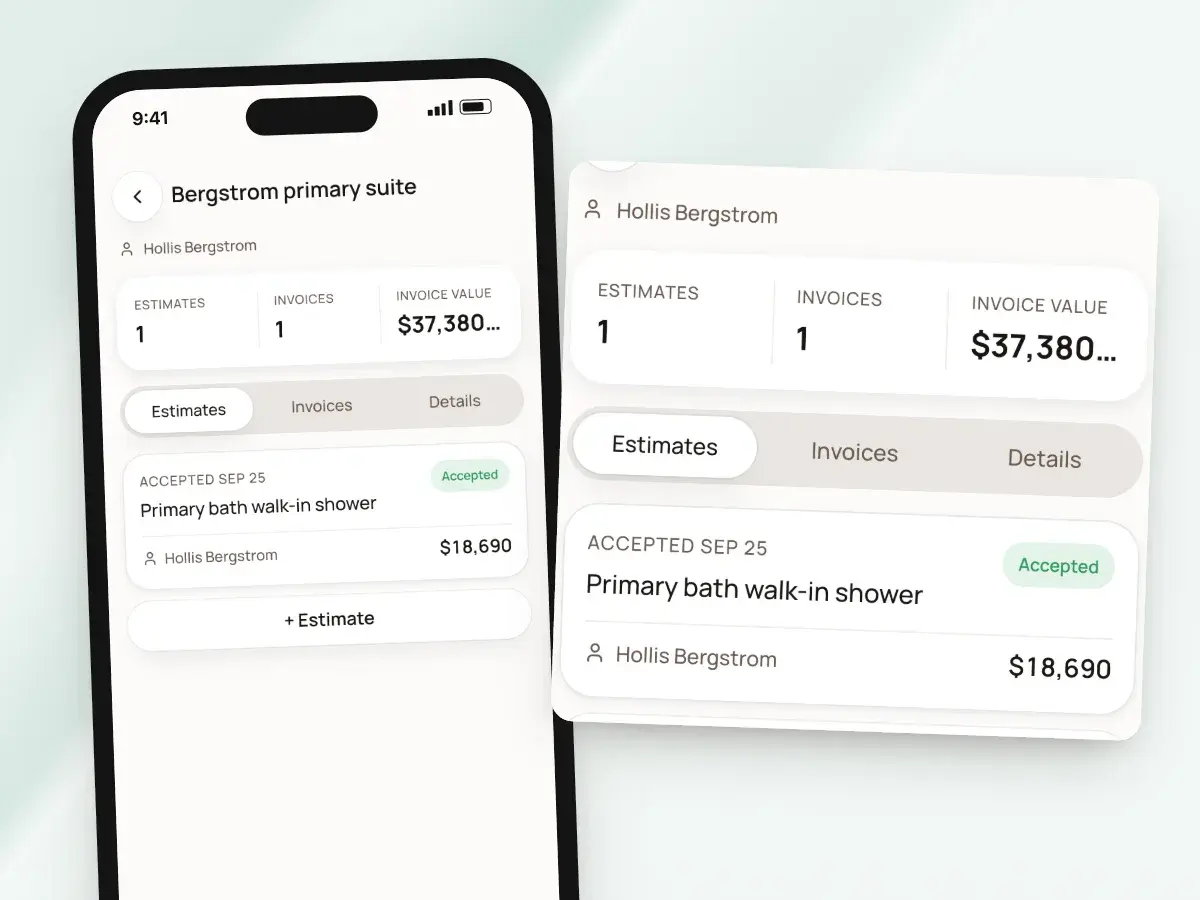
Either way, each invoice made from an estimate is listed on that estimate, so you can see what’s been billed against the job and what’s been paid. Your two options:
- One running invoice: record partial payments as they come, and the balance goes down
- Or several invoices from the same estimate, one for each stage you bill
- Edit each stage invoice to the part of the job it covers
- Each stage invoice has its own number and due date
- Each can ask for its own deposit when you send it
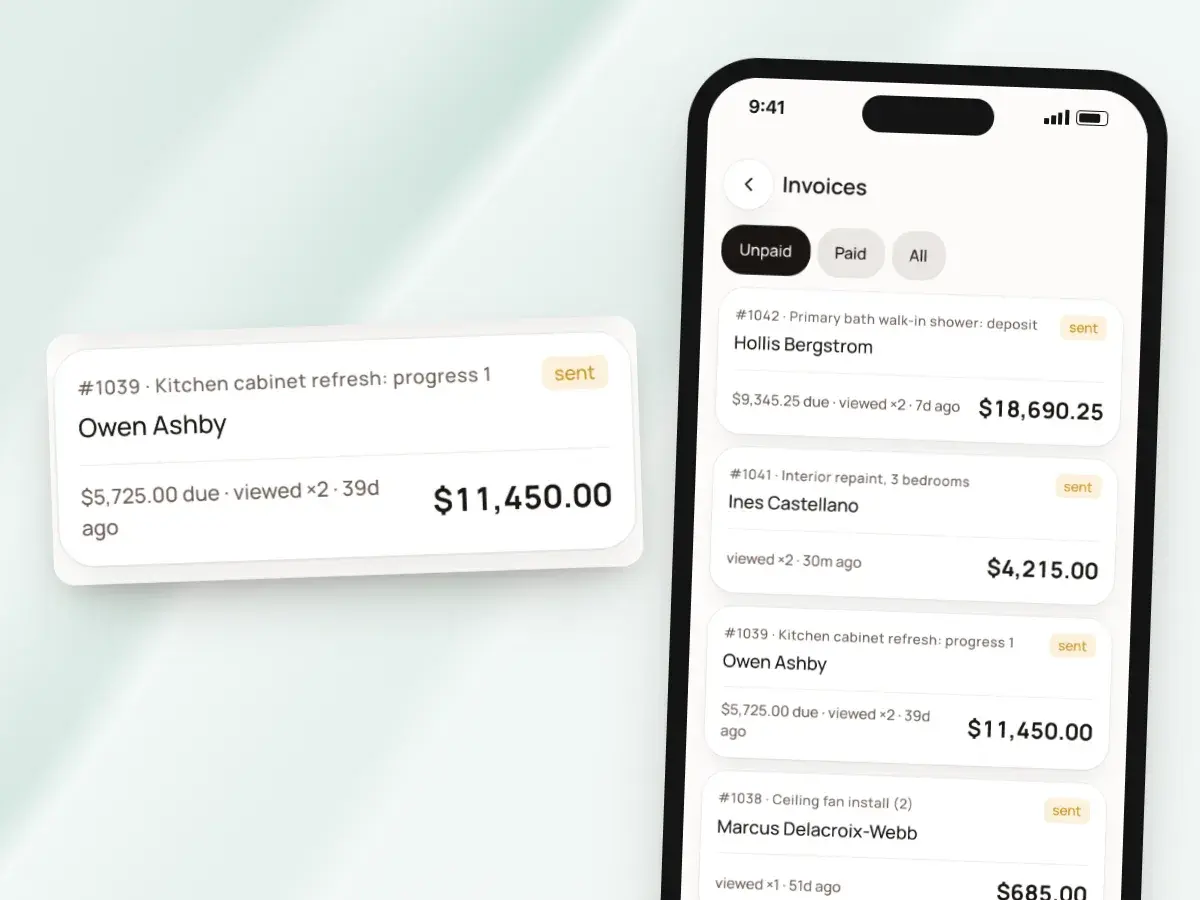
Made for remodels, repairs and service work
BuildWell keeps billing simple for remodels, repairs and service work: ask for money up front, bill the next stage when it’s time, and always know what’s been paid. You decide when to ask for each payment, and the invoice keeps the math straight for both you and your client.
It’s built for jobs billed from an estimate, not formal pay applications. Contracts that call for these are better served by a construction management platform:
- A schedule of values
- Draw requests
- Retainage
Your deposit policy, in writing
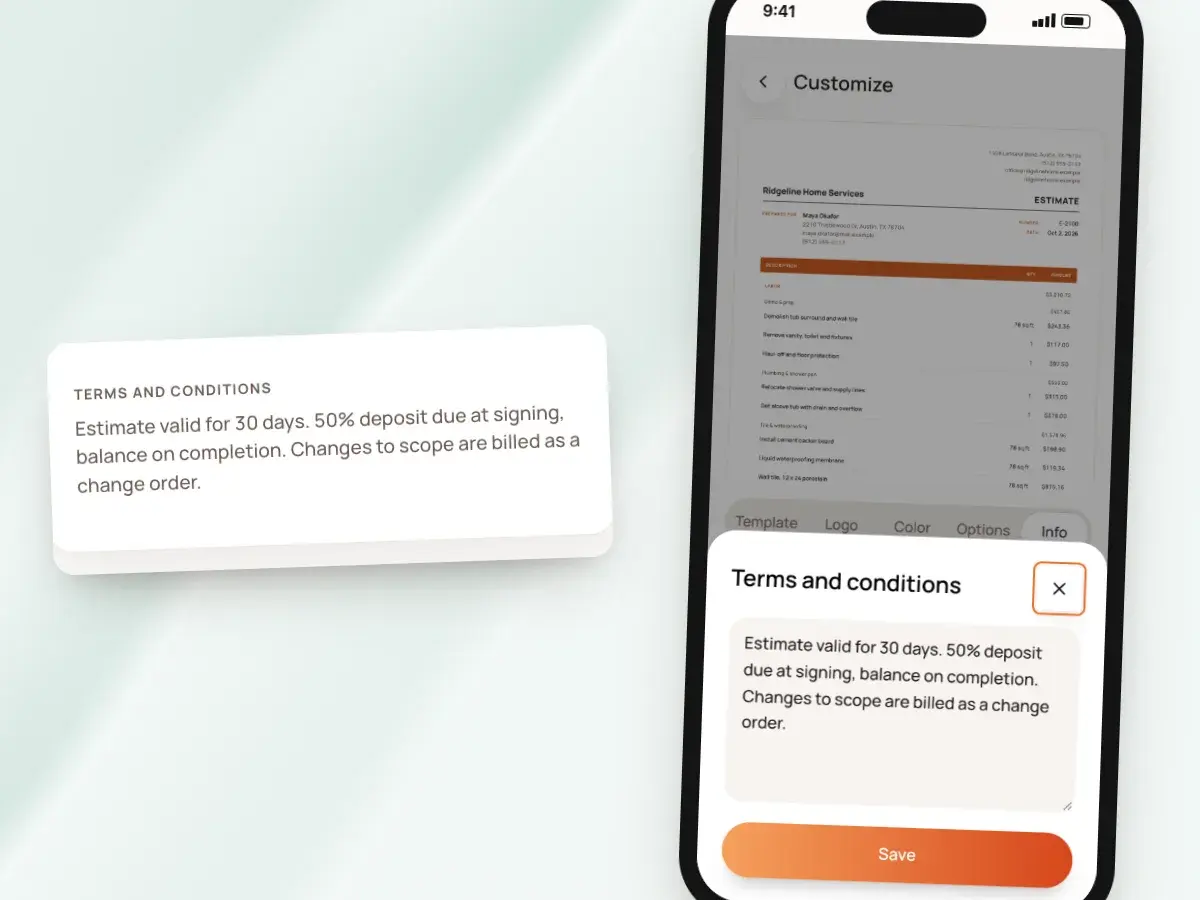
Put your deposit policy where the client will read it: in your terms and conditions. Write it once, and it prints on every estimate and invoice.
Add an invoice note for anything specific to this job, like the materials the deposit pays for. Then it’s all in writing:
- The client sees what the deposit covers and when the rest is due
- They see it before they sign the estimate, and again when the invoice arrives
- They accept with their name and a signature drawn on their phone
- You keep a signed record of the price every later payment is based on
Know what every client owes
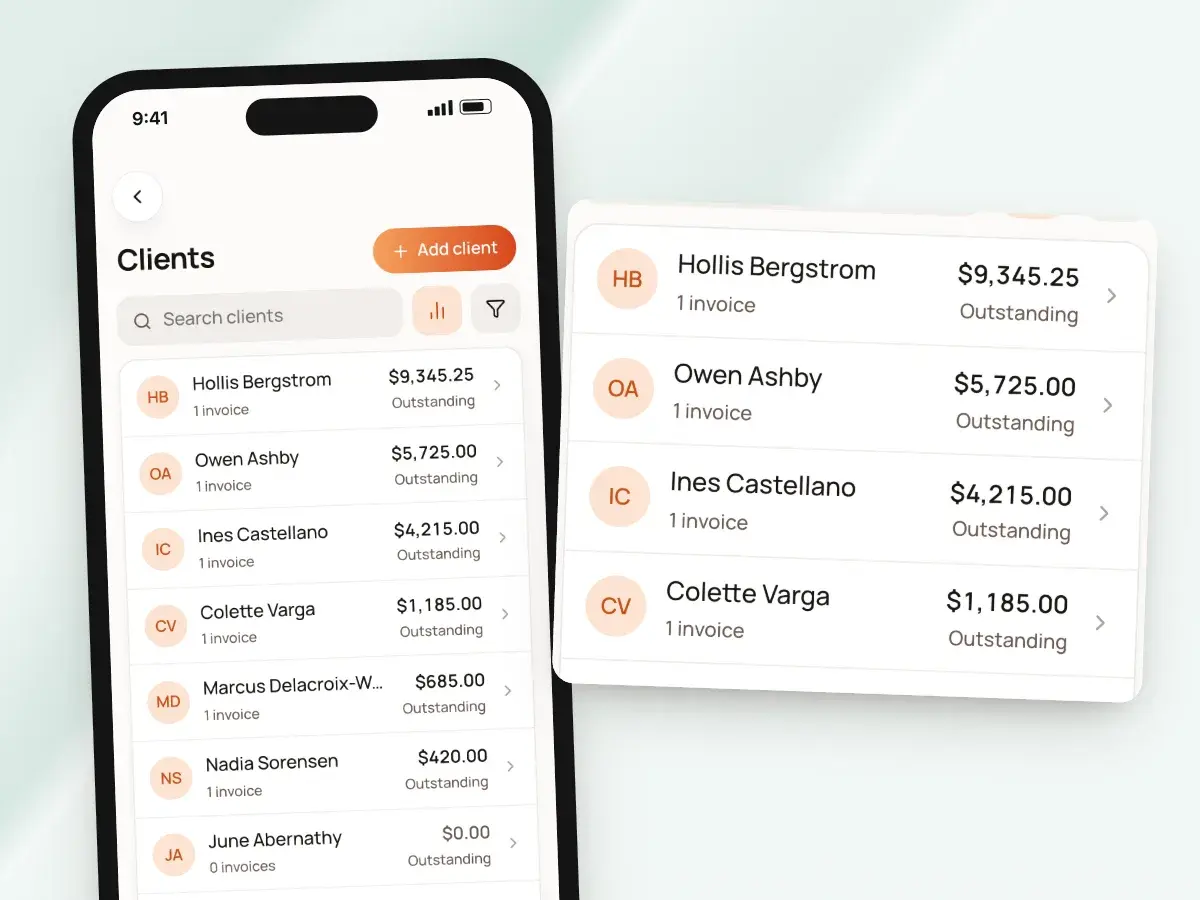
Each client’s page lists their estimates and invoices with the outstanding balance across every invoice you’ve sent them. When you sit down to make your follow-up calls at the end of the week, sort clients by highest outstanding balance, or filter to only the ones who owe you.
Your invoice list makes a paid deposit and a still-open balance easy to spot, without a spreadsheet or a dog-eared notebook of who paid what and when. It shows:
- Totals and balances grouped by day, week or month
- Filters for paid, unpaid, overdue and draft
Reminders before a balance slips
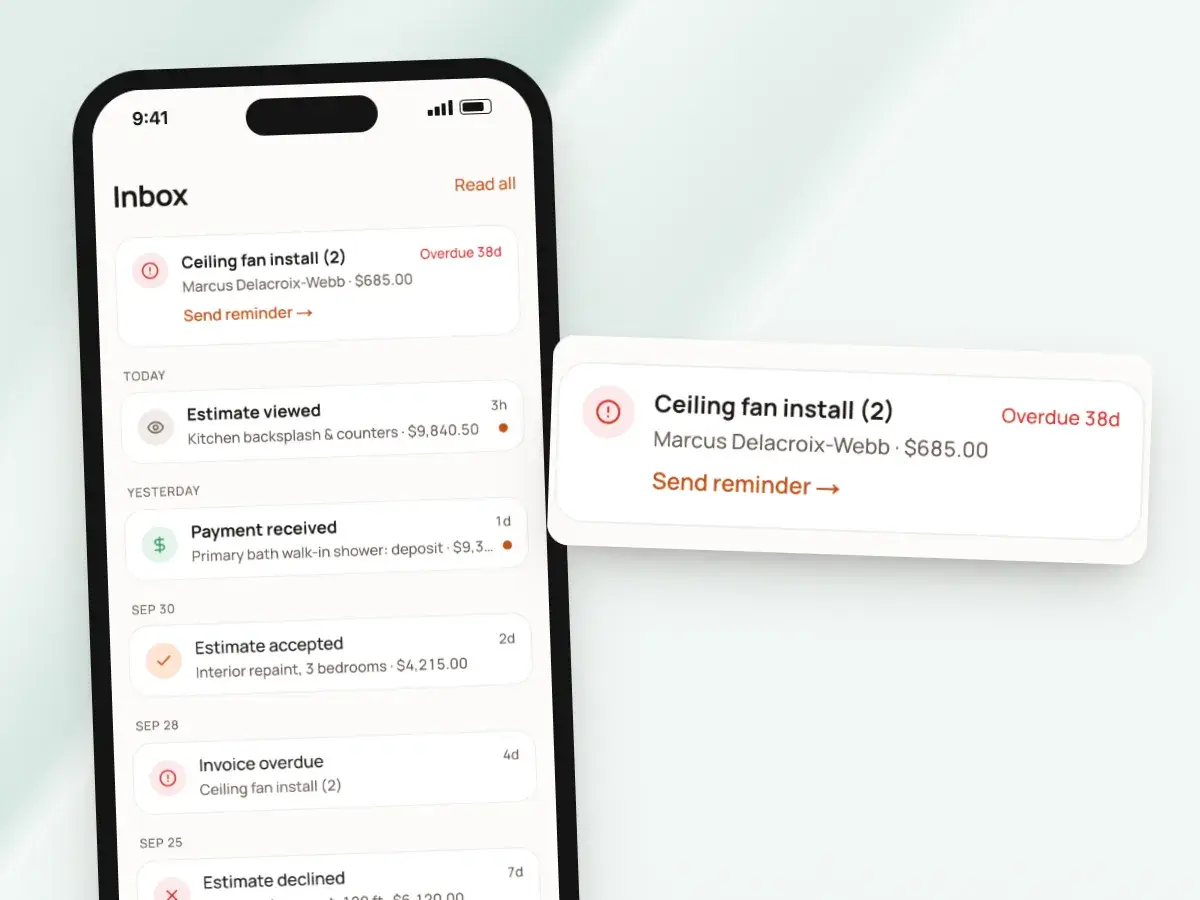
Reminders go to you, not to the client, and BuildWell never messages your clients on its own. Every nudge they get comes from you and sounds like you.
From the Inbox, Send reminder re-shares the invoice link so you can text the client yourself, in your own words and from your own number. BuildWell reminds you when:
- An invoice is due in two days
- An invoice is one, seven and 14 days overdue
- A client accepted an estimate a week ago and you haven’t invoiced it yet
- That last one is often the deposit you meant to ask for and forgot
From signed estimate to deposit paid
- 1
Create the invoice
Turn the signed estimate into an invoice. Lines, discount and tax carry over.
- 2
Ask for a deposit
When you send, pick a percentage. The invoice shows that amount as due now.
- 3
Collect it
The client pays by card or bank, or you record the check or Zelle.
- 4
Bill the rest
The invoice asks for the balance. On longer jobs, invoice the next stage.
By hand vs with BuildWell
Taking a deposit on a kitchen remodel, the old way with a calculator and two invoices, and with BuildWell.
| The job | By hand | With BuildWell |
|---|---|---|
| Working out the deposit | Do the percentage on a calculator and round it. | Pick a percentage; the invoice shows the amount due now. |
| Billing it | Write a deposit invoice, then a second one for the balance. | One invoice asks for the deposit, then the balance. |
| Collecting it | Wait for a check before ordering materials. | Card or bank payment from the link, or record the check. |
| Mid-job payments | Write a new invoice and figure what’s left by hand. | Make another invoice from the estimate, or record a partial payment. |
| Keeping score | A notebook of who paid what, and when. | Every payment listed on its invoice, adding up to paid. |
| Following up | Remember to call when the balance is late. | A reminder to you when an invoice is due or overdue. |
Built for your trade
Line items, labor hours and local prices for the work you actually do.
One plan. Every feature.
- AI estimates priced for your area
- Estimates, invoices, clients and projects
- Clients sign on any phone
- Card and bank payments, no extra BuildWell fee
- iPhone, Android and the web
- AI estimates priced for your area
- Estimates, invoices, clients and projects
- Clients sign on any phone
- Card and bank payments, no extra BuildWell fee
- iPhone, Android and the web
Both plans include every feature and start with a 3-day free trial. Add a card to start; you’re not charged until the trial ends. Cancel anytime.
Free tools to go with it
Generators, templates, calculators and guides. No sign-up.
Deposits and progress payments FAQ
01How much of a deposit can I ask for?
02What happens after the deposit is paid?
03How do I bill progress payments?
04Can I set up a payment schedule in advance?
05Does BuildWell handle retainage?
06How many times can I resend an invoice?
07Can clients pay a deposit by card?
08Can a client pay part of the balance by check?
09Where do I put my deposit policy?
10How much does BuildWell cost?
More of BuildWell
Invoicing software
Turn a signed estimate into an invoice, bill deposits and progress payments, send a link clients pay from, and see what’s still owed. Built for contractors.
Learn more →Online payments
Let clients pay invoices by card or bank transfer from a link. Payments go to your bank through Stripe. BuildWell adds no fee of its own. Zelle and check too.
Learn more →Client portal
Send a link, and clients read your estimate, accept and sign it on their phone, or decline. Invoices open the same way with pay buttons. You see every view.
Learn more →Estimating software
Describe a job and get an itemized estimate with materials at local store prices and labor at your area’s wage. Edit any line, send it, get it signed.
Learn more →AI estimates
Describe a job by voice, text, photos or a floor plan. AI plans the work and quantities; prices come from local stores and BLS wages, and you confirm any gaps.
Learn more →Quote software
Price a job from local material prices and your area’s labor rates, send the quote as a link, and get it accepted and signed on the client’s phone.
Learn more →
Try BuildWell today
Estimates, invoices, e-signatures and payments in one place, on your phone and on the web.