 BuildWell
Client management that keeps every job in one place
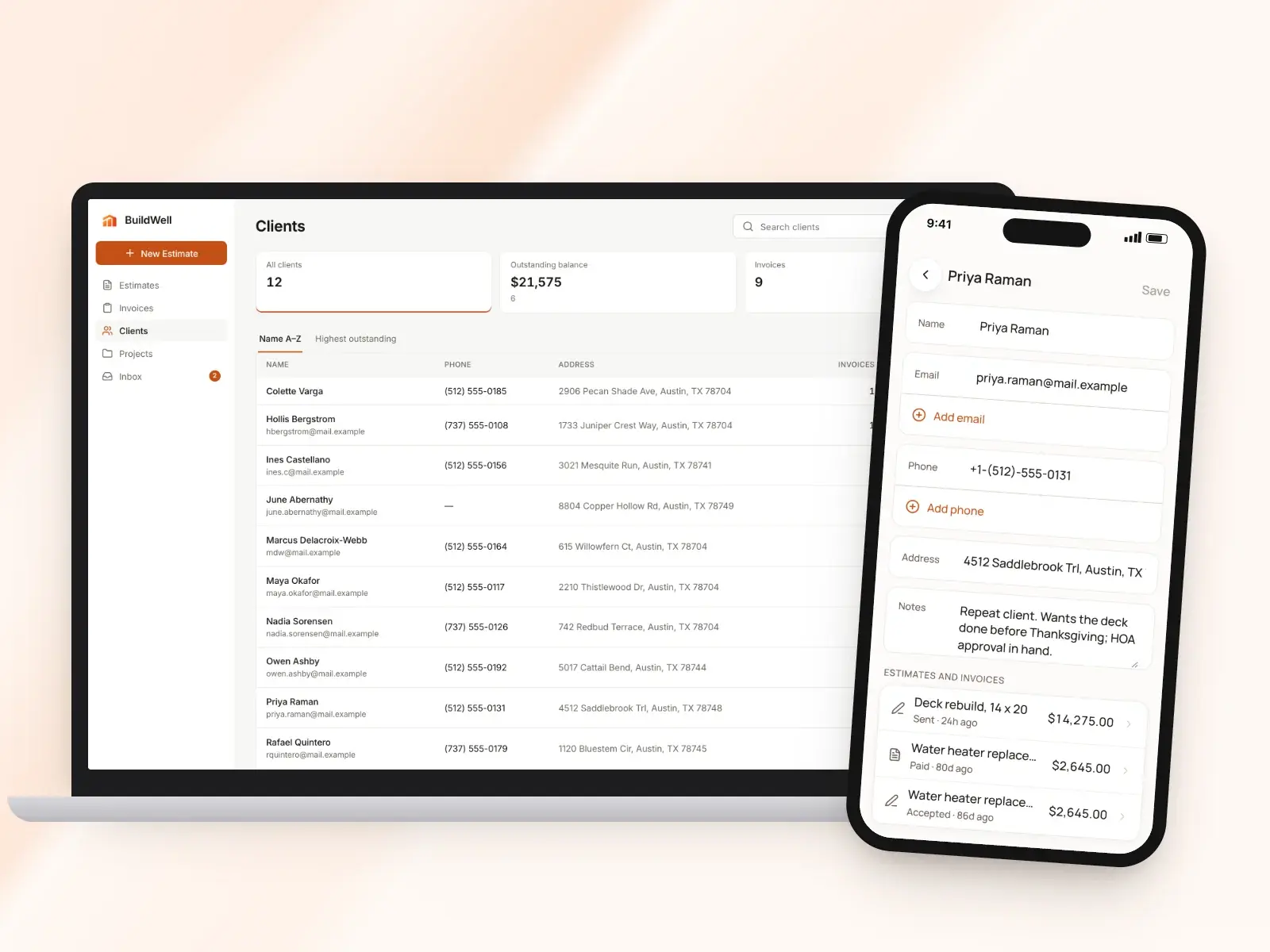
A simple client list: who they are, how to reach them, every estimate and invoice, and what they still owe.
Client management, in short
- Search, sort and filter your whole client list
- Extra emails and phone numbers for each client
- Private notes only you can see
- Clients added automatically from estimates and invoices
- Every estimate and invoice on the client’s page
- Outstanding balance for each client at a glance
Every client in one list
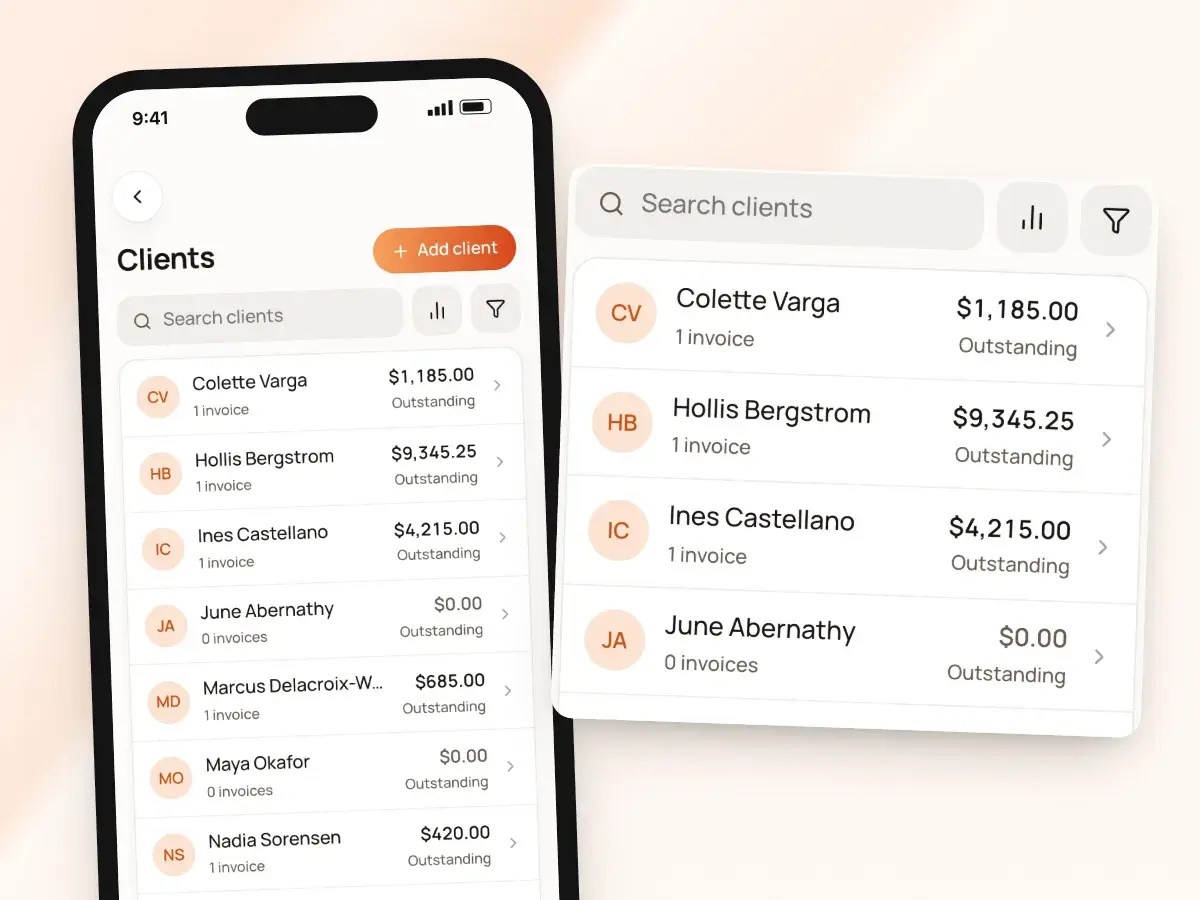
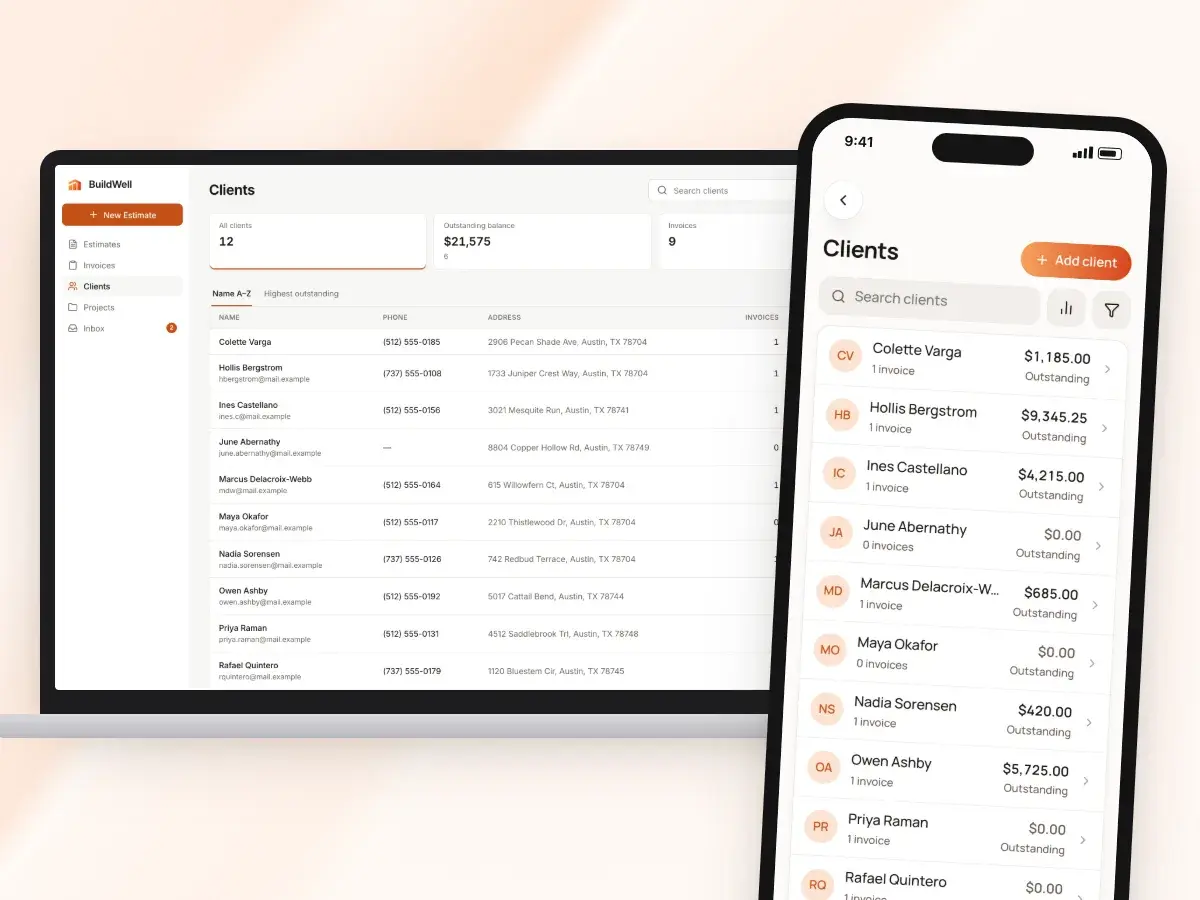
Your clients live in one list on your phone and on the web. It answers the question every contractor asks on a slow Friday: who still owes me, and how much?
- Search the list to pull someone up while they’re on the phone
- Sort it A to Z
- Sort by highest outstanding balance to see who owes you the most at the top
- Filter to clients with an outstanding balance when it’s time to follow up on money
- Clients who’ve paid in full drop out of the way
- You’re left with a short list of calls to make or links to resend
The details you need to reach them
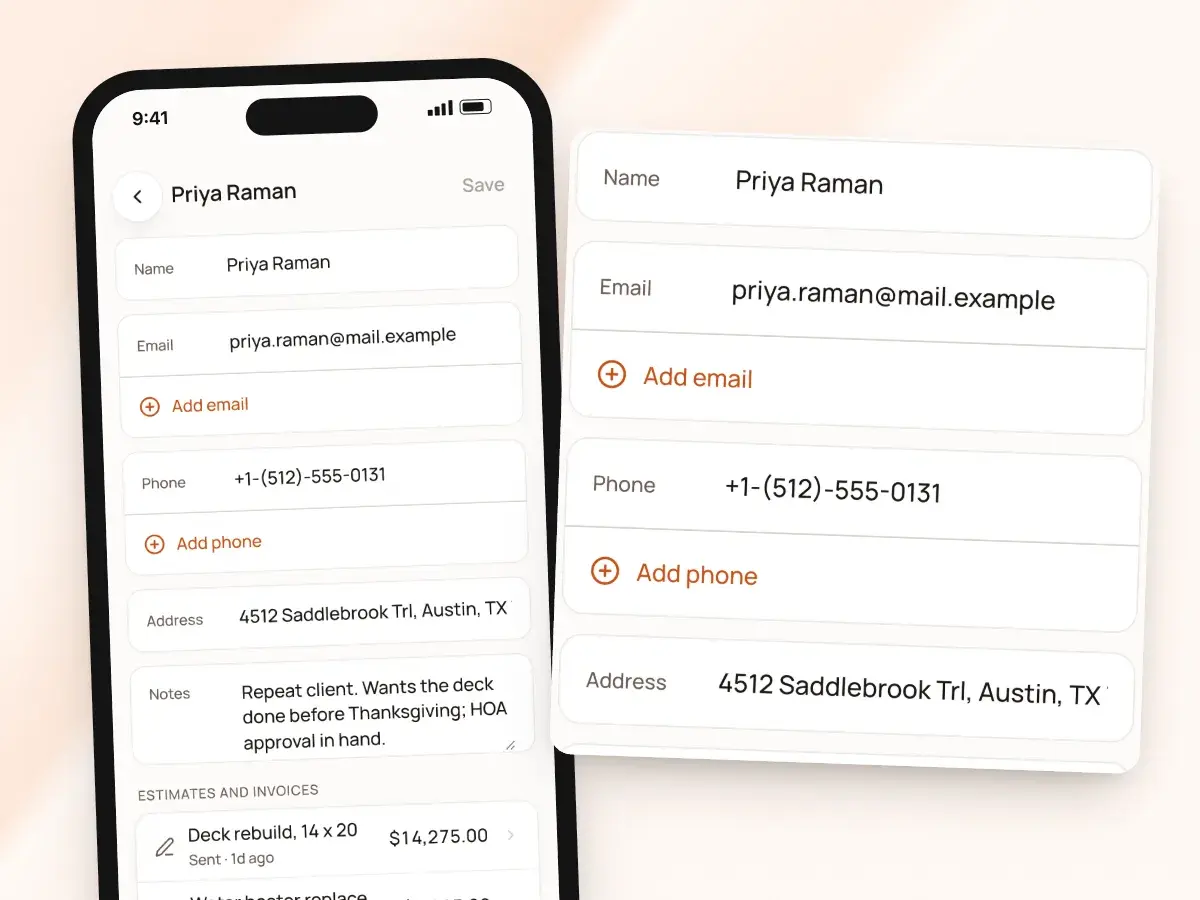
Each client has a name, email, phone number and address, and only the name is required. Add someone the moment they call, then fill in the rest at the walkthrough, ready for the estimate and the link you send.
Real jobs rarely have one contact, so keep them all in one place instead of scattered through your phone’s contacts. Add up to five more email addresses and five more phone numbers for:
- The spouse who makes the tile decisions
- The property manager
- The tenant who lets you in
- The office that pays the bills
Private notes that stay private
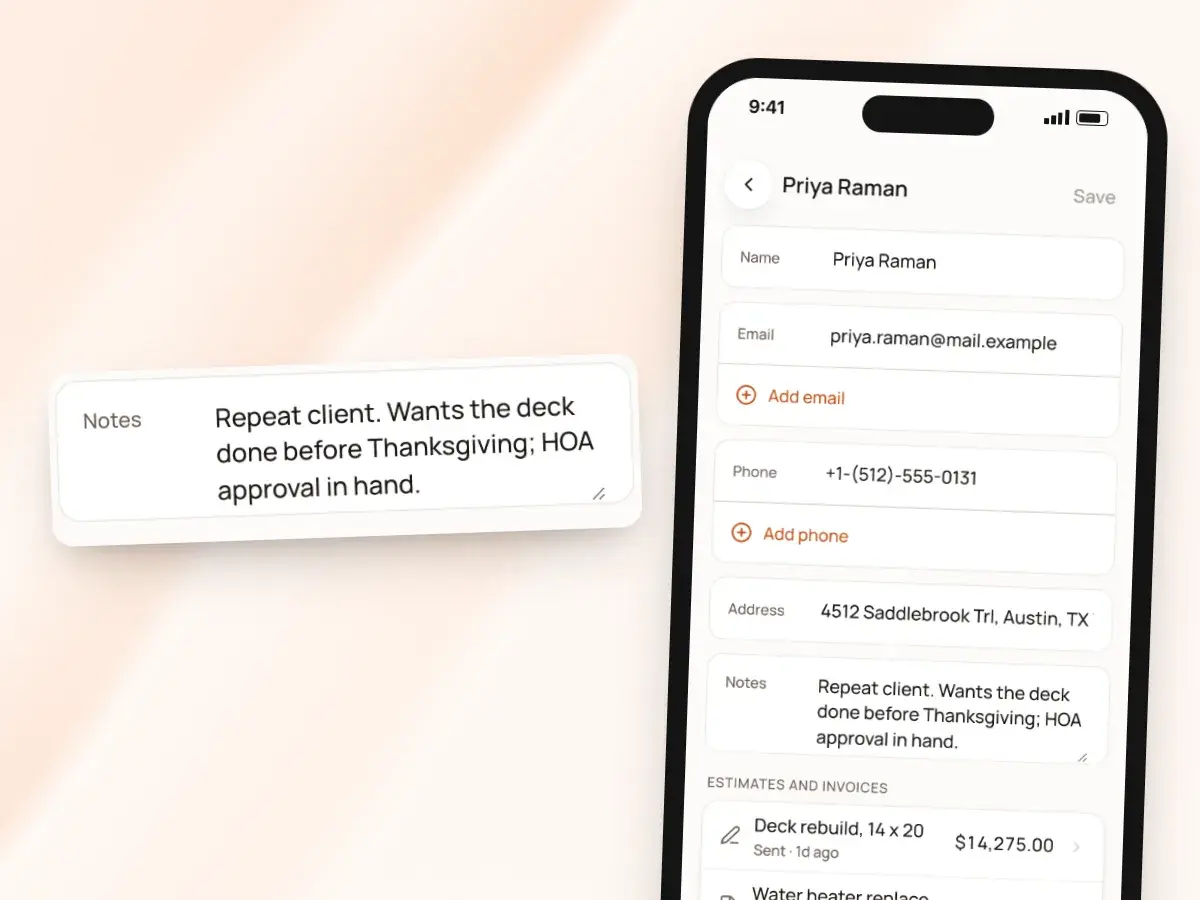
Keep notes on each client that only you see. Notes never print on an estimate or invoice and never show on the client’s link.
The next time they call about another job, the notes are right there on their page, with everything you’ve sent them, so you sound like you remember every detail. Write them the way you’d write them for yourself:
- The gate code
- The dog that gets out
- The best time to call
- That they prefer texts to email
Added as you work
You don’t have to build a client list before you can use it. The list grows on its own as you send work out:
- Anyone you name on an estimate or invoice is added to your clients automatically
- They come in with the details you entered
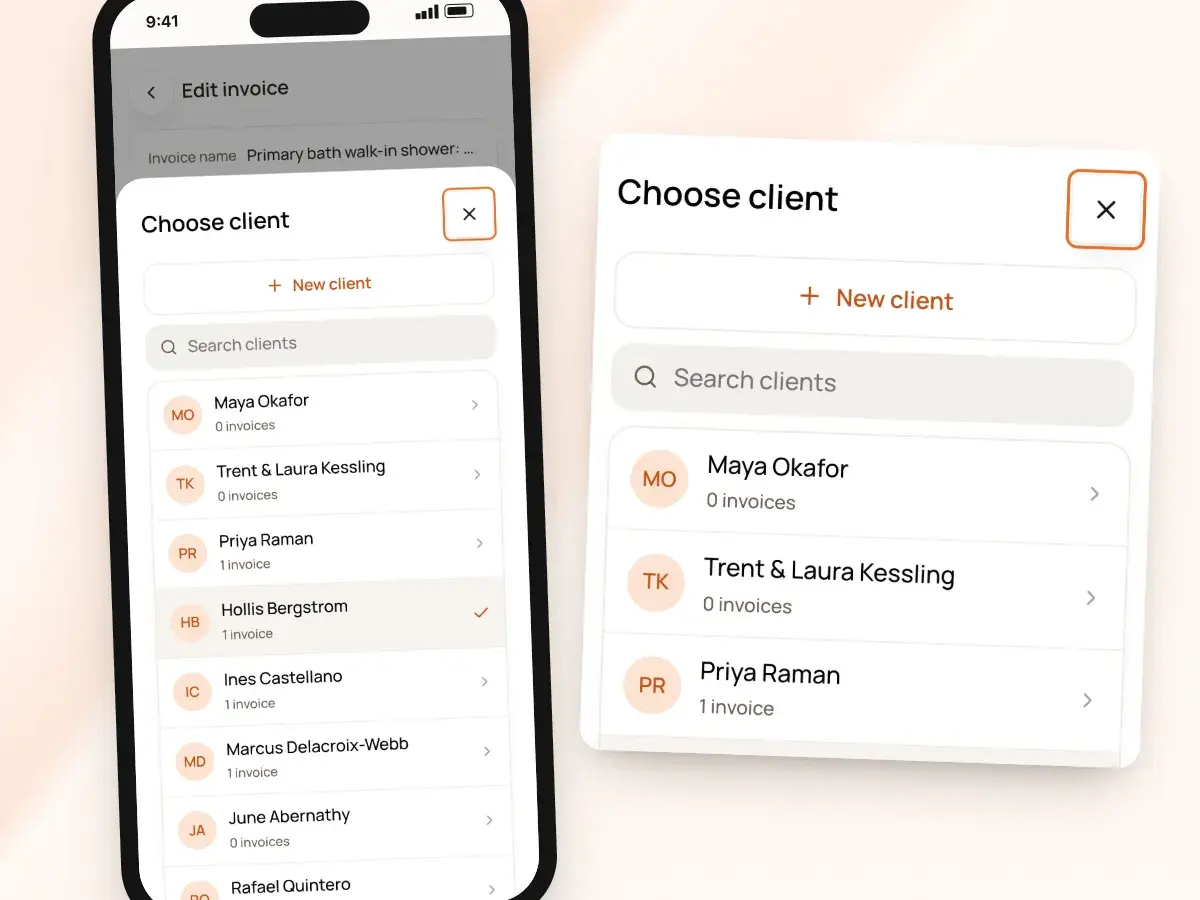
- Already have the client in your phone? Choose them from your contacts
- BuildWell fills in their details for you
- Contacts come in one at a time, not your whole phone
- So your list holds the people you actually work with
Every estimate and invoice for that client
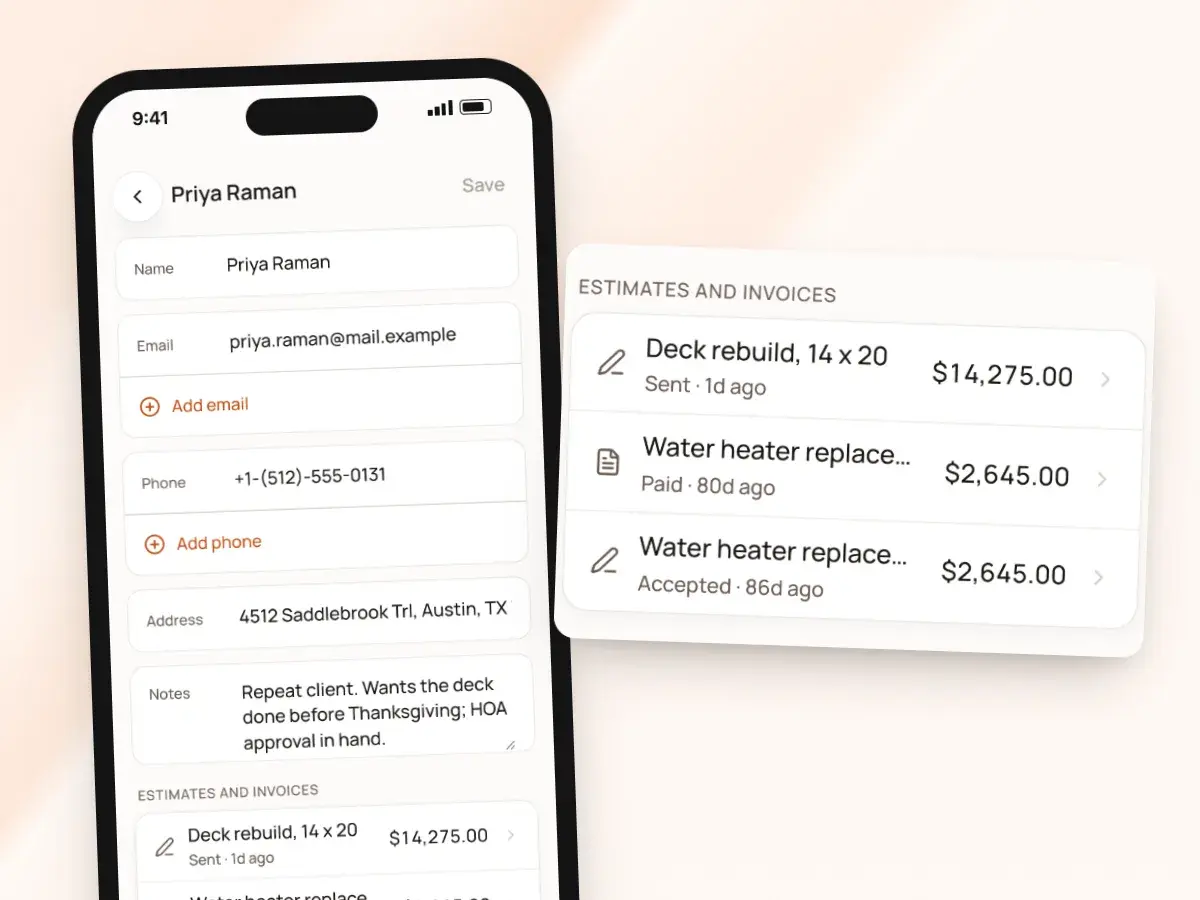
Open a client and you see their estimates and invoices together, from the first estimate you sent them to the last invoice they paid. A question about a price you sent in the spring is a couple of taps away instead of a dig through your sent mail.
That history also helps when you price the next job. Good records make the second job easier to win and easier to price:
- See what you charged them last time
- See what they accepted
- No searching your email for an old PDF
- No asking the client to forward it back to you
Who owes you, client by client
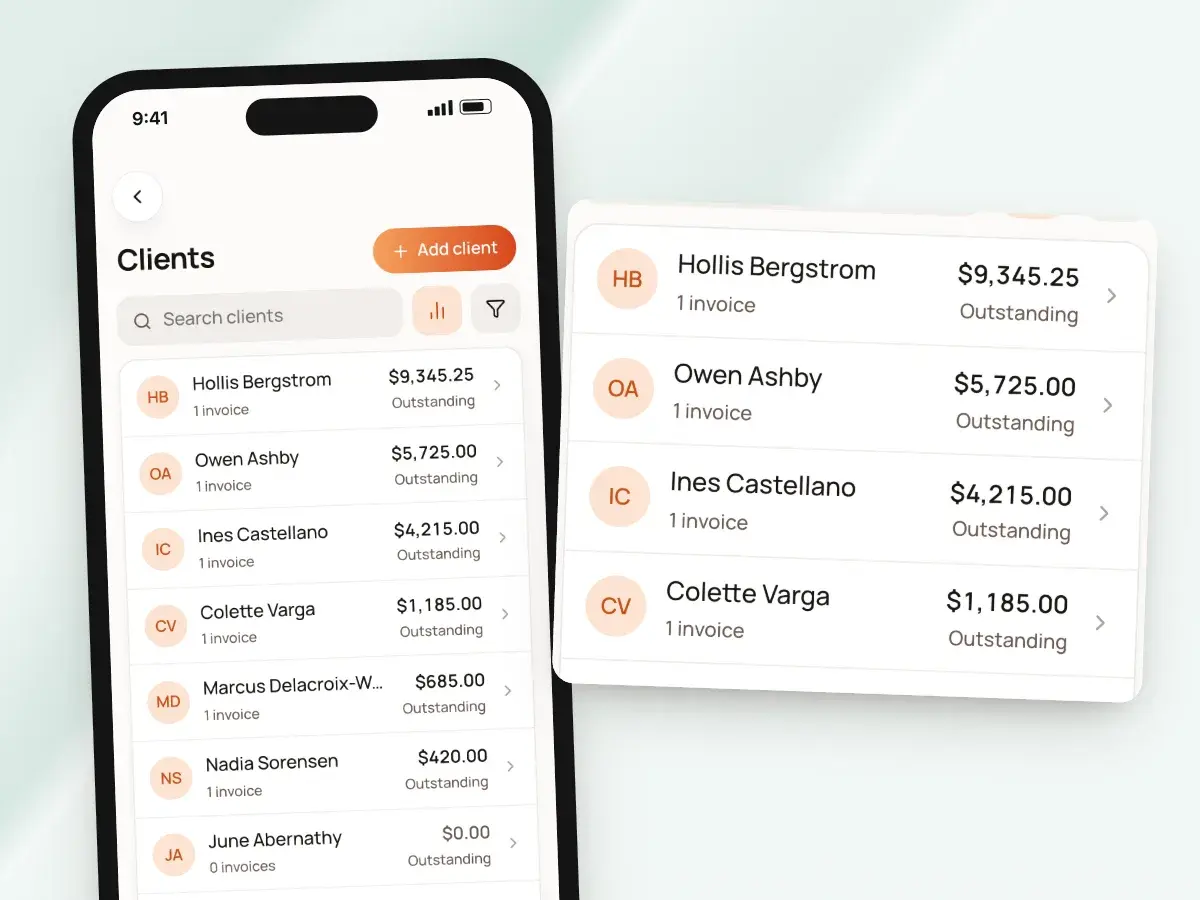
Each client’s page shows their outstanding balance: the total still owed across every invoice you’ve sent them. When a payment comes in, by card or bank transfer through Stripe or recorded yourself for a check or Zelle, the balance goes down on its own.
That gives you a working collections list without a spreadsheet:
- Sort your list by highest outstanding
- Or filter it to outstanding only
- Open a client, then open the invoice
- Resend the link from your own phone
Projects linked to the client
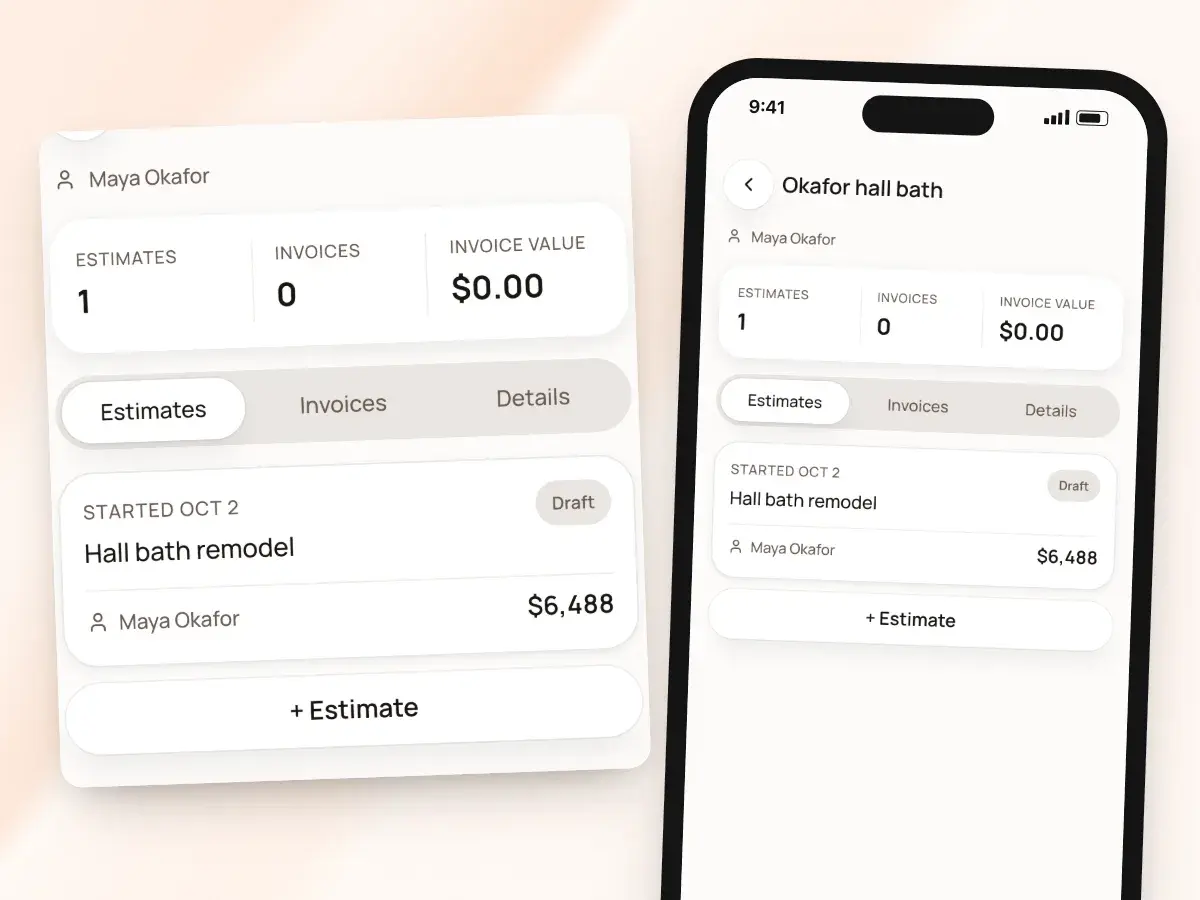
Repeat clients bring more than one job, like the kitchen two years ago and the deck this summer. Link a project to a client and each job stays separate with its own paperwork, while the client’s page still shows every estimate and invoice and what they owe overall.
When they ask what the deck cost compared with the kitchen, you can answer without digging through two years of paperwork. Each project holds that job’s:
- Estimates and invoices, with their balances
- Photos and renders
- Own private notes
The same list on every device
Your client list syncs across iPhone, Android and the web with one account. Add a client on site, and they’re there when you sit down at your computer to finish the estimate.
Update a phone number at your desk, and it’s on your phone before you head out. Clients never need an app or an account to deal with you:
- They get your links by text or email
- They open them in any browser
- What they read, sign and pay ties back to their estimates and invoices
- Your record stays complete without extra typing
From first call to paid in full
- 1
Add the client
Type them in, pick from your contacts, or just name them on an estimate.
- 2
Send the work
Every estimate and invoice you send for them shows on that client’s page.
- 3
Keep the details
Add private notes and extra contacts, and link a project for each job.
- 4
Check who owes you
Sort or filter by outstanding balance, and resend a link to anyone who’s behind.
By hand vs with BuildWell
Keeping track of clients with a phone, a notebook and an inbox, and keeping track in BuildWell.
| The job | By hand | With BuildWell |
|---|---|---|
| Contact details | Split between your phone, old texts and a notebook. | One client record with extra emails and phone numbers. |
| Adding a new client | Type them into your phone, then again on the estimate. | Name them on an estimate and they’re added for you. |
| Remembering the details | Sticky notes on the dashboard. | Private notes on the client’s page. |
| Finding an old price | Search your email for last year’s PDF. | Every estimate and invoice on the client’s page. |
| Knowing who owes you | Add it up in a spreadsheet at the end of the month. | An outstanding balance on every client, sortable. |
| Repeat jobs | One folder of paper for everything they’ve ever hired you for. | A project for each job, linked to the client. |
Built for your trade
Line items, labor hours and local prices for the work you actually do.
One plan. Every feature.
- AI estimates priced for your area
- Estimates, invoices, clients and projects
- Clients sign on any phone
- Card and bank payments, no extra BuildWell fee
- iPhone, Android and the web
- AI estimates priced for your area
- Estimates, invoices, clients and projects
- Clients sign on any phone
- Card and bank payments, no extra BuildWell fee
- iPhone, Android and the web
Both plans include every feature and start with a 3-day free trial. Add a card to start; you’re not charged until the trial ends. Cancel anytime.
Free tools to go with it
Generators, templates, calculators and guides. No sign-up.
Client management FAQ
01Is BuildWell a CRM?
02How do clients get into my list?
03Can I import my phone contacts?
04Can a client have more than one email or phone number?
05Do clients see my notes?
06How is the outstanding balance worked out?
07What if a client hires me for more than one job?
08Can I see my clients on the web?
09Do my clients need an account?
10How much does BuildWell cost?
More of BuildWell
Invoicing software
Turn a signed estimate into an invoice, bill deposits and progress payments, send a link clients pay from, and see what’s still owed. Built for contractors.
Learn more →Client portal
Send a link, and clients read your estimate, accept and sign it on their phone, or decline. Invoices open the same way with pay buttons. You see every view.
Learn more →Estimate app
Estimate on site by voice or photos with the BuildWell app for iPhone and Android, then finish at your desk on the web. One account, everything in sync.
Learn more →Online payments
Let clients pay invoices by card or bank transfer from a link. Payments go to your bank through Stripe. BuildWell adds no fee of its own. Zelle and check too.
Learn more →Estimating software
Describe a job and get an itemized estimate with materials at local store prices and labor at your area’s wage. Edit any line, send it, get it signed.
Learn more →AI estimates
Describe a job by voice, text, photos or a floor plan. AI plans the work and quantities; prices come from local stores and BLS wages, and you confirm any gaps.
Learn more →
Try BuildWell today
Estimates, invoices, e-signatures and payments in one place, on your phone and on the web.