 BuildWell
Estimate templates that make your business look established
Pick a design, add your logo and color, and every estimate and invoice you send matches. No formatting needed.
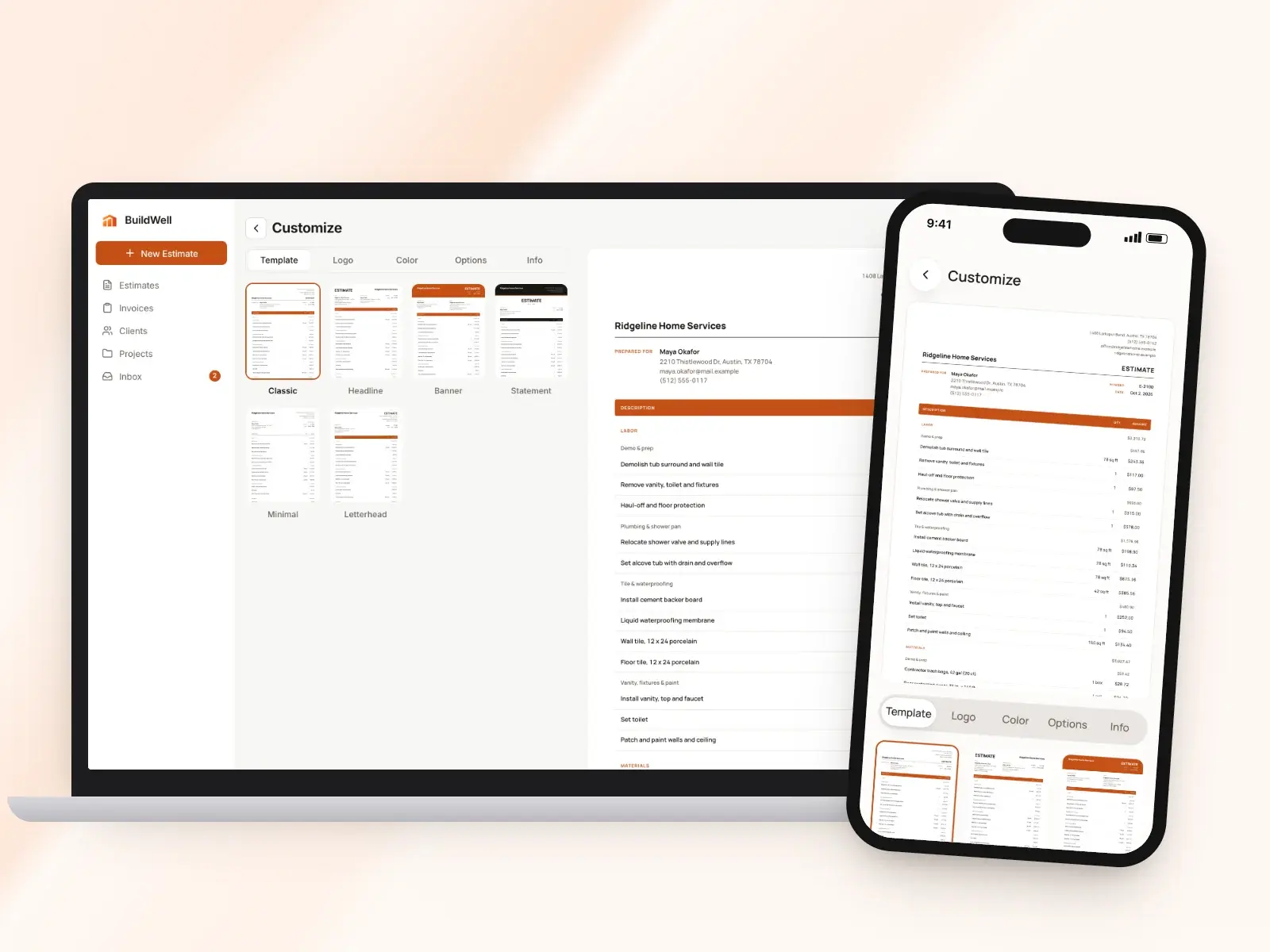
Estimate templates and branding, in short
- Six built-in designs for estimates and invoices
- Upload your logo, or have AI draft one
- Your brand color, solid or gradient
- License number and business details in the header
- Your own terms, labels and headline
- English or Spanish, on the PDF and client link
Six designs to choose from
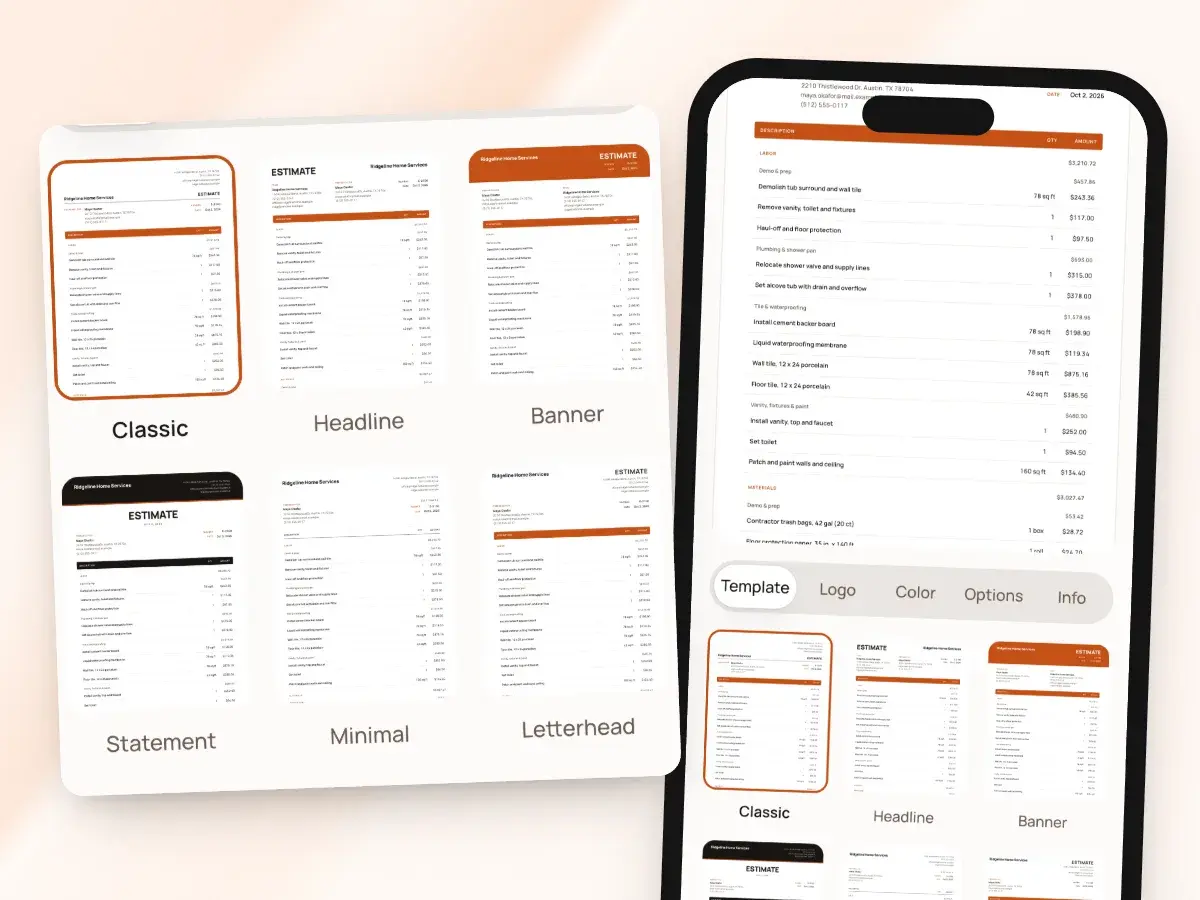
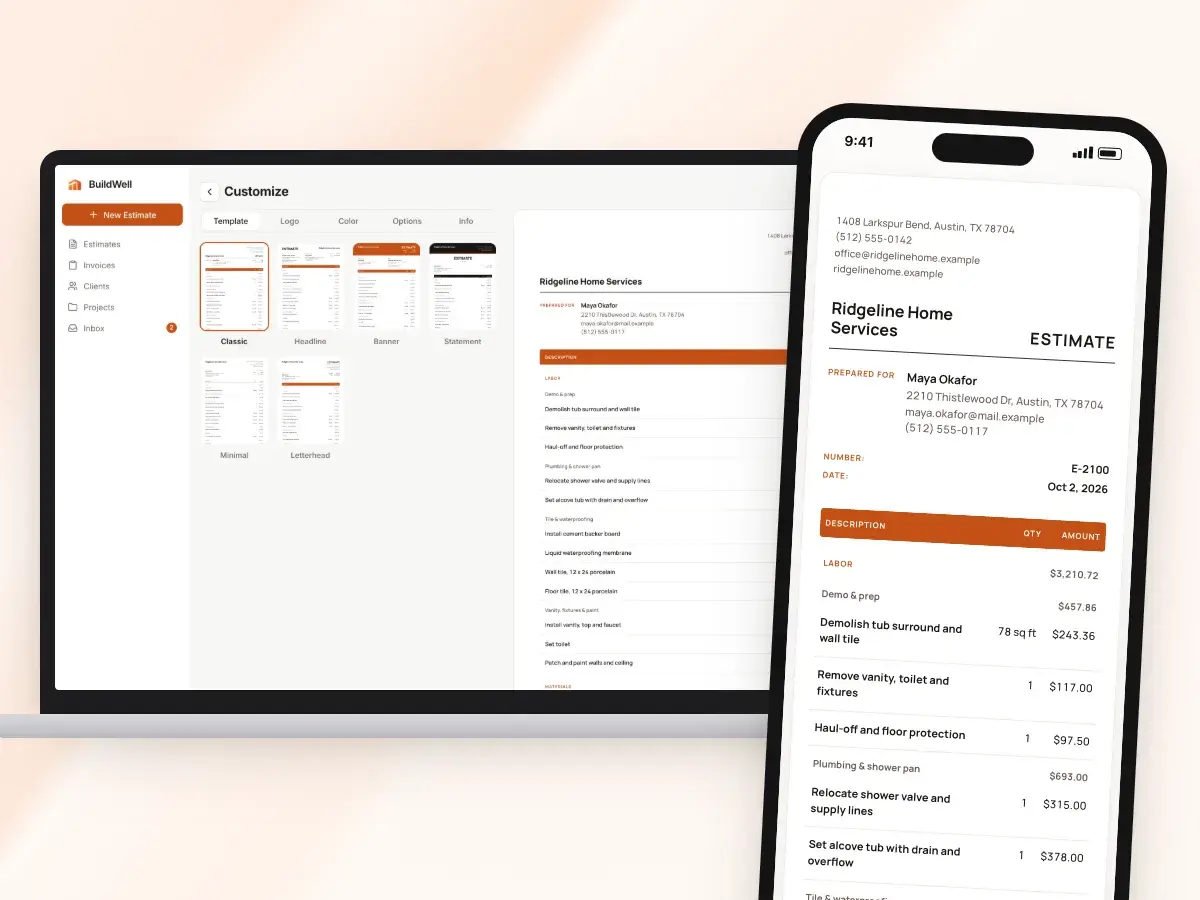
BuildWell comes with six document designs, each laying out the same estimate or invoice its own way, from a quiet letterhead look to a bold banner across the top. One design covers estimates and invoices alike, so the price a client signs and the bill they pay clearly come from the same business.
Set it once as your default, switch whenever you like, and preview any draft before it goes out. It’s all set up in one place, on the Template, Logo, Color, Options and Info tabs of the Customize screen, where you pick from:
- Classic
- Headline
- Banner
- Statement
- Minimal
- Letterhead
Your logo, or one to start with
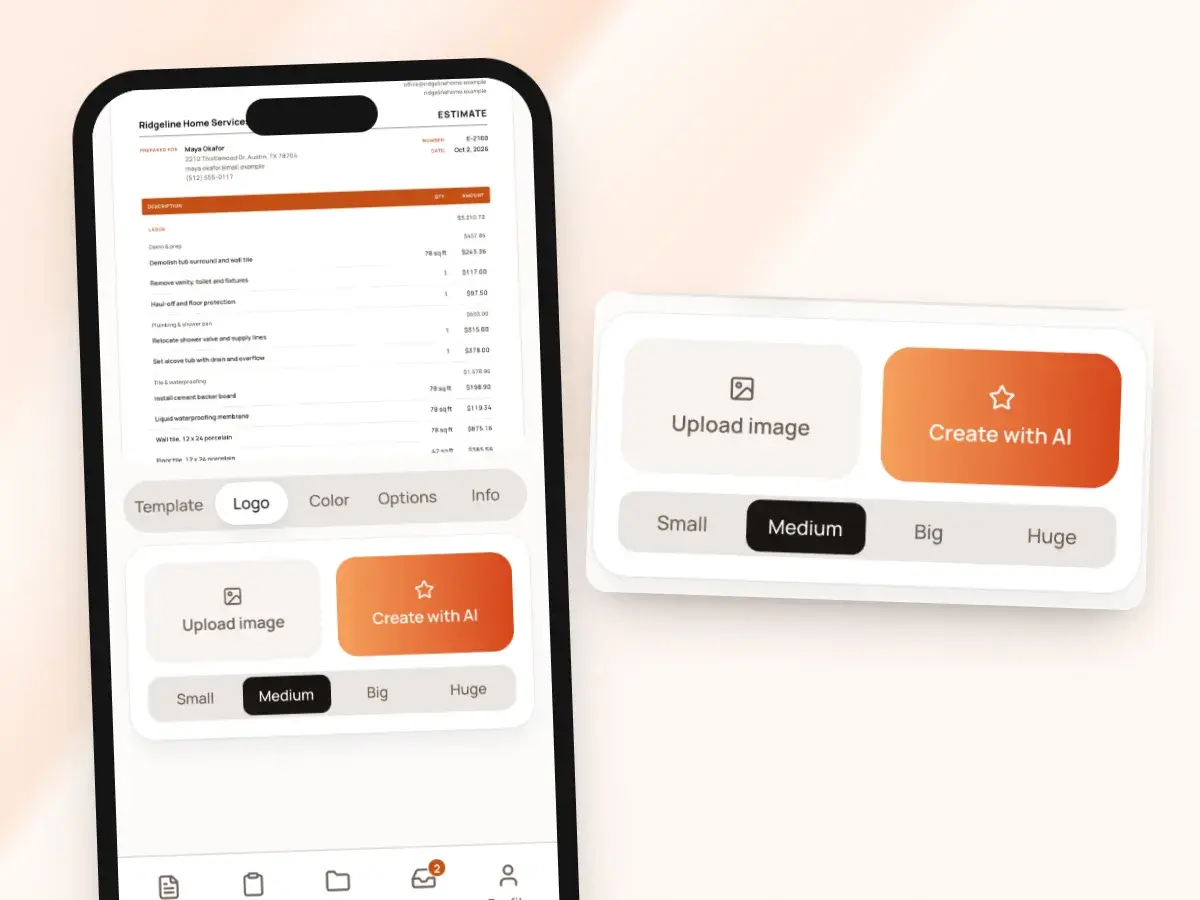
Your logo goes at the top of every estimate and invoice you send. Upload it, remove its background if it came on a white box, and choose how big it shows: small, medium, big or huge.
No logo yet? Have the AI draft one for you; it’s a fast way to look like an established business on your first estimate:
- Pick a wordmark style or an icon style
- Close but not quite right? Describe the change in a sentence
- The AI makes a new version
Your color on every page
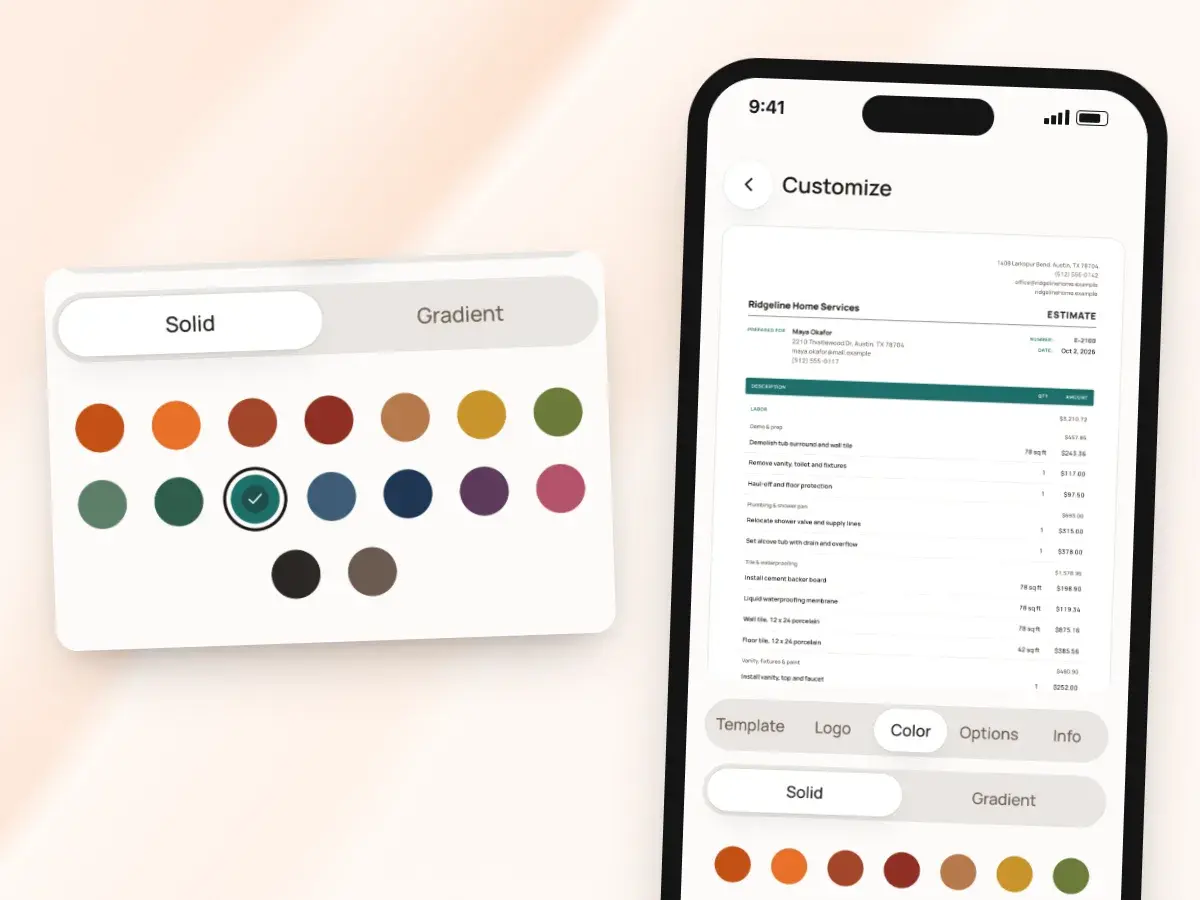
Pick your brand color from a set of swatches, as a solid color or a gradient. It’s applied to the design you chose, so your documents look like yours instead of like everyone else’s software.
The same color shows on the PDF and on the page your client opens from the link. The look holds up whether they:
- Read the estimate on their phone
- Print it at home
- Forward it to someone else
Business details and your license number
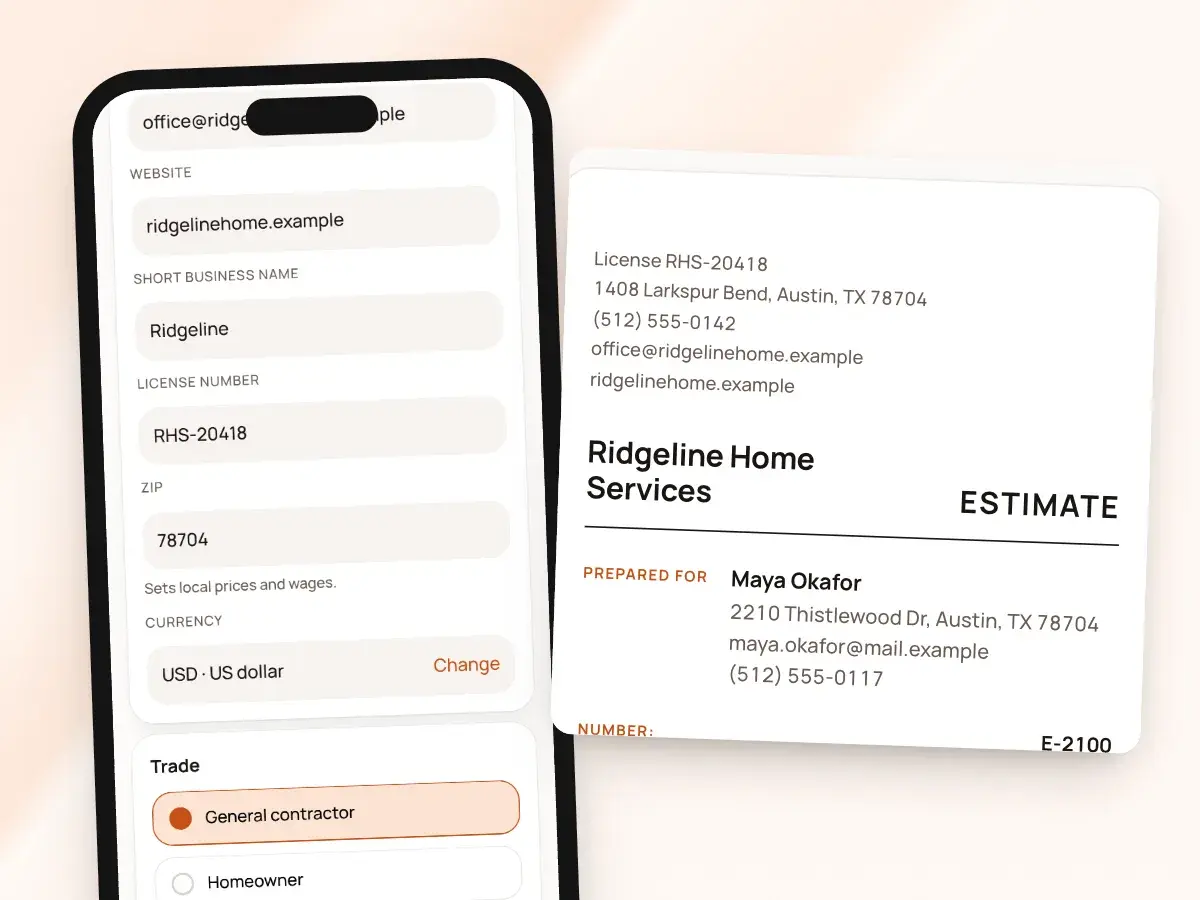
Enter your business details once, and they appear on every document. Add your contractor’s license number and choose whether it shows in the header next to your name, so a client checking you out has it in front of them.
Because the details live in one place, a new phone number or a move to a new shop address is a single change that every new estimate and invoice picks up. You never send a document with last year’s address on it, and the details include:
- Business name
- Address
- Phone
- Website
Your words on the page
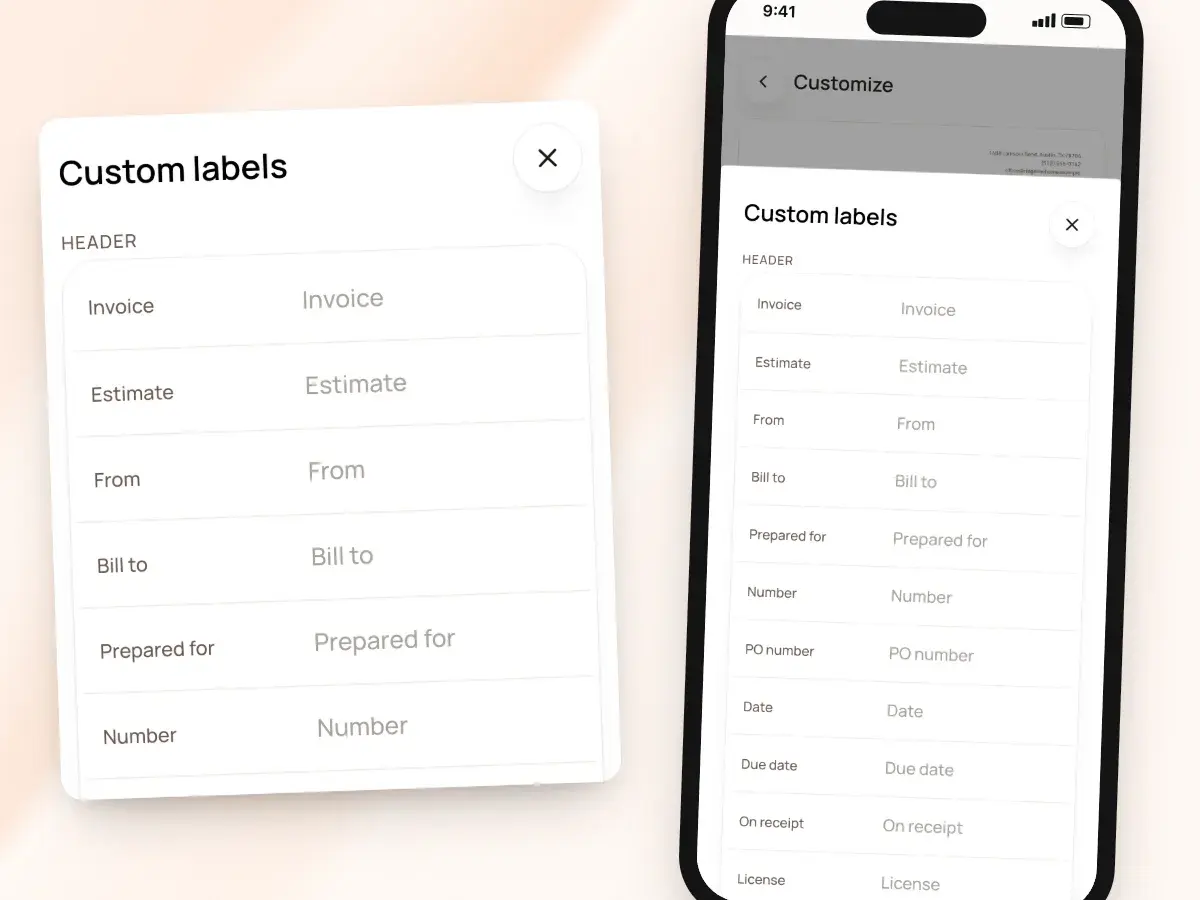
Call the document what you call it: set a default headline like “Quote” or “Proposal,” rename the labels to match how you talk to clients, and add a “Thank you for your business” line if you like. Small touches like these make a one-truck business read like the professional outfit it is.
Write your terms and conditions once, in your own words: they print on every estimate and invoice, so the client sees the same terms when they sign and when they pay. You never have to paste them in again, and they can cover:
- Payment terms
- What the price includes
- How long it’s good for
- What happens if the job changes
Show what the client needs to see
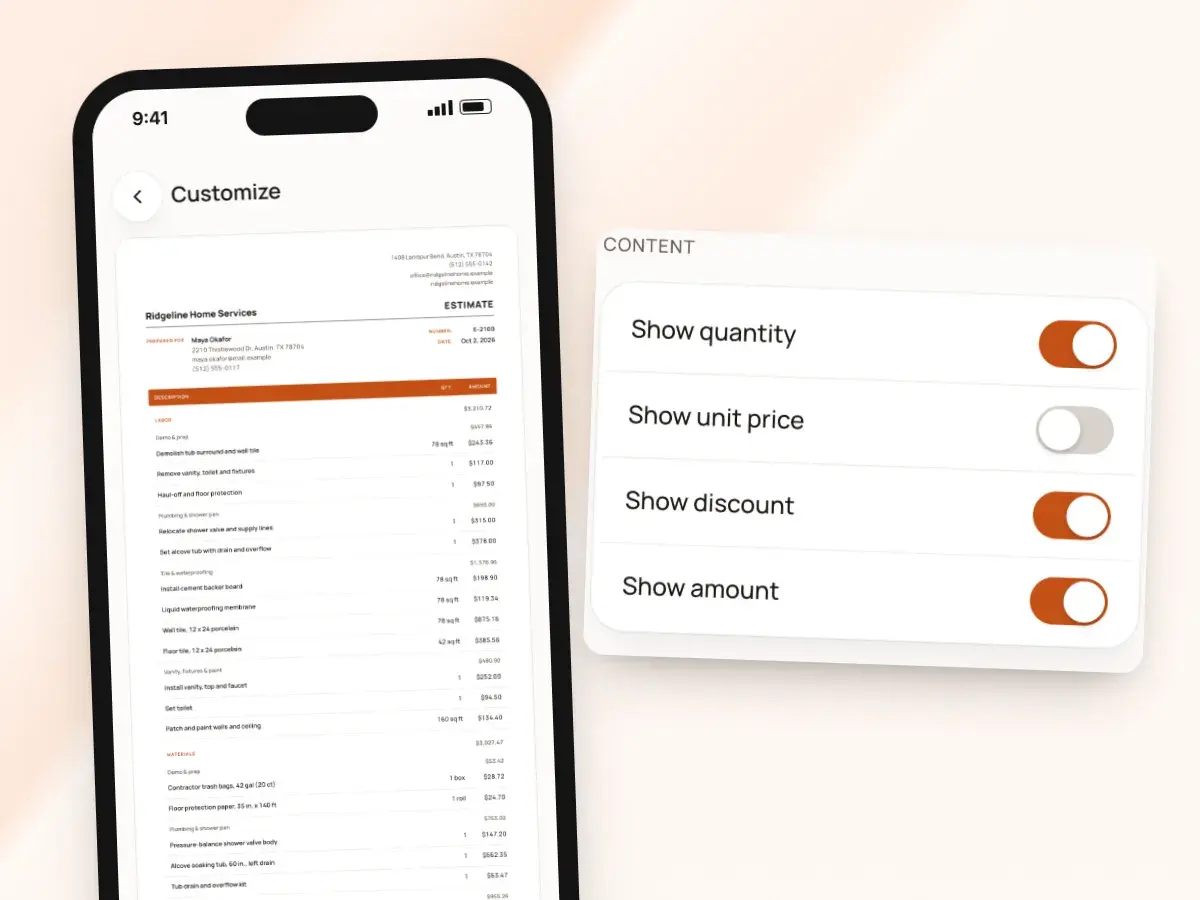
Choose which columns appear on the document: quantity, unit price, discount and tax can each be shown or hidden. You decide how much detail goes out, while every line stays fully priced on your side, so your own numbers are always there, from the first draft to the final invoice.
Some clients want every number; some only need the scope and the total. Fine-tune the rest in Options:
- The date format
- Font size and spacing
- A high-contrast text setting that makes the document easier to read
- A paid stamp for paid invoices
- An “Authorized signature” line with your own signature, drawn on screen or uploaded
In English or Spanish, in your currency
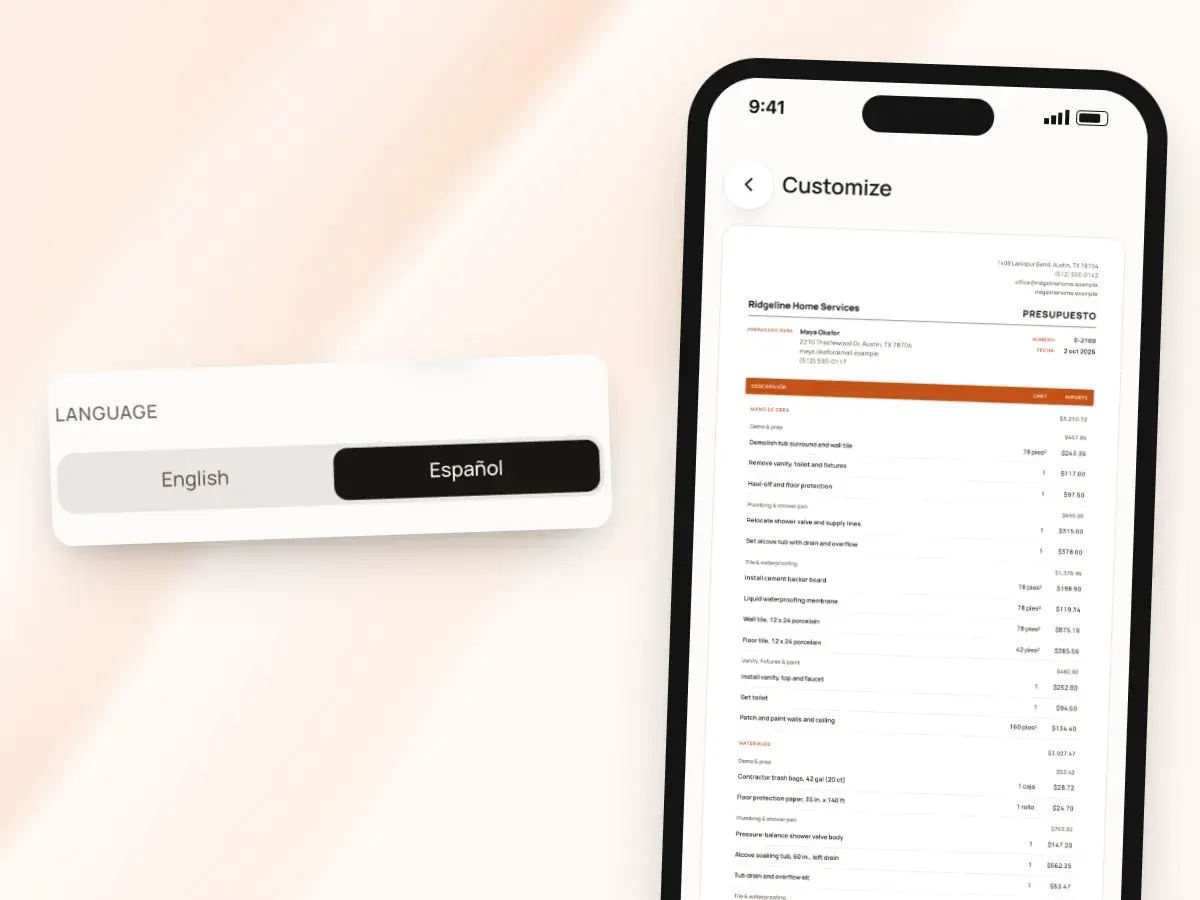
Any estimate or invoice can be printed in English or Spanish, whatever language you use the app in. Set a default for your account and switch it on any single draft; the labels change with it, and the client’s signing and pay pages follow the document’s language.
Amounts are shown in the currency you choose, and BuildWell doesn’t convert between them, so price the job in the currency you bill. That suits contractors near a border or with clients who keep accounts in another currency, and you can bill in:
- US dollars
- Canadian dollars
- Euros
- Pounds
- Australian or New Zealand dollars
- Mexican pesos
The same look everywhere
Change the template, color or language on a single draft when a job calls for it, without touching your business default. Once sent, a document keeps its look, so estimates your clients already signed still look exactly as they did, even if you change your logo or design next month.
There’s never a question of which version of your paperwork a client saw. Your design shows the same way on:
- The estimate
- The invoice
- The page your client opens from the link
- The PDF
Set up your look once
- 1
Pick a design
Choose from Classic, Headline, Banner, Statement, Minimal and Letterhead as your default.
- 2
Add your brand
Upload your logo or have AI draft one, then pick your color.
- 3
Fill in your details
Add your business info, license number and terms, and set your labels and columns.
- 4
Send as usual
Every new estimate and invoice uses your look, on the PDF and link.
By hand vs with BuildWell
Making estimates look professional with a word processor template, and with BuildWell’s built-in designs.
| The job | By hand | With BuildWell |
|---|---|---|
| Laying out the page | Fight with tables and margins in a document file. | Pick one of six designs and it’s done. |
| Adding a logo | Pay for one, or go without. | Upload yours, or have AI draft one. |
| Keeping it consistent | Copy last month’s file and hope nothing old is left in it. | Every document starts from your default look. |
| Updating your details | Edit every saved template by hand. | Change it once in Info; new documents pick it up. |
| Terms and conditions | Paste them in at the bottom, when you remember. | Written once, printed on every estimate and invoice. |
| A Spanish-speaking client | Translate the whole document yourself. | Switch the draft to Spanish. |
Built for your trade
Line items, labor hours and local prices for the work you actually do.
One plan. Every feature.
- AI estimates priced for your area
- Estimates, invoices, clients and projects
- Clients sign on any phone
- Card and bank payments, no extra BuildWell fee
- iPhone, Android and the web
- AI estimates priced for your area
- Estimates, invoices, clients and projects
- Clients sign on any phone
- Card and bank payments, no extra BuildWell fee
- iPhone, Android and the web
Both plans include every feature and start with a 3-day free trial. Add a card to start; you’re not charged until the trial ends. Cancel anytime.
Free tools to go with it
Generators, templates, calculators and guides. No sign-up.
Estimate templates and branding FAQ
01Are these the same as the free templates on this site?
02Can I design my own template from scratch?
03Can I use a different design for one job?
04If I change my logo, do old estimates change?
05Do I need a logo?
06Can I call my estimate a quote or a proposal?
07Can I hide unit prices from the client?
08Will my license number show?
09Can I send estimates in Spanish?
10How much does BuildWell cost?
More of BuildWell
Spanish estimates
Use BuildWell in Spanish, and print any estimate or invoice in Spanish or English, whichever your client reads. Signing and pay pages follow the document.
Learn more →Client portal
Send a link, and clients read your estimate, accept and sign it on their phone, or decline. Invoices open the same way with pay buttons. You see every view.
Learn more →Estimating software
Describe a job and get an itemized estimate with materials at local store prices and labor at your area’s wage. Edit any line, send it, get it signed.
Learn more →Invoicing software
Turn a signed estimate into an invoice, bill deposits and progress payments, send a link clients pay from, and see what’s still owed. Built for contractors.
Learn more →Quote software
Price a job from local material prices and your area’s labor rates, send the quote as a link, and get it accepted and signed on the client’s phone.
Learn more →AI estimates
Describe a job by voice, text, photos or a floor plan. AI plans the work and quantities; prices come from local stores and BLS wages, and you confirm any gaps.
Learn more →
Try BuildWell today
Estimates, invoices, e-signatures and payments in one place, on your phone and on the web.