 BuildWell
The estimate app you can send from the driveway
Walk the job, talk it through and send the estimate before you’re back in the truck. One account on phone and web.
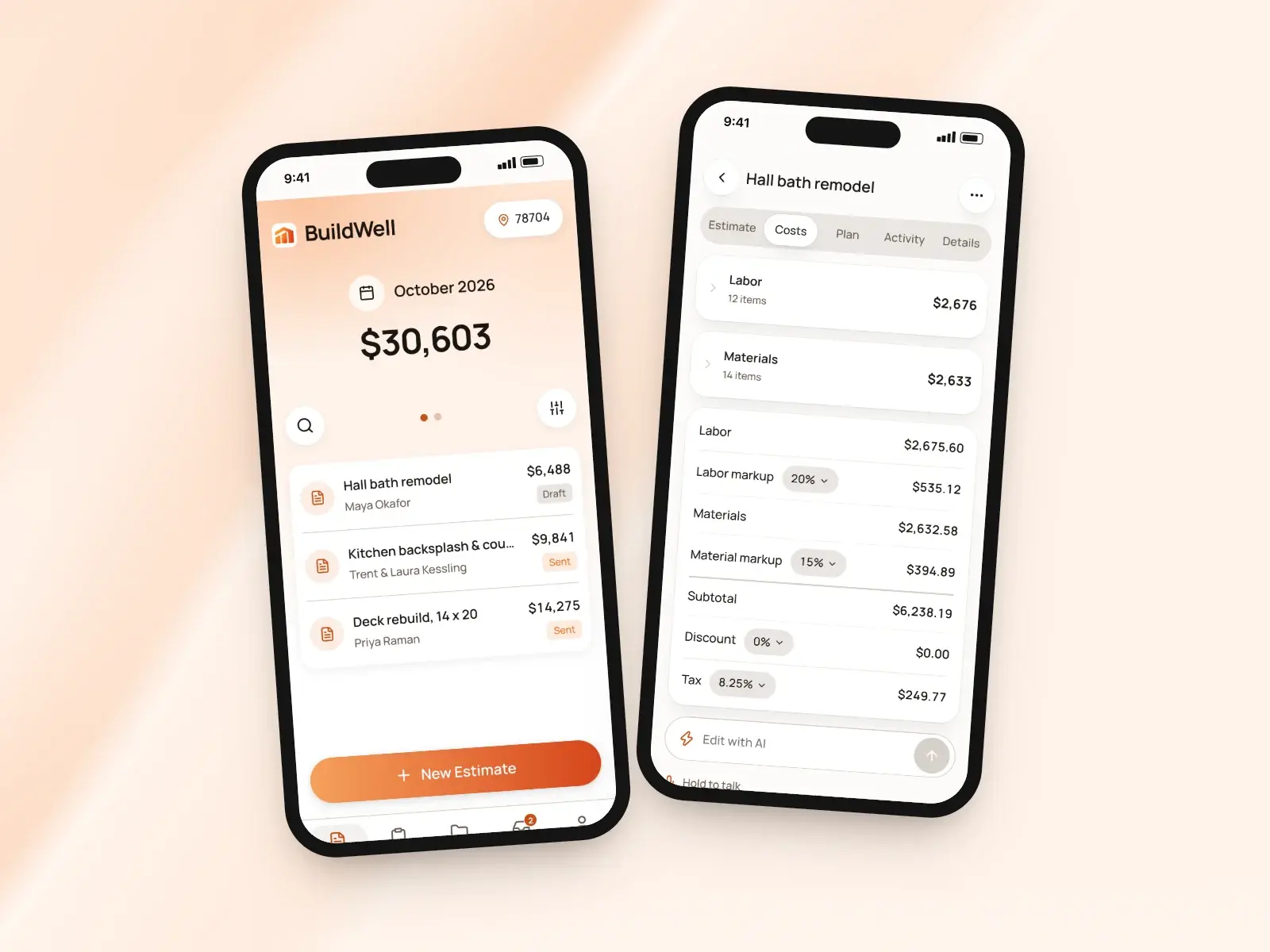
Estimate app, in short
- Describe the job by voice, text or photos
- Room scans with LiDAR on iPhone Pro
- Send from your own number or email address
- Collect the client’s signature in person
- Notices when a client opens, signs or pays
- The same account on iPhone, Android and the web
Estimate while you walk the job
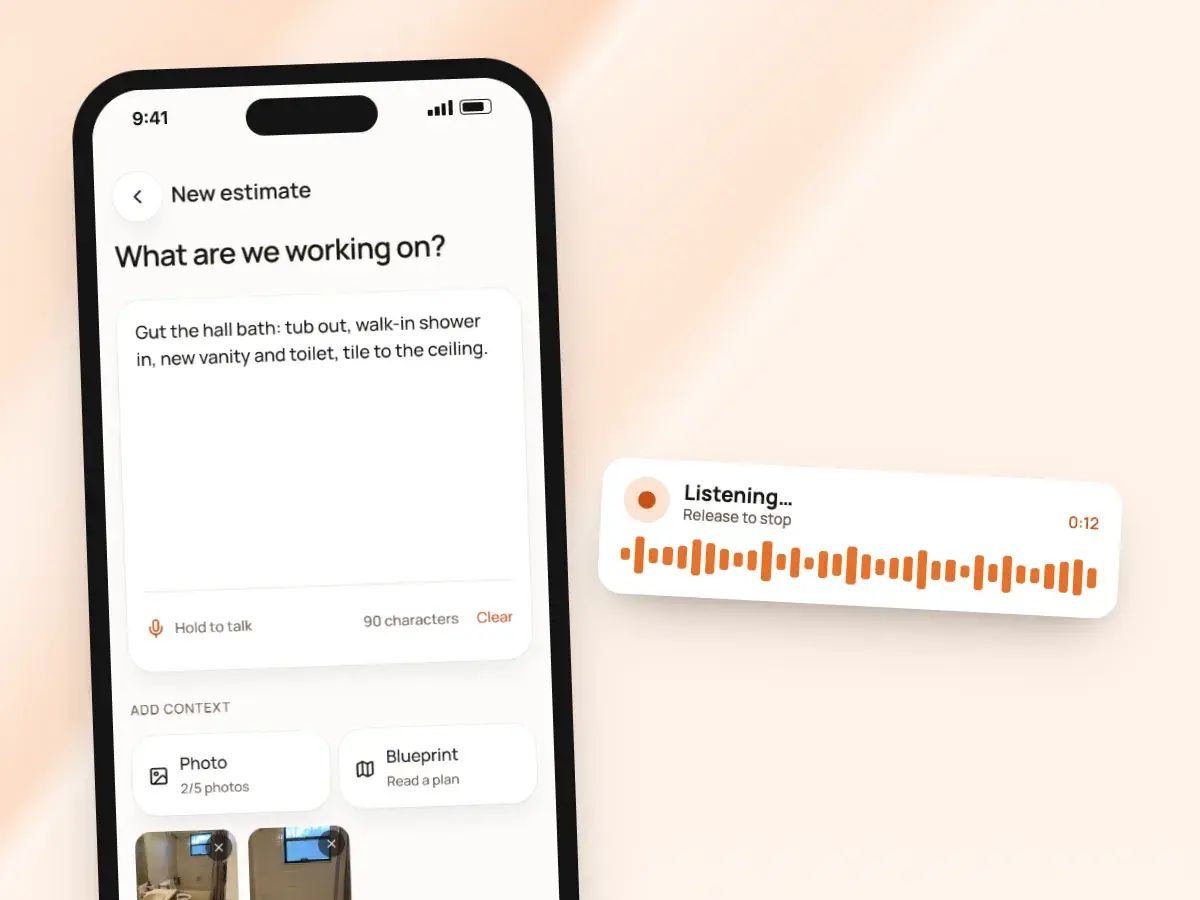
Open BuildWell on site and describe the job out loud as you walk it: what’s coming out, what’s going in, what the client mentioned at the door. Type it instead if it’s loud, and add up to five photos so the AI sees the room the way you do.
BuildWell turns that into a plan of the work in the order it happens, then prices it line by line:
- Materials at stores near the job
- Labor at your area’s wage
- You check every line before anything goes to the client
- Change any quantity, hour or price right from your phone
Measure the room without a tape
Scanning the room or reading a plan is quicker than sketching it, and the numbers go straight into the job instead of onto the back of an envelope you have to find again tonight. You see the numbers and can correct them before the estimate is priced.
Measurements that go in right the first time mean quantities that come out right, and fewer return trips to measure again. Two ways to get them:
- On an iPhone Pro with LiDAR, scan the room for a top-down plan
- The plan has the length of each wall, ready for the estimate
- On any phone, take a photo of a floor plan or a sketch with measurements
- BuildWell reads the room dimensions from the drawing
Questions you answer with a tap
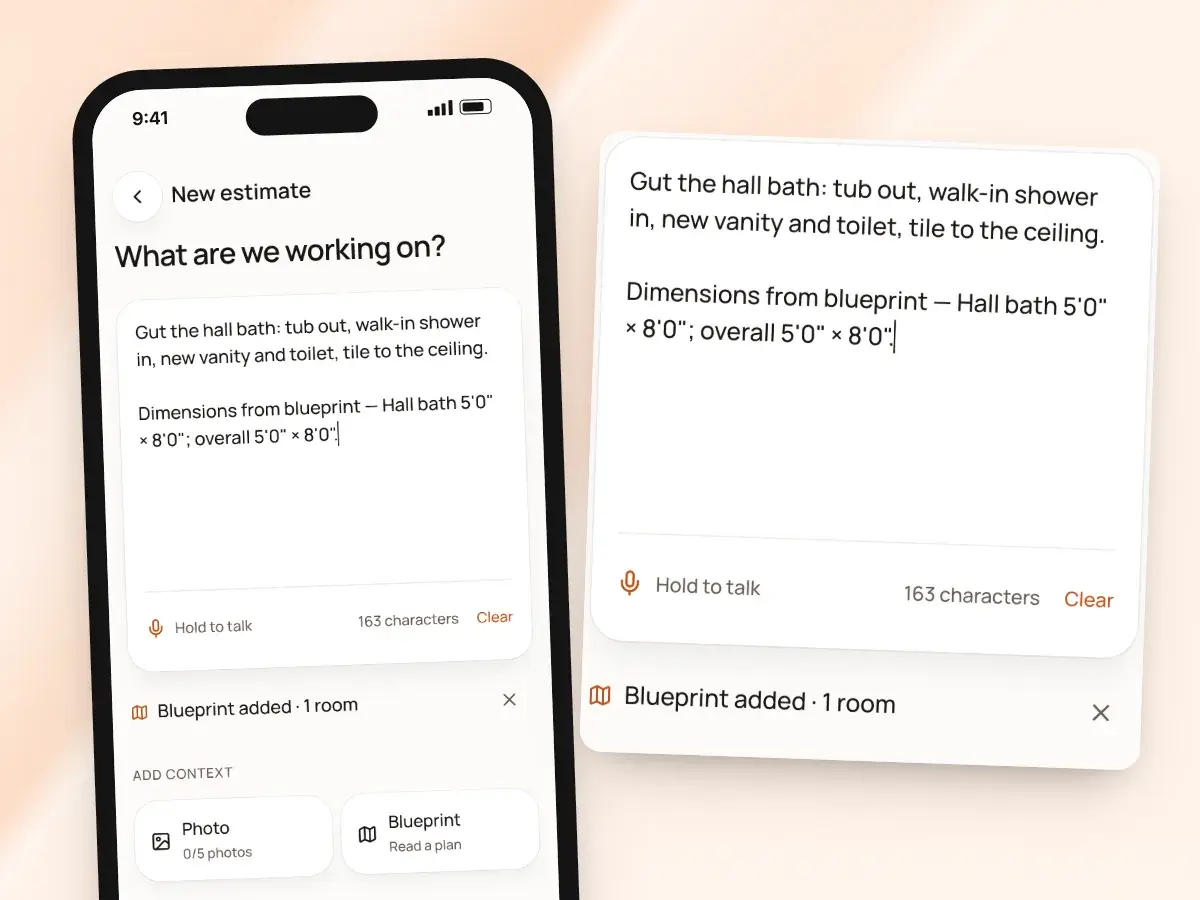
Before it prices anything, BuildWell asks the few questions that actually change the number, like who’s supplying the fixtures or whether the old tub stays. Each question has a handful of answers you tap, so you can get through them standing in a hallway with one hand free.
Not sure yet? Tap “not sure, confirm on site”:
- The estimate states the assumption it made, out in the open
- You and the client both know what the price is based on
- Check it on site before the work starts, not halfway through demolition
Sent from your own number
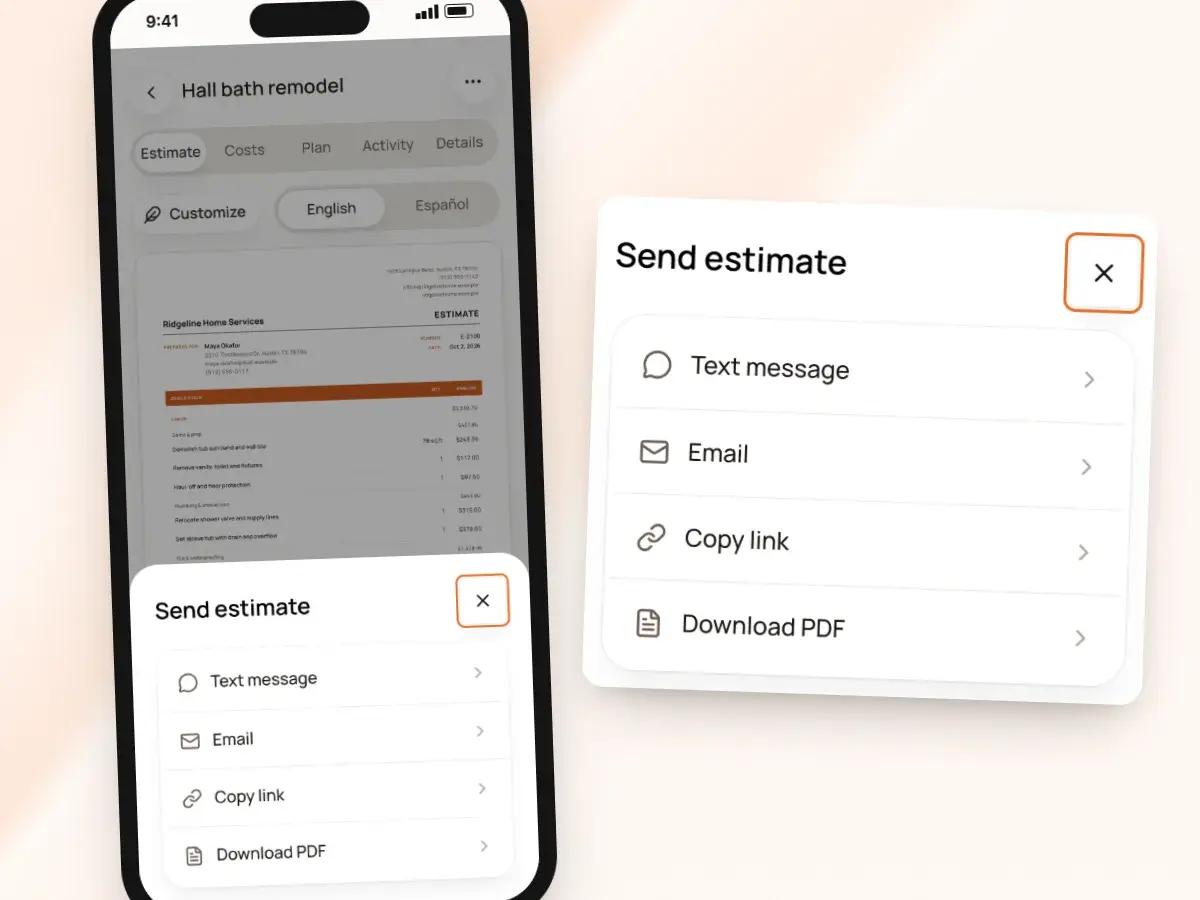
When the estimate is ready, send it by text or email. BuildWell opens your phone’s own Messages or Mail with the link and a message already filled in, so it comes from the number and address your clients already know, not a no-reply address they’ve never seen.
The client opens the link in any browser and reads the estimate with your logo and terms, with no app or account to set up on their end. You see when they’ve opened it, and you can also:
- Share the link through any app
- Copy it into a message you’re already writing
- Send a PDF
- Resend after a lost text: up to five sends in total, without flooding the client
Get the signature before you leave
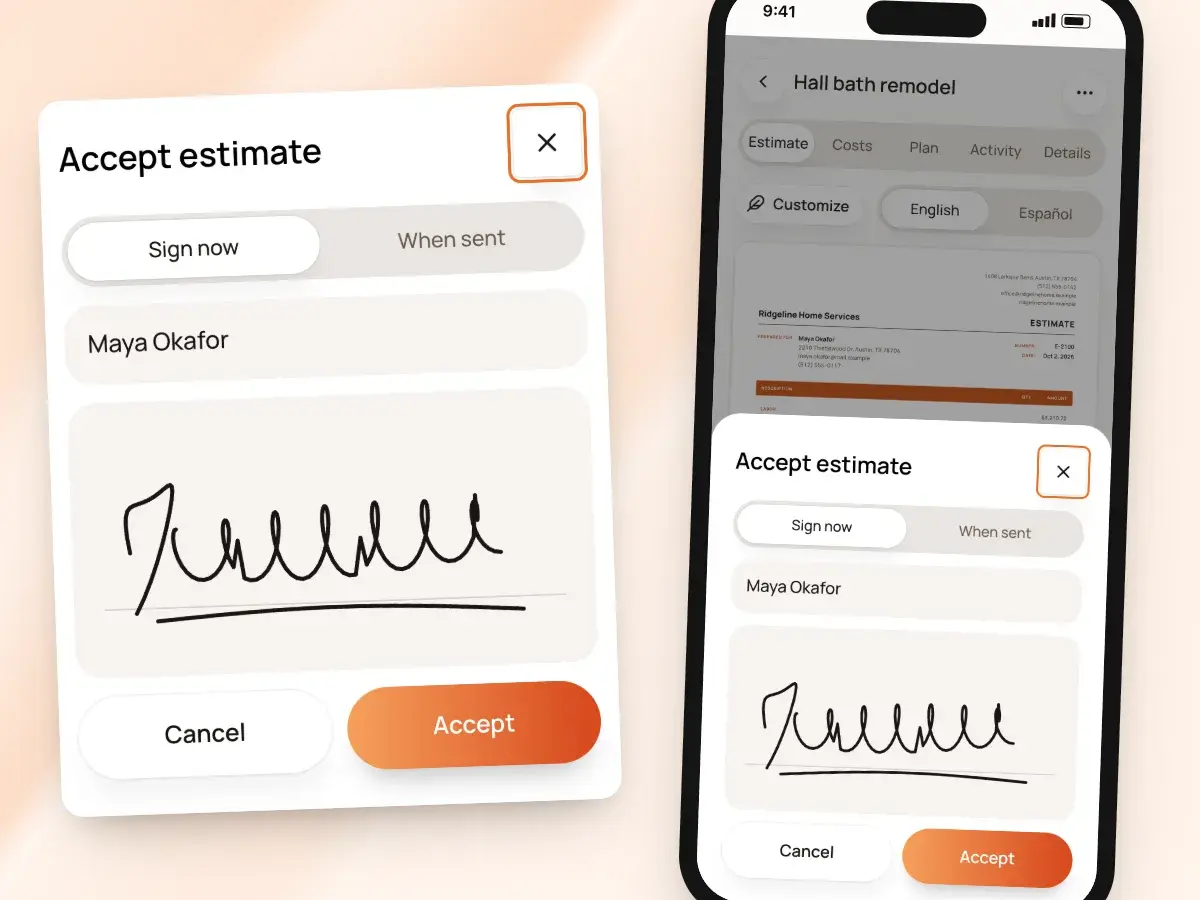
If the client is ready to go ahead while you’re still standing in their kitchen, tap “Collect client signature” and hand them your phone. They type their name and sign with a finger.
If the estimate is still a draft, BuildWell sends it first. That way the version they sign is the one on file with you and on their link.
- Prefer to let them think it over? Have them sign when it’s sent
- They accept and sign from the link later
- Either way, the signed estimate prints with their name, signature and the date
Notices that come to you
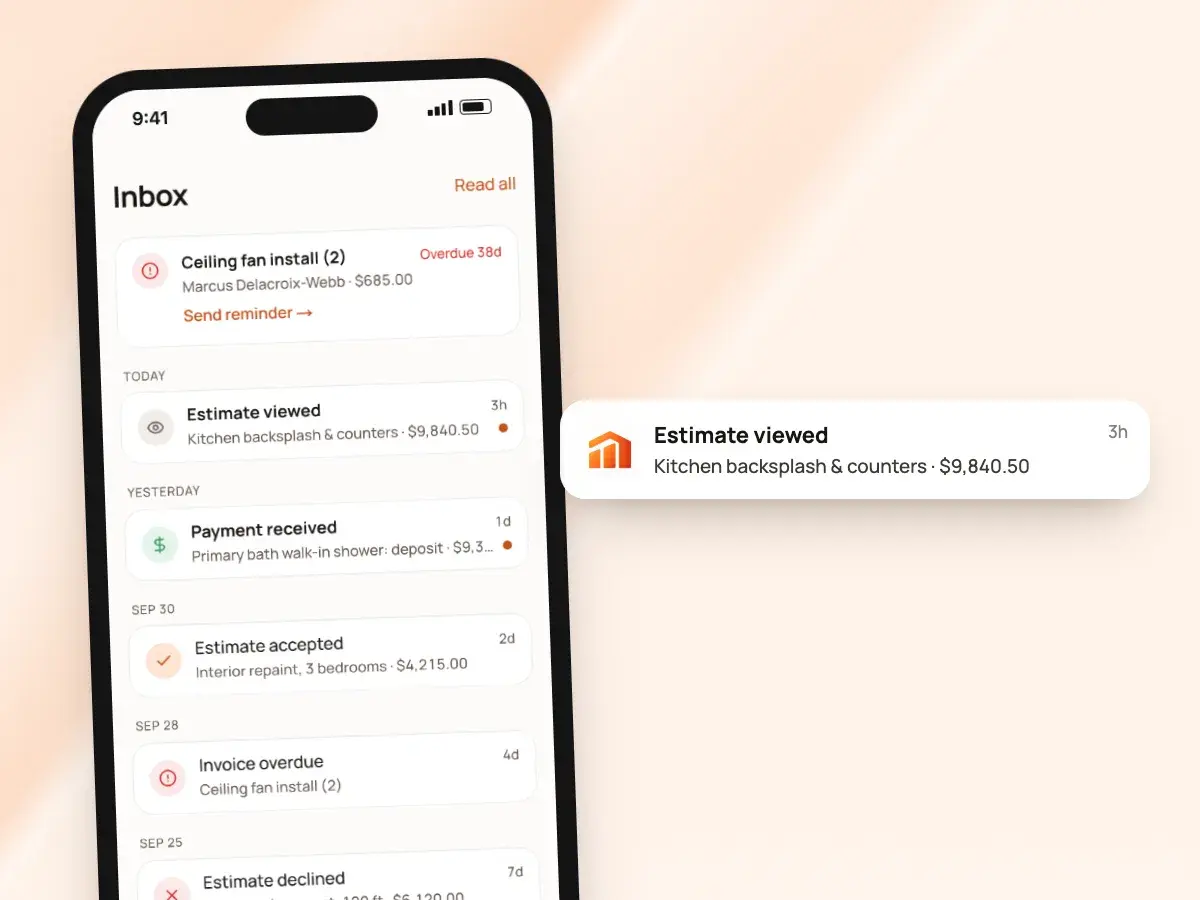
BuildWell sends a push notice and keeps an Inbox in the app for what matters, so you see how many times a client opened the link and when they last looked. It never texts or emails your clients on its own, so every message they get is one you chose to send.
Reminders come to you, not the client, and one tap in the Inbox re-shares the link so you can send a friendly nudge yourself. You hear about it when:
- A client viewed, accepted or declined the estimate
- A client signed an invoice or paid
- An estimate has had no response for a few days
- An accepted job hasn’t been invoiced yet
- An invoice is due or overdue
Finish at your desk
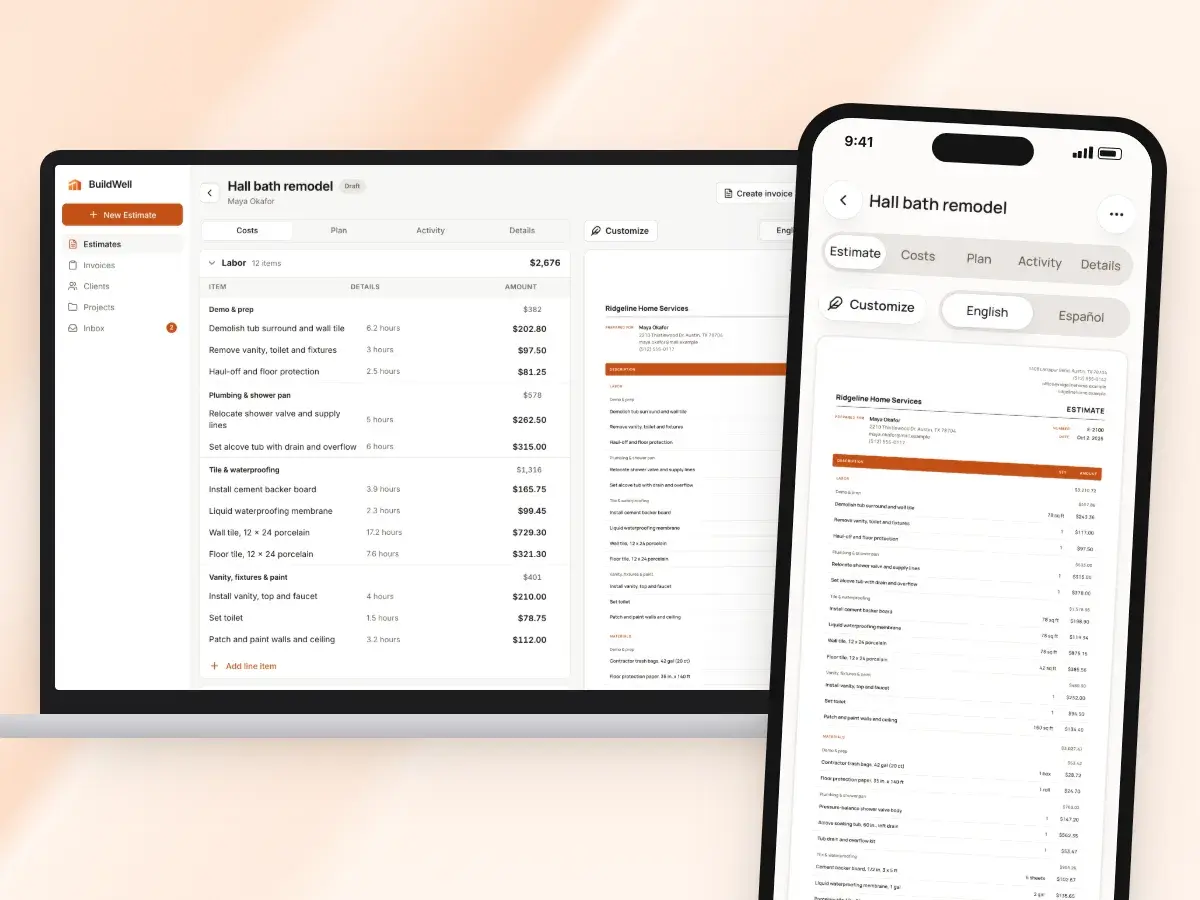
Start the estimate on site and finish it on your computer in a browser. The web is handy for longer jobs with many lines, where a bigger screen and a keyboard make the review go faster.
Estimates, invoices, clients and projects stay in sync across your iPhone, Android phone and the web, so there’s nothing to export, email to yourself or type in twice. One subscription covers every device:
- Subscribe on the App Store, Google Play or the web
- It works wherever you sign in with that account
- Switch phones, or switch from iPhone to Android, and your work comes with you
In English or Spanish
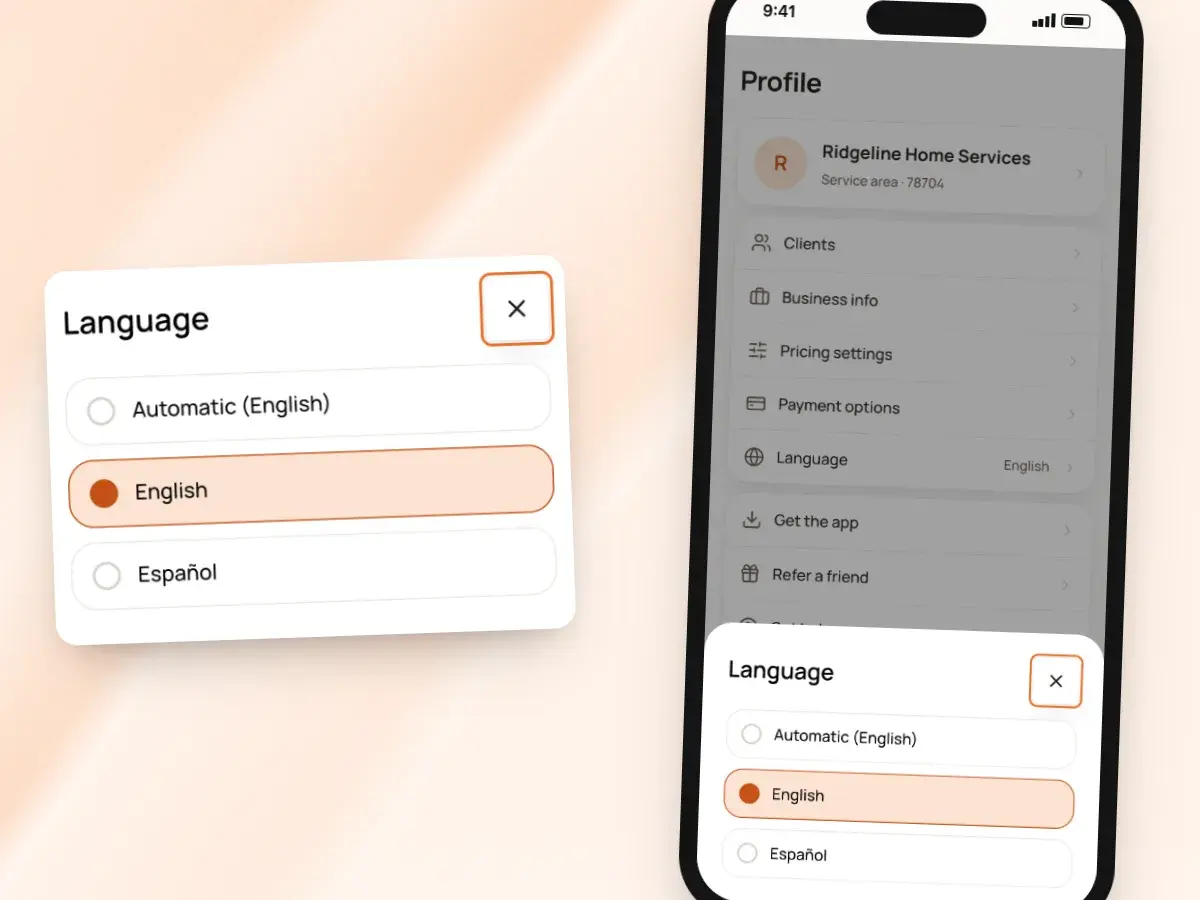
Use the app in English or Spanish; it follows your phone’s language, or you can set it yourself. In Spanish, the AI asks its questions and writes the plan and line names in Spanish.
Any estimate or invoice can be printed in English or Spanish, whatever language you use the app in. Run the app in Spanish and send an English estimate, or the other way around, with one switch on each draft.
From the driveway to a signed estimate
- 1
Walk the job
Talk or type it, add photos, scan the room or snap a floor plan.
- 2
Answer and check
Tap through a few questions, check the plan, then review the priced lines.
- 3
Send or sign
Text or email the link, or get the client’s signature on the spot.
- 4
Finish anywhere
Pick it up on the web at your desk. Everything syncs to every device.
By hand vs with BuildWell
The same site visit, done with a notepad and an evening at the computer, and done in the BuildWell app.
| The job | By hand | With BuildWell |
|---|---|---|
| Taking notes | Scribble on a notepad and hope you can read it tonight. | Talk it through on site; BuildWell turns it into a plan. |
| Measuring | Tape, pencil, and numbers to copy over later. | A LiDAR room scan on iPhone Pro, or a photo of the floor plan. |
| Pricing | Back at the office after dinner, with a spreadsheet. | Priced line by line before you leave the driveway. |
| Sending | Export a PDF, attach it, find the client’s email. | A link sent from your own number or email address. |
| Getting the signature | Print, sign, scan, or chase it by email. | The client signs on your phone or from the link. |
| Following up | Remember to call in a few days. | A notice when they open it and a reminder when they don’t. |
Built for your trade
Line items, labor hours and local prices for the work you actually do.
One plan. Every feature.
- AI estimates priced for your area
- Estimates, invoices, clients and projects
- Clients sign on any phone
- Card and bank payments, no extra BuildWell fee
- iPhone, Android and the web
- AI estimates priced for your area
- Estimates, invoices, clients and projects
- Clients sign on any phone
- Card and bank payments, no extra BuildWell fee
- iPhone, Android and the web
Both plans include every feature and start with a 3-day free trial. Add a card to start; you’re not charged until the trial ends. Cancel anytime.
Free tools to go with it
Generators, templates, calculators and guides. No sign-up.
Estimate app FAQ
01Is there a web version?
02Does one subscription cover every device?
03Which phones can scan a room?
04Who does the text or email come from?
05Does my client need the app?
06Can I get a signature on site?
07Can I turn off notices?
08Can I make the invoice from my phone too?
09Does the app work in Spanish?
10How much does the app cost?
More of BuildWell
Estimating software
Describe a job and get an itemized estimate with materials at local store prices and labor at your area’s wage. Edit any line, send it, get it signed.
Learn more →AI estimates
Describe a job by voice, text, photos or a floor plan. AI plans the work and quantities; prices come from local stores and BLS wages, and you confirm any gaps.
Learn more →E-signature app
Clients sign your estimates with a finger on their phone, from a link or in person. Name, signature and date go on the document. No app or account for them.
Learn more →Spanish estimates
Use BuildWell in Spanish, and print any estimate or invoice in Spanish or English, whichever your client reads. Signing and pay pages follow the document.
Learn more →Invoice app
Invoice from your phone before you leave the job. Add photos, collect a signature in person, record cash or Zelle, and share a receipt. Works on the web too.
Learn more →Client management
Keep every client’s contact details, private notes, estimates and invoices in one list, and see who still owes you at a glance. Clients are added as you work.
Learn more →
Try BuildWell today
Estimates, invoices, e-signatures and payments in one place, on your phone and on the web.