 BuildWell
A client portal that makes saying yes easy
Clients tap a link, read the estimate or invoice and sign or pay on their phone. No download and no account.
Client portal, in short
- One link per document, opens in any browser
- Accept with a finger-drawn signature, or decline
- Card and bank payments once you set them up
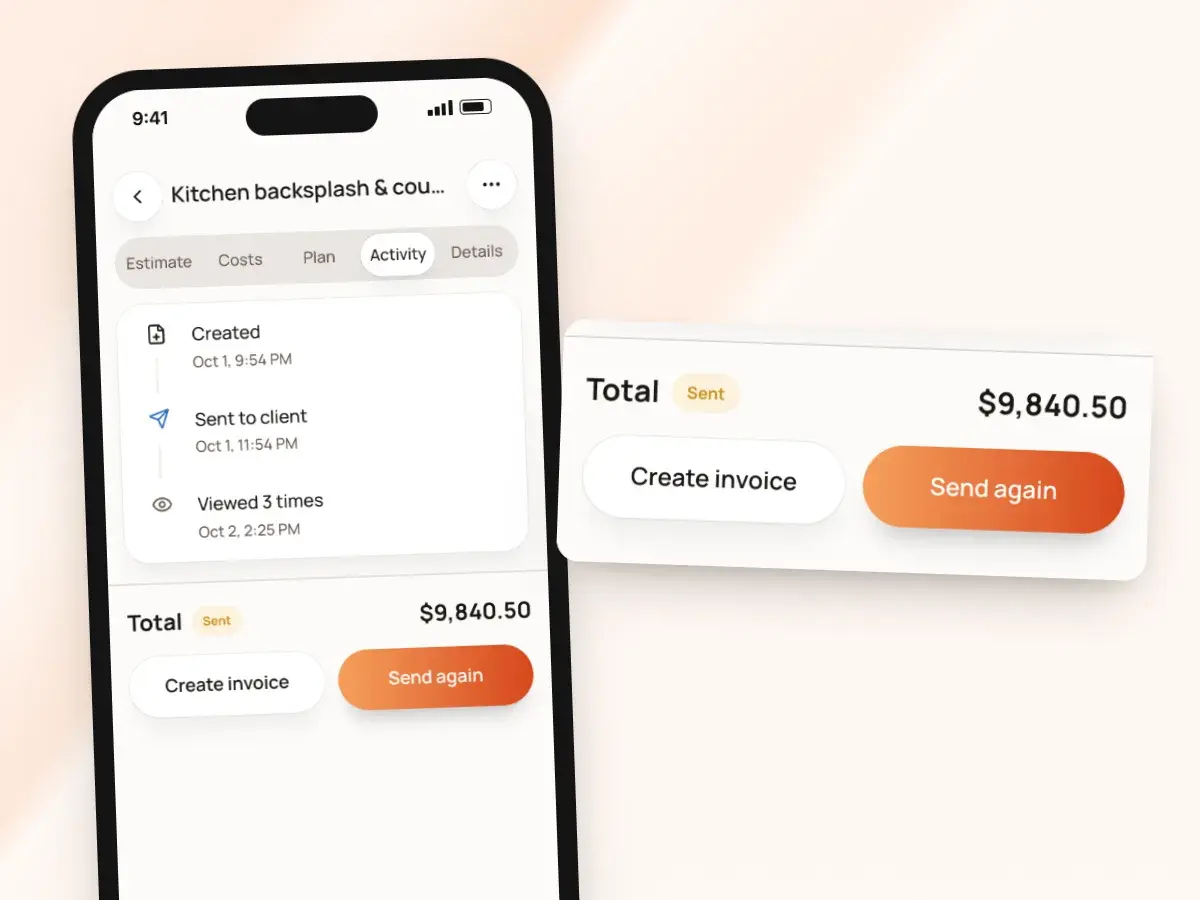
- See how many times it’s been viewed, and when
- Client pages in English or Spanish
- Your template, logo and colors on every page
A link instead of a login
Plenty of client portals ask your client to make an account and remember a password. BuildWell doesn’t: every estimate and invoice gets its own link.
The fewer steps between your message and the document, the sooner you hear back and the sooner the work gets on your calendar. Here’s how it works:
- You text or email the link, and the client taps it
- It opens in whatever browser they already use
- It works on a phone, a tablet or a computer
- There’s nothing to install and nothing to sign up for
- Easy for busy homeowners, older customers and property managers juggling several jobs
Your estimate, the way you designed it
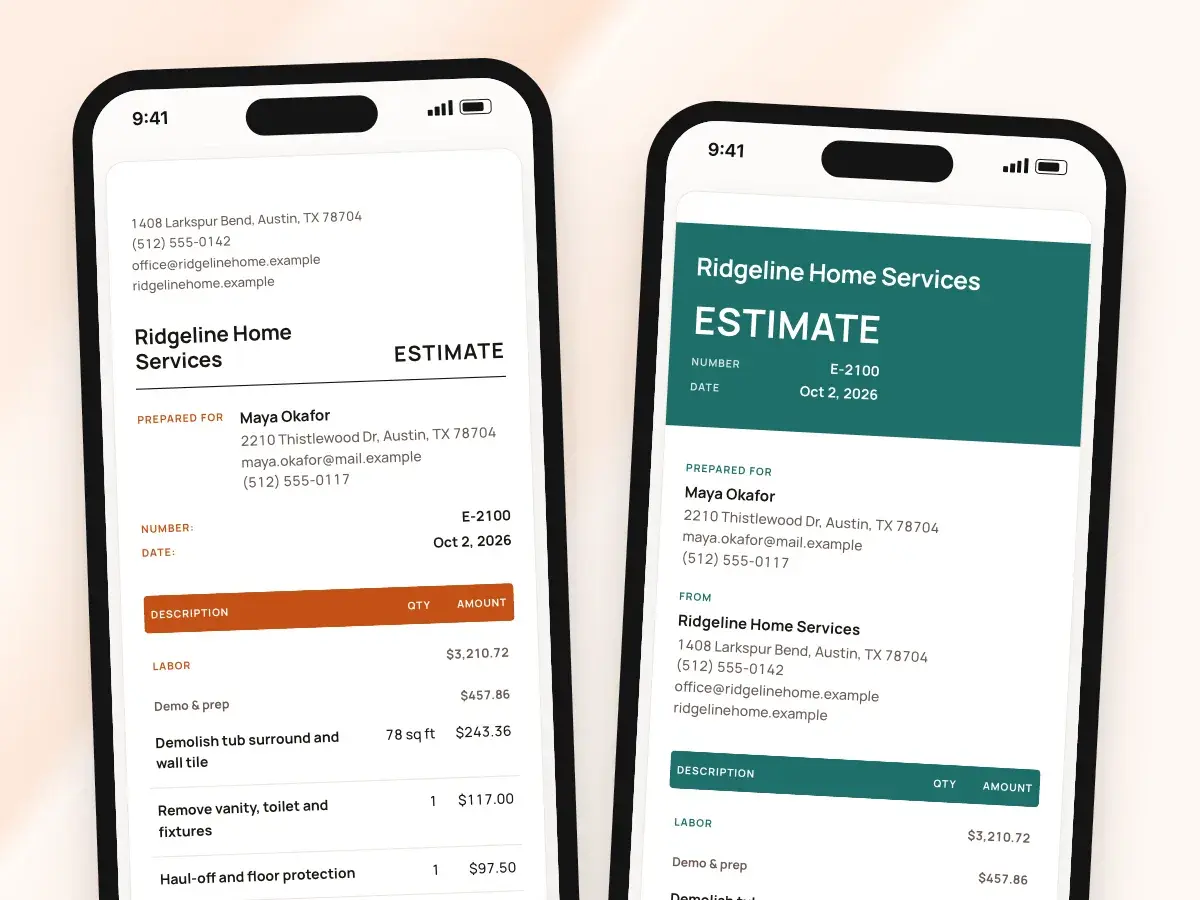
The client page shows the full document in the template you chose, with your logo, your brand color and your business details. It matches the PDF, so what you see on your own screen is exactly what the client reads on theirs.
Sent documents keep their look: switch templates or change your color next month, and an estimate a client is already reading doesn’t suddenly change under them. The page shows:
- Your template: Classic, Headline, Banner, Statement, Minimal or Letterhead
- Line items and job steps
- The discount, sales tax and total
- Your terms and conditions, printed below
Accept and sign, or decline
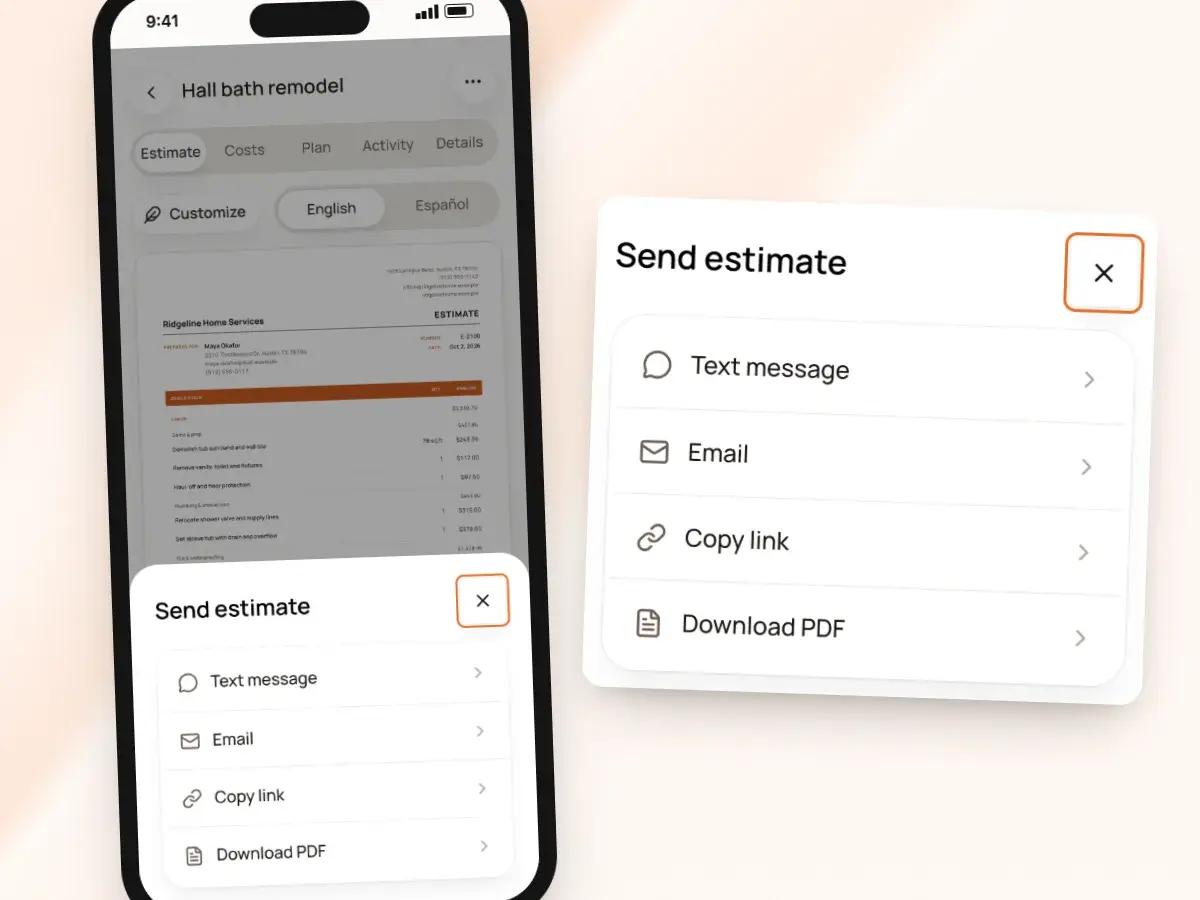
Under the estimate, the client types their name, draws a signature with a finger, and taps Accept. Accepting needs both a name and a signature, so you never get a half-finished yes.
They can also download the PDF to keep, or to forward to a spouse or business partner before they decide. If the answer is no:
- They tap Decline
- BuildWell records the date and lets you know
- You can pick up the phone and ask what would change their mind
- Turned down in person or by phone? Mark the estimate declined yourself
- That keeps your list accurate
What’s recorded when they sign
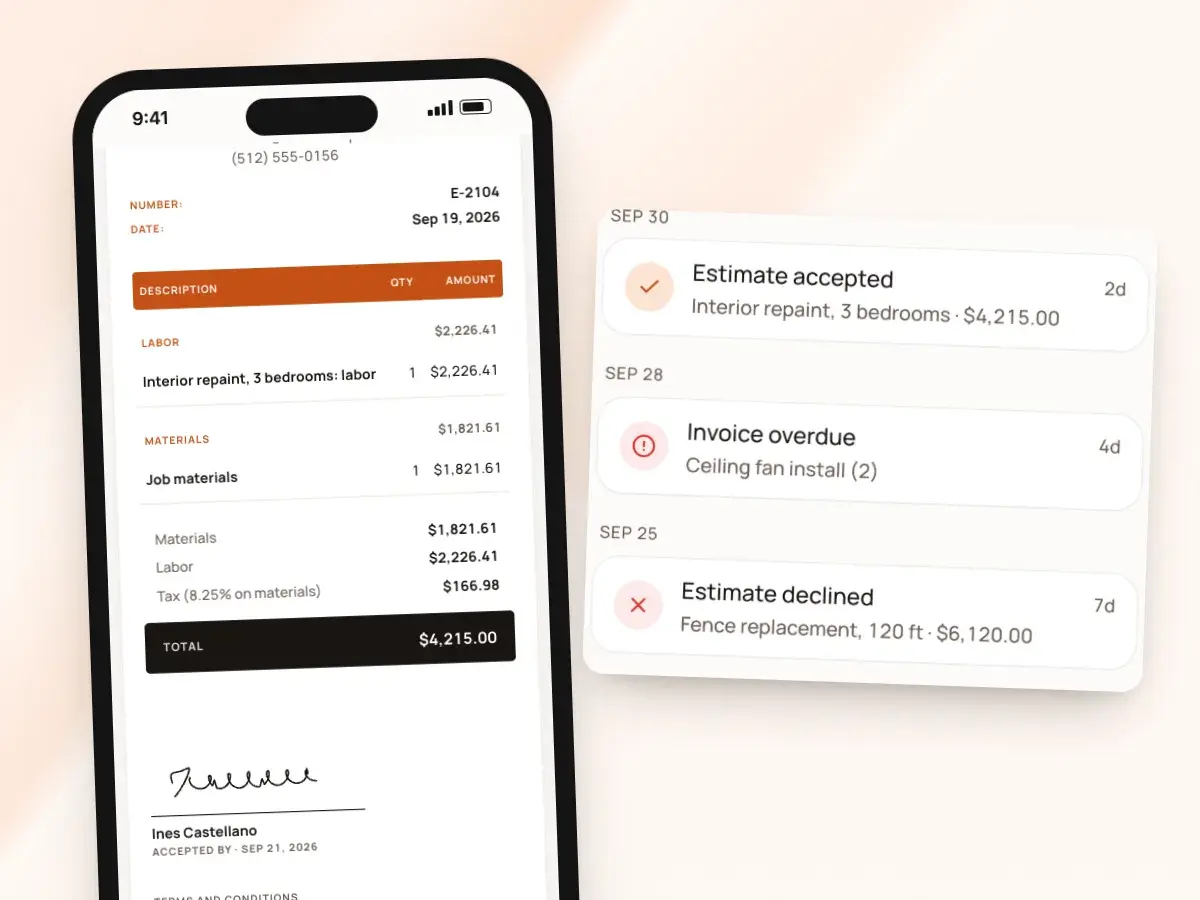
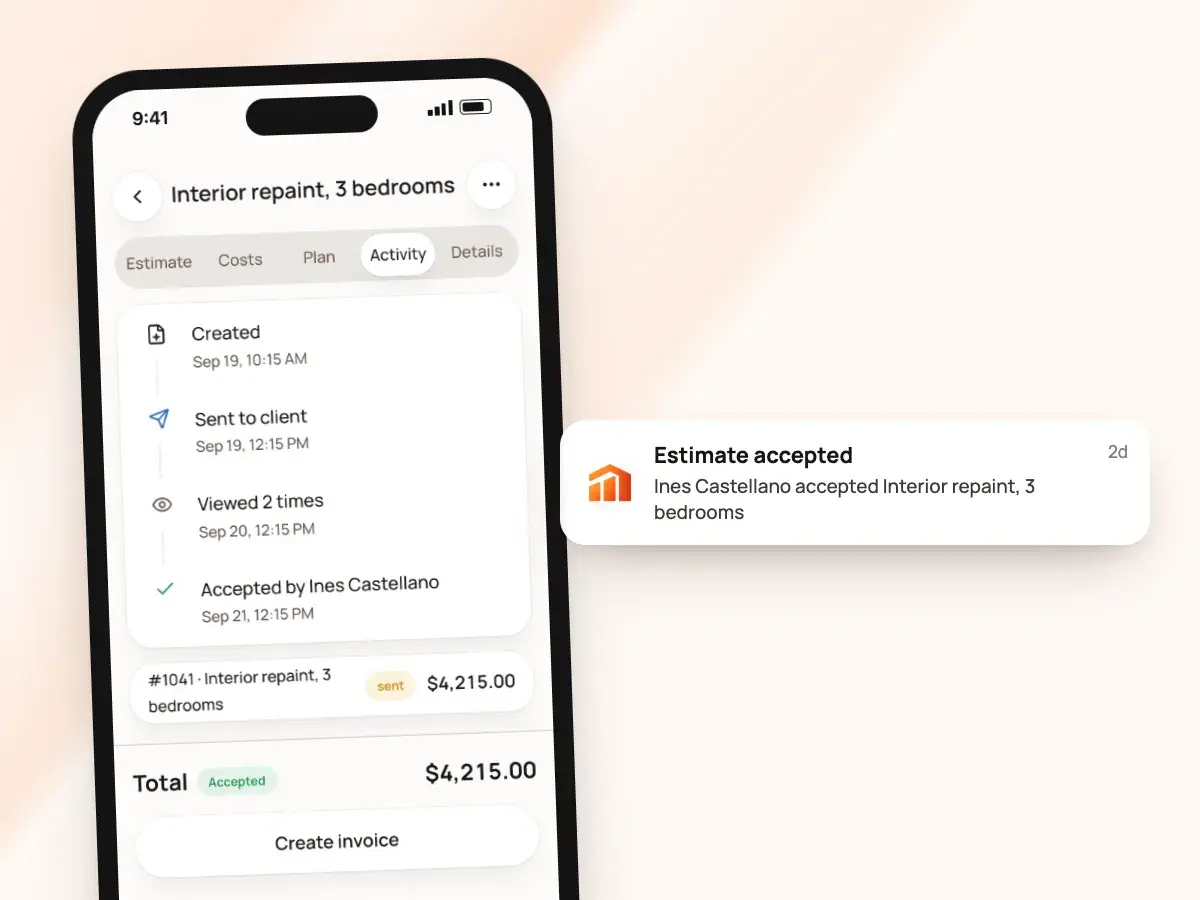
When a client accepts, the estimate is marked accepted on your list and you get a notice right away, on your phone and in the app’s Inbox. A signed estimate shared as a PDF from the app prints an “Accepted by” block with the client’s signature and the date.
Electronic signatures are generally valid in the US, but for how your own contracts should be written, worded or signed, it’s worth asking a local attorney. With each signature, BuildWell records:
- The client’s name
- The signature image
- The date and time
- The IP address the signature came from
Invoices with pay buttons
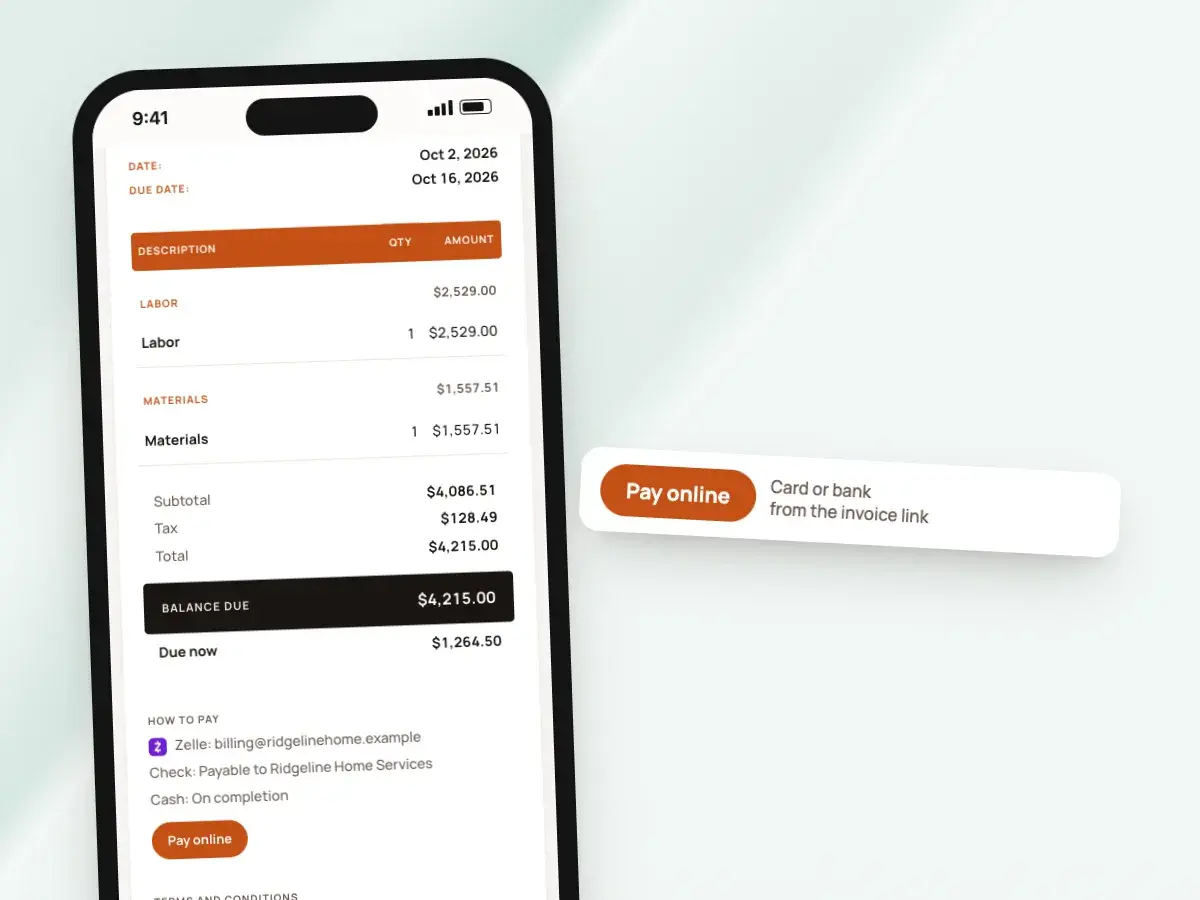
Invoice links open the same way. If you’ve connected Stripe, the client sees Pay by card and Pay by bank buttons with the invoice, and the payment is recorded on it automatically.
If you asked for a deposit, the page shows that amount as due now, and that’s the amount the buttons charge. Under “How to pay,” the invoice also lists the other ways you take money:
- Zelle, Venmo, Cash App, check or cash
- PayPal, which becomes a PayPal button for the amount due
- Want sign-off on the final bill? “Ask for signature” adds a name and signature form
Know when they’ve looked
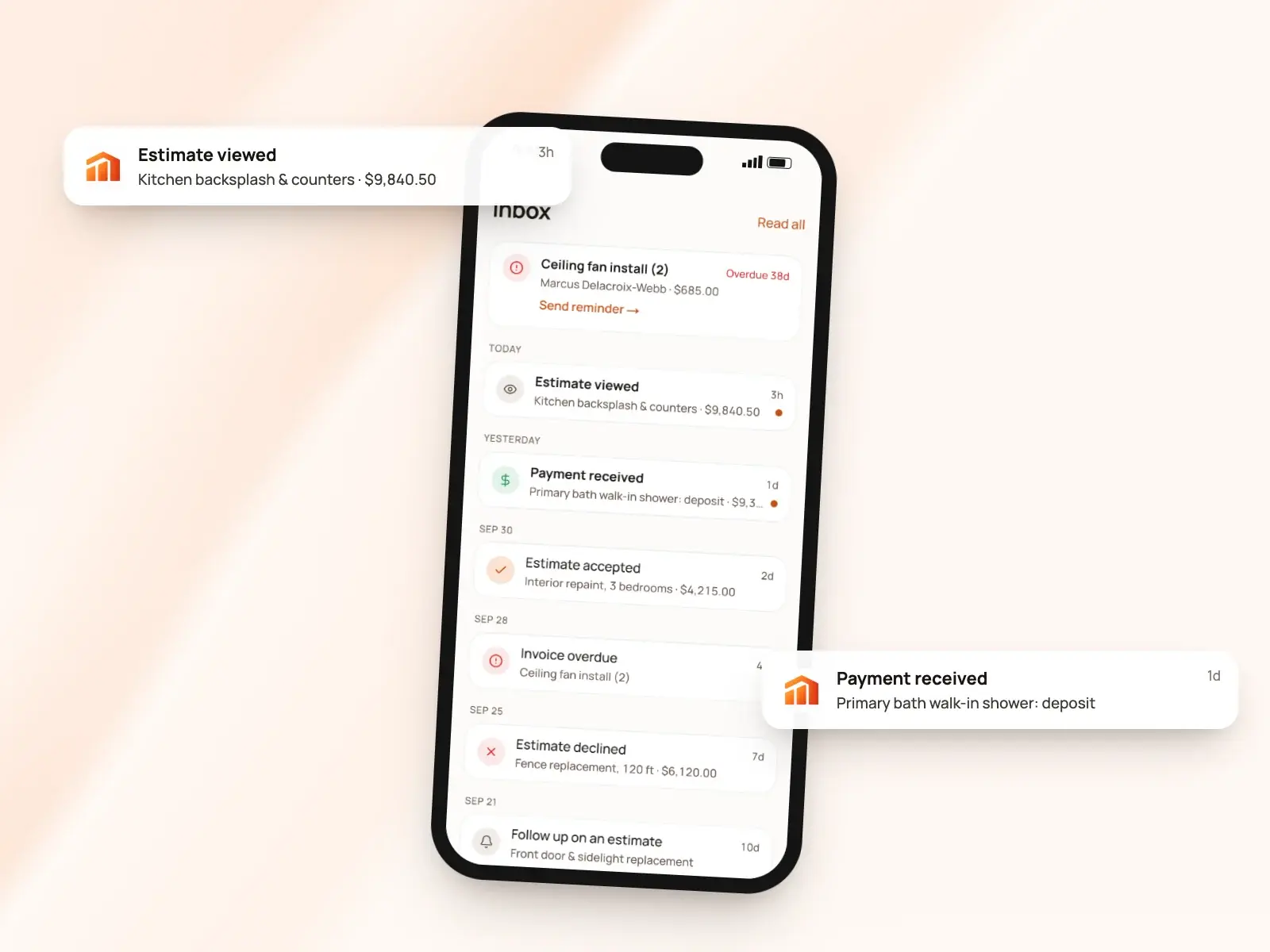
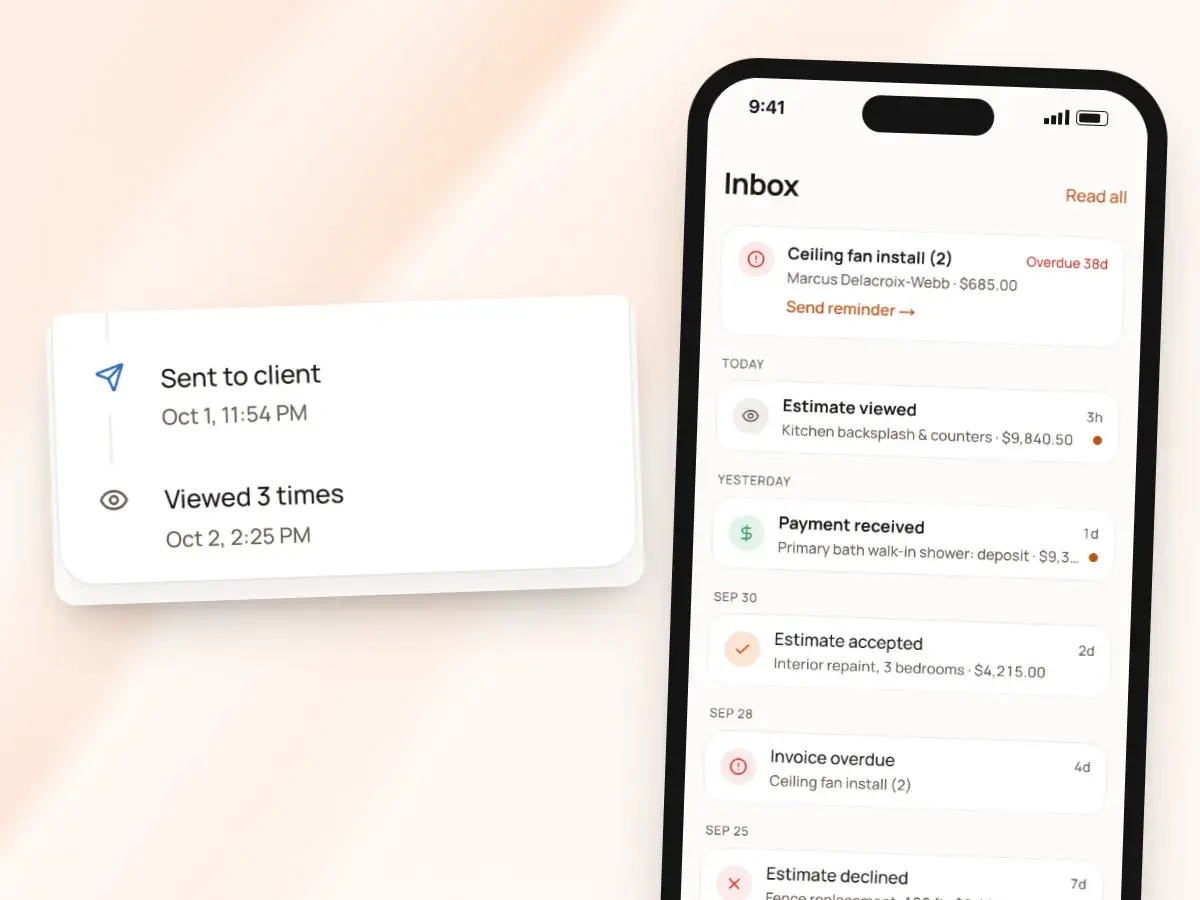
Each estimate and invoice shows how many times the client has viewed it and when they last opened it, so you’re not left wondering if it got buried in their messages. If they’ve opened it three times since yesterday, it’s probably a good moment to call and answer their questions.
You can turn notice categories off if you’d like fewer interruptions. Otherwise, you hear about it when:
- A client views, accepts or declines an estimate
- A client signs an invoice or pays
- A payment fails or is disputed
- An estimate has no response after three days, as a reminder to follow up
Spanish for clients who read Spanish
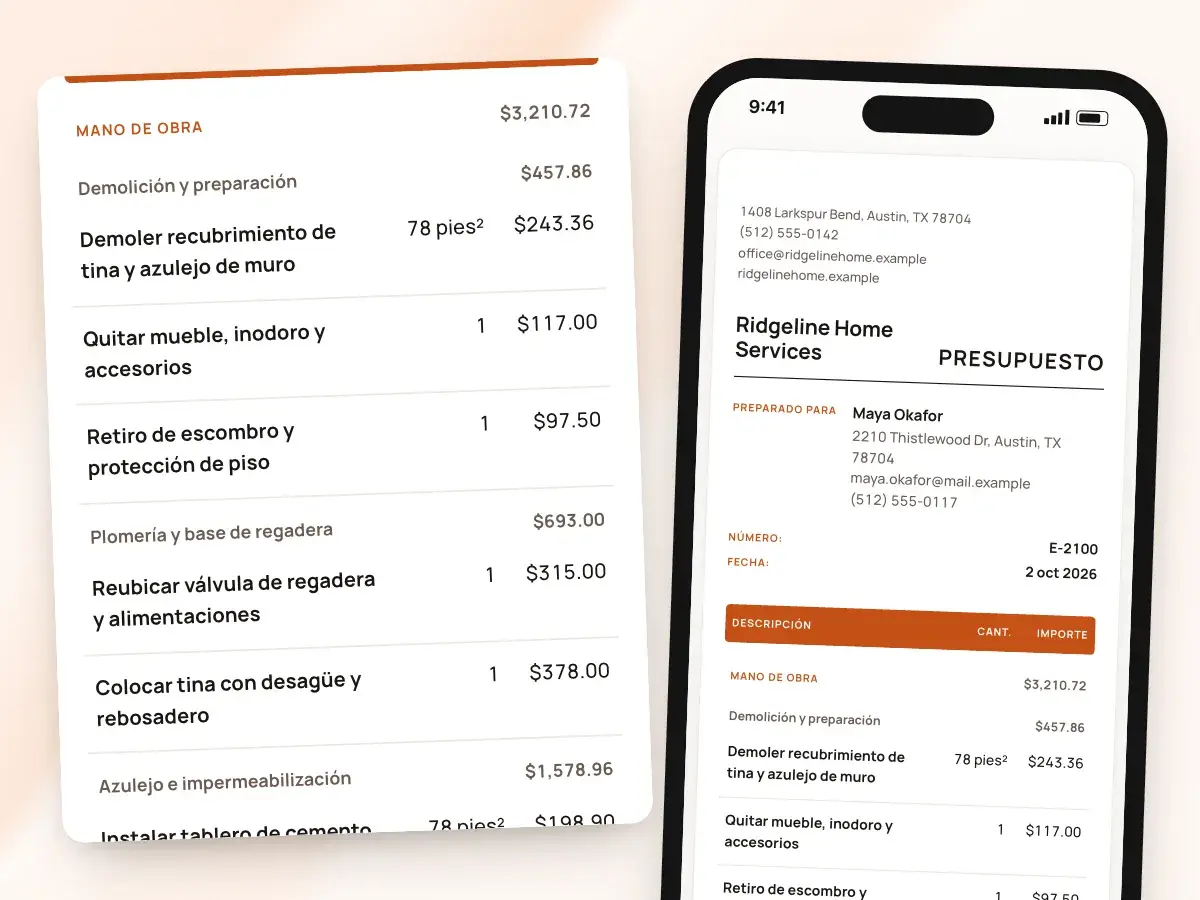
Print any estimate or invoice in English or Spanish, whatever language you use the app in. Set a default language for your account, then change it on any draft; the choice is per document, not per client list.
A sent document keeps the language it went out in, so a client never opens a link to find it switched. Choose Spanish, and the client sees:
- Spanish labels like “Presupuesto”
- Catalog items in Spanish
- Your own free-text lines, translated by AI
- The signing page and the pay page in Spanish too
Changes, resends and old links
If a client asks for changes after you’ve sent an estimate, revise it. BuildWell keeps the original, retires its link so the old price can’t be signed by mistake, and gives you a new version to send for a fresh signature.
An invoice you void shows as voided when the client opens its link. Resending is simple too:
- Send each estimate or invoice up to five times in total, counting the first
- Send by text, email or a copied link
- Enough for a gentle reminder or a client’s new number, without burying anyone
- The Inbox’s Send reminder button re-shares the link for you to send
From sent link to signed
- 1
Send the link
Text or email it from your own number or address, or copy it anywhere.
- 2
They open it
It opens in any browser with your look, in English or Spanish.
- 3
They sign or pay
Accept with a name and signature, decline, or pay by card or bank.
- 4
You get a notice
Views, signatures and payments show up on your phone and in the Inbox.
By hand vs with BuildWell
Getting a client’s answer on an estimate, the old way with attachments and a printer, and with BuildWell.
| The job | By hand | With BuildWell |
|---|---|---|
| Sending the estimate | Attach a PDF and hope it doesn’t land in spam. | A link texted from your own number. |
| Knowing it was read | Call and ask whether they got it. | See how many times it was viewed and when. |
| Getting it signed | Print, sign, scan and send back, or meet in person. | They sign with a finger on their phone. |
| Hearing a no | Silence, sometimes for weeks. | A Decline button, and a notice when they tap it. |
| Collecting payment | Wait for a check, or take card numbers over the phone. | Pay buttons on the invoice page. |
| Spanish-speaking clients | Translate it yourself, or send it in English anyway. | Client pages in Spanish, with your lines translated. |
Built for your trade
Line items, labor hours and local prices for the work you actually do.
One plan. Every feature.
- AI estimates priced for your area
- Estimates, invoices, clients and projects
- Clients sign on any phone
- Card and bank payments, no extra BuildWell fee
- iPhone, Android and the web
- AI estimates priced for your area
- Estimates, invoices, clients and projects
- Clients sign on any phone
- Card and bank payments, no extra BuildWell fee
- iPhone, Android and the web
Both plans include every feature and start with a 3-day free trial. Add a card to start; you’re not charged until the trial ends. Cancel anytime.
Free tools to go with it
Generators, templates, calculators and guides. No sign-up.
Client portal FAQ
01Does my client need an app or an account?
02Is it a portal where clients see all their jobs?
03How does a client sign?
04Is the signature legally binding?
05Can clients decline an estimate?
06Can I see if a client opened it?
07Can I resend the link?
08Can clients pay from the link?
09Can I sign a client in person instead?
10How much does BuildWell cost?
More of BuildWell
E-signature app
Clients sign your estimates with a finger on their phone, from a link or in person. Name, signature and date go on the document. No app or account for them.
Learn more →Online payments
Let clients pay invoices by card or bank transfer from a link. Payments go to your bank through Stripe. BuildWell adds no fee of its own. Zelle and check too.
Learn more →Spanish estimates
Use BuildWell in Spanish, and print any estimate or invoice in Spanish or English, whichever your client reads. Signing and pay pages follow the document.
Learn more →Invoicing software
Turn a signed estimate into an invoice, bill deposits and progress payments, send a link clients pay from, and see what’s still owed. Built for contractors.
Learn more →Deposits and progress payments
Ask for a deposit from 5% to 90% when you send the invoice, then bill the balance or the next payment. Every partial payment is recorded and added up for you.
Learn more →Client management
Keep every client’s contact details, private notes, estimates and invoices in one list, and see who still owes you at a glance. Clients are added as you work.
Learn more →
Try BuildWell today
Estimates, invoices, e-signatures and payments in one place, on your phone and on the web.