 BuildWell
Estimates and invoices in Spanish or English, for every client
Use the app in Spanish or English. Send each client their estimate, signing page and pay page in the language they read.
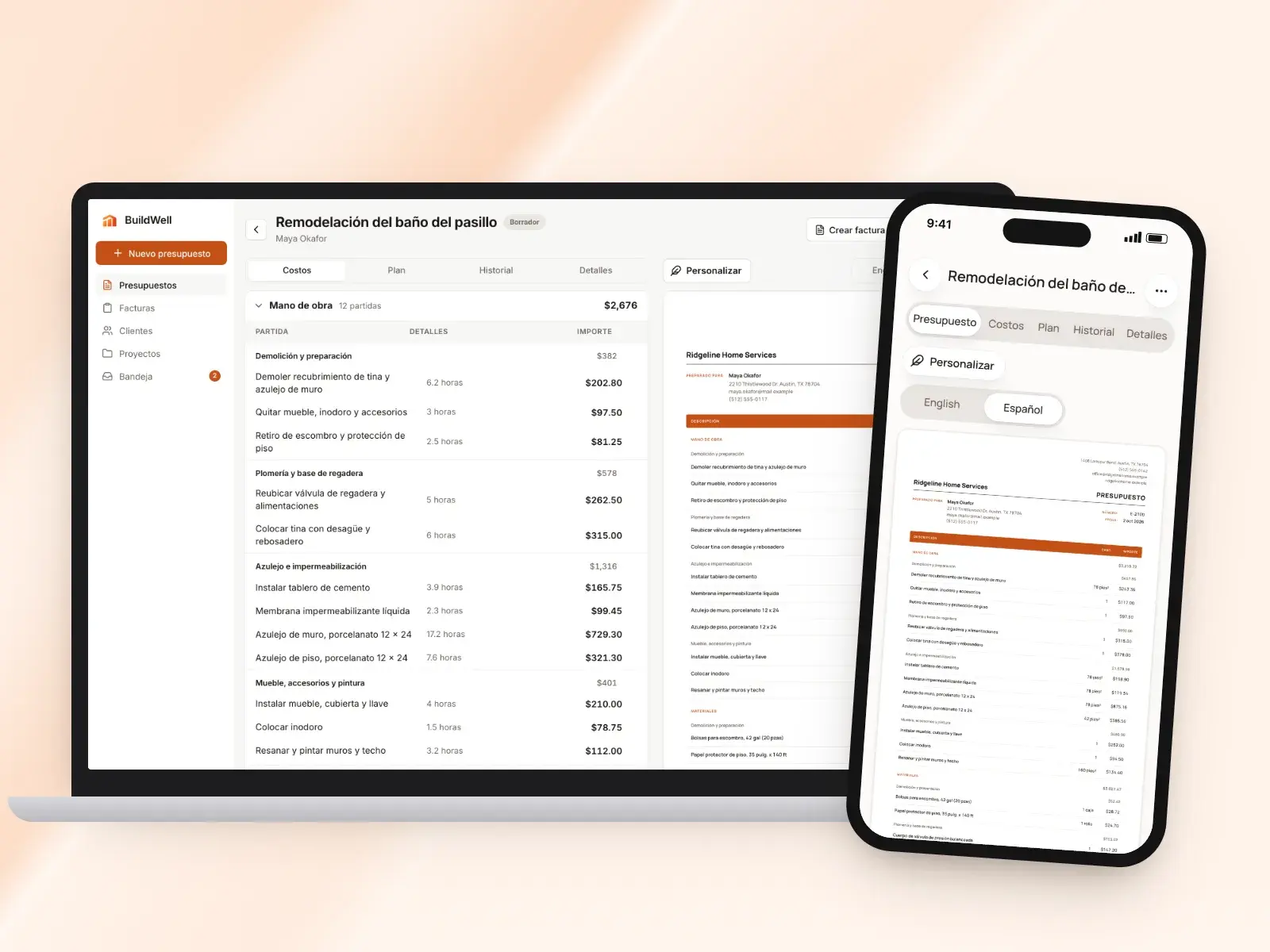
Spanish estimates, in short
- The whole app in Spanish or English
- Any estimate or invoice printed in either language
- AI questions, plans and line items in clear Spanish
- Signing and pay pages in the document’s language
- Your own lines translated for the printed copy
- Choose the language per document, not per account
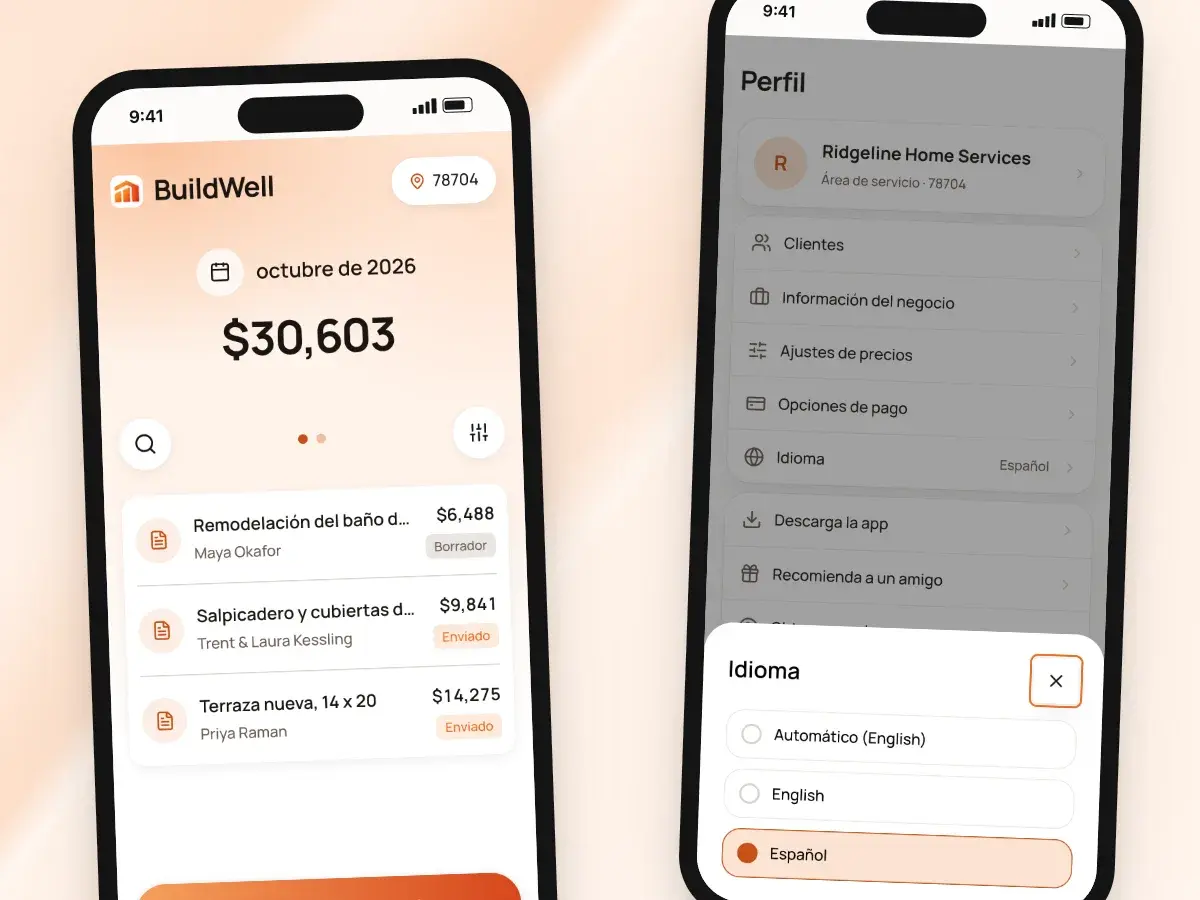
The app in your language
BuildWell follows your phone’s language, or you can set it yourself in the app. You don’t have to think in one language and work in another.
It’s the same app and the same account either way, on iPhone, Android and the web. Switch whenever you like.
- In Spanish, the screens are in Spanish
- That covers estimates, invoices, clients, projects and settings
- When you switch, your estimates, invoices and clients stay exactly as they were
- Documents you’ve already sent keep their own language
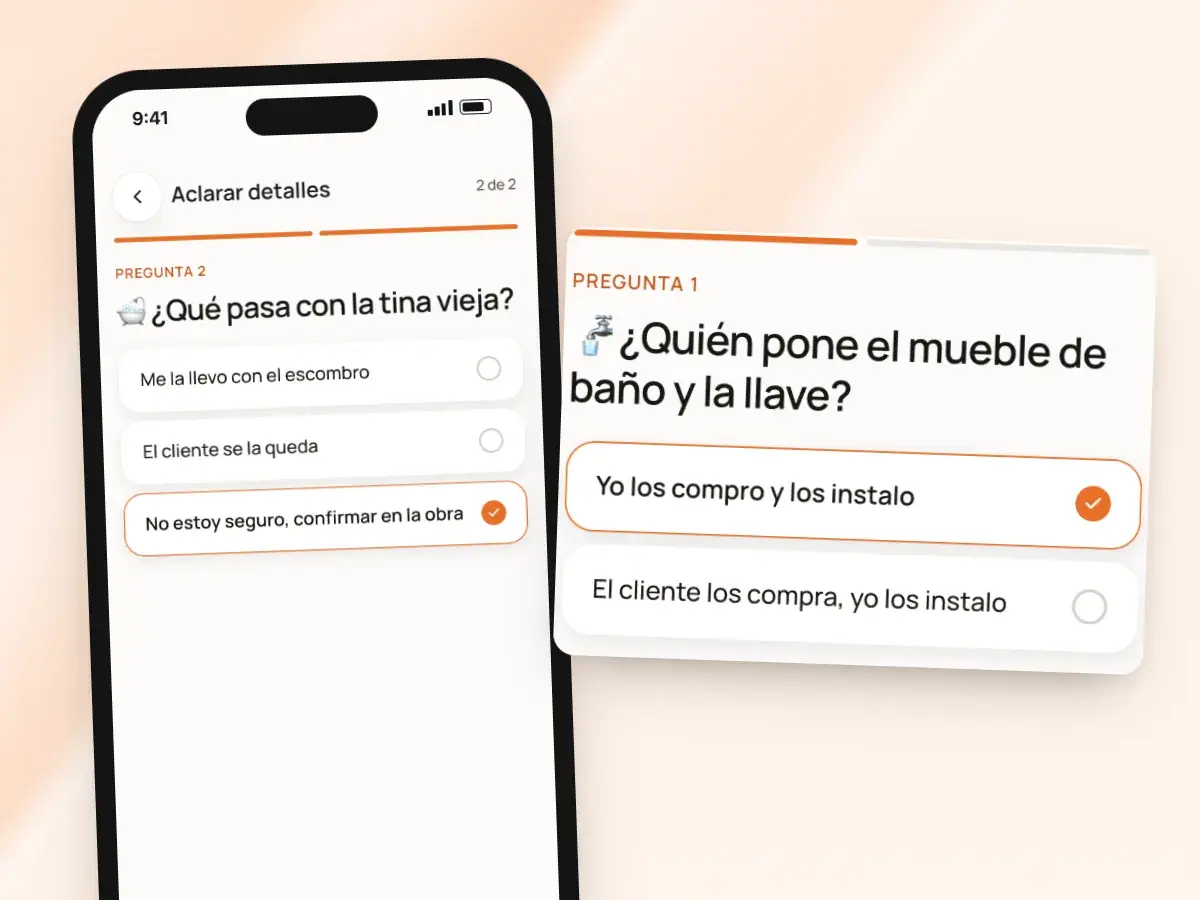
An AI that asks in Spanish
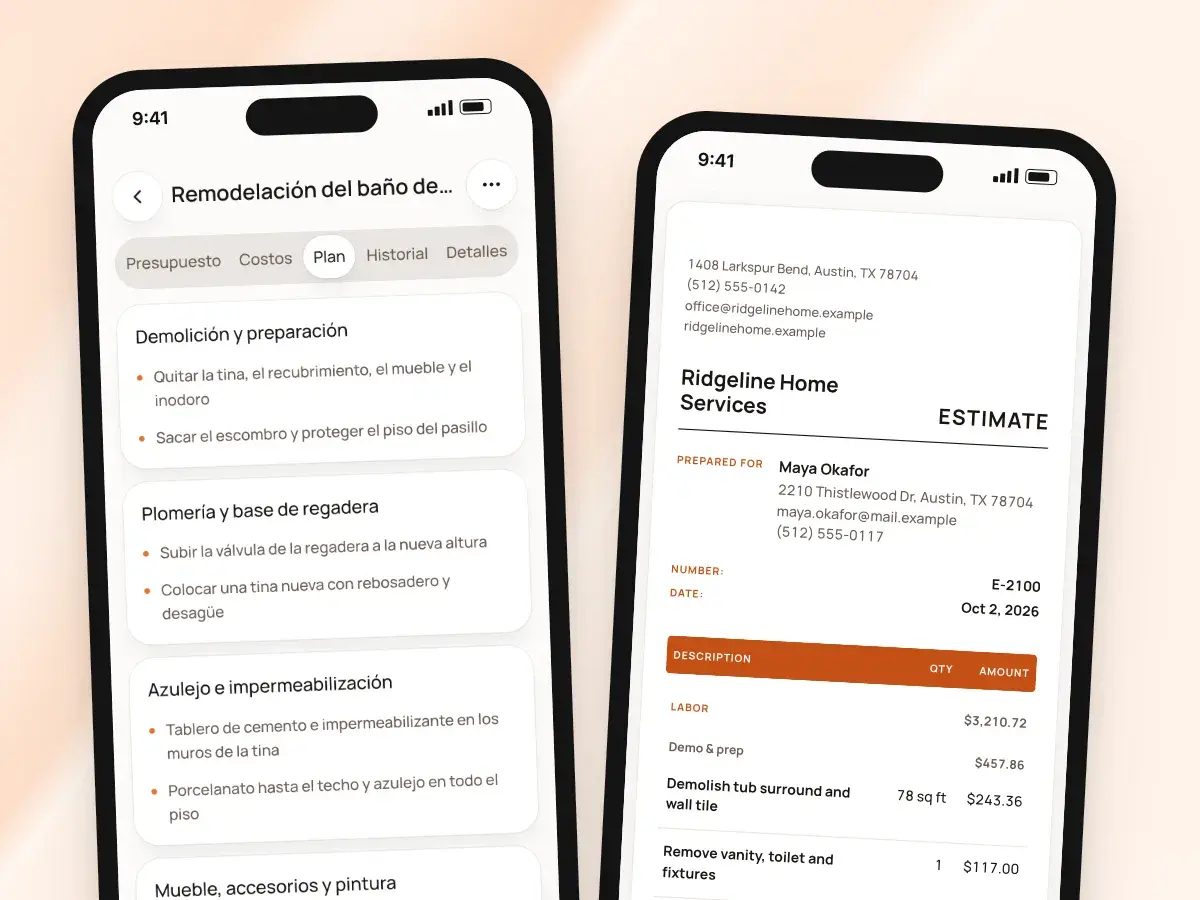
Describe the job in Spanish by voice or text, and BuildWell answers in Spanish. It’s clear, neutral Spanish that reads naturally whether your client is from Mexico, Puerto Rico or Colombia.
Pricing doesn’t change with the language. Materials are still priced at stores near the job, checked within 30 days, and labor at the median wage for each trade in your metro, plus your overhead and markup.
- The questions that change the price are written in Spanish
- So are the plan of the work and the names of the line items
- Unsure of an answer? Choose “confirm on site” to carry it as a stated assumption
- Edit the plan in Spanish, or tell the AI in plain words what to change
- The AI keeps the edits you’ve already made
Each document in the client’s language
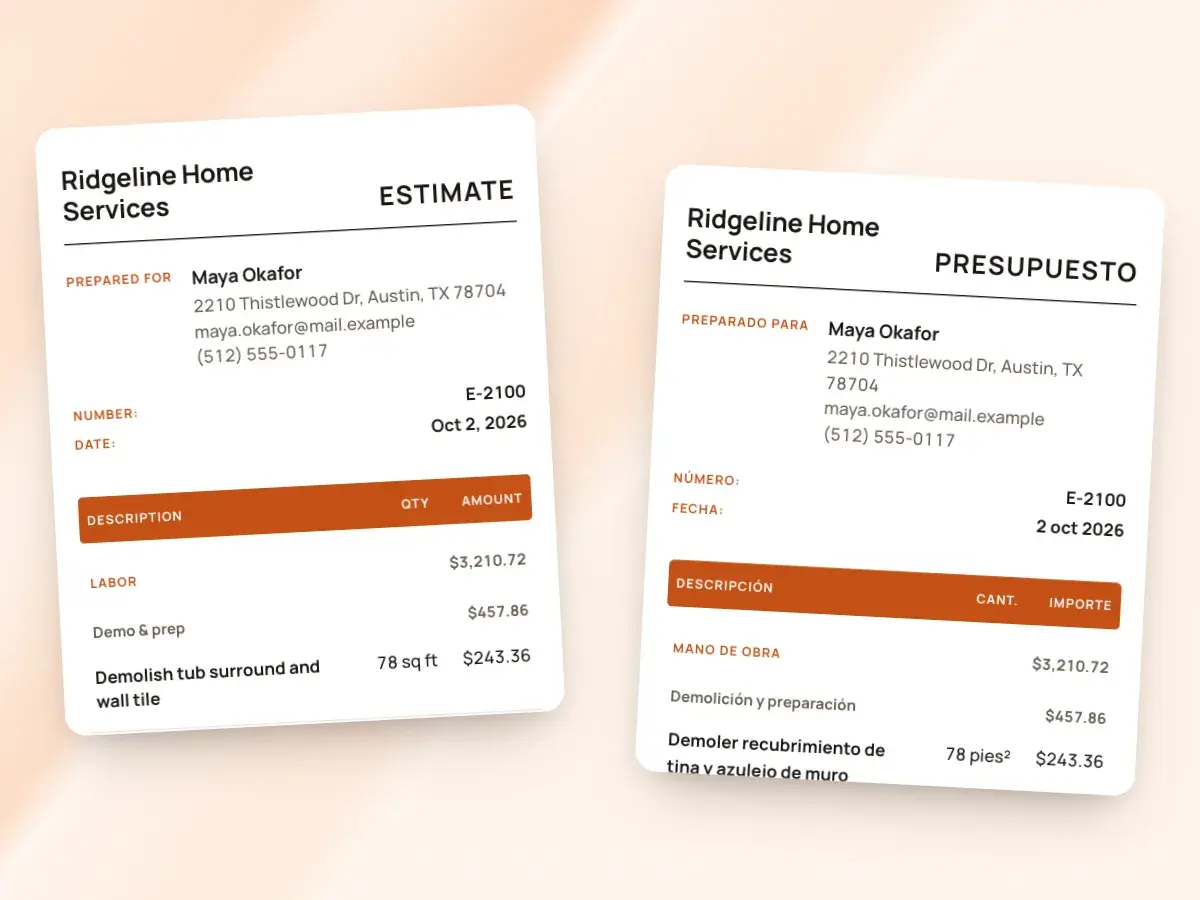
Language is a setting on each document, not a separate copy. Every draft estimate and invoice has an English and Español switch.
Once it’s sent, the document keeps the language it went out in. What the client signs is what they read.
- A crew lead who works in Spanish can send a homeowner an estimate in English
- The next client can get theirs in Spanish
- Set a default language for your account
- Change it on any one document before you send it
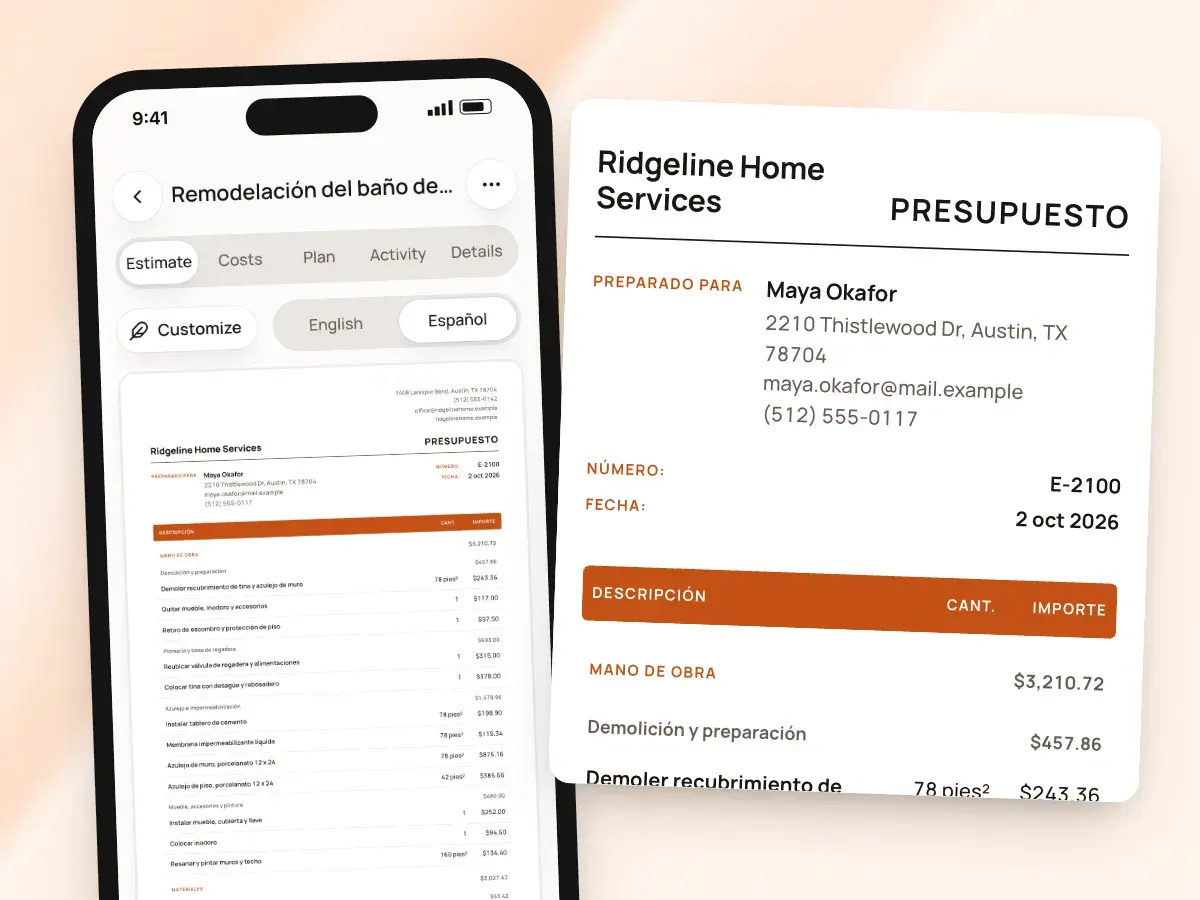
Spanish from top to bottom
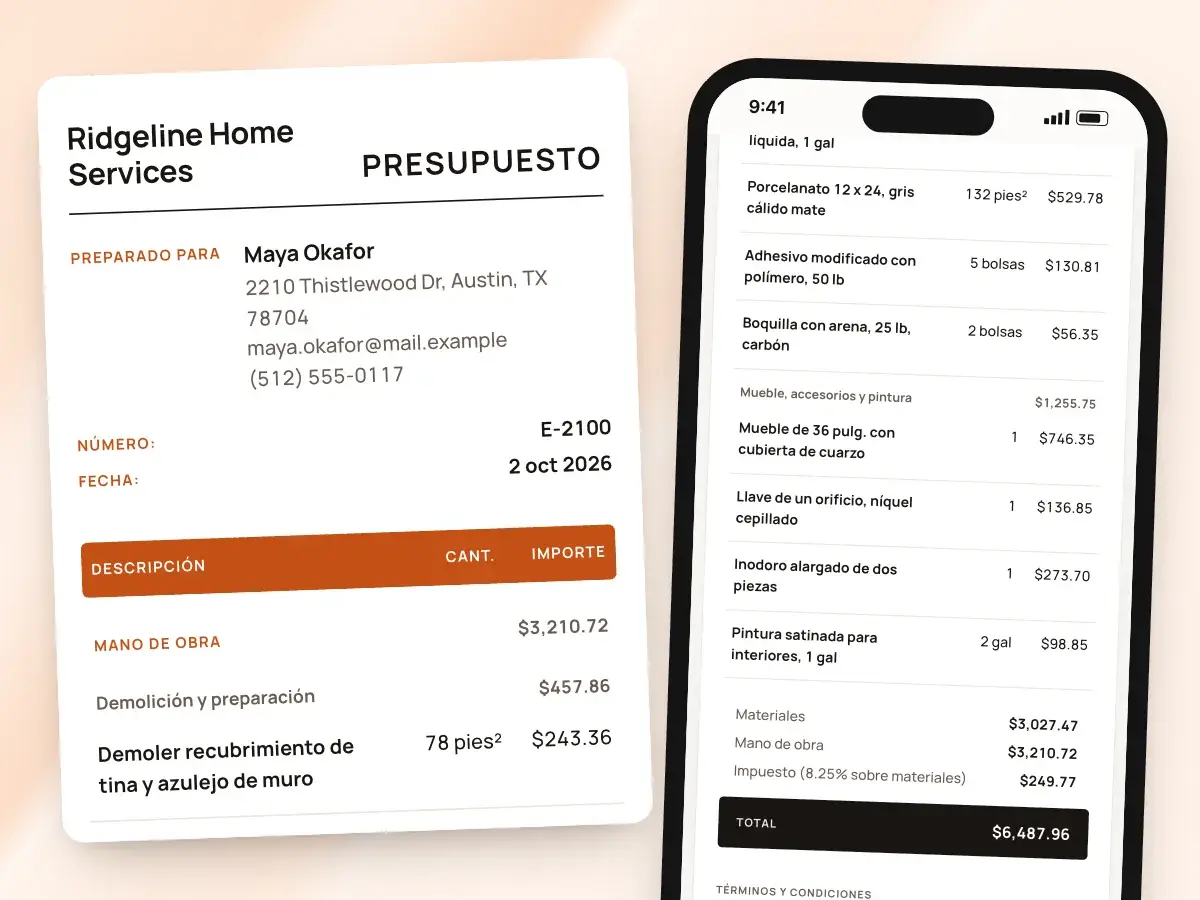
A Spanish estimate is a presupuesto from top to bottom, down to the lines you wrote yourself. Review the result before you send it, as you would anything going to a client.
- The title, the column headings and the totals are in Spanish
- So are the tax and discount lines and the signature block
- Line items from BuildWell’s catalog have proper Spanish names, written for the trades
- Lines you wrote yourself are translated for the printed copy
- A custom line you typed in English still reads in Spanish on the client’s document
Signed and paid in Spanish
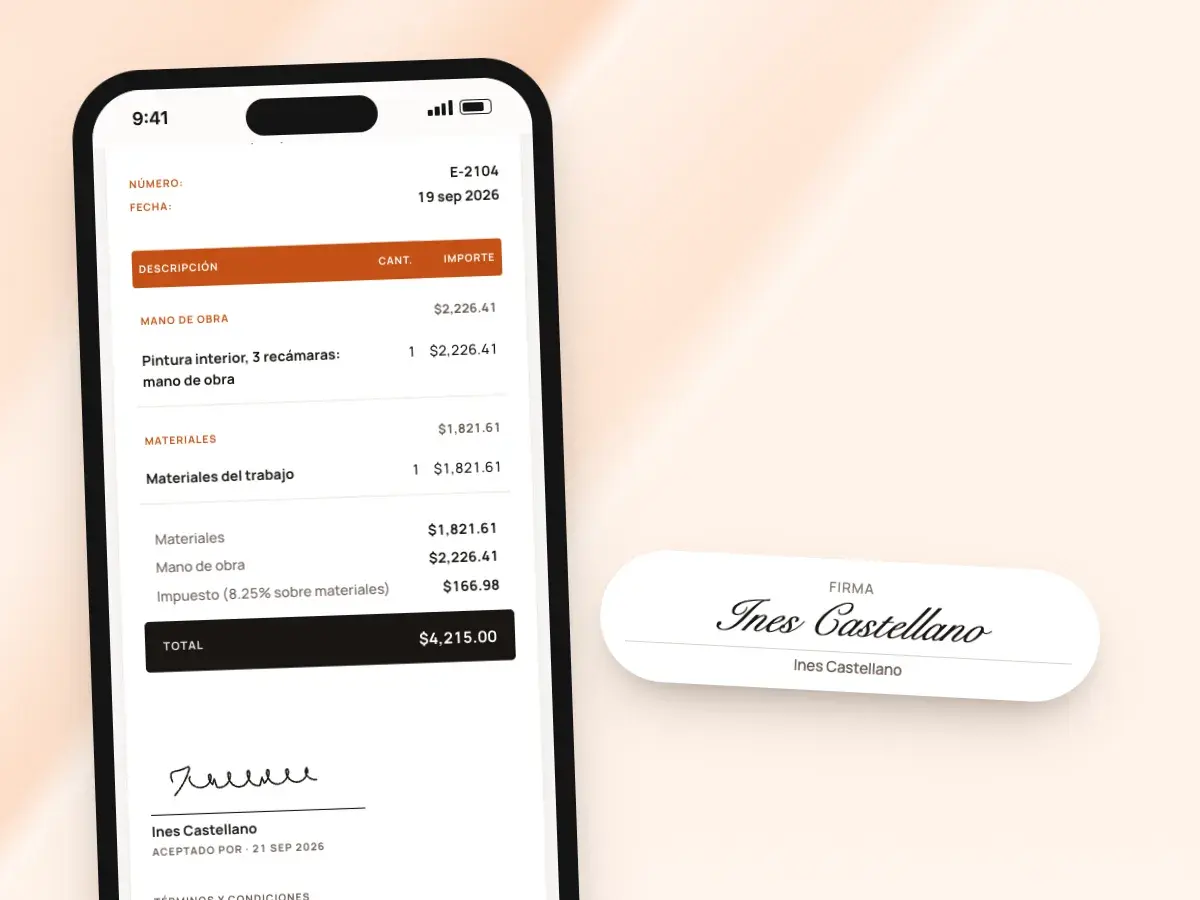
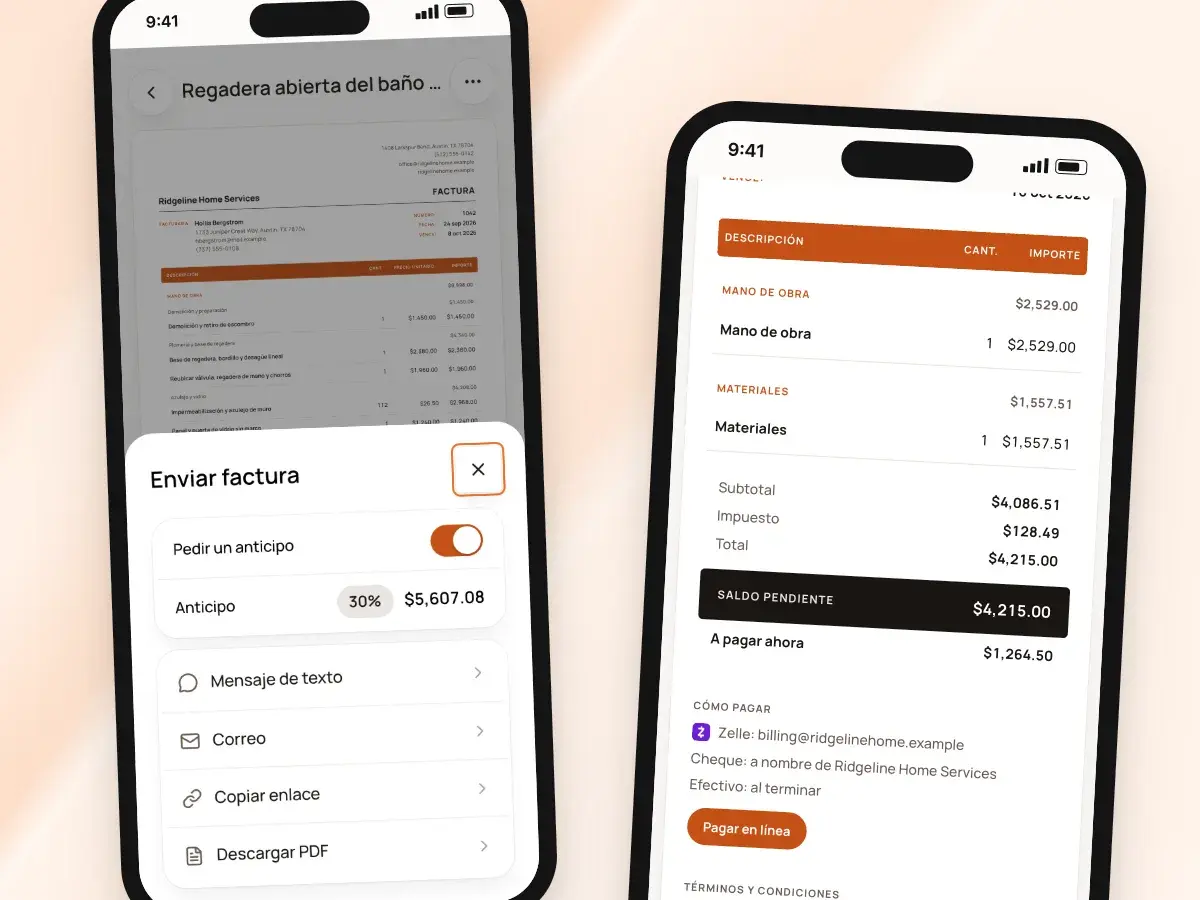
When you send a Spanish estimate, the page your client opens is in Spanish too. A Spanish invoice opens on a Spanish page with its pay buttons and your payment details.
Your client never has to puzzle through an English screen to say yes or to pay you. That matters most to the clients who are least comfortable asking.
- The name field, the signature pad and the accept and decline buttons are in Spanish
- You see when they open the link and how many times
- So you know whether they’ve read it before you follow up
- With the client in person, collect the signature on your own phone instead
- Either way, the signed estimate prints with their name, signature and the date
- It prints in the estimate’s language, ready to share as a PDF
Your brand in both languages
Your logo, brand color, document design and business details are the same in both languages. Nobody gets the second-best version.
Whichever language a client reads, they get the same professional document. Your name is at the top and every line is clearly priced.
- Write your terms and conditions in the language your clients read
- Custom label wording applies to English documents
- Spanish documents use BuildWell’s Spanish labels
- Change the document’s headline to the title your clients expect, in English or Spanish
- Pick from six document designs
- Add your license number and contact details
- Choose which columns the client sees: quantities, unit prices, discount and tax
For crews and clients who switch languages
Plenty of contractors run the crew in Spanish and talk to clients in English, or the other way round. BuildWell is built for that.
Estimate on site in the language you think in, then send it in the language the client reads, without retyping a line.
- Clients who read Spanish get a document they understand completely
- Fewer questions from the client
- Fewer misunderstandings about scope
- A signature from someone who knows exactly what they agreed to
Invoices, deposits and payments, too
Everything you do after the estimate works in either language. Create the invoice from the signed estimate with the same lines, and set its language with the same English and Español switch.
Your payment details and terms print the same way on every invoice. A client who reads Spanish knows exactly how much is due now, how to pay it and what’s left.
- Ask for a deposit
- List your Zelle, Venmo, Cash App, PayPal or check details
- Let clients pay by card or bank transfer once you’ve connected Stripe
- Payments are recorded on the invoice whichever language it’s in
From Spanish on site to the client’s language
- 1
Use the app in Spanish
It follows your phone’s language, or set it yourself in the app.
- 2
Describe the job
Talk or type in Spanish. The AI asks and writes the plan in Spanish.
- 3
Pick the document’s language
Flip the English and Español switch on the draft to match your client.
- 4
Send it
The client reads, signs and pays in the document’s language.
By hand vs with BuildWell
Getting a bilingual estimate out the door, the old way with two files and a dictionary, and in BuildWell.
| The job | By hand | With BuildWell |
|---|---|---|
| Writing it | Write it in one language and translate it line by line. | Describe the job in Spanish; the estimate is written in Spanish. |
| A client who reads English | Keep two versions and hope they match. | Flip the document to English; one estimate, no second copy. |
| Your own line items | Translate each custom line by hand. | Custom lines translated for the printed copy. |
| Labels and totals | An English form with Spanish typed in the gaps. | Every heading, label and total in the document’s language. |
| Signing | An English signature page the client has to guess at. | A signing page in the same language as the estimate. |
| Paying | An English payment form, or a phone call to explain it. | A pay page in the invoice’s language. |
Built for your trade
Line items, labor hours and local prices for the work you actually do.
One plan. Every feature.
- AI estimates priced for your area
- Estimates, invoices, clients and projects
- Clients sign on any phone
- Card and bank payments, no extra BuildWell fee
- iPhone, Android and the web
- AI estimates priced for your area
- Estimates, invoices, clients and projects
- Clients sign on any phone
- Card and bank payments, no extra BuildWell fee
- iPhone, Android and the web
Both plans include every feature and start with a 3-day free trial. Add a card to start; you’re not charged until the trial ends. Cancel anytime.
Free tools to go with it
Generators, templates, calculators and guides. No sign-up.
Spanish estimates FAQ
01Can I use the whole app in Spanish?
02Can I send an English estimate if I use the app in Spanish?
03Does the AI work in Spanish?
04What happens to lines I typed myself?
05Are the signing and pay pages in Spanish?
06Can I change the language after sending?
07Does the language change the prices?
08Which Spanish does BuildWell use?
09Are invoices available in Spanish too?
10How much does BuildWell cost?
More of BuildWell
Estimate templates and branding
Six built-in designs for estimates and invoices. Add your logo, color, license number and terms, and every document matches, on the PDF and the client’s link.
Learn more →AI estimates
Describe a job by voice, text, photos or a floor plan. AI plans the work and quantities; prices come from local stores and BLS wages, and you confirm any gaps.
Learn more →E-signature app
Clients sign your estimates with a finger on their phone, from a link or in person. Name, signature and date go on the document. No app or account for them.
Learn more →Estimate app
Estimate on site by voice or photos with the BuildWell app for iPhone and Android, then finish at your desk on the web. One account, everything in sync.
Learn more →Client portal
Send a link, and clients read your estimate, accept and sign it on their phone, or decline. Invoices open the same way with pay buttons. You see every view.
Learn more →Estimating software
Describe a job and get an itemized estimate with materials at local store prices and labor at your area’s wage. Edit any line, send it, get it signed.
Learn more →
Try BuildWell today
Estimates, invoices, e-signatures and payments in one place, on your phone and on the web.