 BuildWell
Invoicing software that gets contractors paid faster
Turn a signed estimate into an invoice, ask for a deposit, and get paid from a link. You always know what’s owed.
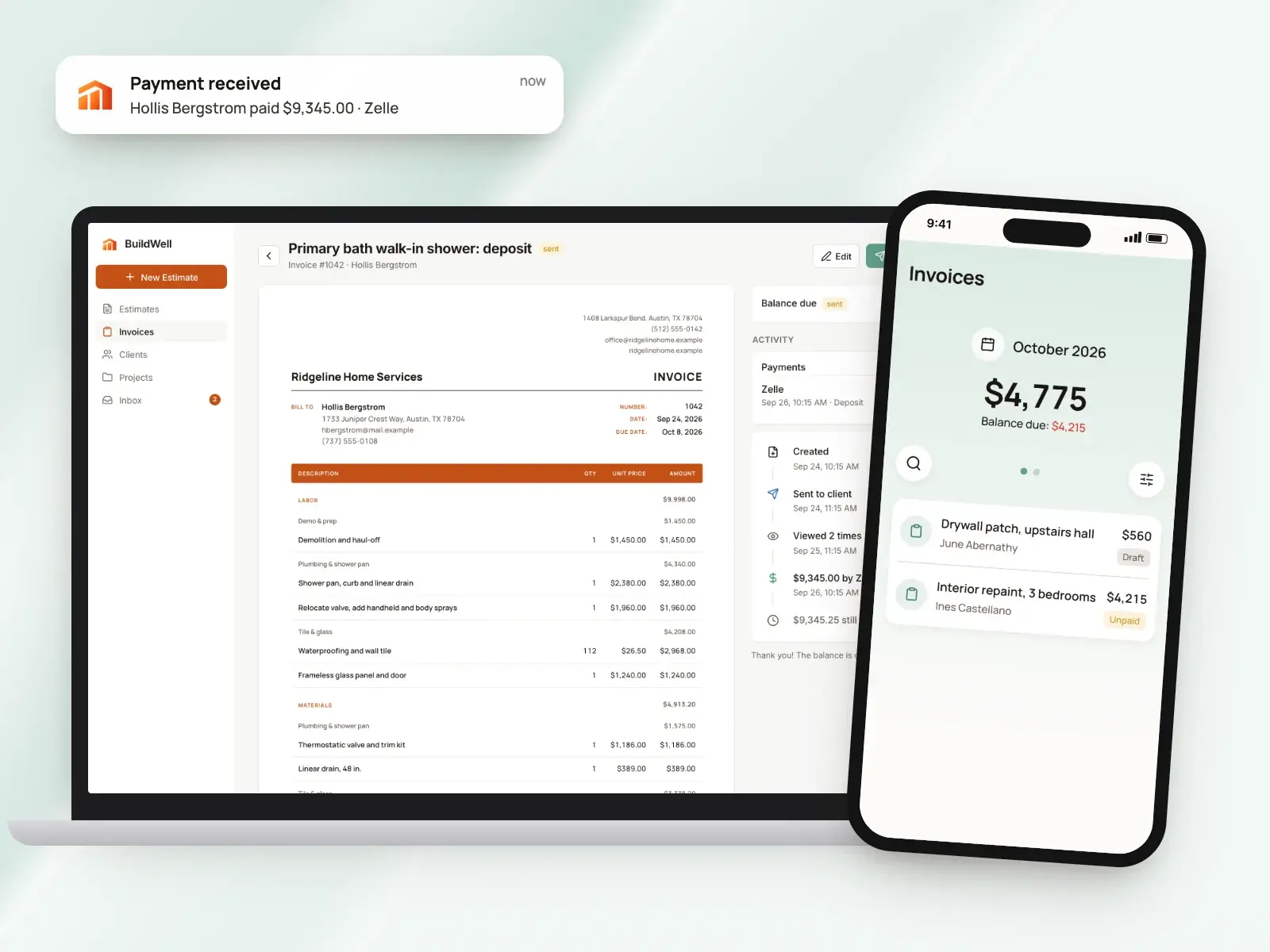
Invoicing software, in short
- Invoices built from the signed estimate, nothing retyped
- Deposits from 5% to 90%, then the balance
- Due on receipt, in 7, 14 or 30 days
- Card and bank payments, plus Zelle, Venmo and check
- Partial payments recorded and added up for you
- Totals and balances by day, week or month
The estimate becomes the invoice
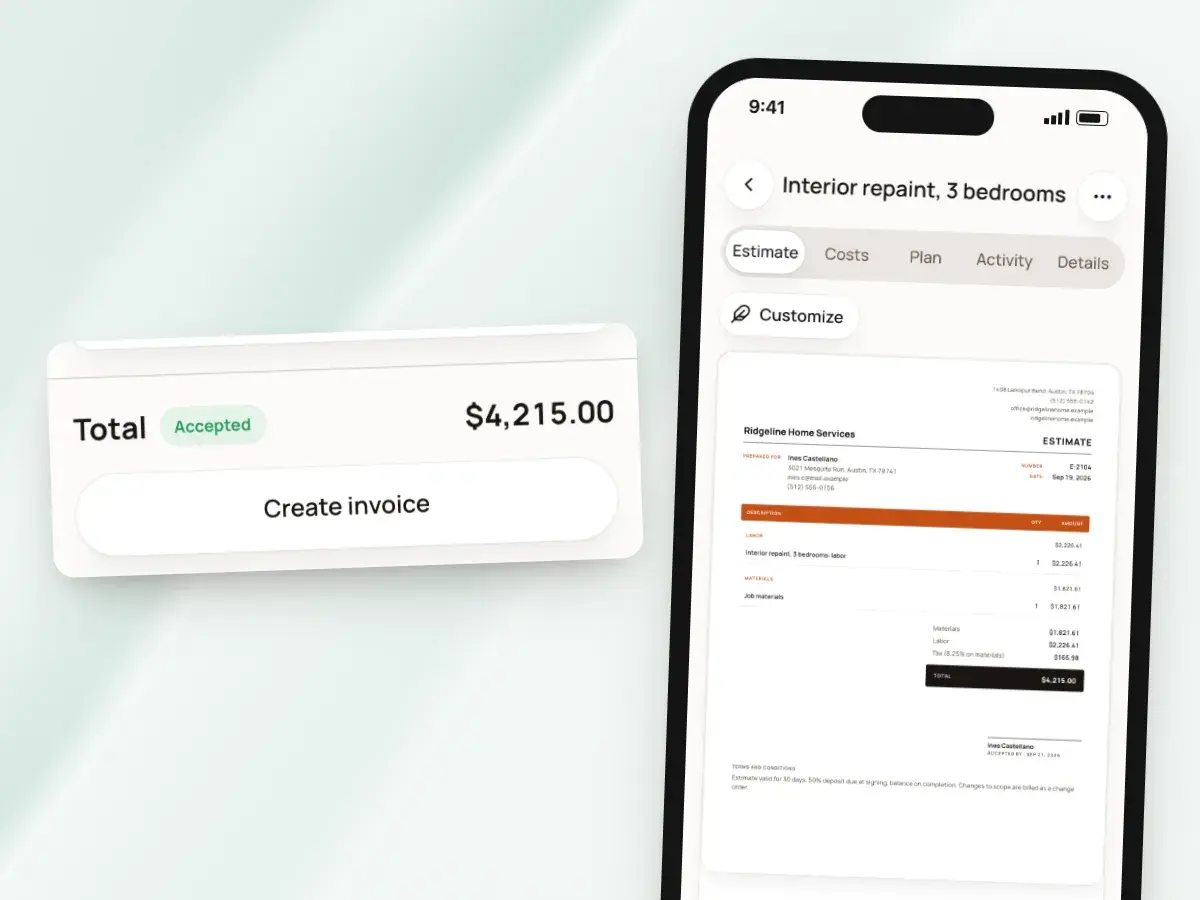
When the client signs, create the invoice from the estimate. Nothing gets retyped, so nothing gets mistyped on the way from the price they agreed to.
Small job with no estimate? Start an invoice from scratch and add your own lines.
- The labor, material and permit lines come across grouped by job step
- The discount and sales tax carry over
- Choose an itemized invoice that shows every line, or the shorter summary format
- One estimate can have several invoices, and each one is listed on the estimate
- Bill a bigger job in parts over several weeks without losing track of what’s invoiced
Deposits, progress payments and the balance
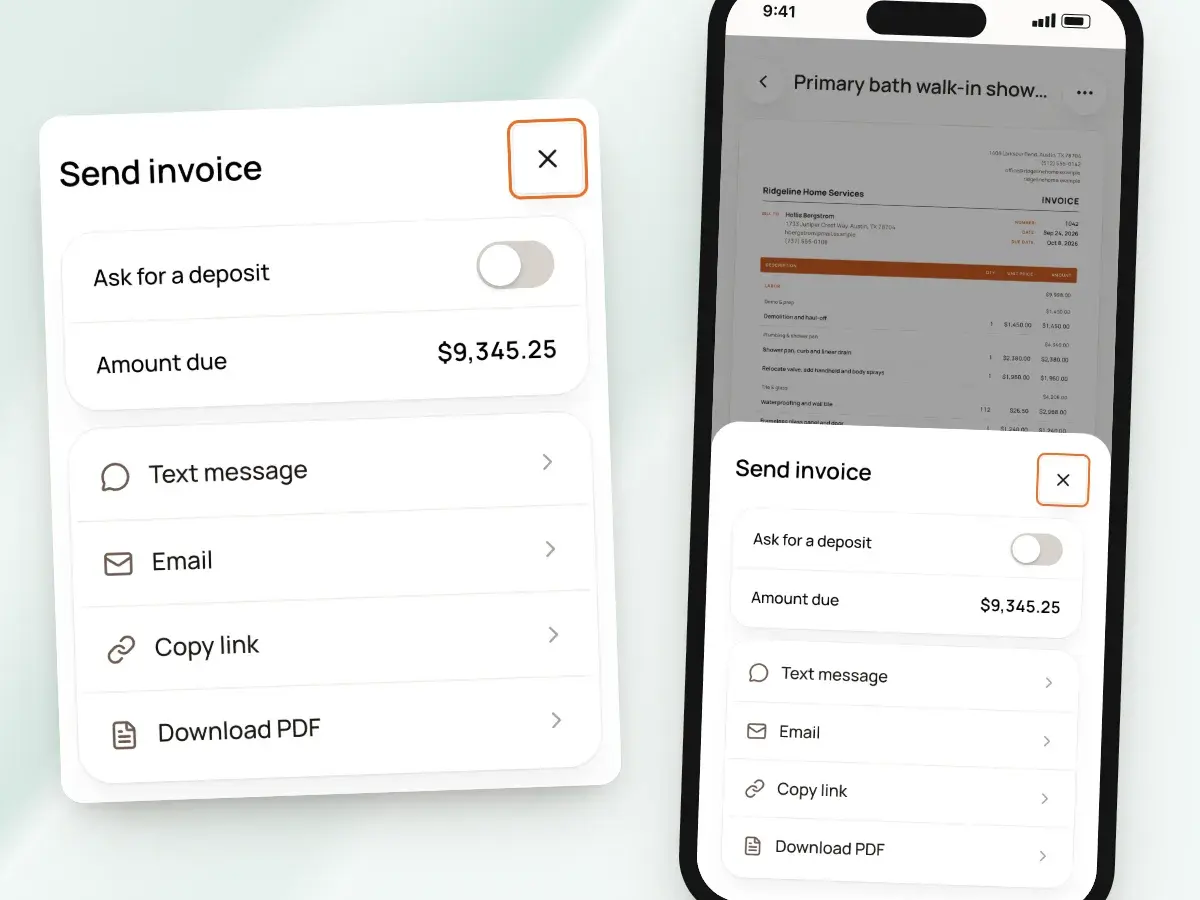
When you send an invoice, you can ask for a deposit. Pick a percentage from 5% to 90%, and the invoice shows that amount as “Due now.”
BuildWell doesn’t set up fixed payment schedules or retainage. You decide when to bill the next stage, and the invoices keep the math straight.
- The pay buttons charge exactly the amount due now
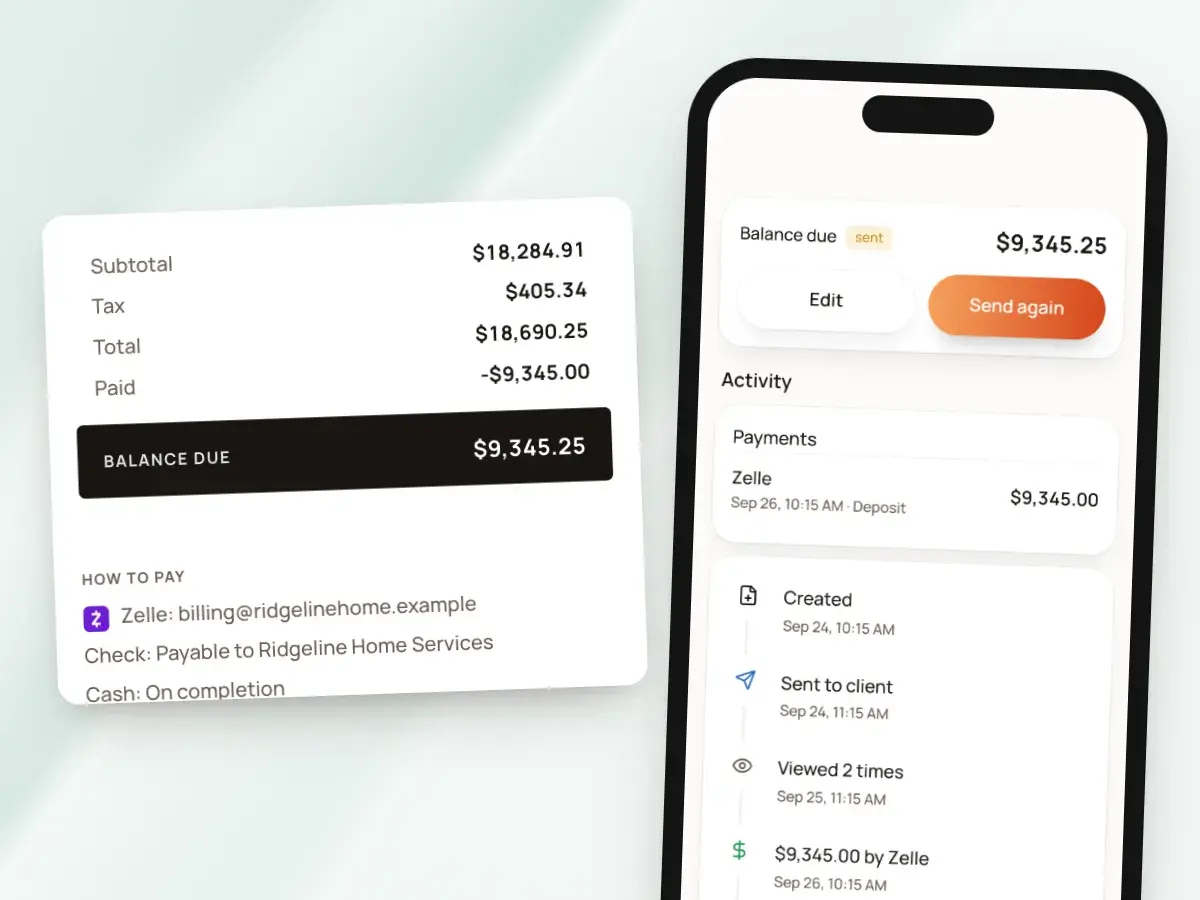
- Once a payment is recorded, the invoice asks for the remaining balance
- The client always sees the right number to pay
- For progress payments, record partial payments against one running invoice as they come in
- Or create more than one invoice from the same estimate, one for each stage
- Each stage’s invoice can have its own deposit if you want one
Due dates, notes and numbers
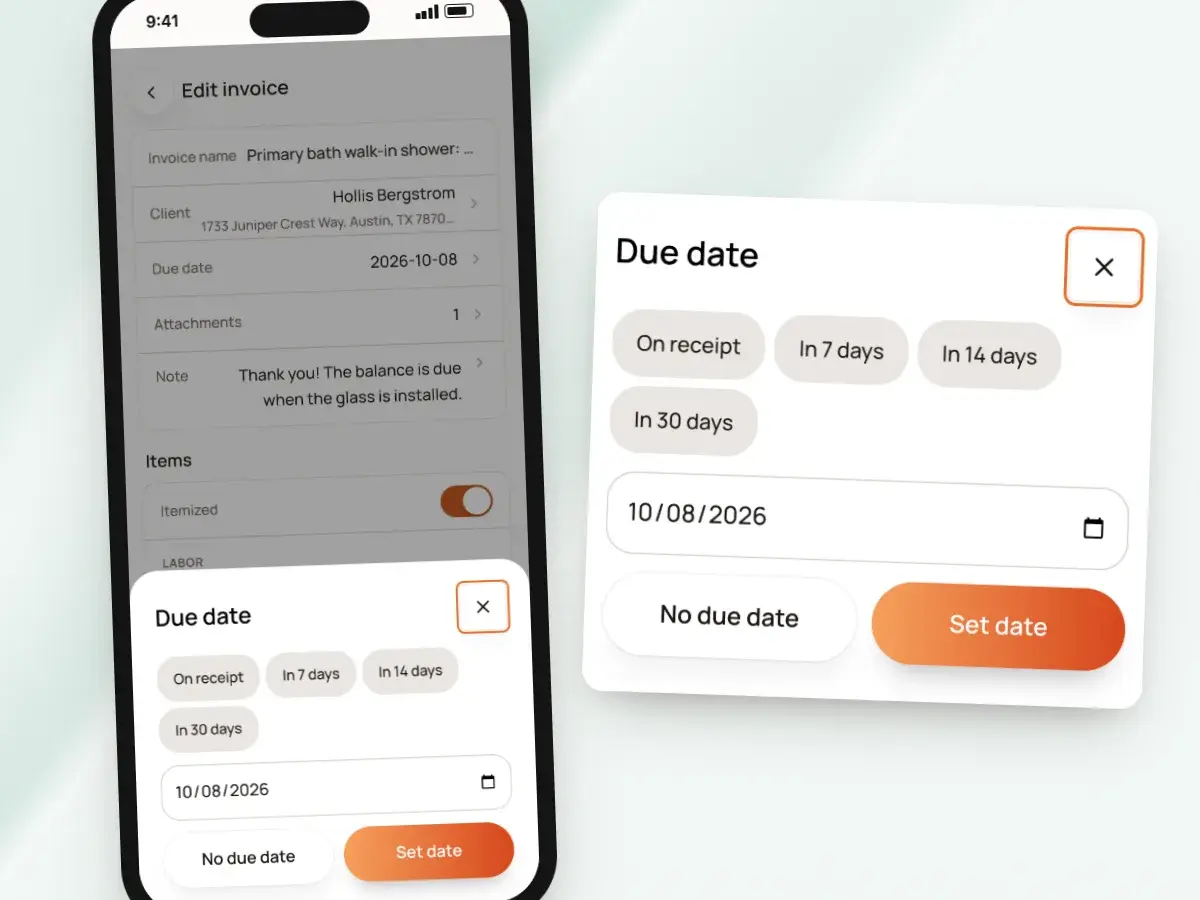
Set a due date on each invoice, and add an invoice note for anything the client should read, like what this payment covers. Your terms and conditions print at the bottom of every estimate and invoice, so they’re never left out.
Invoices are numbered in order, #1, #2 and on, and a number is never reused, even when an invoice is voided. Every invoice you’ve sent can be found by its number.
- Due on receipt, or in 7, 14 or 30 days
- Due on a custom date, or with no due date at all
- Tidy records when your bookkeeper or a client asks about an invoice months later
Sent the way you already talk to clients
Send the invoice by text message or email. BuildWell opens your phone’s or computer’s own Messages or Mail app with the message filled in, so it comes from your number or your address, not from a stranger.
The client opens a page with your logo, your colors and the full invoice, in English or Spanish. They don’t need an app or an account.
- Copy the link and share it anywhere
- Send a PDF if the client prefers one
- Each invoice can be sent up to five times in total, counting the first
- A reminder never turns into a flood of messages on their phone
Paid by card, bank transfer, Zelle or check
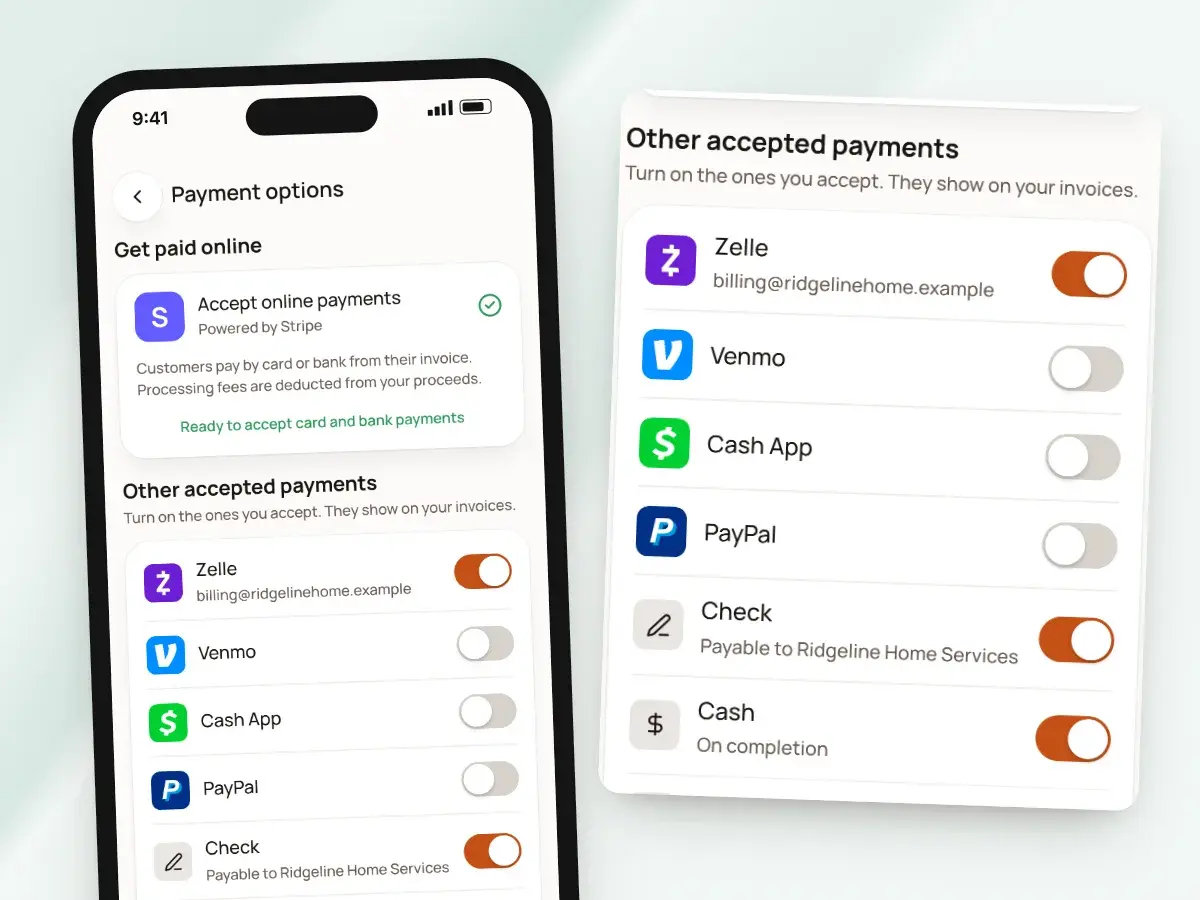
Connect Stripe, and clients can pay by card or US bank account right from the invoice link. Those payments are recorded on the invoice automatically, and you get a notice when one comes in.
Prefer other ways to get paid? List the methods you accept once, and when money arrives that way, record it with the amount, the method and a note.
- BuildWell adds no fee of its own
- Stripe’s processing fee applies at cost, and clients aren’t charged a surcharge
- Other methods: Zelle, Venmo, Cash App, PayPal, check or cash
- They print under “How to pay” on every invoice
- Partial payments add up until the invoice is paid
- You can’t record more than the balance
Signatures and photos on the invoice
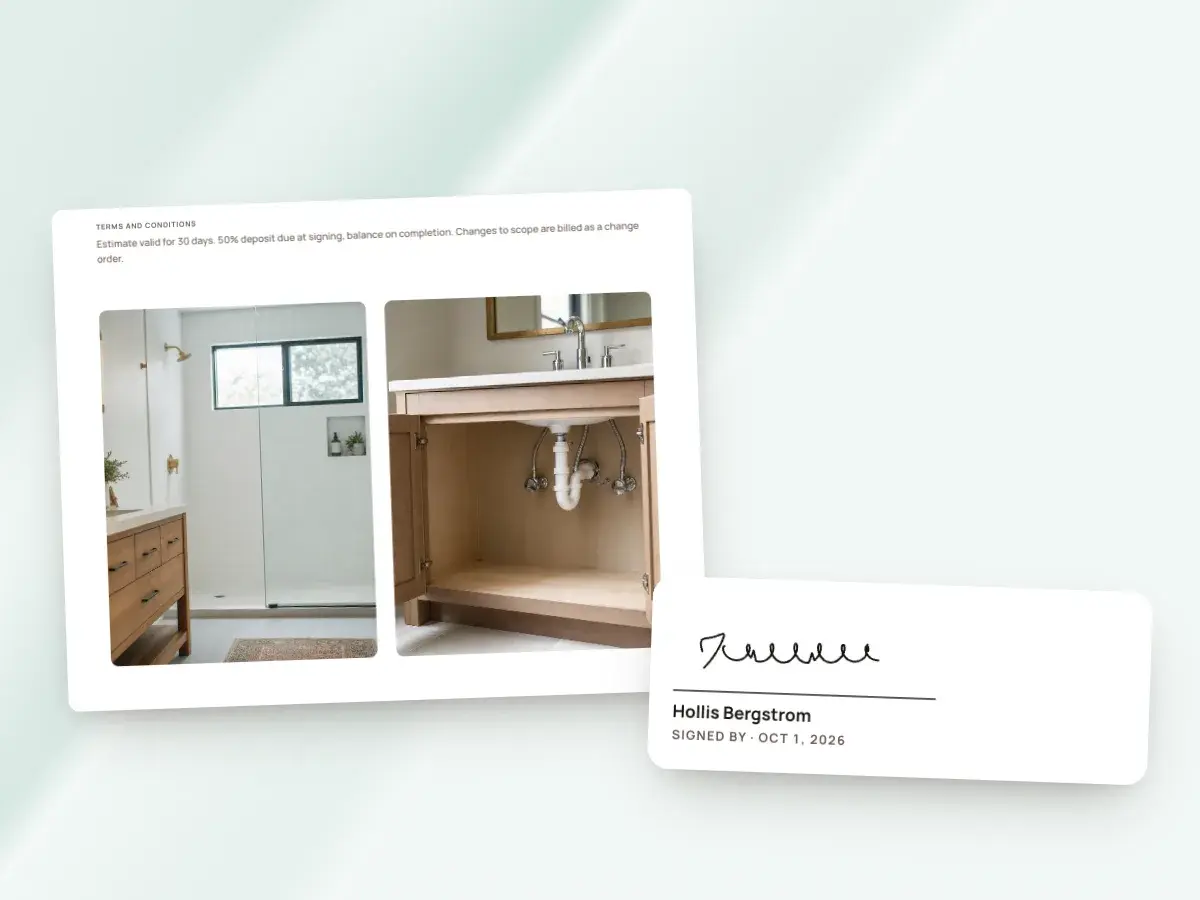
Some jobs need the client’s sign-off on the final bill. Collect a signature on your phone while you’re standing together, or turn on “Ask for signature” to add a name and signature form to the invoice link.
Attach up to 10 photos of the finished work, and they print two across on their own pages after the invoice. The client sees exactly what they’re paying for before they pay it.
- BuildWell records the name, the signature and the date
- You get a notice as soon as it’s signed
- Before-and-after renders can print as pages after the invoice too
- Or switch the renders off
Fix a mistake without starting over
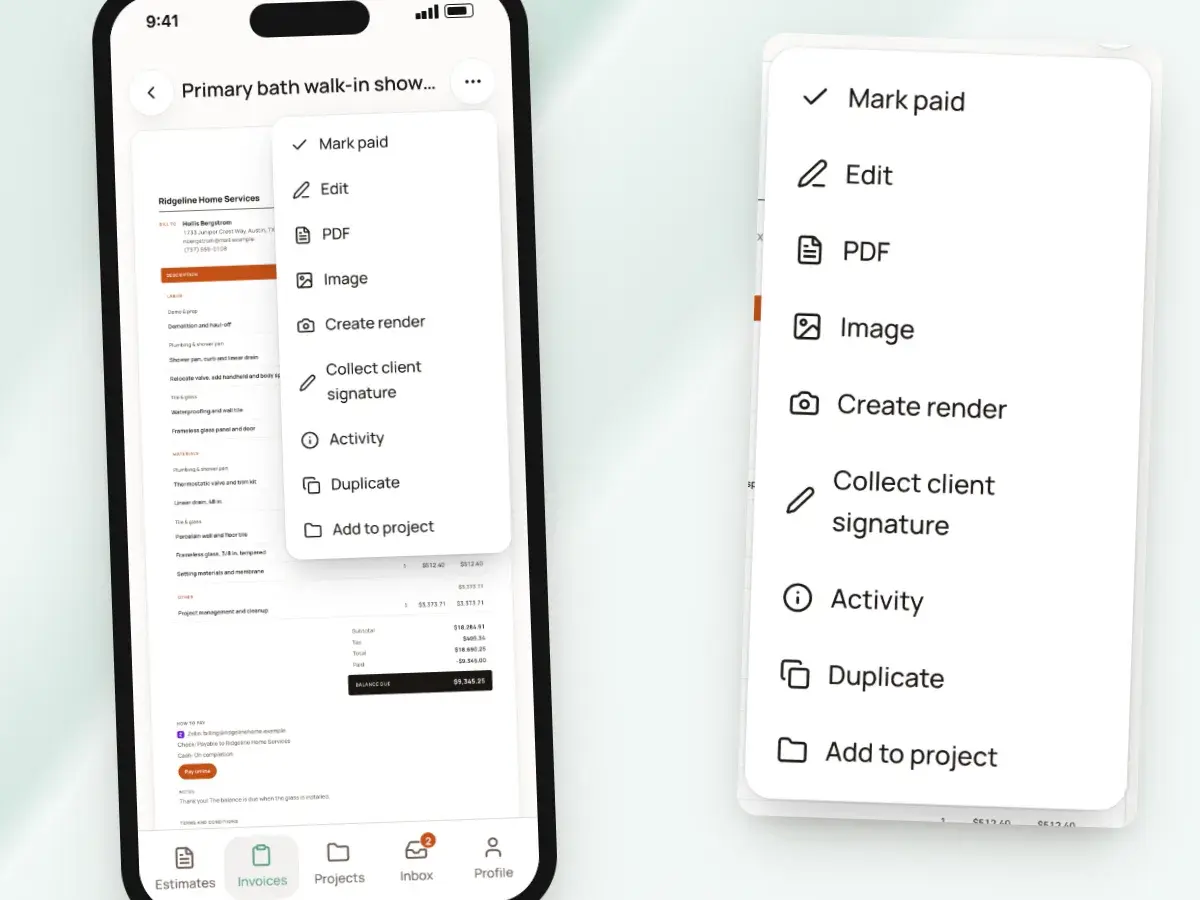
Spot a wrong quantity after sending? Edit the invoice and the link shows the update, as long as no online payment is in progress.
If an invoice shouldn’t have gone out at all and nothing has been paid on it, void it. The number is kept, and the link tells the client the invoice is voided.
- Delete drafts you don’t need
- Deleted drafts go to Recently deleted first, in case you change your mind
- For repeat work, like the same service call at a different address, duplicate an invoice
- Change only what’s different instead of building the whole thing again line by line
See what you’re owed
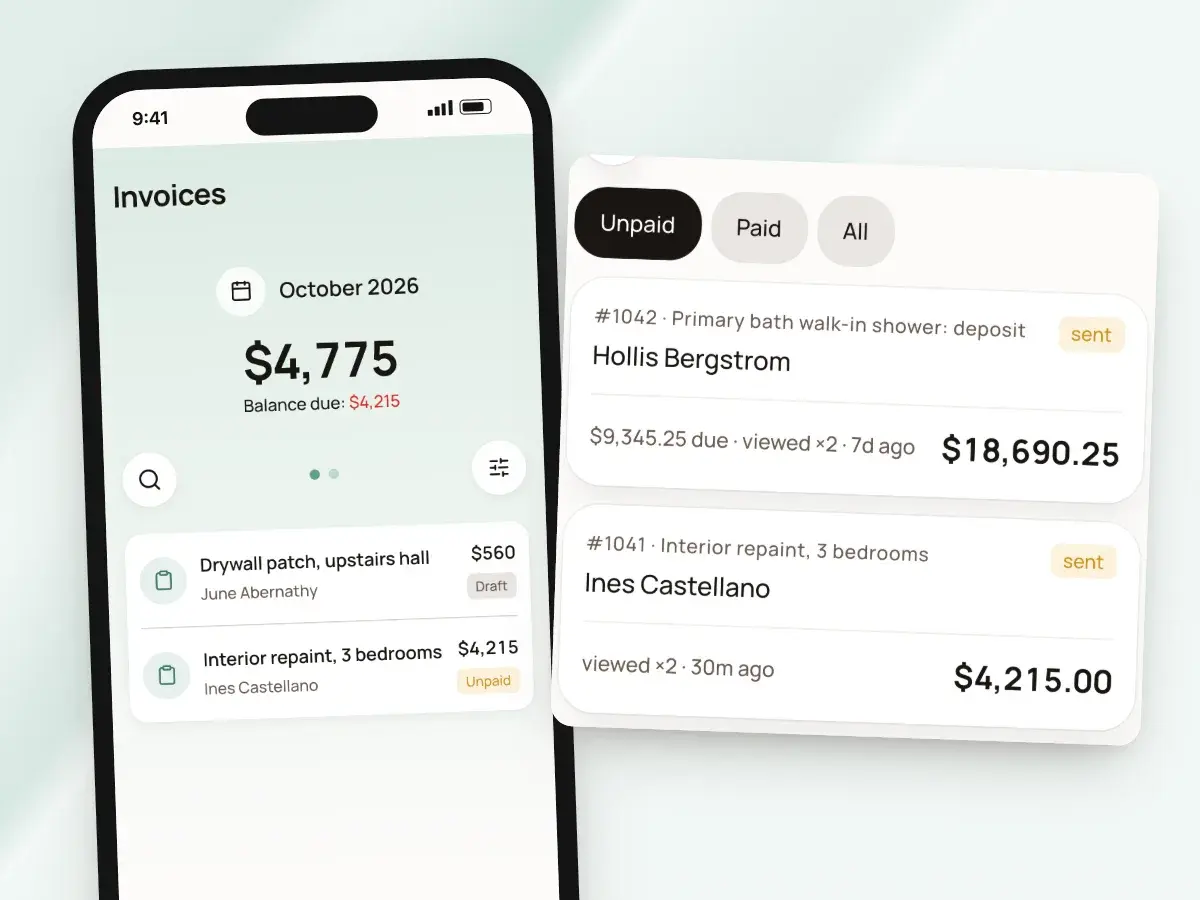
Your invoice list shows totals and balances grouped by day, week or month. Each client’s page lists their estimates and invoices, with their outstanding balance across every invoice you’ve sent them.
BuildWell also watches the calendar for you. From the Inbox, one tap re-shares the link so you can send the client a nudge yourself.
- Filters for paid, unpaid, overdue and draft
- Know exactly where you stand before you call
- A reminder when an invoice is due in two days, and when it’s overdue
- A reminder when a signed estimate still hasn’t been invoiced after a week
From signed estimate to paid
- 1
Create the invoice
Turn the signed estimate into an invoice. Lines, discount and tax come across.
- 2
Ask for a deposit
Pick a deposit percentage if you want one, and set the due date.
- 3
Send the link
Text or email it from your own number. You see when it’s opened.
- 4
Record the payment
Card and bank payments record on their own. Mark Zelle, check or cash yourself.
By hand vs with BuildWell
Billing the same remodel, the old way with a word processor and a notebook, and with BuildWell.
| The job | By hand | With BuildWell |
|---|---|---|
| Writing the invoice | Copy the estimate into a new document, line by line. | Create it from the signed estimate with the lines already in place. |
| Taking a deposit | Work out the percentage, then write a second invoice for the rest. | Ask for a percentage when sending; the invoice moves on to the balance. |
| Sending it | Export a PDF and attach it to an email. | Text or email a link from your own number or address. |
| Getting paid | Wait for a check, or set up a separate card reader. | Card and bank buttons on the invoice, plus your Zelle and check details. |
| Partial payments | Keep a running tally in a notebook. | Every payment recorded on the invoice, adding up to paid. |
| Late invoices | Remember who’s late, then remember to call. | A reminder to you when an invoice is due or overdue. |
Built for your trade
Line items, labor hours and local prices for the work you actually do.
One plan. Every feature.
- AI estimates priced for your area
- Estimates, invoices, clients and projects
- Clients sign on any phone
- Card and bank payments, no extra BuildWell fee
- iPhone, Android and the web
- AI estimates priced for your area
- Estimates, invoices, clients and projects
- Clients sign on any phone
- Card and bank payments, no extra BuildWell fee
- iPhone, Android and the web
Both plans include every feature and start with a 3-day free trial. Add a card to start; you’re not charged until the trial ends. Cancel anytime.
Free tools to go with it
Generators, templates, calculators and guides. No sign-up.
Invoicing software FAQ
01Can I take a deposit?
02How do progress payments work?
03Do clients need an account to pay?
04Can invoices include photos?
05Can I change an invoice after sending it?
06Does BuildWell send payment reminders to my clients?
07What does it cost to take card payments?
08Can I invoice in Spanish?
09Can I make invoices look like my business?
10How much does BuildWell cost?
More of BuildWell
Online payments
Let clients pay invoices by card or bank transfer from a link. Payments go to your bank through Stripe. BuildWell adds no fee of its own. Zelle and check too.
Learn more →Deposits and progress payments
Ask for a deposit from 5% to 90% when you send the invoice, then bill the balance or the next payment. Every partial payment is recorded and added up for you.
Learn more →Invoice app
Invoice from your phone before you leave the job. Add photos, collect a signature in person, record cash or Zelle, and share a receipt. Works on the web too.
Learn more →Client portal
Send a link, and clients read your estimate, accept and sign it on their phone, or decline. Invoices open the same way with pay buttons. You see every view.
Learn more →Estimating software
Describe a job and get an itemized estimate with materials at local store prices and labor at your area’s wage. Edit any line, send it, get it signed.
Learn more →E-signature app
Clients sign your estimates with a finger on their phone, from a link or in person. Name, signature and date go on the document. No app or account for them.
Learn more →
Try BuildWell today
Estimates, invoices, e-signatures and payments in one place, on your phone and on the web.