 BuildWell
The invoice app that bills the job before you pack up
Send the invoice from your phone before you pull out. Add job photos, get a signature and mark it paid.
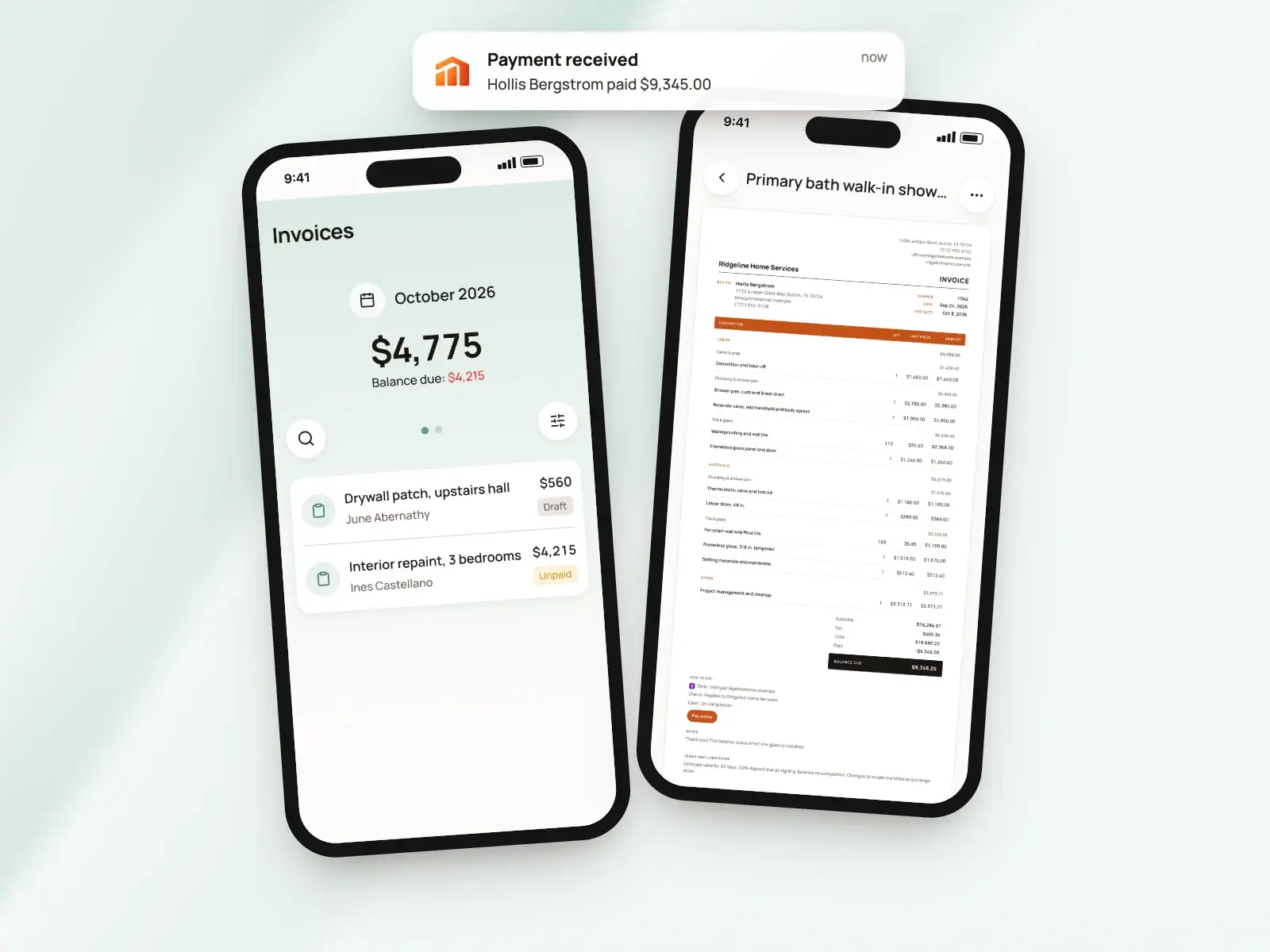
Invoice app, in short
- iPhone, Android and web on one subscription
- Invoice from a signed estimate or from scratch
- Up to 10 job photos printed with the invoice
- Client signs on your phone, right there
- Mark it paid with Zelle, cash or check
- Reminders to you when an invoice is due
Send the invoice before you leave
The best time to invoice is while the client is standing in the finished room. Open the signed estimate on your phone and create the invoice from it.
No estimate for this one? Start an invoice from scratch for the quick repair or the small extra the client asked for while you were there.
- The lines, discount and tax come across grouped by job step
- All that’s left is to check it, set the due date and send
- No estimate? Add lines and pick due on receipt or a date that suits you
- It’s ready to go before you’ve finished loading the truck
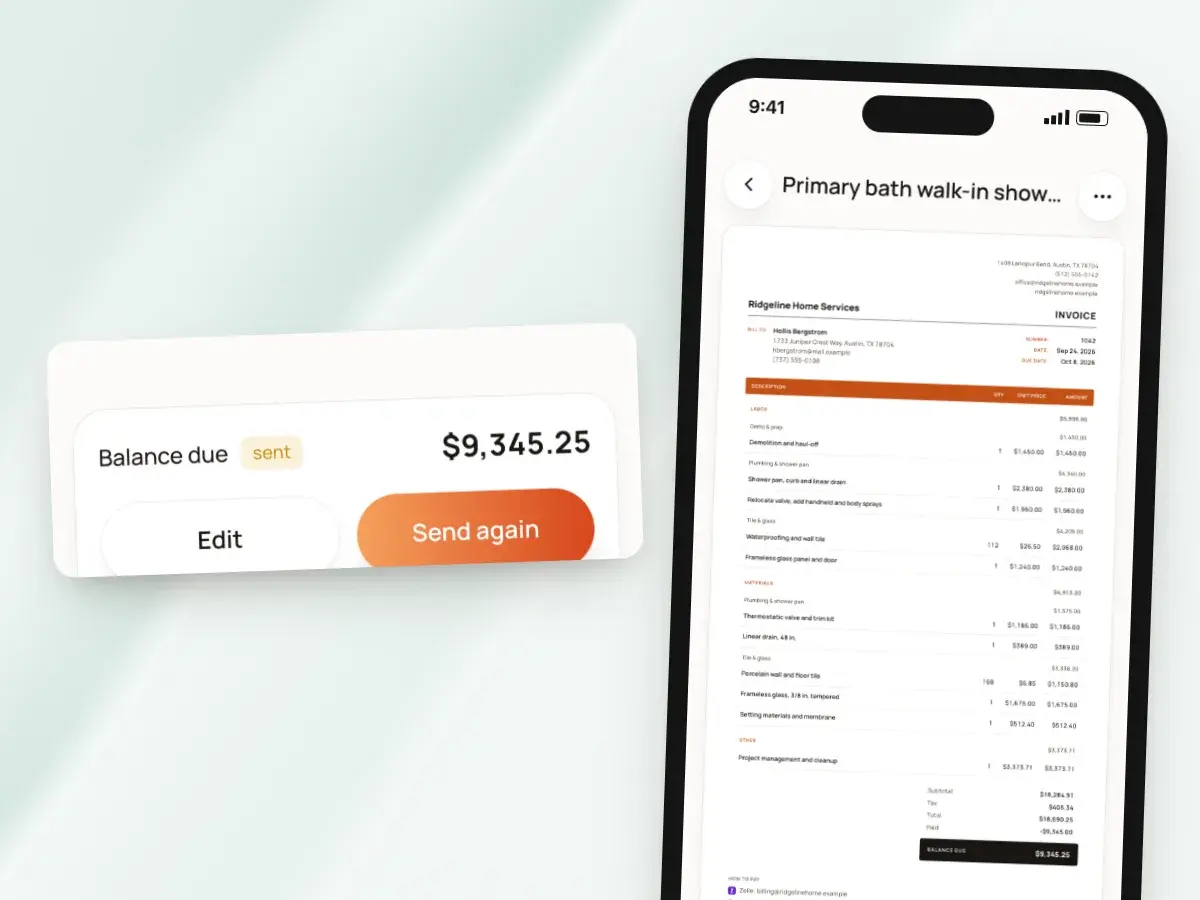
Texted from your own number
Tap Text message, and BuildWell opens your phone’s Messages app with the invoice link and a message already written. It comes from your number, the one your client already has saved, so they know exactly who it’s from.
The client opens the link in any browser, with no app or account to set up. Nothing to print, nothing to mail.
- Email works the same way, through your phone’s mail app and from your address
- Copy the link and paste it anywhere
- Share a PDF through any app on your phone
- The client can pay right there by card or bank transfer if you’ve connected Stripe
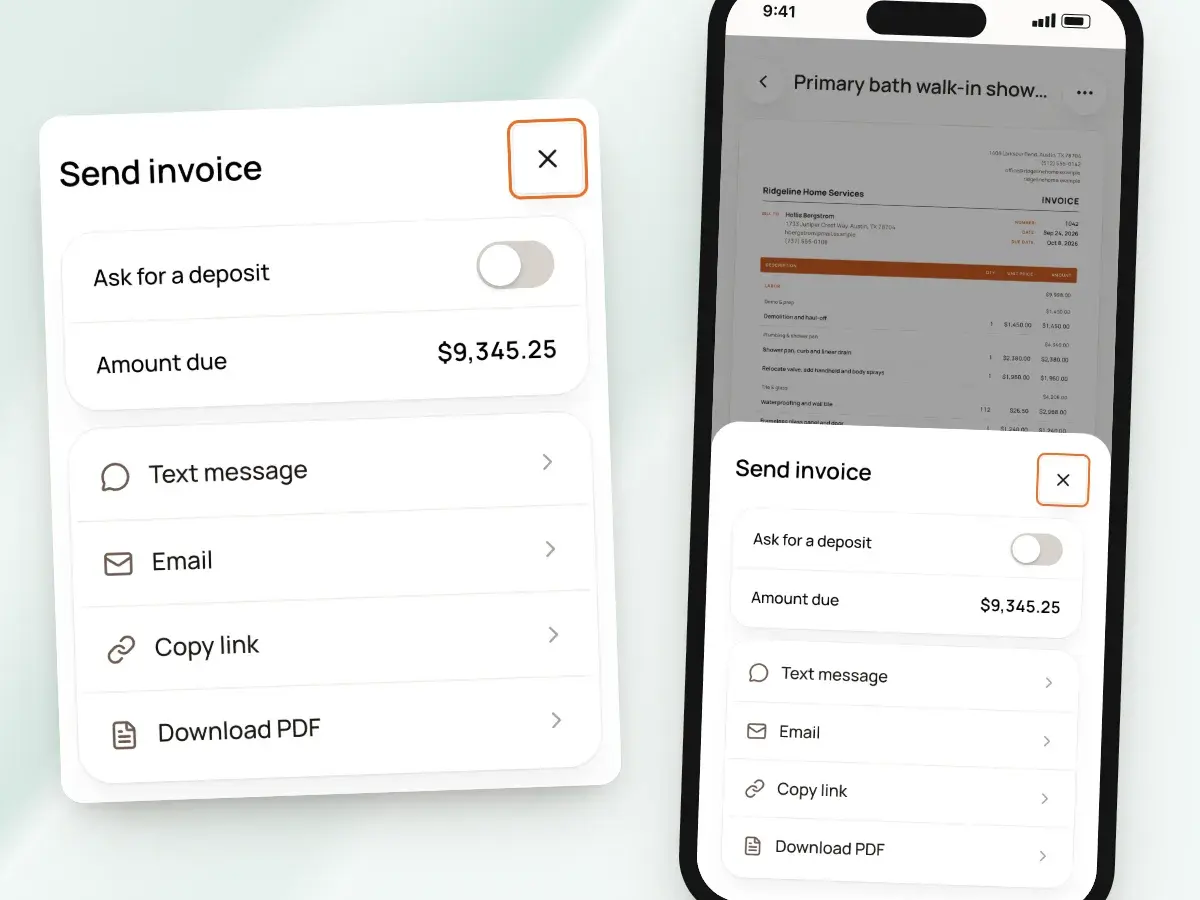
Photos of the finished work
Attach up to 10 photos to an invoice, so the client sees the work they’re paying for. So do you, when a question comes up months later.
If you made a before-and-after render for the job, it can print as a page after the invoice too.
- Show the new tile, the panel you replaced, the fence line straight and finished
- Photos print two across on their own pages after the invoice
- Renders are made in the phone app from a photo and a short description
- A render is an AI illustration of the finished room, not a design drawing
- You can switch renders off
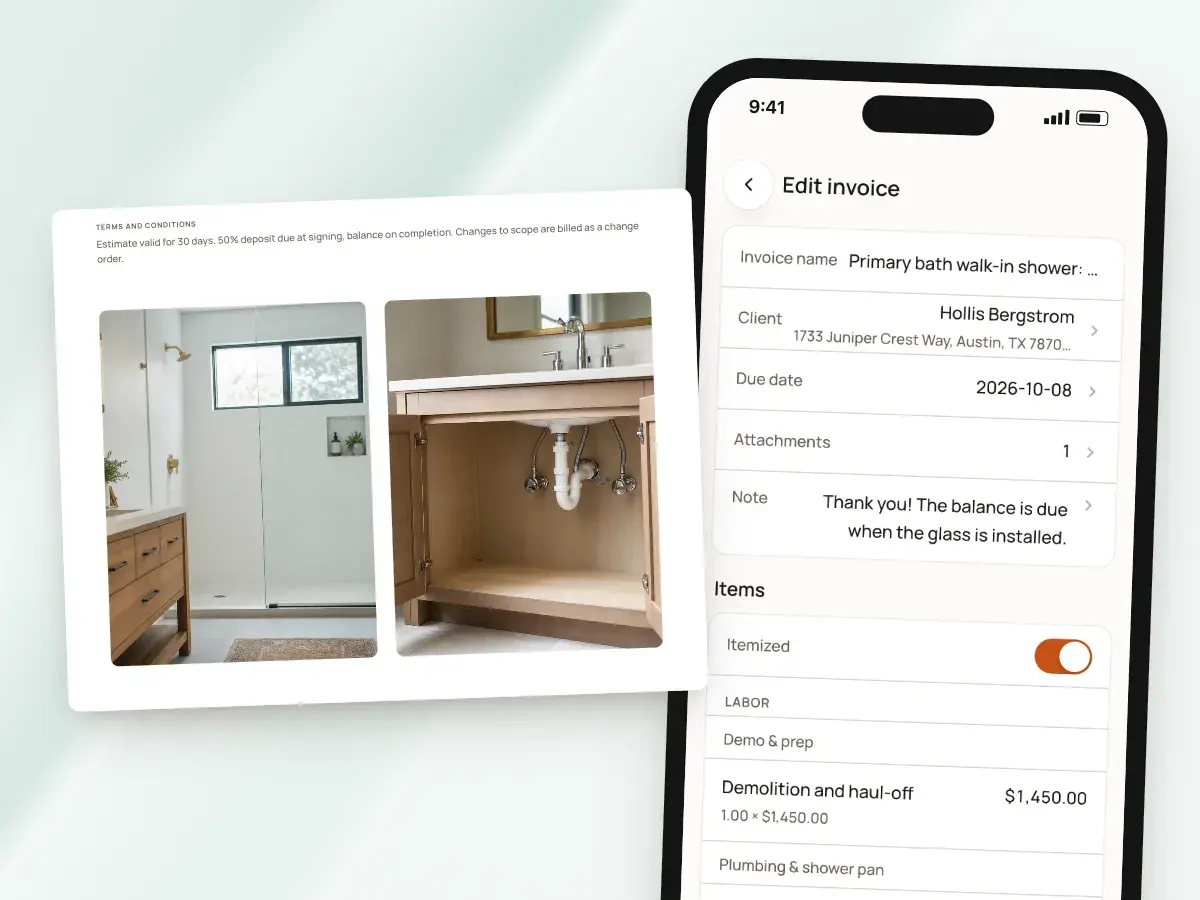
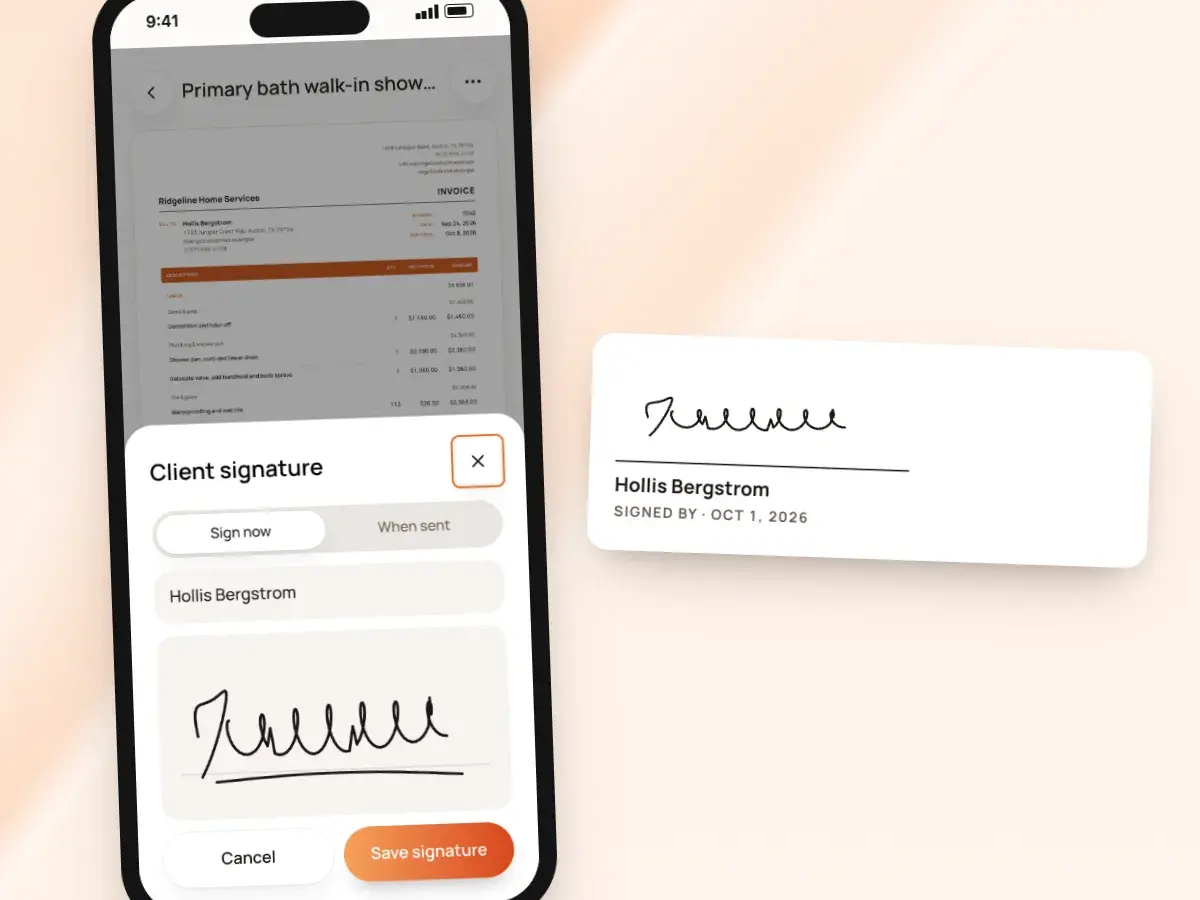
Get a signature on the spot
When you want the client to sign off on the final bill, hand them your phone. Collect client signature opens a pad where they type their name and sign with a finger.
If the client isn’t home when you finish, turn on Ask for signature instead. Either way, the sign-off stays with the invoice it belongs to.
- BuildWell records the name, the signature and the date
- The PDF you share from the app prints a “Signed by” block
- Ask for signature adds a name and signature form to the invoice link
- You get a notice on your phone as soon as they sign
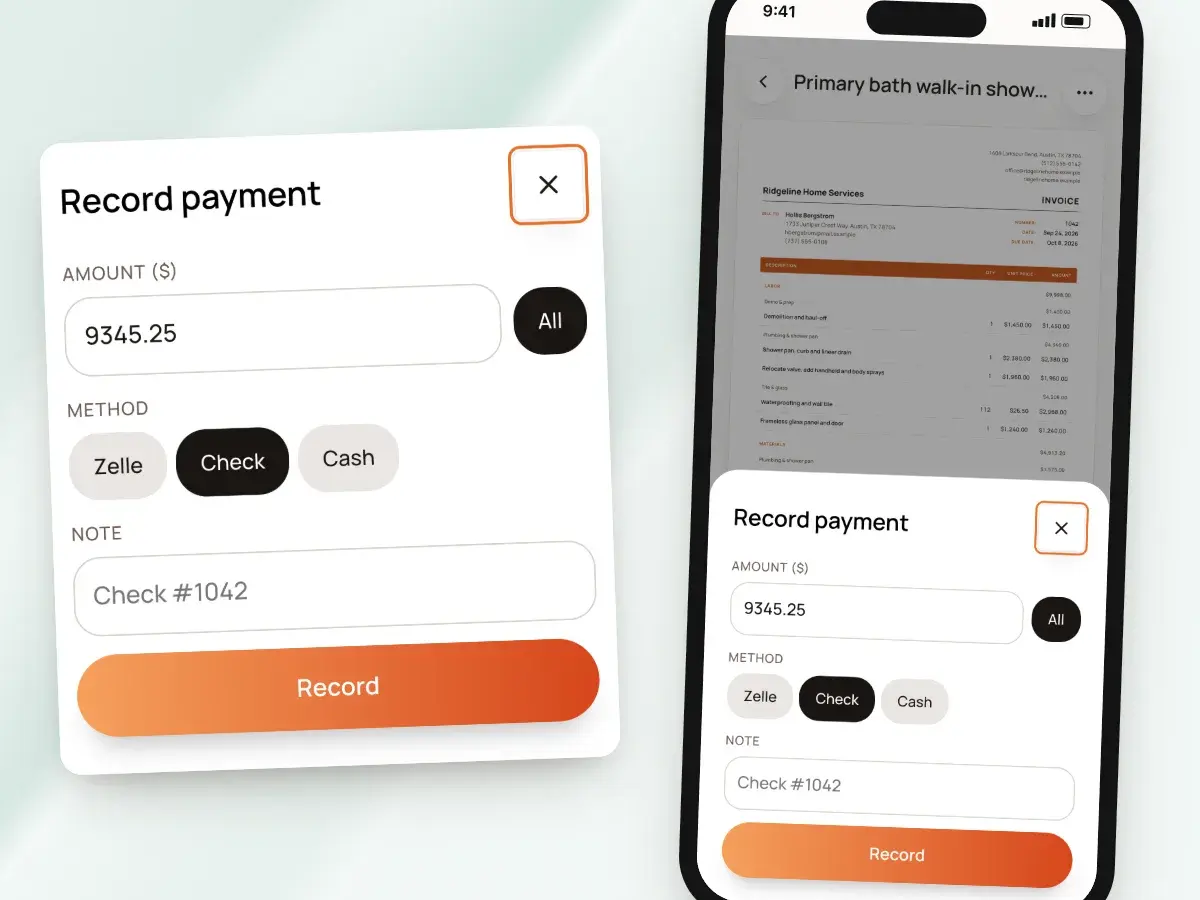
Mark it paid when they hand you a check
Plenty of clients pay on the spot with a check, cash or a Zelle transfer while you wait. Record it right there with the amount, the method and a note.
Your invoice list shows what’s paid, unpaid and overdue, with totals by day, week or month. You never have to open a spreadsheet.
- Cash, check, Zelle, Venmo, Cash App and PayPal are all on the list
- Partial payments add up
- The invoice turns paid when the balance is covered
- Card and bank payments through Stripe from the invoice link are recorded on their own
- You get a notice on your phone the moment one comes in
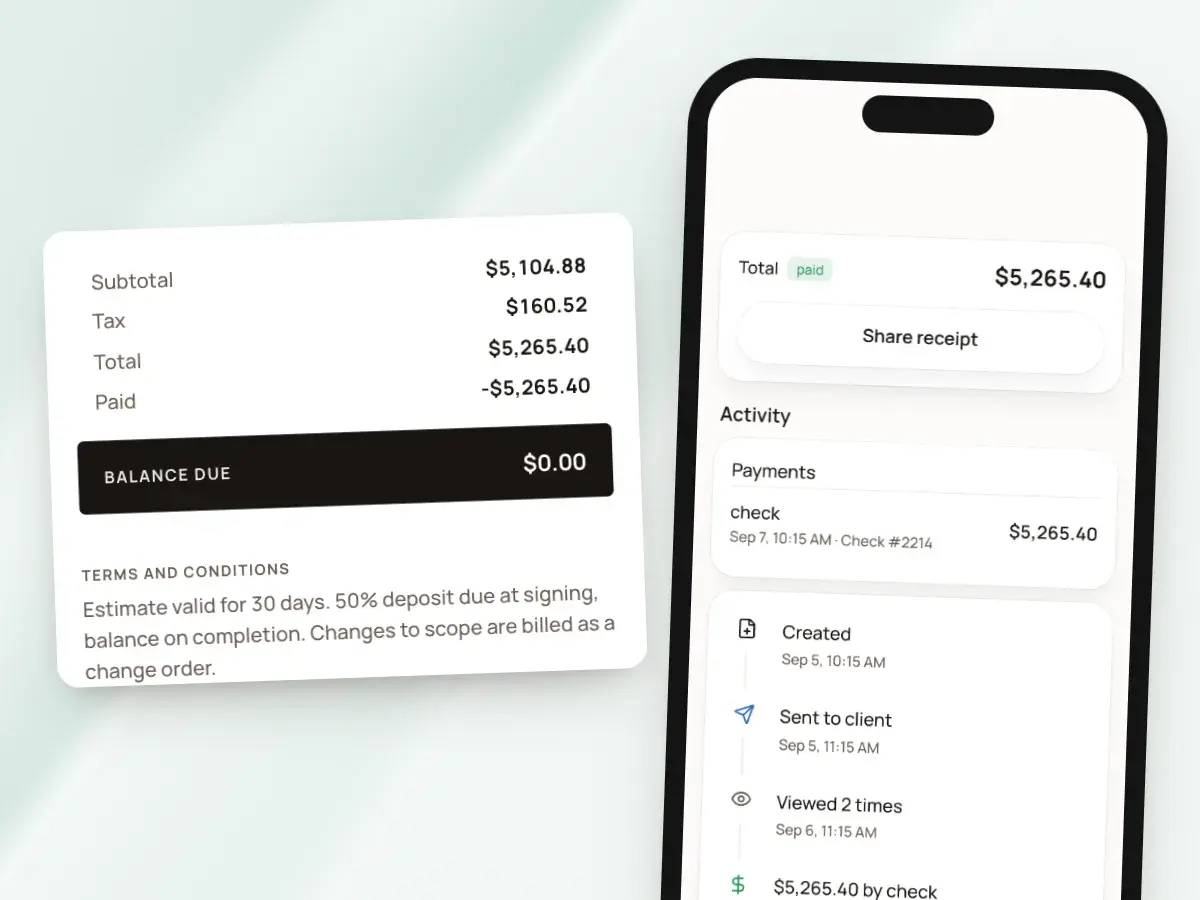
A receipt in one tap
Once an invoice is paid in full, it can print with a paid stamp. BuildWell offers a ready-made Share receipt message, so you can text or email the client their receipt from your phone before you leave.
When a client calls about a job from last spring, the answer is on your phone. It’s not in a glove box full of paper.
- A clean way to wrap up a job
- It answers “did you get my check?” before anyone asks
- Every payment stays listed on its invoice with the amount and the method
- Each client’s page shows what they still owe across all their invoices
Reminders that come to you
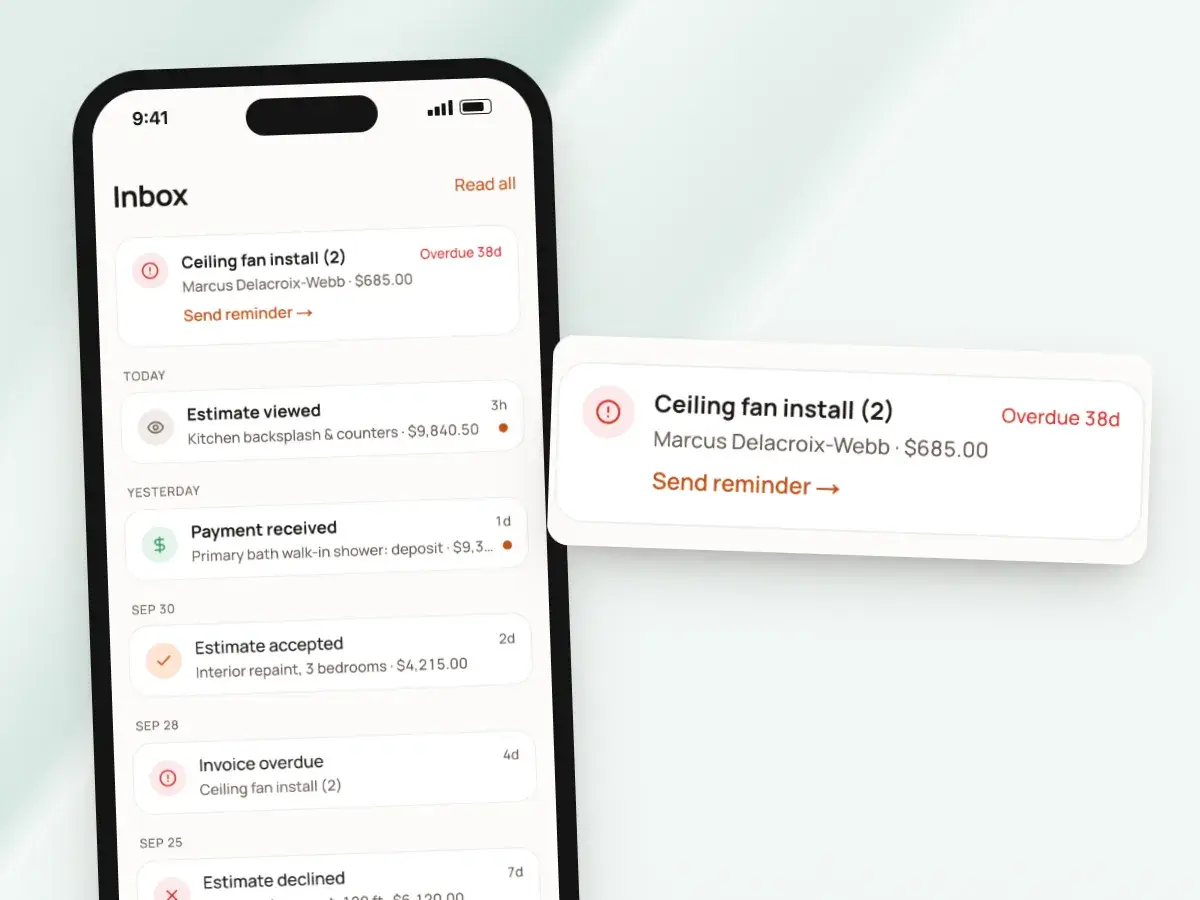
BuildWell keeps track of what you’ve billed so you don’t have to. The reminders come to you, not your client.
BuildWell never texts or emails your clients on its own. Every message they get comes from you and sounds like you.
- A reminder when an invoice is due in two days
- Again when it’s one, seven and 14 days overdue
- A nudge when an estimate the client accepted a week ago still isn’t invoiced
- From the Inbox, Send reminder re-shares the invoice link
- You decide what to say and send it from your own phone
Start on your phone, finish at your desk
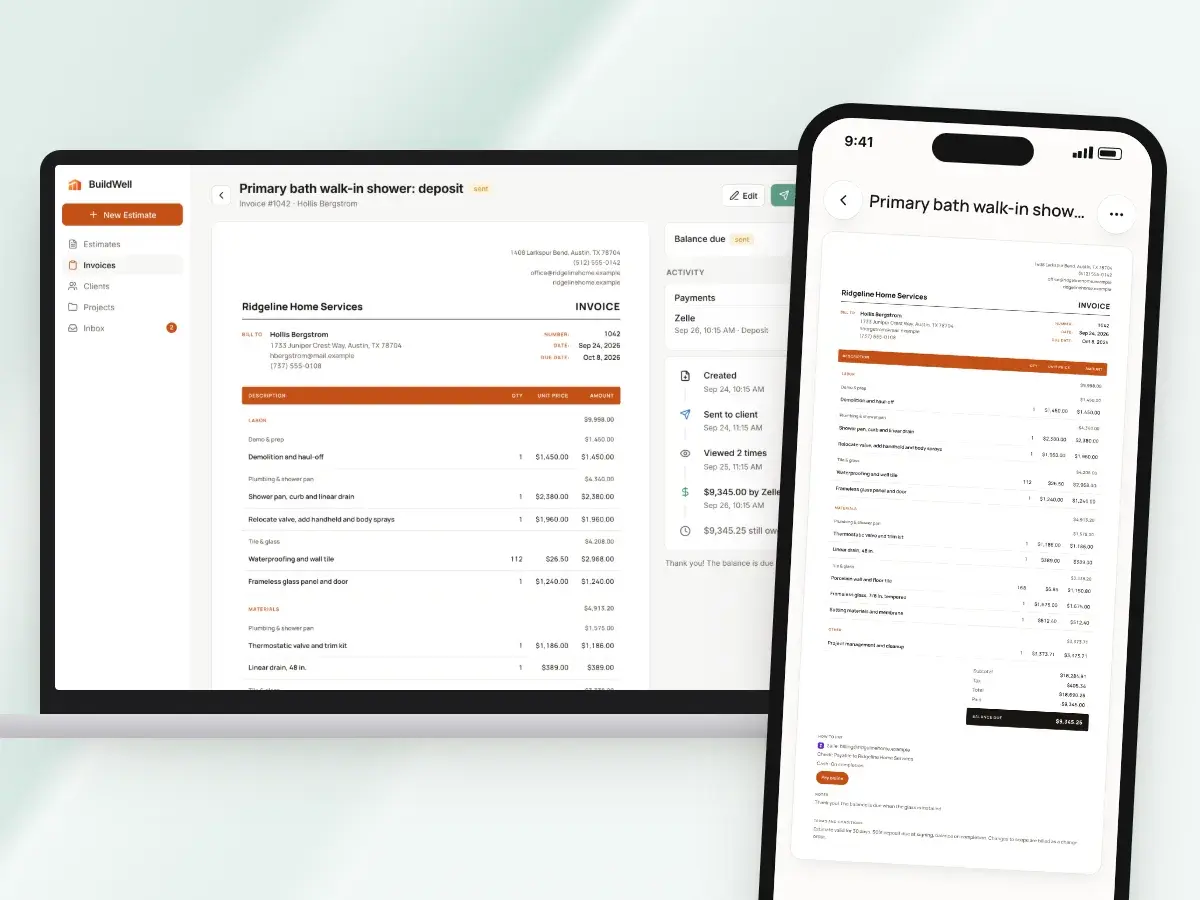
BuildWell runs on iPhone, Android and the web with one account, and everything stays in sync. Send an invoice from the job site, then open the web app at night to look over every balance and every client on a bigger screen.
An invoice sent from your phone in a driveway looks the same as one sent from your desk at home. That goes down to the terms printed at the bottom.
- One subscription covers all three, whichever store you subscribed in
- The app and your documents work in English or Spanish
- Your template, logo and brand color come with you to every device
From finished job to paid
- 1
Open the job
Create the invoice from the signed estimate, or start one from scratch on site.
- 2
Add the photos
Attach photos of the finished work. They print on pages after the invoice.
- 3
Send or sign
Text the link from your number, or have the client sign on your phone.
- 4
Mark it paid
Record cash, check or Zelle. Card payments record themselves. Then share the receipt.
By hand vs with BuildWell
Billing a finished repair from the driveway, the old way with a paper invoice pad, and with BuildWell on your phone.
| The job | By hand | With BuildWell |
|---|---|---|
| Writing the invoice | Fill out a carbon-copy pad on the hood of the truck. | Create it from the estimate on your phone. |
| Showing the work | Describe it in a line and hope that’s enough. | Up to 10 photos printed after the invoice. |
| Getting a sign-off | Hand over a clipboard and a pen. | The client signs on your phone with a finger. |
| Taking a check | Note it in a notebook, then forget which job it was for. | Record it on the invoice with the method and a note. |
| Sending a receipt | Tear off the carbon copy, if you can find it. | Share a receipt message by text or email. |
| Following up | Try to remember who hasn’t paid. | A reminder on your phone when an invoice is due or overdue. |
Built for your trade
Line items, labor hours and local prices for the work you actually do.
One plan. Every feature.
- AI estimates priced for your area
- Estimates, invoices, clients and projects
- Clients sign on any phone
- Card and bank payments, no extra BuildWell fee
- iPhone, Android and the web
- AI estimates priced for your area
- Estimates, invoices, clients and projects
- Clients sign on any phone
- Card and bank payments, no extra BuildWell fee
- iPhone, Android and the web
Both plans include every feature and start with a 3-day free trial. Add a card to start; you’re not charged until the trial ends. Cancel anytime.
Free tools to go with it
Generators, templates, calculators and guides. No sign-up.
Invoice app FAQ
01Does BuildWell work on iPhone and Android?
02Can a client sign the invoice on my phone?
03How do I record a cash or Zelle payment?
04Can clients pay by card from the link?
05Can I add photos to an invoice?
06Will BuildWell remind my client to pay?
07How do I send a receipt?
08Can I send invoices from my computer too?
09Can I invoice in Spanish?
10How much does the app cost?
More of BuildWell
Invoicing software
Turn a signed estimate into an invoice, bill deposits and progress payments, send a link clients pay from, and see what’s still owed. Built for contractors.
Learn more →Estimate app
Estimate on site by voice or photos with the BuildWell app for iPhone and Android, then finish at your desk on the web. One account, everything in sync.
Learn more →Online payments
Let clients pay invoices by card or bank transfer from a link. Payments go to your bank through Stripe. BuildWell adds no fee of its own. Zelle and check too.
Learn more →Job photos and renders
Keep job photos with the estimate, invoice and project, and show clients the finished room with an AI render from a before photo. Renders print with the job.
Learn more →Estimating software
Describe a job and get an itemized estimate with materials at local store prices and labor at your area’s wage. Edit any line, send it, get it signed.
Learn more →AI estimates
Describe a job by voice, text, photos or a floor plan. AI plans the work and quantities; prices come from local stores and BLS wages, and you confirm any gaps.
Learn more →
Try BuildWell today
Estimates, invoices, e-signatures and payments in one place, on your phone and on the web.