 BuildWell
Free receipt template for PDF
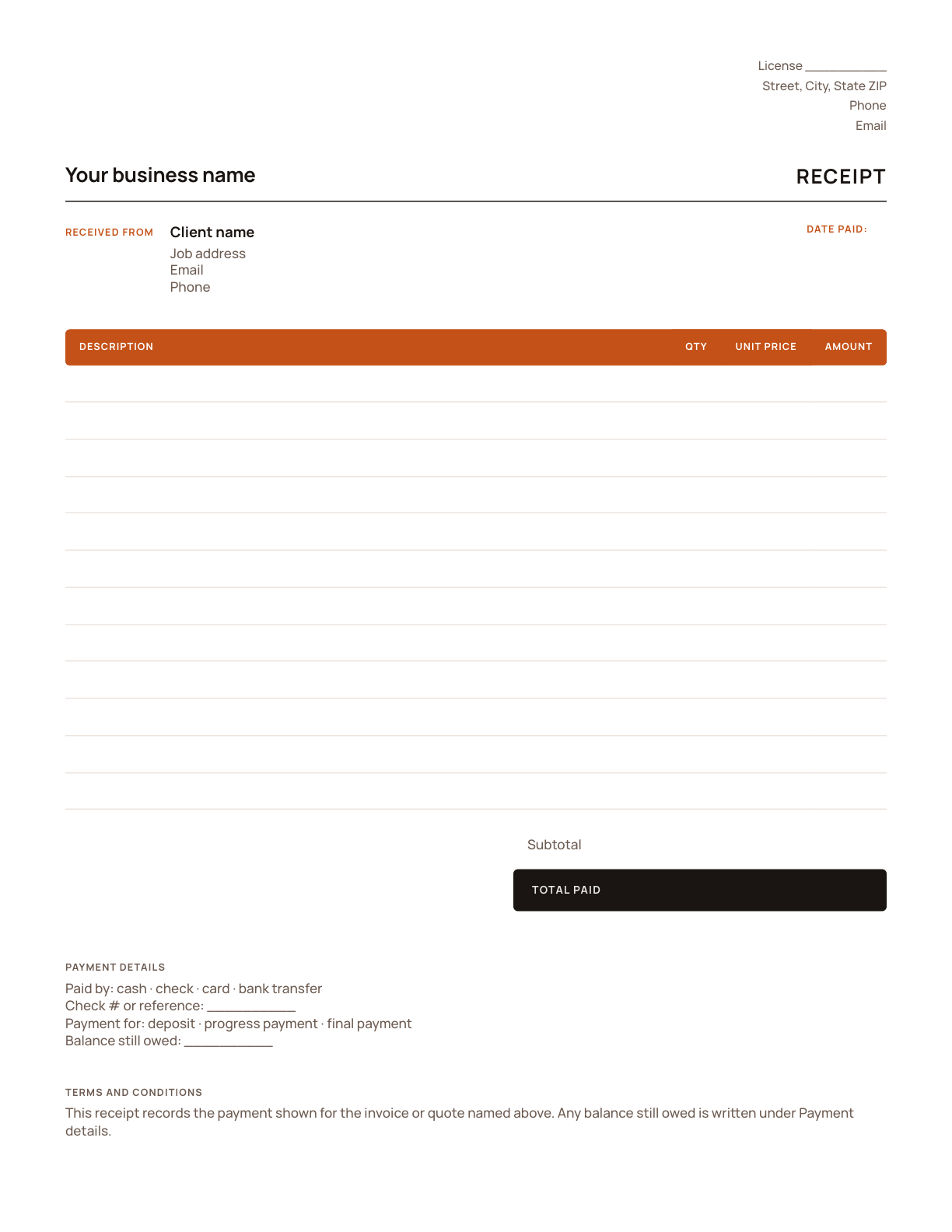
A printed receipt book for the truck: fill one in by hand when a client pays by check or cash on site. For a typed receipt that totals itself, use the Excel template or the free generator.
Fill it in with PDF
- 1
Step 1
Download the PDF.
- 2
Step 2
Print it and fill it in by hand on site, or open it in a PDF editor to type in it.
- 3
Step 3
Hand it over or scan and send it.
What’s on the template
- Your business details and license number
- Who paid and the job address
- Receipt number and the date paid
- What the payment covered, line by line
- Subtotal, tax and the total paid
- How they paid, the reference and any balance still owed
The same template in other formats
Receipt template for Word
Word is easy to brand and edit, but it doesn’t add up the lines for you. Double-check the total paid, or use the Excel template, which totals itself.
Get it →Receipt template for Excel
The spreadsheet does the math: every amount, the subtotal, the tax and the total paid are formulas. Keep one file per client and you have a payment history too.
Get it →Skip the template
Describe the job and let BuildWell price it with local material prices and labor rates.
See how →Done with templates? Let it price the job.
- AI estimates priced for your area
- Estimates, invoices, clients and projects
- Clients sign on any phone
- Card and bank payments, no extra BuildWell fee
- iPhone, Android and the web
- AI estimates priced for your area
- Estimates, invoices, clients and projects
- Clients sign on any phone
- Card and bank payments, no extra BuildWell fee
- iPhone, Android and the web
Both plans include every feature and start with a 3-day free trial. Add a card to start; you’re not charged until the trial ends. Cancel anytime.

Try BuildWell today
Estimates, invoices, e-signatures and payments in one place, on your phone and on the web.