 BuildWell
Free deck and fence invoice template
A deck and fence invoice with 11 common line items already listed, each with its unit, and the terms deck and fence jobs need. Add your quantities and prices, and send it.
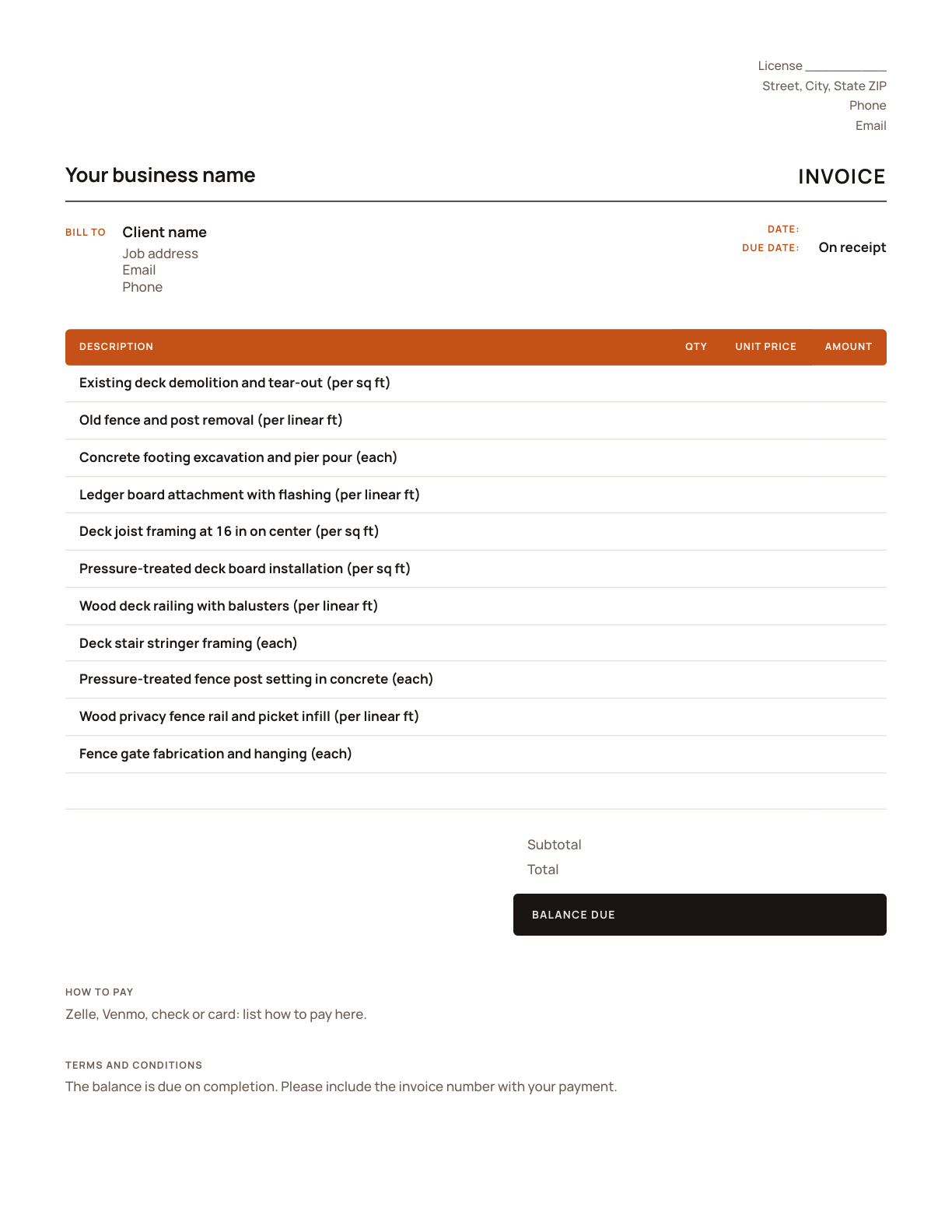
Free, no sign-up. Prices are left blank for your numbers.
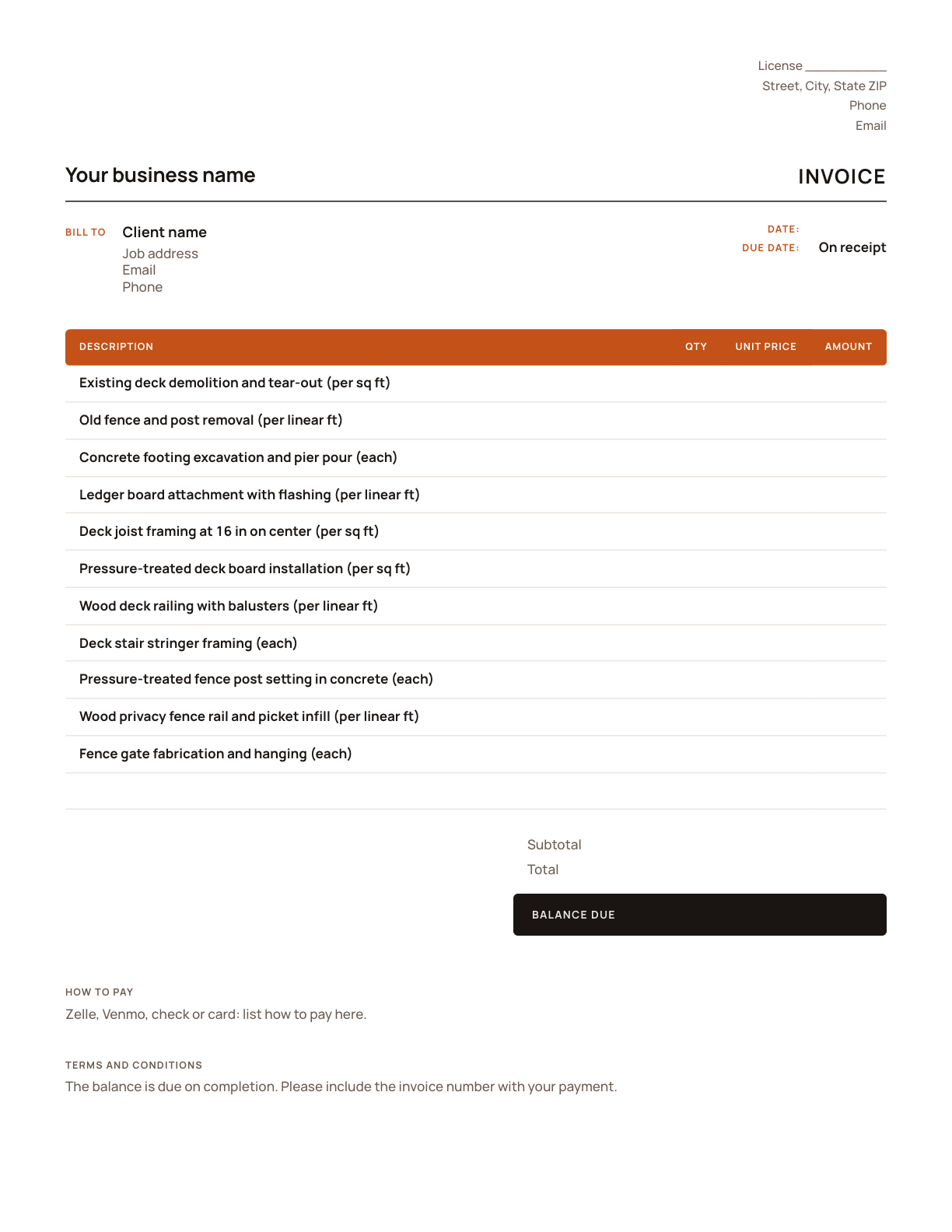
What’s on a deck and fence invoice
Every line is one part of the deck and fence job, priced on its own so the client can see what each part of the job costs.
| Line item | Unit | Why it’s its own line |
|---|---|---|
| Existing deck demolition and tear-out | per sq ft | Tearing out an old deck is priced by area and includes hauling it away. |
| Old fence and post removal | per linear ft | Old fence comes out by the foot, posts and all, before the new line goes in. |
| Concrete footing excavation and pier pour | each | Footings are counted: each is a hole, a form and concrete. |
| Ledger board attachment with flashing | per linear ft | The ledger ties the deck to the house and must be flashed against water, so it gets its own line. |
| Deck joist framing at 16 in on center | per sq ft | Framing is priced per square foot of deck at a set joist spacing. |
| Pressure-treated deck board installation | per sq ft | Decking is priced by area, and wood and composite are very different prices. |
| Wood deck railing with balusters | per linear ft | Railing is measured along the open edges in linear feet. |
| Deck stair stringer framing | each | Stairs are priced by the flight; each is its own piece of framing. |
| Pressure-treated fence post setting in concrete | each | Fence posts are counted and set in concrete, separately from the fence between them. |
| Wood privacy fence rail and picket infill | per linear ft | The fence itself is priced by the linear foot along the line. |
| Fence gate fabrication and hanging | each | Gates are priced each: framing, hardware and hanging. |
Your deck and fence invoice in four steps
- 1
Add your details
Put in your business name, phone, email and license number once, and save the file as your master copy.
- 2
Copy the signed estimate
Use the same lines and prices the client approved, then add each approved change as its own line.
- 3
Bill what was done
Enter the quantities actually installed, in square feet, linear feet and each, and record any deposit already received under Amount paid.
- 4
Send it
Add the invoice date, a due date and how to pay, save it as a PDF and send it.
How deck and fence jobs are billed
Deck and fence jobs usually take a deposit at signing to order lumber or composite, and the balance on completion. On larger decks, a progress payment after the footings and framing pass inspection is common.
If the fence line changed, a gate was added or a footing hit rock and needed more digging, show it as its own line so the invoice matches what was approved.
For a deck, note the inspections it passed, such as footings, framing and final, where your area requires them. For a fence, list the linear feet installed, the height and the number of gates, so the client can match the invoice to the fence they walk along. If sealing or staining wasn’t included, say when new wood is ready for it.
Terms already on the template
Fill in the blanks, or change them to match how you work.
- The balance is due on completion.
- Please include the invoice number with your payment.
Done with templates? Let it price the job.
- AI estimates priced for your area
- Estimates, invoices, clients and projects
- Clients sign on any phone
- Card and bank payments, no extra BuildWell fee
- iPhone, Android and the web
- AI estimates priced for your area
- Estimates, invoices, clients and projects
- Clients sign on any phone
- Card and bank payments, no extra BuildWell fee
- iPhone, Android and the web
Both plans include every feature and start with a 3-day free trial. Add a card to start; you’re not charged until the trial ends. Cancel anytime.
Deck and fence invoice template FAQ
01Is this deck and fence invoice template free?
02Can I bill a deposit with this template?
03Can clients pay the invoice online?
04Should I price a deck per square foot or by the part?
05How do I price a fence with gates?
06Who’s responsible for the property line?
Browse by format
- Invoice template for PDF
- Invoice template for Word
- Invoice template for Excel
- Invoice template for Google Docs
- Invoice template for Google Sheets
- Make an invoice online
- Deck and fence estimate template
- Deck and fence quote template
- Deck and fence receipt template
- Deck and fence software
Guides for deck and fence invoices
Browse by trade
- Plumbing invoice template
- Roofing invoice template
- Bathroom remodeling invoice template
- Kitchen remodeling invoice template
- Electrical invoice template
- Painting invoice template
- Drywall invoice template
- Flooring invoice template
- Handyman invoice template
- Carpentry invoice template
- Concrete invoice template
- Siding invoice template
- Window and door invoice template

Price your next deck and fence job today
Estimates, invoices, e-signatures and payments in one place, on your phone and on the web.