 BuildWell
BuildWell vs Buildertrend
Buildertrend is a construction management platform for established builders, remodelers and contractors running five or more projects a year, sold by custom quote. BuildWell is a self-serve app for pricing a job, getting it signed and getting paid.
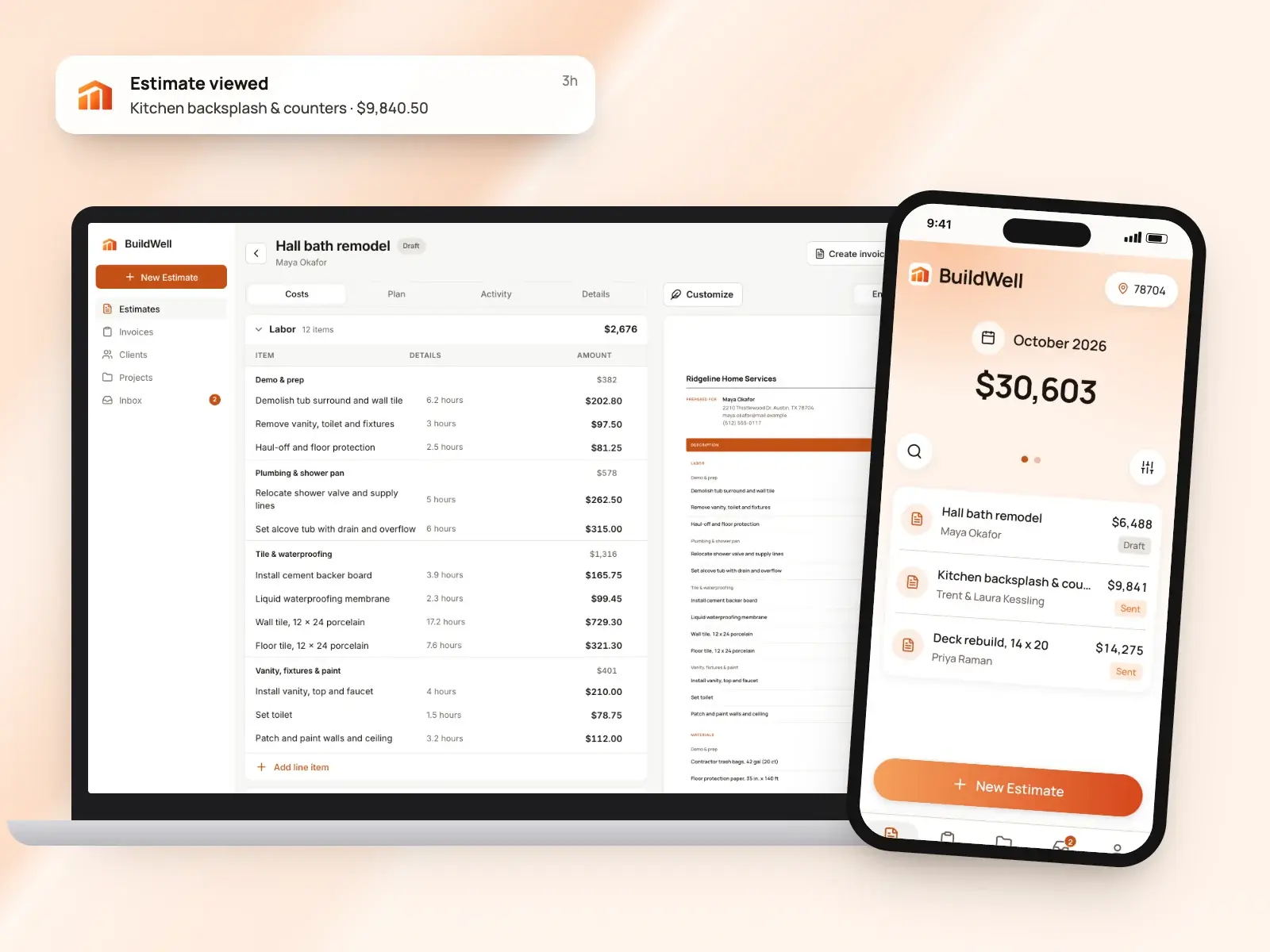
BuildWell and Buildertrend at a glance
| Feature | BuildWell | Buildertrend | Source |
|---|---|---|---|
| Price | $7.99 a week or $79.99 a year, one plan with everything | A custom quote tailored to your business. Every plan has every feature and unlimited users and projects; 10% off for paying a year upfront | [1][2][3] |
| Free trial | 3-day free trial; no free plan | Free personalized demos instead of a free trial, per its FAQ | [1][3] |
| Who it’s built for | Contractors doing remodels, repairs and the common trades | Established home builders, remodelers and specialty contractors running five or more projects a year | [4][3][2] |
| Platforms | iPhone, Android and web, one subscription for all three | Cloud platform plus iOS and Android apps for phones and tablets, with essential tasks offline | [5][3][6] |
| How estimate prices are set | AI picks the work and quantities; materials at stores near the job (checked within 30 days), labor at the local BLS median wage plus your overhead and markup | From your cost catalogs, a database of material prices and labor rates, and sub and vendor bids, with your markup | [7][8] |
| AI | AI estimates from voice, text, photos or a floor plan; AI before-and-after renders | Its AI page lists client updates, bill capture, plan-set page naming, selections and submittals | [7][9][10] |
| Client e-signatures | Clients sign estimates on their phone; you see when they open them | Clients approve and sign proposals, change orders and selections in the client portal | [11][12][13][14] |
| Billing in stages | Estimates become invoices, with deposits and progress payments | Progress invoices built on a Schedule of Values, for draw-based jobs | [15][16] |
| Card payment fee | 2.9% + 30¢ (Stripe’s fee at cost, no BuildWell fee) | 2.99%, which you can pass to the client | [17][18][19] |
| Bank (ACH) payment fee | 0.8%, capped at $5 (Stripe’s fee at cost, no BuildWell fee) | $15 per payment | [17][18] |
| Scheduling and field tools | Not offered | Scheduling, daily logs, tasks, time clock, change orders, selections, purchase orders and a sub portal | [1][2][6] |
| Accounting and CRM integrations | Not offered | QuickBooks, Xero, Sage Intacct, Gusto, HubSpot, Salesforce and Pipedrive | [1][20] |
From each company’s own site as of October 4, 2026. A dash means it isn’t listed there.
What each app is
What is Buildertrend?
Buildertrend is a construction management platform, founded in 2006, for established builders and contractors: custom and luxury home builders, remodelers, specialty trades, and commercial general contractors on residential-style projects. It aims to run the whole business in one system, from leads and proposals through estimates, schedules, daily logs, change orders, selections, budgets, invoices and a client portal, with QuickBooks and Xero integration. Every plan includes every feature and unlimited users, and pricing is a custom quote. [3][2]
What is BuildWell?
BuildWell is an estimating and invoicing app for contractors doing remodels, repairs and the common trades, on iPhone, Android and the web. You describe a job by voice, text, photos or a floor plan; the AI plans the work and quantities, and every price comes from data: materials at stores near the job, checked within 30 days, and labor at the Bureau of Labor Statistics median wage for each trade in your metro, plus your overhead and markup. Clients sign on their phone, the estimate becomes the invoice, and clients pay by card or bank transfer at Stripe’s cost. It’s one plan at $7.99 a week or $79.99 a year after a 3-day free trial, and it doesn’t do scheduling, dispatch, CRM, payroll, time tracking, GPS or accounting. [4][7][11][15][17][1]
Feature by feature
Writing the estimate
Buildertrend: Buildertrend’s Estimate tool gathers a job’s labor, materials, equipment and subcontractor costs into one estimate, built from customizable cost catalogs and standard templates. Quantities can flow in from its Takeoff tool, and sub and vendor bids can be pulled straight in. It then becomes the client-facing proposal, the job-costing budget and purchase orders, and later feeds invoices. [8][21]
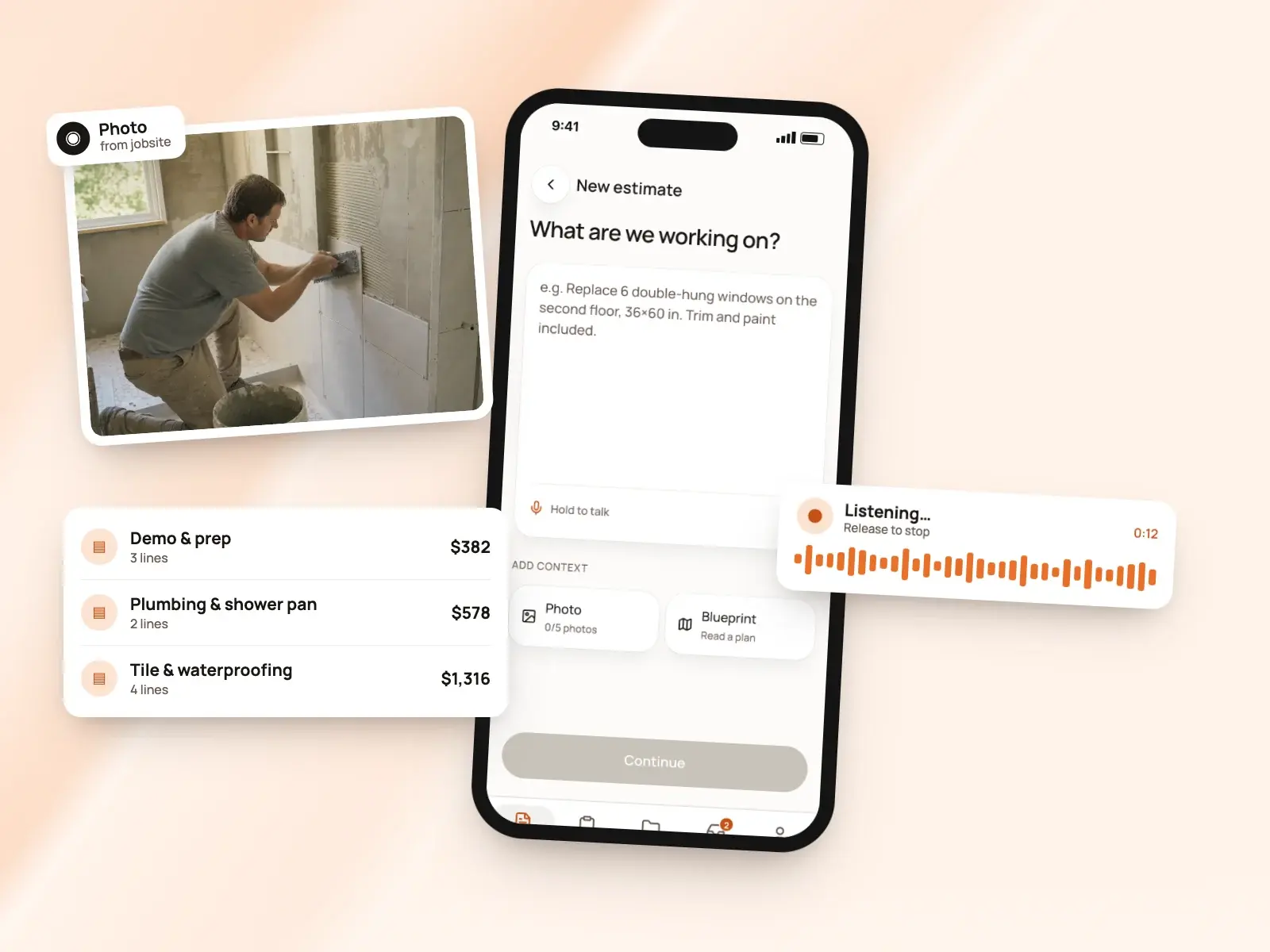
BuildWell: You describe the job by voice or text, add up to five photos or a floor plan, and BuildWell asks only the questions that change the price. It shows the plan of work in order first, then builds line items, each a unit of work with its own labor hours and materials. Every quantity, hour and price is editable, and an estimate can be revised, keeping the original, and signed again. [7][4]
The difference: Buildertrend’s estimate starts a full project record that drives the budget, purchase orders and job costing. BuildWell’s starts one job’s paperwork: the signed estimate becomes the invoice. [8][15]
Where the prices come from
Buildertrend: Pricing is built on cost catalogs you customize, a central database of material prices and labor rates, and the bids your subs and vendors send, which can be pulled into the estimate. Markup and margin are applied consistently across jobs. Change orders draw on the same Cost Catalog and can be priced by cost code, unit cost, quantity and markup, or as a flat fee. [8][13]
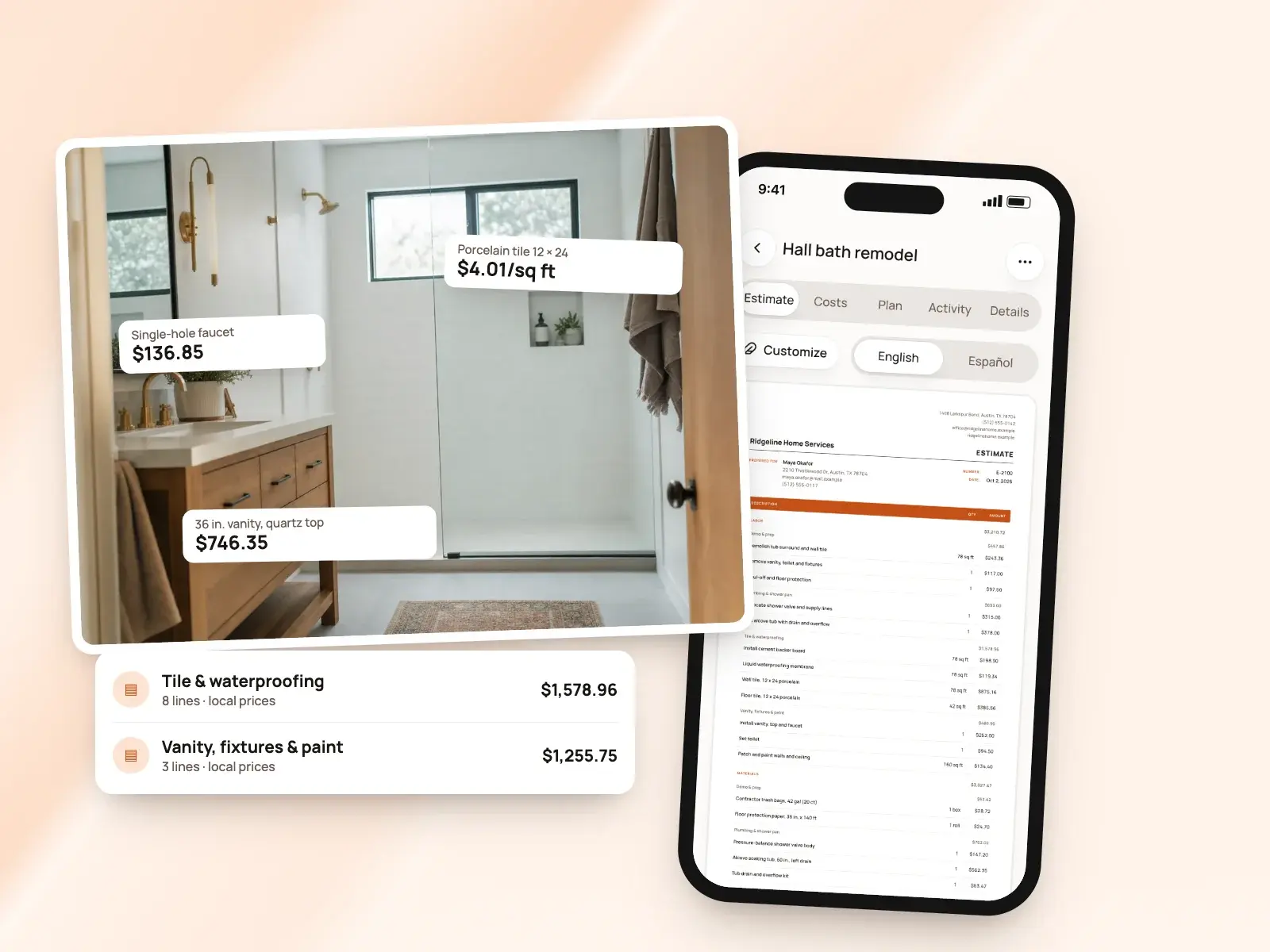
BuildWell: Prices come from real local data. Each material is matched to a real product and priced at a store near the job’s ZIP, checked within the last 30 days, and labor is the Bureau of Labor Statistics median wage for that trade in your metro, plus the labor overhead, markups, sales tax and permit fee you set. If a material has no store price, the estimate says so and you confirm it before sending. Prices you type in are saved for next time. [4][7]
AI tools
Buildertrend: Buildertrend’s AI page lists five features built into the platform: Client Updates drafts client summaries from daily job entries; Bill Capture reads vendor, line items and cost codes off bills; Page Naming organizes plan sets; Selections pulls product details from a supplier’s link; Submittals sorts specifications and plans. [10]
BuildWell: AI does the estimating: it reads your words, photos and floor plan, plans the work and picks quantities, and you can ask it to revise the estimate after your own edits without losing them. It also makes before-and-after renders of the finished room from a photo, and logos. To do that, BuildWell shares job details and photos with Anthropic, Google and OpenAI, which you can turn off in your profile. [7][9]
Client approval and e-signatures
Buildertrend: Clients approve proposals in the Buildertrend Client Portal: they open the estimate from the Financials menu, review it, approve, read a disclaimer and sign, and the signed agreement is kept under Approvals. Proposals can request signatures and initials, change orders take client or internal signatures at any stage, and clients sign for selections in the portal. Clients set up their own portal login. [12][21][13][14]
BuildWell: Clients open the estimate on their phone, with no app or account, and accept and sign with a finger or decline. Their name and signature print on the signed estimate. You can send the link by text or email, copy it anywhere, share the PDF, or collect the signature in person on your own phone. Invoices can ask for a signature too. [11][15]
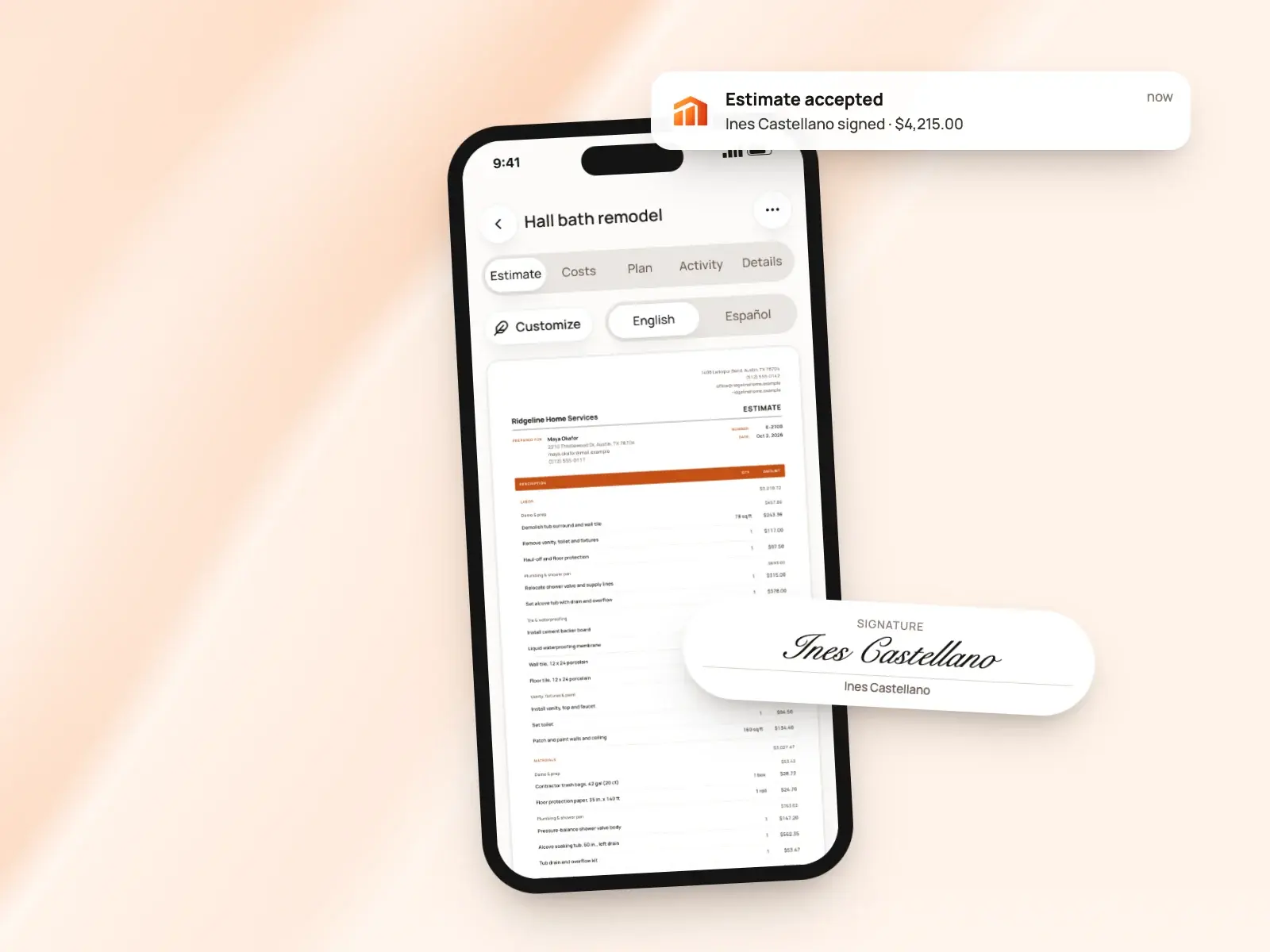
The difference: Buildertrend keeps approvals in a portal clients log in to over a long build. BuildWell’s link opens in any browser without an account, for a quick yes on a single job. [14][11]
Invoices
Buildertrend: Invoices can be a flat fee or itemized, with taxes, notes and attached files, and can start from templates. Buildertrend builds them from data already in the job: estimates, bids, purchase orders, bills, selections, proposals and change orders, and several change orders can go on one invoice. Clients see upcoming invoices and pay in the portal, and invoices sync with QuickBooks or Xero. [16][13]
BuildWell: A signed estimate becomes the invoice with the same lines and totals, or you start one from scratch for a small job. Terms are due on receipt, 7, 14 or 30 days. You can record cash and check payments, void an unpaid invoice and attach job photos and renders, which print after the invoice. Six document templates carry your logo and colors. [15][1]
Progress payments
Buildertrend: Buildertrend’s progress invoicing is designed for draw-based and bank-funded jobs. A progress invoice pulls from the estimate into a Schedule of Values and shows the work completed to date, what’s already been billed and what remains. Approved change orders update the budget automatically, and you can collect payment online from a signed change order. [16][13]
BuildWell: Invoice any percentage of the estimate as a deposit, then progress payments, then the balance, each as its own invoice against the estimate. Every payment is recorded against its invoice, so you always see what’s paid and what’s left. [15]
Online payments and fees
Buildertrend: Buildertrend Payments runs through its processor, Adyen. Clients pay by ACH, Visa, Mastercard or Discover, Apple Pay or Google Pay. Its payments FAQ lists cards at 2.99%, which you can pass to the client, and bank payments at a flat $15, with no monthly or annual fees. Settlement takes 3 to 5 business days, and each client payment is capped at $120,000. [18][19]
BuildWell: Connect Stripe once and clients choose card or US bank account on the invoice page. Stripe’s fee is passed through at cost, 2.9% + 30¢ for a card and 0.8% capped at $5 for a bank transfer, and comes out of the payment, so the client pays the invoice amount. BuildWell adds no fee of its own. You can also list your Zelle, Venmo, Cash App, PayPal or check details to print on every invoice. [17]
Follow-up and notifications
Buildertrend: When an invoice is sent, coming due or overdue, Buildertrend notifies the client by text, email or push notification, and its payments page describes automated reminders. Proposals still waiting on a signature get automatic reminders, and subs and clients are notified when a change order affects their scope. [16][19][21][13]
BuildWell: You see when the client opens the estimate and how many times, and get a notice when they accept, decline or pay. You can resend an estimate or invoice up to five times, so a client isn’t flooded. [11]
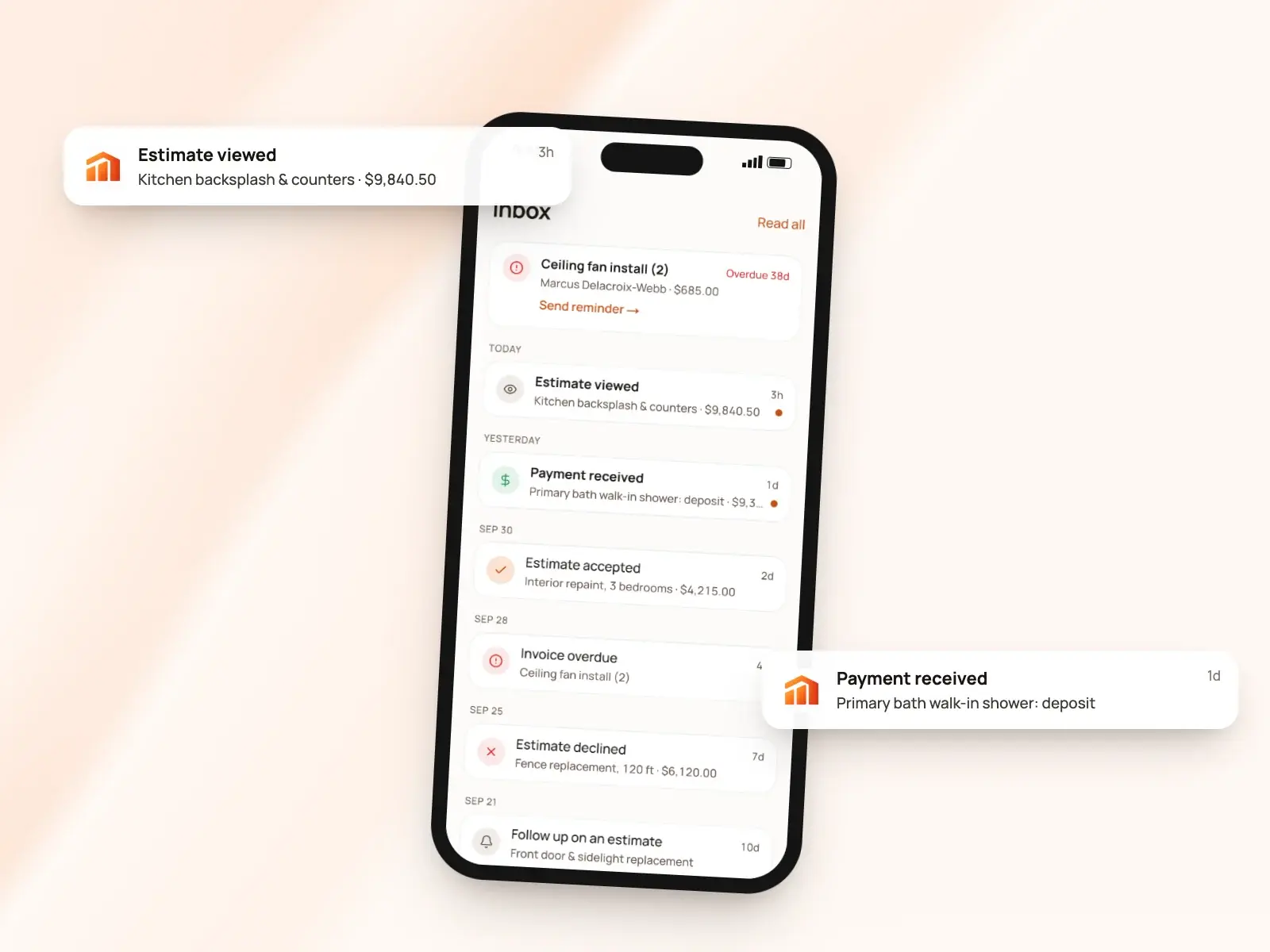
The difference: Buildertrend sends reminders for you. BuildWell tells you when the client has looked, so you decide when to call. [16][11]
Devices, language and support
Buildertrend: Buildertrend is cloud-based, with free iOS and Android apps for phones and tablets included in the subscription for your team and clients. The app handles essential tasks offline, and its time clock uses GPS geofencing. Support is by phone, email or live chat with a real person. Onboarding comes in two tiers: self-paced with setup help, or hands-on with full data and financial setup and 1:1 coaching, plus daily virtual group trainings. [6][3][22]
BuildWell: One subscription, bought on the App Store, Google Play or the web, covers BuildWell on iPhone, Android and the web, with everything in sync. On iPhones with LiDAR you can scan a room for its measurements. The app works in English or Spanish and prints any estimate or invoice in either, and support is by email from the support page. [5][23]
Scheduling, CRM and accounting
Buildertrend: Buildertrend includes scheduling, daily logs, tasks and punch lists, a time clock, selections, warranties, bills and purchase orders, and budgets with job costing. Subs use their own portal to submit bids, view schedules and send daily progress. For sales there’s lead management and email marketing, and it integrates with QuickBooks, Xero, Sage Intacct, Gusto, HubSpot, Salesforce and Pipedrive. [2][6][3][8][20]
BuildWell: BuildWell doesn’t do scheduling, dispatch, CRM, payroll, time tracking, GPS or accounting, and doesn’t sync with QuickBooks or Xero. Projects keep a job’s estimates, invoices, photos and renders together, and you can pair BuildWell with the tools you already use for the rest. [1][9]
The difference: If you need one system to run whole builds with a team and subs, Buildertrend is built for that. BuildWell covers the estimate-to-payment part of a job. [2][1]
Pricing compared
| Plan | Price | What it includes |
|---|---|---|
| Buildertrend Custom quote | Custom quote, tailored to your business | Every feature, unlimited users and projects; 10% off when you pay a year upfront [2][3] |
| BuildWell Weekly | $7.99 a week | Every feature, on iPhone, Android and web [1] |
| BuildWell Annual | $79.99 a year | The same features, paid yearly [1] |
Buildertrend prices by custom quote. Its pricing page asks a few questions about your business to start one; every plan includes every feature with unlimited users and projects, and it offers 10% off when you pay for a year upfront. Its FAQ offers free personalized demos instead of a free trial, and its support page says choosing one of two onboarding tiers is required. [2][3][22]
BuildWell lists its price: $7.99 a week or $79.99 a year, with every feature on both, after a 3-day free trial, and you can cancel anytime. Payment fees are separate from the subscription in both: Buildertrend’s payments FAQ lists 2.99% per card and $15 per bank payment, and BuildWell passes Stripe’s fee through at cost. [1][18][17]
The verdict
These apps are built for different jobs. Buildertrend is a system for running a construction company across many projects, a team and subs, sold by custom quote. BuildWell is a self-serve app for pricing one job, getting it signed and getting paid. [3][2][1][7][11][15]
Choose Buildertrend if…
Choose Buildertrend if you run five or more projects a year with a team, subs and clients to coordinate, and want scheduling, daily logs, change orders, selections, budgets, job costing, a client portal and QuickBooks or Xero in one place. Expect a demo and a custom quote. [2][3][8][22]
Choose BuildWell if…
Choose BuildWell if you’re a remodeler or trade contractor who wants to describe a job and get it priced from local store prices and wages, have the client sign on their phone, invoice in stages and get paid at Stripe’s cost, at $7.99 a week or $79.99 a year, in English or Spanish. It doesn’t schedule crews or sync with accounting, so pair it with other tools for those. [4][7][11][15][17][1][5]
Estimates priced for your ZIP
Describe the job. BuildWell lists the work, prices it from local store prices and your area’s wages, gets it signed and turns it into the invoice.
- AI estimates priced for your area
- Estimates, invoices, clients and projects
- Clients sign on any phone
- Card and bank payments, no extra BuildWell fee
- iPhone, Android and the web
- AI estimates priced for your area
- Estimates, invoices, clients and projects
- Clients sign on any phone
- Card and bank payments, no extra BuildWell fee
- iPhone, Android and the web
Both plans include every feature and start with a 3-day free trial. Add a card to start; you’re not charged until the trial ends. Cancel anytime.
Common questions
01How much does Buildertrend cost?
02Can I try Buildertrend free?
03What do client payments cost?
04Does Buildertrend have AI estimating?
Sources
Facts checked on October 4, 2026. Prices and plans change; check each company’s site before you buy.
- BuildWell pricing (checked 2026-10-04)
- Buildertrend pricing (checked 2026-10-04)
- Buildertrend FAQ (checked 2026-10-04)
- BuildWell estimating software (checked 2026-10-04)
- BuildWell estimate app (checked 2026-10-04)
- Buildertrend mobile app (checked 2026-10-04)
- BuildWell AI estimates (checked 2026-10-04)
- Buildertrend estimating (checked 2026-10-04)
- BuildWell job photos and renders (checked 2026-10-04)
- Buildertrend AI (checked 2026-10-04)
- BuildWell client portal (checked 2026-10-04)
- Buildertrend help: approving a proposal (checked 2026-10-04)
- Buildertrend change orders (checked 2026-10-04)
- Buildertrend client portal (checked 2026-10-04)
- BuildWell invoicing (checked 2026-10-04)
- Buildertrend invoicing (checked 2026-10-04)
- BuildWell online payments (checked 2026-10-04)
- Buildertrend help: payments FAQ (checked 2026-10-04)
- Buildertrend payments (checked 2026-10-04)
- Buildertrend integrations (checked 2026-10-04)
- Buildertrend proposals (checked 2026-10-04)
- Buildertrend setup and support (checked 2026-10-04)
- BuildWell support (checked 2026-10-04)

Try BuildWell today
Estimates, invoices, e-signatures and payments in one place, on your phone and on the web.