 BuildWell
BuildWell vs Invoice Fly
The two apps are close cousins: phone-first estimates and invoices for contractors, sold by the week or the year, with a web app and client e-signatures. The main difference is where estimate prices come from. Invoice Fly describes pricing from your own items and markups; in BuildWell the AI plans the work and prices it from local store and wage data.
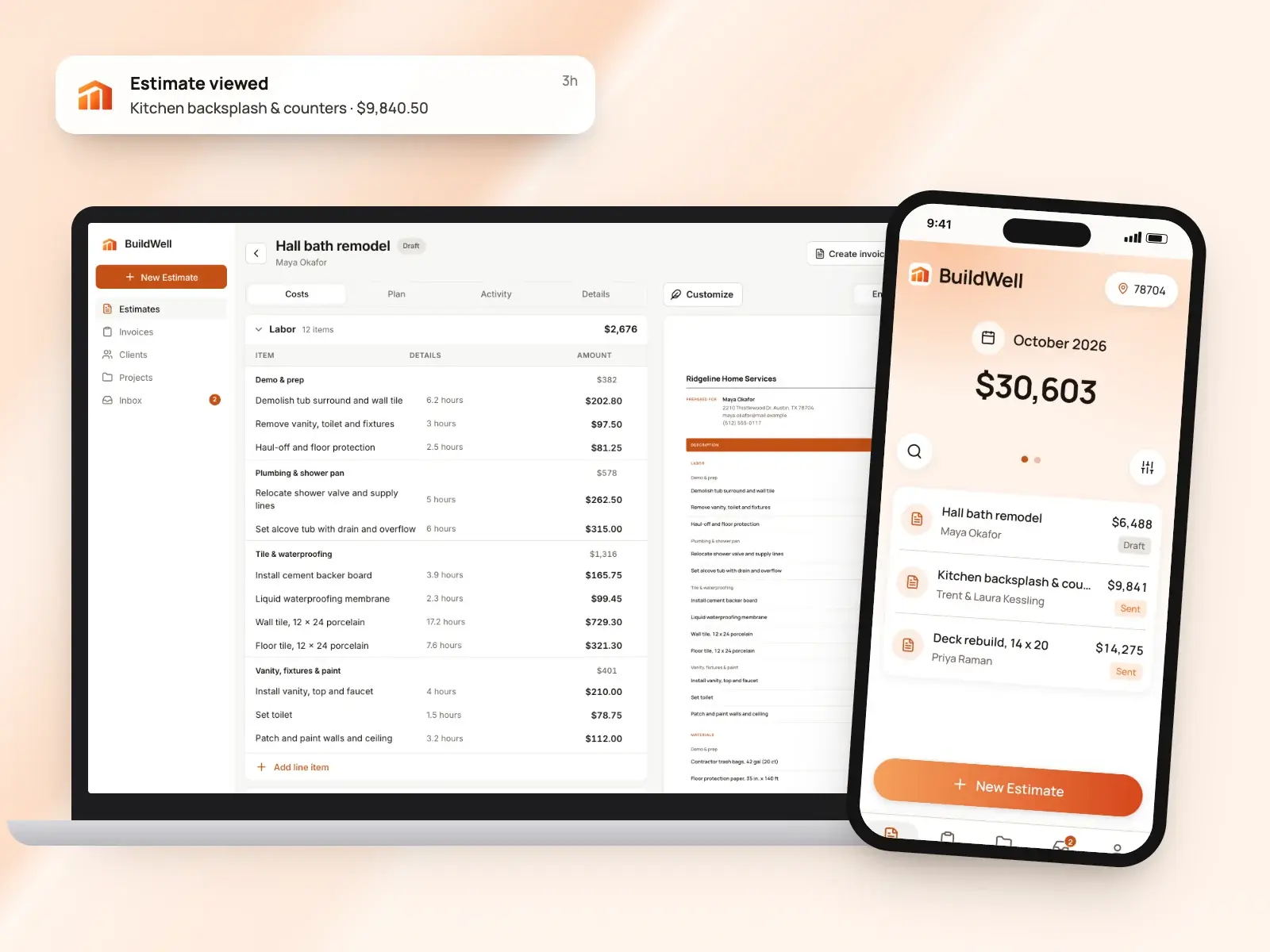
BuildWell and Invoice Fly at a glance
| Feature | BuildWell | Invoice Fly | Source |
|---|---|---|---|
| Price | $7.99 a week or $79.99 a year, one plan with everything | $8.99 a week or $98.99 a year; its pricing page lists the same features on both plans | [1][2] |
| Free trial | 3-day free trial; no free plan | 3-day free trial; card needed to start it | [1][3][2] |
| Platforms | iPhone, Android and web, one subscription for all three | iOS, Android and web | [4][3][5] |
| Who it’s built for | Contractors doing remodels, repairs and the common trades | Contractors, trades and freelancers in more than 50 industries | [6][7] |
| Estimates and invoices | Included in the plan (fair-use limits on AI work); a signed estimate becomes the invoice | Unlimited on every plan; an estimate converts to an invoice | [1][8][2][3][9] |
| How estimate prices are set | AI picks the work and quantities; materials at stores near the job (checked within 30 days), labor at the local BLS median wage plus your overhead and markup | You enter prices, from a saved item list, with markup tools | [10][11][12] |
| AI | AI estimates from voice, text, photos or a floor plan; AI before-and-after renders | An AI logo maker; its e-signature page says its AI can generate an estimate | [10][13][5][14] |
| Client e-signatures | Clients sign estimates on their phone; you see when they open them | Clients sign estimates and invoices from a link, no login | [15][14][3] |
| Follow-up | See when a client opens the estimate and how many times; get notified when they accept, decline or pay | Automatic follow-ups on estimates; overdue reminders; alerts when an invoice is opened or paid | [15][12][16] |
| Deposits | Invoice any percentage as a deposit, then progress payments and the balance | Request a deposit on an estimate when Stripe or PayPal is connected; record other payments by hand | [8][17][18] |
| Online payment methods | Card or US bank transfer through Stripe; or list your Zelle, Venmo, Cash App, PayPal or check details | Through Stripe or PayPal: cards, Apple Pay, Google Pay, ACH, SEPA and Klarna | [19][20] |
| Card payment fee | 2.9% + 30¢ (Stripe’s fee at cost, no BuildWell fee) | Set by your Stripe or PayPal account; Invoice Fly says it has no hidden fees or monthly add-ons | [19][2] |
| Bank (ACH) payment fee | 0.8%, capped at $5 (Stripe’s fee at cost, no BuildWell fee) | About 1%, by Invoice Fly’s description, paid out within four business days | [19][20] |
| Templates | Six document templates with your logo and colors | Invoice and estimate templates with your logo, color and font; its estimates page lists more than seven estimate templates | [1][21][12] |
| Languages and currency | English or Spanish | A default currency you can change per document | [4][22] |
| Time and expense tracking | Not offered | Client time tracking and an expense tracker with receipt scanning | [1][17] |
| Export | Estimates as CSV | Invoices as CSV or PDF or to Google Drive; expenses as CSV or ZIP; reports as CSV, PDF or Excel | [6][3] |
From each company’s own site as of October 4, 2026. A dash means it isn’t listed there.
What each app is
What is Invoice Fly?
Invoice Fly describes itself as invoicing software and an app for small businesses, freelancers and contractors, on iPhone, Android and the web, naming trades from carpentry, electrical, HVAC and plumbing to cleaning and landscaping across more than 50 industries. You build estimates and invoices from your own item list, clients sign from a link, and payments run through your own Stripe or PayPal account. Around that core it lists client time tracking, an expense tracker with a receipt scanner, business reports, recurring invoices, a client manager and an AI logo maker, all on one plan sold weekly or yearly. [7][17][3][20][5][2]
What is BuildWell?
BuildWell is an estimating and invoicing app for contractors doing remodels, repairs and the common trades, on iPhone, Android and the web. You describe a job by voice, text, photos or a floor plan; the AI plans the work and quantities, and every price comes from data: materials at stores near the job, checked within 30 days, and labor at the Bureau of Labor Statistics median wage for each trade in your metro, plus your overhead and markup. Clients sign on their phone, the estimate becomes the invoice, and clients pay by card or bank transfer at Stripe’s cost. It’s one plan at $7.99 a week or $79.99 a year after a 3-day free trial, and it doesn’t do scheduling, dispatch, CRM, payroll, time tracking, GPS or accounting. [6][10][15][8][19][1]
Feature by feature
Writing the estimate
Invoice Fly: You pick items from your saved list or add new ones with a name, description, price and quantity, then set discounts as a percentage or a fixed amount and tax per item or on the total. Photos from the camera or gallery can go on the estimate, and it goes out by email, link or PDF. When the client agrees, a Convert to Invoice option carries everything over, and every field stays editable. [11][9]
BuildWell: You describe the job by voice or text, add up to five photos or a floor plan, and BuildWell asks only the questions that change the price. It shows the plan of work in order first, then builds line items, each a unit of work with its own labor hours and materials. Every quantity, hour and price is editable, and an estimate can be revised, keeping the original, and signed again. [10][6]
The difference: Invoice Fly’s help center describes building estimates from the items you save and reuse. BuildWell is built for jobs you need to think through, where the line items and quantities are the hard part. [11][10]
Where the prices come from
Invoice Fly: Prices are yours. Invoice Fly’s estimates page describes managing item pricing and markups, and items come from the list you build up as you go. [12][11]
BuildWell: Prices come from real local data. Each material is matched to a real product and priced at a store near the job’s ZIP, checked within the last 30 days, and labor is the Bureau of Labor Statistics median wage for that trade in your metro, plus the labor overhead, markups, sales tax and permit fee you set. If a material has no store price, the estimate says so and you confirm it before sending. Prices you type in are saved for next time. [6][10]
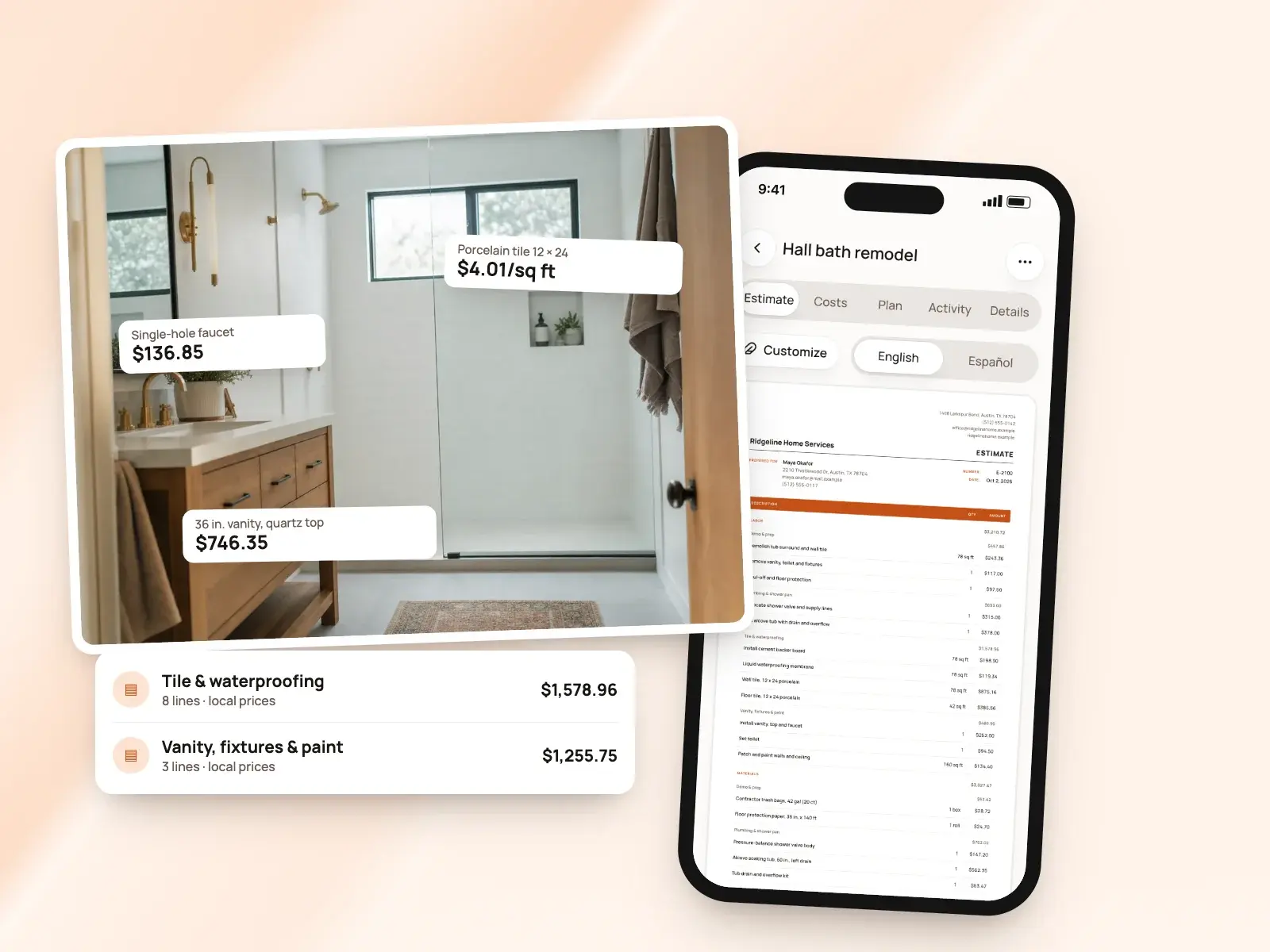
The difference: With Invoice Fly, prices come from the items and markups you set. With BuildWell, materials and labor come priced for the job’s location, and you adjust from there. If you’ve priced the same work for years, your own list may be all you need. [12][6]
AI tools
Invoice Fly: Invoice Fly lists an AI logo maker, and its e-signature page says you can create an estimate manually or let its AI generate one. Its help center also describes a Speech to Invoice template that lets you create an invoice by speaking. [5][14][3]
BuildWell: AI does the estimating: it reads your words, photos and floor plan, plans the work and picks quantities, and you can ask it to revise the estimate after your own edits without losing them. It also makes before-and-after renders of the finished room from a photo, and logos. To do that, BuildWell shares job details and photos with Anthropic, Google and OpenAI, which you can turn off in your profile. [10][13]
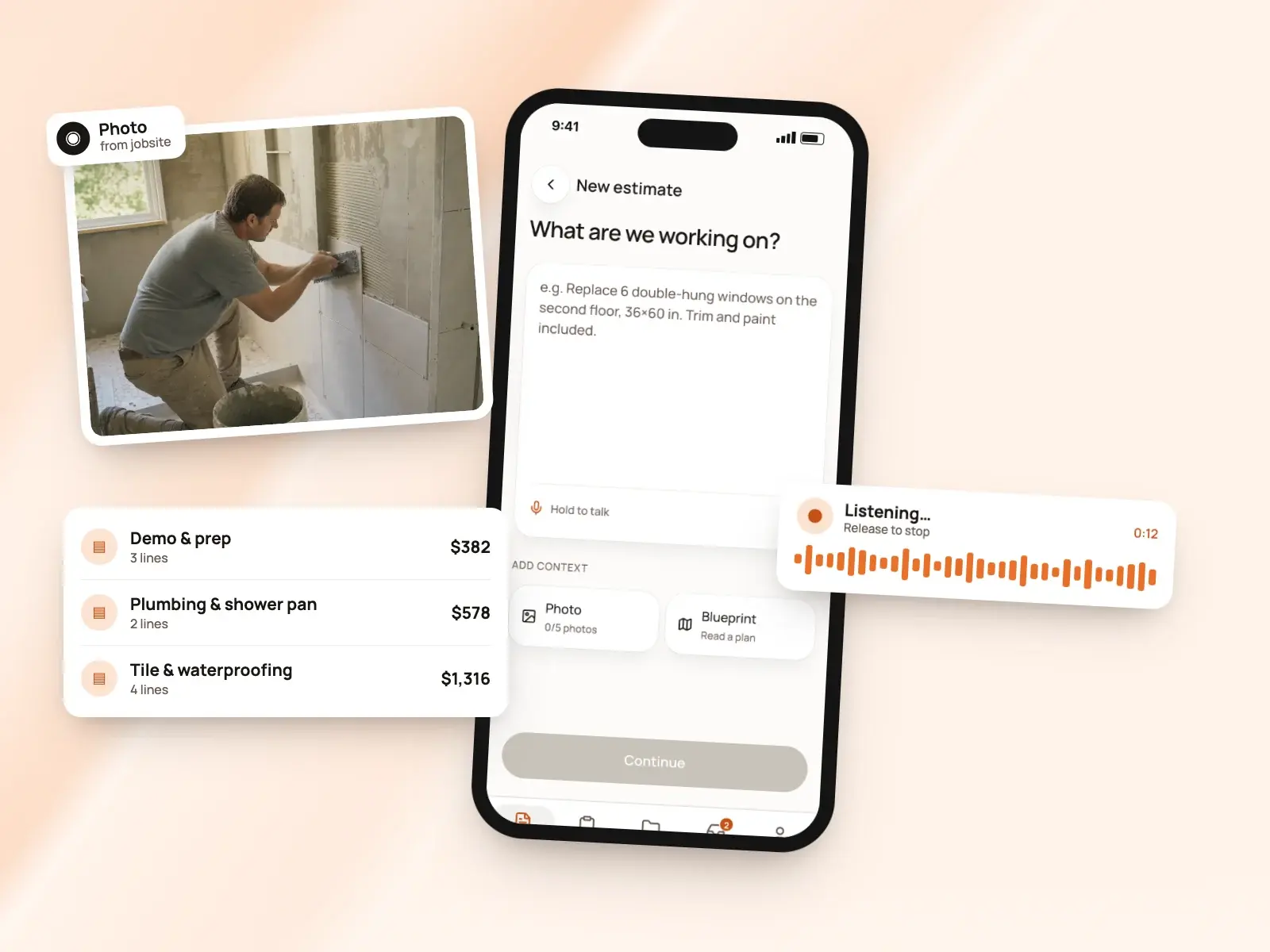
The difference: In Invoice Fly you can enter every detail yourself or start from an AI draft, as its e-signature page describes. In BuildWell the first draft always comes from the AI, with prices from local store and wage data, and every number stays editable. [14][10]
Client approval and e-signatures
Invoice Fly: Clients open a link on any device, with no login, and draw or type a signature; Invoice Fly says signatures are time-stamped and describes compliance with the US ESIGN Act and the EU’s eIDAS rules. A Request Sign & Acceptance switch on the estimate marks it accepted once signed and notifies you, and you can add your own business signature to invoices. [14][11][21]
BuildWell: Clients open the estimate on their phone, with no app or account, and accept and sign with a finger or decline. Their name and signature print on the signed estimate. You can send the link by text or email, copy it anywhere, share the PDF, or collect the signature in person on your own phone. Invoices can ask for a signature too. [15][8]
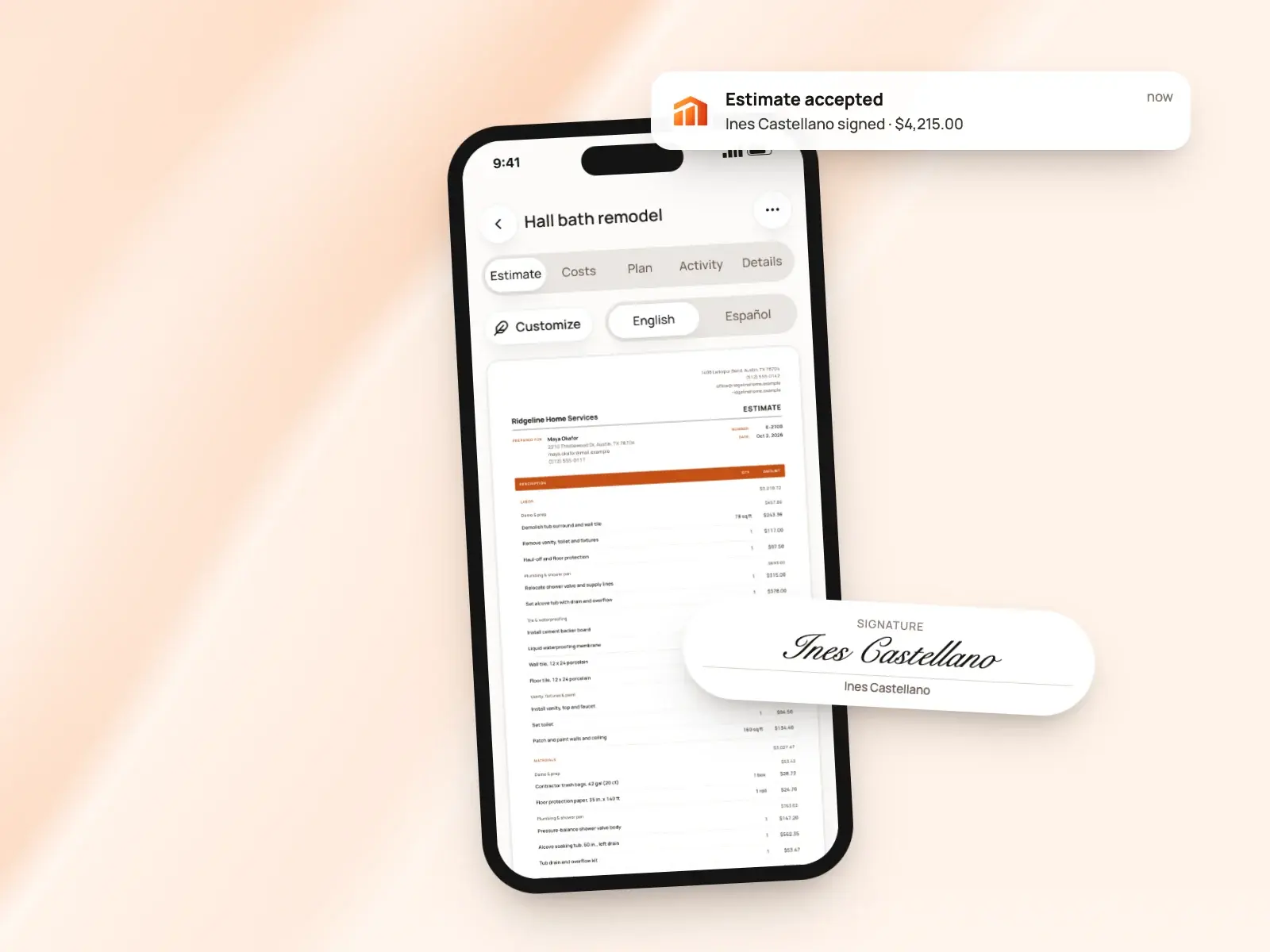
The difference: Both get a signature without the client installing anything. Invoice Fly describes its signature compliance in detail; BuildWell’s estimate page has accept and decline buttons and shows you how many times it was opened. [14][15]
Invoices
Invoice Fly: Invoices carry a number, dates, a PO number, notes, discounts and tax per item or on the total, with your own tax label. Its invoicing page describes recurring invoices, its notifications page describes alerts when an invoice is viewed, paid or overdue, and you set a default currency you can change on any document. [18][5][16][22]
BuildWell: A signed estimate becomes the invoice with the same lines and totals, or you start one from scratch for a small job. Terms are due on receipt, 7, 14 or 30 days. You can record cash and check payments, void an unpaid invoice and attach job photos and renders, which print after the invoice. [8]
Deposits and progress payments
Invoice Fly: You can request a deposit right from an estimate once Stripe or PayPal is connected. Other payments are recorded by hand on the invoice, with the amount, method, date and a note, and a switch marks it paid. [17][12][18]
BuildWell: Invoice any percentage of the estimate as a deposit, then progress payments, then the balance, each as its own invoice against the estimate. Every payment is recorded against its invoice, so you always see what’s paid and what’s left. [8]
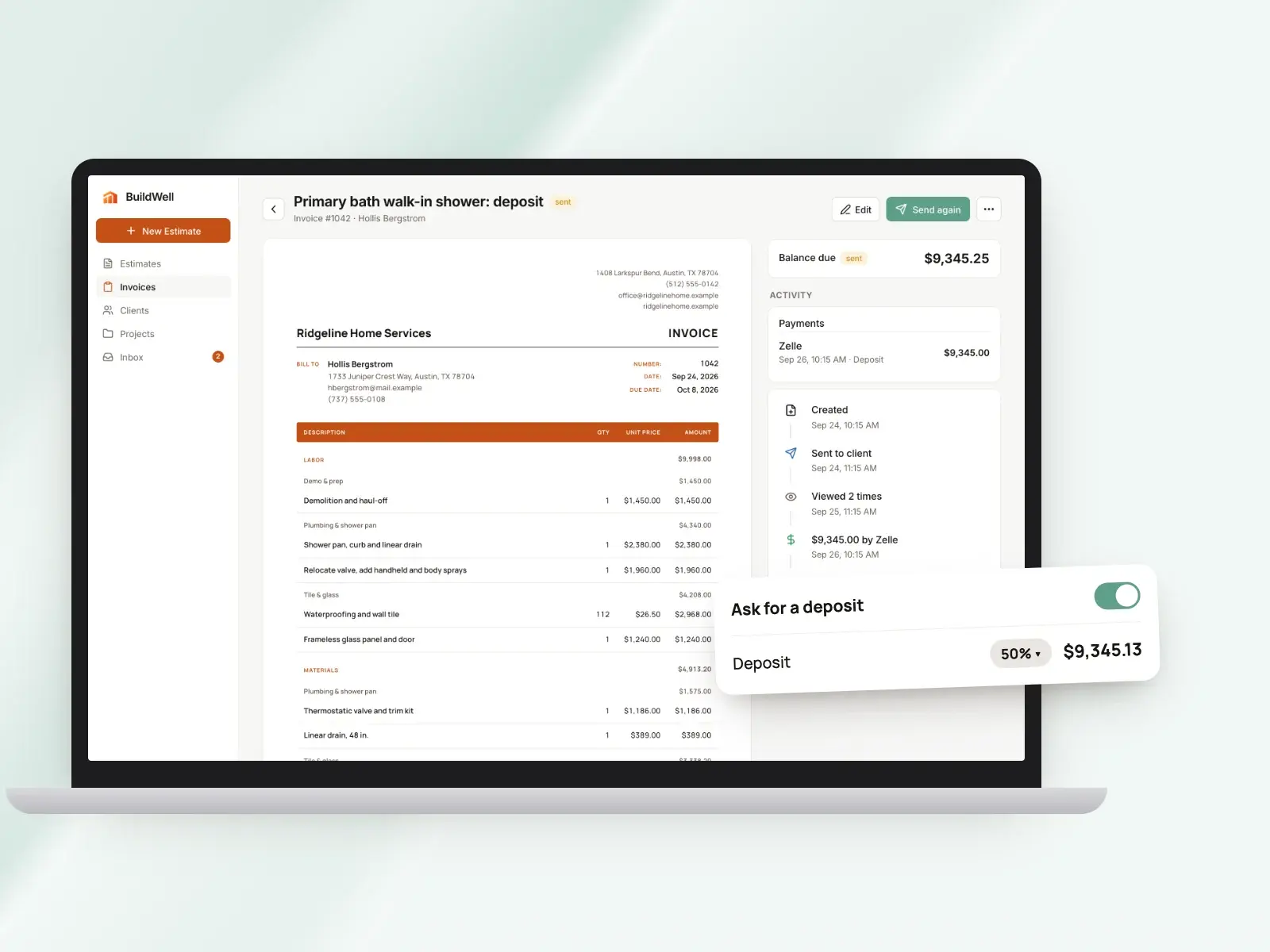
The difference: Both take a deposit up front. Invoice Fly records later payments on the invoice; BuildWell is set up for jobs billed in stages, with each progress payment as its own invoice. [8][18]
Online payments and fees
Invoice Fly: Invoice Fly connects your own Stripe or PayPal account, and clients pay by Visa, Mastercard, Amex, Apple Pay, Google Pay, Klarna, ACH or SEPA. Card rates are whatever your Stripe or PayPal account charges; ACH typically costs about 1% and lands within four business days, by Invoice Fly’s description. [20][2]
BuildWell: Connect Stripe once and clients choose card or US bank account on the invoice page. Stripe’s fee is passed through at cost, 2.9% + 30¢ for a card and 0.8% capped at $5 for a bank transfer, and BuildWell adds no fee or surcharge of its own. You can also list your Zelle, Venmo, Cash App, PayPal or check details, which print on every invoice. [19]
The difference: Invoice Fly’s payment options include wallets, SEPA and Klarna, through Stripe or PayPal accounts you connect. BuildWell takes card and US bank transfer at Stripe’s published rate, plus the off-app methods you list. [20][19]
Follow-up and notifications
Invoice Fly: Invoice Fly automates follow-ups on estimates that need a nudge and sends automatic reminders on overdue invoices. You get lock-screen and in-app alerts when an estimate is signed, when an invoice is opened, when a payment arrives and when an invoice goes overdue. [12][16]
BuildWell: You see when the client opens the estimate and how many times, and get a notice when they accept, decline or pay. You can resend an estimate or invoice up to five times, so a client isn’t flooded. [15]
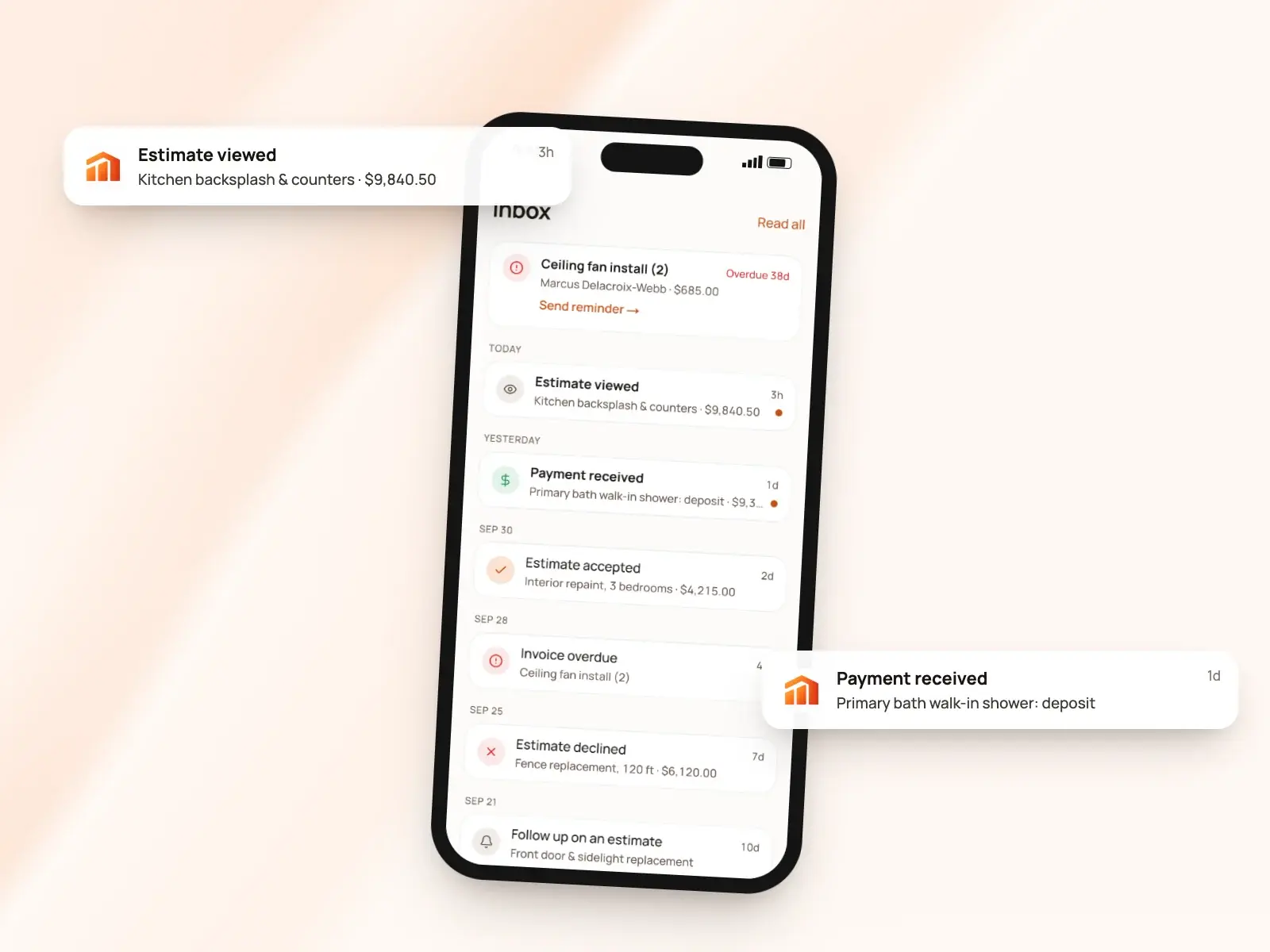
The difference: Invoice Fly sends reminders for you. BuildWell tells you when the client has looked, so you decide when to call. [16][15]
Templates and branding
Invoice Fly: Invoice Fly’s home page describes customizable invoice templates in over six layouts, and its estimates page lists more than seven estimate templates. Its help center describes setting your logo’s size and transparency, a primary color and one of four fonts, choosing which fields show, renaming labels and adding terms. [7][12][21]
BuildWell: Six document templates carry your logo and colors, and any estimate or invoice prints in English or Spanish. Signed estimates print the client’s name and signature, and renders print as before-and-after pages. [1][4][15][13]
The difference: Invoice Fly describes font, field and label settings; BuildWell’s documents print in English or Spanish. [21][4]
Devices, language and support
Invoice Fly: Invoice Fly runs on iOS, Android and the web, syncs across devices, and allows the same account on two phones. Its help center says support is by email and describes a Report an Issue button in the app. [3][5]
BuildWell: One subscription, bought on the App Store, Google Play or the web, covers BuildWell on iPhone, Android and the web, with everything in sync. On iPhones with LiDAR you can scan a room for its measurements. The app works in English or Spanish, and support is by email from the support page. [4][23]
Pricing compared
| Plan | Price | What it includes |
|---|---|---|
| Invoice Fly Weekly | $8.99 a week | Every feature; card needed to start the trial [2] |
| Invoice Fly Yearly | $98.99 a year | The same features, paid yearly [2] |
| BuildWell Weekly | $7.99 a week | Every feature, on iPhone, Android and web [1] |
| BuildWell Annual | $79.99 a year | The same features, paid yearly [1] |
The pricing models match: a weekly plan and a yearly plan, each with everything included, after a 3-day free trial. Over a year, BuildWell’s yearly plan is $79.99 against Invoice Fly’s $98.99; week to week, it’s $7.99 against $8.99. [1][2][3]
Invoice Fly says it has no hidden fees or monthly add-ons, and its pricing page says that when a subscription lapses you can still see your lists but not open individual documents. Payment processing is charged by Stripe or PayPal on top. With BuildWell, Stripe’s fee comes out of each online payment at cost, and nothing else is added. [2][19]
Invoice Fly says estimates and invoices are unlimited on every plan, and BuildWell has no free plan, so the trial is the time to test. In three days, try writing a real estimate in each, send it to your own phone, sign it and convert it to an invoice; the one that fits how you price work will be obvious. [2][3][1]
The verdict
These two are very similar: weekly-or-yearly pricing, a three-day trial, phone and web, e-signatures and deposits. The main difference is where estimate prices come from: the items and markups you set in Invoice Fly, or local store and wage data in BuildWell. [2][3][12][1][10]
Choose Invoice Fly if…
Choose Invoice Fly if you already know your prices and want quick estimates and invoices from a saved item list, with automatic follow-ups and overdue reminders, recurring invoices, time tracking, an expense tracker with receipt scanning and business reports in the same app. It also fits a business outside construction, or one that bills in more than one currency. [11][16][5][17][22]
Choose BuildWell if…
Choose BuildWell if you’d rather describe the job and get it priced: line items and quantities planned by AI, materials at stores near the job and labor at local wages, then signed on the client’s phone, invoiced in stages and paid at Stripe’s cost. It works in English or Spanish at $7.99 a week or $79.99 a year. It doesn’t track time or expenses, so pair it with other tools if you need those. [10][6][15][8][19][4][1]
Estimates priced for your ZIP
Describe the job. BuildWell lists the work, prices it from local store prices and your area’s wages, gets it signed and turns it into the invoice.
- AI estimates priced for your area
- Estimates, invoices, clients and projects
- Clients sign on any phone
- Card and bank payments, no extra BuildWell fee
- iPhone, Android and the web
- AI estimates priced for your area
- Estimates, invoices, clients and projects
- Clients sign on any phone
- Card and bank payments, no extra BuildWell fee
- iPhone, Android and the web
Both plans include every feature and start with a 3-day free trial. Add a card to start; you’re not charged until the trial ends. Cancel anytime.
Common questions
01How do BuildWell and Invoice Fly prices compare?
02Does Invoice Fly write estimates with AI?
03Can clients sign and pay in both apps?
04How do the payment fees compare?
05Can I take a deposit?
Sources
Facts checked on October 4, 2026. Prices and plans change; check each company’s site before you buy.
- BuildWell pricing (checked 2026-10-04)
- Invoice Fly pricing (checked 2026-10-04)
- Invoice Fly help: FAQs (checked 2026-10-04)
- BuildWell estimate app (checked 2026-10-04)
- Invoice Fly invoicing software (checked 2026-10-04)
- BuildWell estimating software (checked 2026-10-04)
- Invoice Fly home page (checked 2026-10-04)
- BuildWell invoicing (checked 2026-10-04)
- Invoice Fly help: converting estimates (checked 2026-10-04)
- BuildWell AI estimates (checked 2026-10-04)
- Invoice Fly help: creating estimates (checked 2026-10-04)
- Invoice Fly estimates app (checked 2026-10-04)
- BuildWell job photos and renders (checked 2026-10-04)
- Invoice Fly e-signatures (checked 2026-10-04)
- BuildWell client portal (checked 2026-10-04)
- Invoice Fly payment notifications (checked 2026-10-04)
- Invoice Fly product (checked 2026-10-04)
- Invoice Fly help: creating invoices (checked 2026-10-04)
- BuildWell online payments (checked 2026-10-04)
- Invoice Fly online payments (checked 2026-10-04)
- Invoice Fly help: customizing invoices (checked 2026-10-04)
- Invoice Fly help: tax and currency (checked 2026-10-04)
- BuildWell support (checked 2026-10-04)
More comparisons

Try BuildWell today
Estimates, invoices, e-signatures and payments in one place, on your phone and on the web.