 BuildWell
BuildWell vs QuickBooks Online
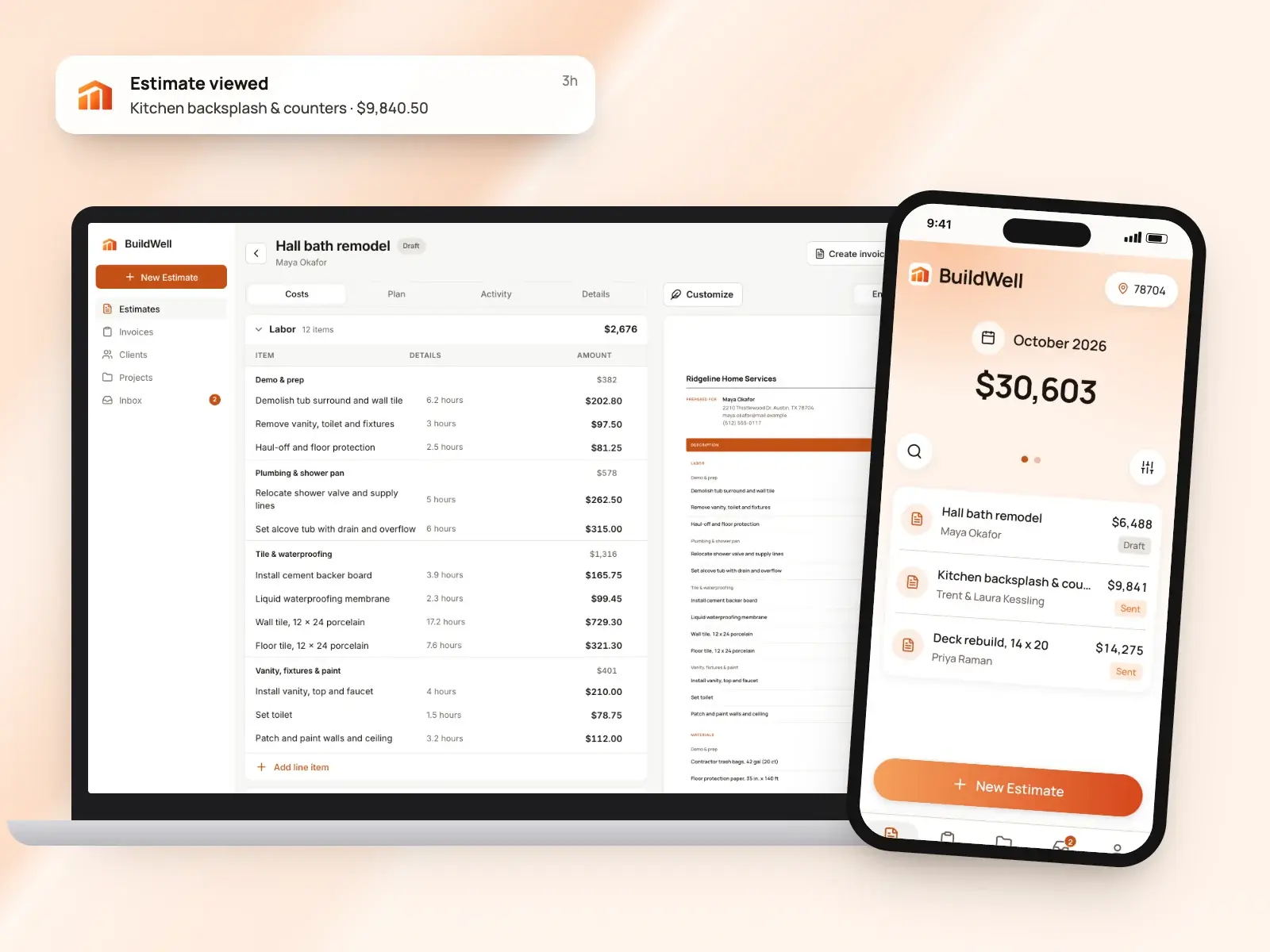
QuickBooks Online is accounting software with estimates, invoices and payments built into the books. BuildWell isn’t an accounting tool: it builds and prices construction estimates from local data, gets them signed and turns them into invoices.
BuildWell and QuickBooks at a glance
| Feature | BuildWell | QuickBooks | Source |
|---|---|---|---|
| Price | $7.99 a week or $79.99 a year, one plan with everything | Simple Start $38 (1 user), Essentials $85 (3 users), Plus $140 (5 users) and Advanced $340 (25 users) a month; the pricing page shows 50% off for the first 3 months | [1][2] |
| Free plan or trial | 3-day free trial; no free plan | Free plan (2 invoices a month, per the plan card; app access not currently available, per the pricing page); 30-day free trial of paid plans | [1][2] |
| What it is | An estimating and invoicing app for remodels, repairs and the common trades | Accounting software, with estimates, invoices and payments in the same books | [3][2] |
| Platforms | iPhone, Android and web, one subscription for all three | Web, iOS and Android; QuickBooks says some Essentials, Plus and Advanced features may only be on the web, and app access isn’t currently available on Free | [4][5][2] |
| How estimate prices are set | AI plans the work and quantities; materials priced at stores near the job, labor at local BLS wages plus your markup | From your products and services list; a saved rate fills in when you pick an item | [6][7] |
| Client approval and signatures | Clients sign estimates on their phone; you see when they open them | Customers accept or decline from the email; signatures are captured in the iOS and Android apps | [8][9][7][10] |
| Deposits and progress billing | Invoice any percentage as a deposit, then progress payments and the balance | Request a deposit on an estimate; progress invoicing on Plus and Advanced | [11][12][13] |
| Invoiced card payment fee | 2.9% + 30¢ (Stripe’s fee at cost, no BuildWell fee) | 2.99% | [14][15] |
| Bank (ACH) payment fee | 0.8%, capped at $5 (Stripe’s fee at cost, no BuildWell fee) | 1% with a $1 minimum | [14][15] |
| AI | Plans the work and quantities from voice, text, photos or a floor plan. Prices come from stores near the job and local BLS wages, never from the AI | Payments AI drafts invoice reminders on Essentials and up; other AI tools vary by plan | [6][16][2] |
| Follow-up | See when a client opens the estimate; get notified when they accept, decline or pay | Up to three automatic invoice reminders | [8][17] |
| Bookkeeping and accounting | Not offered | The core of the product: bookkeeping, reports and bill pay; payroll sold as bundles | [1][2][18] |
From each company’s own site as of October 4, 2026. A dash means it isn’t listed there.
What each app is
What is QuickBooks?
QuickBooks Online is accounting software. Its plans center on the books: income and expenses, bank connections, reports, bill pay and accountant access, with invoices, estimates and QuickBooks Payments recorded in the same place. Higher plans add multicurrency, project profitability and, on Advanced, construction financials and up to 25 users. It runs on the web and in iOS and Android apps, with a free plan and four monthly paid plans. It suits a business that wants estimates and invoices to land straight in its accounting. [2][19][5]
What is BuildWell?
BuildWell is an estimating and invoicing app for contractors doing remodels, repairs and the common trades, on iPhone, Android and the web. You describe a job by voice, text, photos or a floor plan; the AI plans the work and quantities, and every price comes from data: materials at stores near the job, checked within 30 days, and labor at the Bureau of Labor Statistics median wage for each trade in your metro, plus your overhead and markup. Clients sign on their phone, the estimate becomes the invoice, and clients pay by card or bank transfer at Stripe’s cost. It’s one plan at $7.99 a week or $79.99 a year after a 3-day free trial, and it doesn’t do scheduling, dispatch, CRM, payroll, time tracking, GPS or accounting. [3][6][8][11][14][1]
Feature by feature
Writing the estimate
QuickBooks: You add lines by picking products and services from a dropdown; a saved rate fills in the amount, and you adjust the quantity. The form can be customized, and estimates go out by email. The help center says estimates are limited on the Free and Lite plans, and an estimate must be accepted before it converts to an invoice. [7][12]
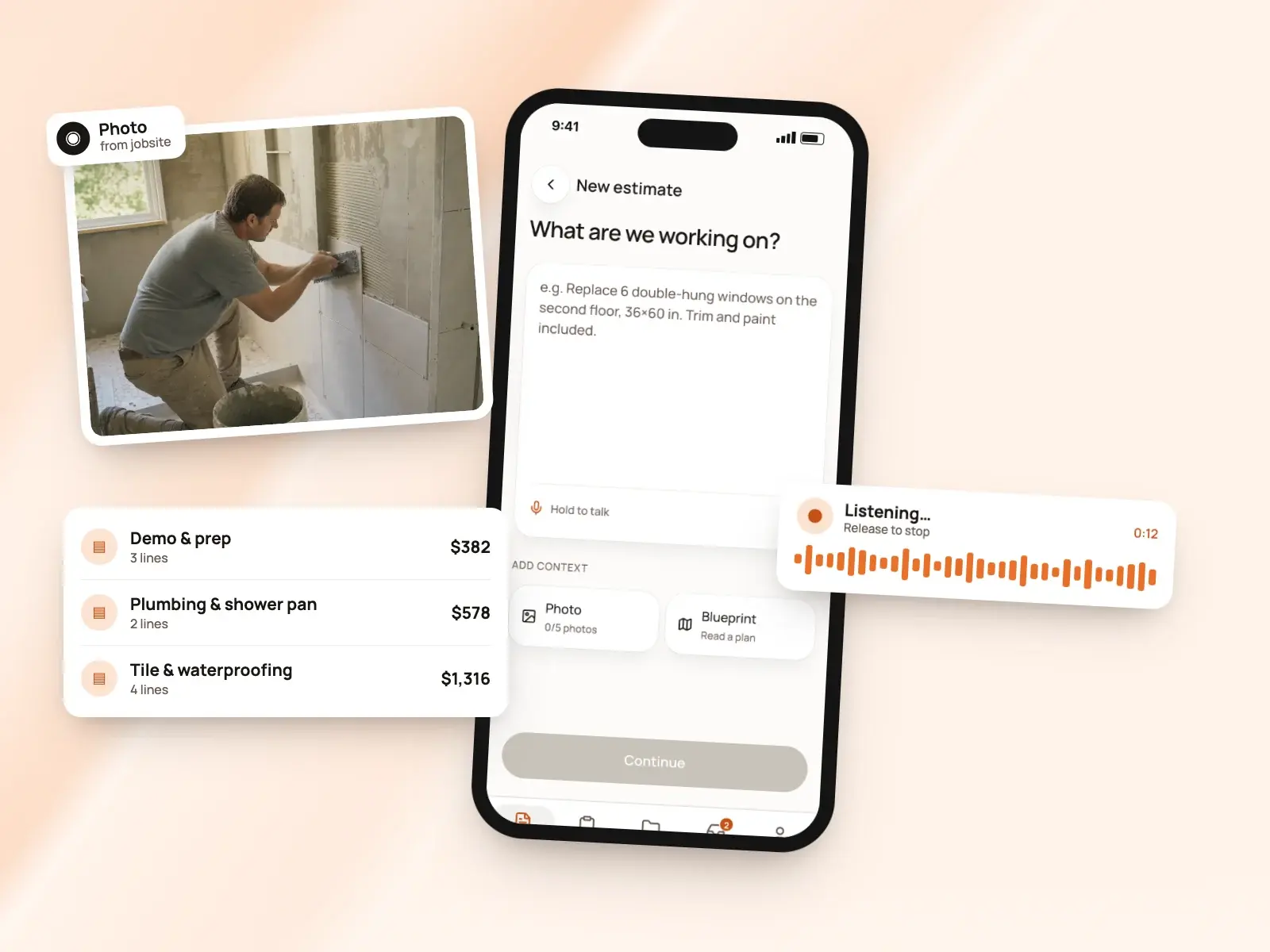
BuildWell: You describe the job by voice or text, add up to five photos or a floor plan, and BuildWell asks only the questions that change the price. It shows the plan of work in order first, then builds line items, each with its own labor hours and materials. Every line, quantity, hour and price is editable. [6][3]
The difference: QuickBooks suits work you already price from a saved list. BuildWell is built for jobs where working out the lines and quantities is the hard part. [7][6]
Where the prices come from
QuickBooks: Prices come from your own products and services list, where a saved rate fills in when you pick the item, according to QuickBooks’ help center. Plus and Advanced track project profitability, showing which jobs made money afterward, and the estimate’s prices are the ones you enter. [7][2][20]
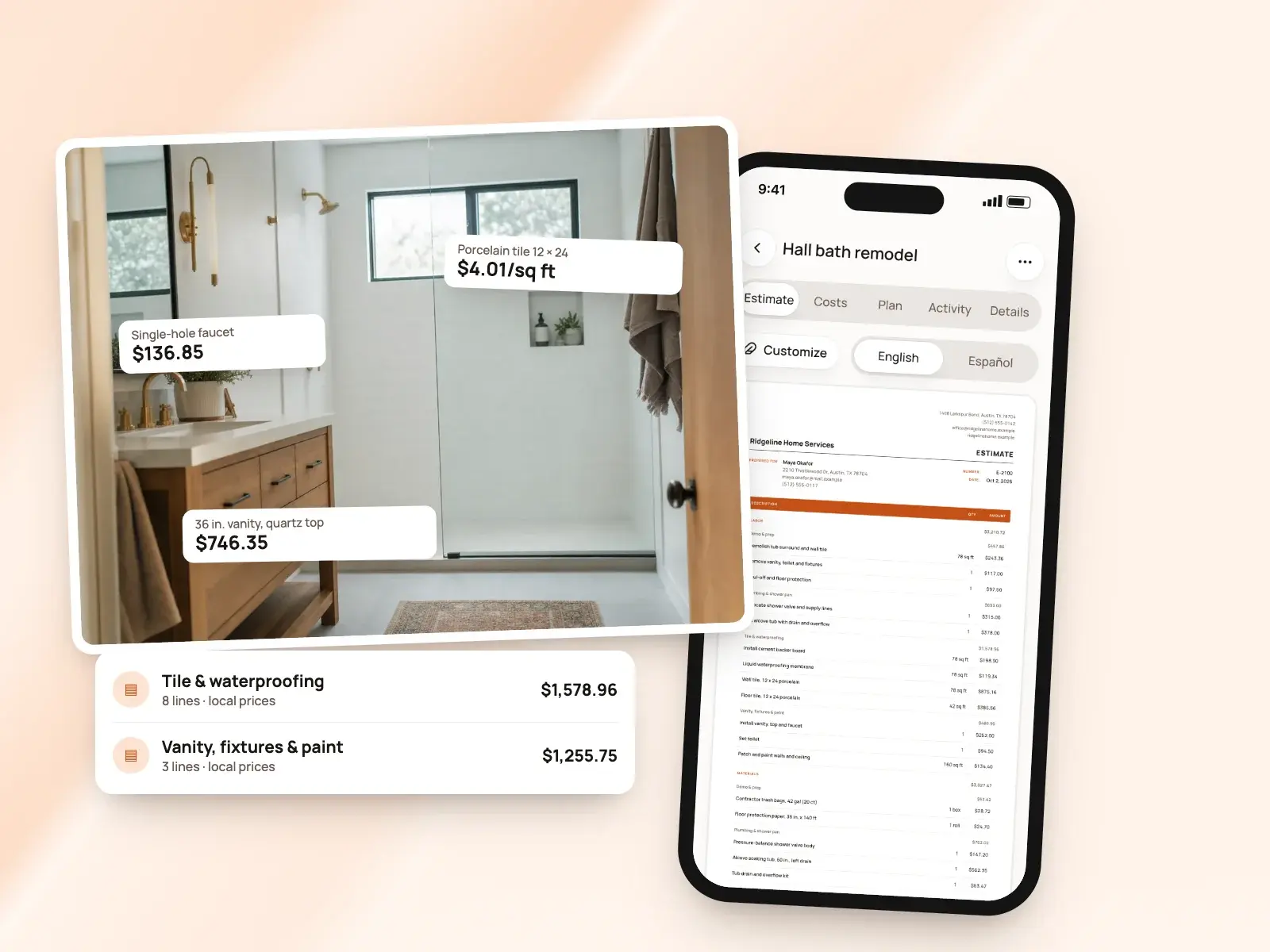
BuildWell: Prices come from real local data. Materials are priced at stores near the job, checked within 30 days, and labor is the Bureau of Labor Statistics median wage for each trade in your metro, plus the overhead, markups, sales tax and permit fee you set. A material with no store price is flagged for you to confirm. [6][3]
AI tools
QuickBooks: Payments AI, on Essentials, Plus and Advanced, drafts invoice reminders, suggests late fees, and works with Customer AI to turn customer emails into estimates for you to review; the page doesn’t say which plans that pairing needs. The pricing page lists other AI by plan, from expense categorization on Simple Start to project management AI on Advanced. [16][2]
BuildWell: AI does the estimating: it reads your words, photos and floor plan, plans the work and picks quantities, and can revise the estimate after your own edits without losing them. It also renders the finished room from a photo. BuildWell shares job details and photos with Anthropic, Google and OpenAI to do this, which you can turn off in your profile. [6][21]
Client approval and signatures
QuickBooks: Customers can review and approve an estimate online from the email you send, and QuickBooks updates its status, so you see whether it was viewed, accepted or declined. Its help center describes capturing a signature in the QuickBooks iOS and Android apps, where the customer signs with a finger. [9][7][10]
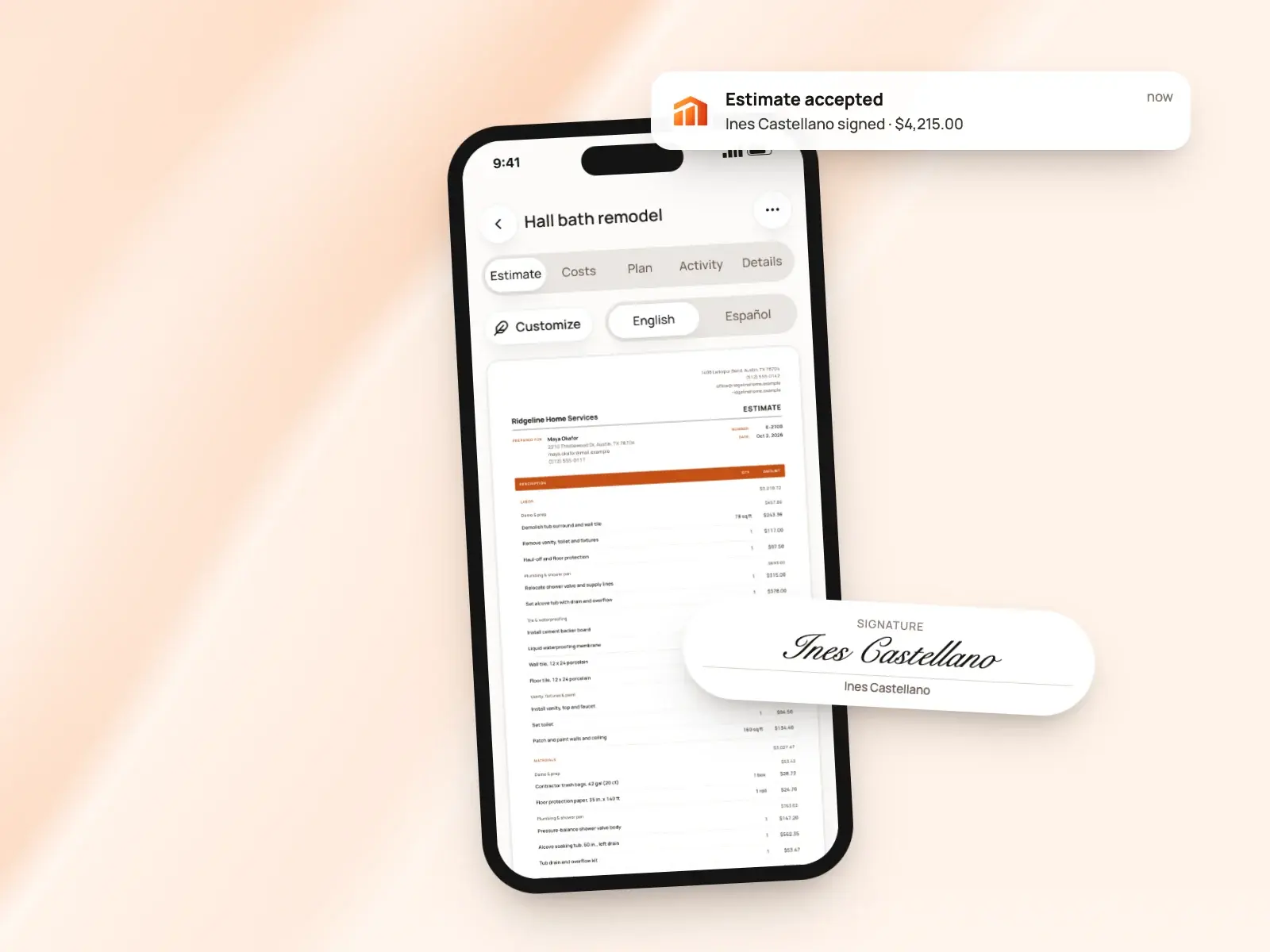
BuildWell: Clients open the estimate on their phone, with no app or account, and accept and sign with a finger or decline. Their name and signature print on the signed estimate. You can send the link by text or email, share the PDF, or collect the signature in person on your own phone. Invoices can ask for a signature too. [8][11]
Invoices
QuickBooks: Invoices can repeat on a schedule, every day, week, month or year. You can add your logo and colors, change the font and choose which fields show. Essentials lists bulk invoice creation in beta, and Advanced lists batch invoicing. QuickBooks tells you when an invoice is viewed and when it’s paid. [13][9][2]
BuildWell: A signed estimate becomes the invoice with the same lines, or you start one from scratch. Terms are due on receipt, 7, 14 or 30 days. You can record cash and check payments, void an unpaid invoice and ask the client to sign it. Six document templates carry your logo and colors, and job photos and renders print after the invoice. [11][1]
Deposits and progress payments
QuickBooks: You can request a deposit on an estimate; once the customer pays it and accepts, the estimate can be converted to an invoice, for the whole amount or a percentage. Progress invoicing, on Plus and Advanced, splits an estimate into several invoices by milestone, stage or percent complete and keeps track of what’s been paid and what’s still owed. [12][13]
BuildWell: Invoice any percentage of the estimate as a deposit, then progress payments, then the balance, each as its own invoice against the estimate. Every payment is recorded against its invoice, and it all comes with BuildWell’s one plan. [11][1]
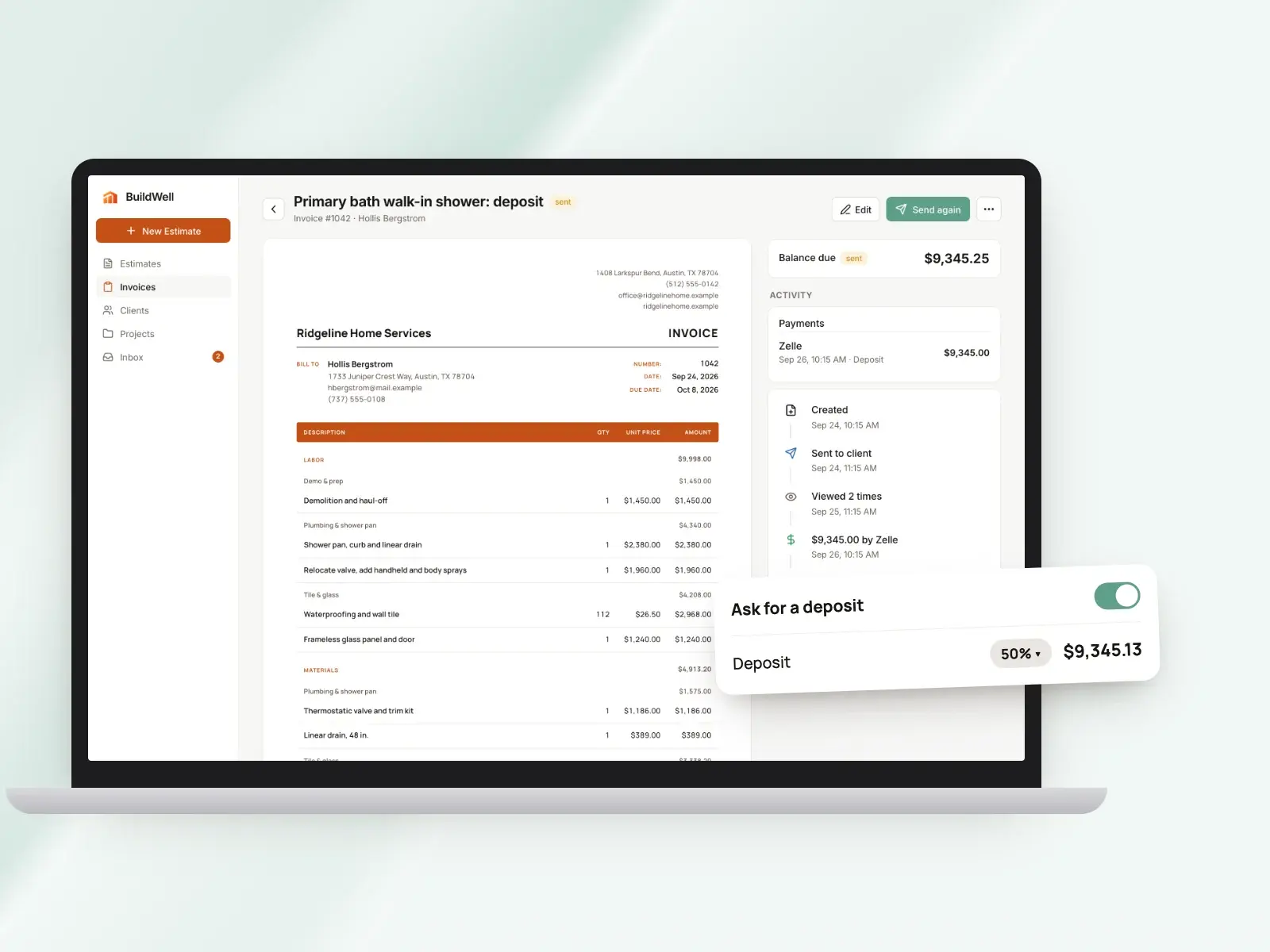
The difference: Both bill a job in stages. QuickBooks’ invoicing page lists progress invoicing on Plus and Advanced; BuildWell includes staged invoices in its single plan. [13][11][1]
Online payments and fees
QuickBooks: QuickBooks Payments takes cards, ACH, Apple Pay, PayPal and Venmo on invoices. Its rates page lists 2.99% for invoiced cards and wallets, 1% with a $1 minimum for ACH, 2.5% in person by card reader or Tap to Pay on iPhone, 3.5% for keyed-in cards and 1.75% for an instant deposit, as of September 18, 2026. [13][15]
BuildWell: Connect Stripe once and clients choose card or US bank account on the invoice page. Stripe’s fee is passed through at cost, 2.9% + 30¢ for a card and 0.8% capped at $5 for a bank transfer, with no BuildWell fee or surcharge. [14]
Follow-up and reminders
QuickBooks: You can turn on up to three automatic invoice reminders, each sent up to 90 days before or after the due date, with your own subject and message, or send one by hand. QuickBooks also alerts you when an invoice is viewed or paid, and when a customer views, accepts or declines an estimate. [17][13][9]
BuildWell: You see when the client opens the estimate and how many times, and get a notice when they accept, decline or pay. You can send an estimate or invoice up to five times, by text or email, or copy the link anywhere. [8]
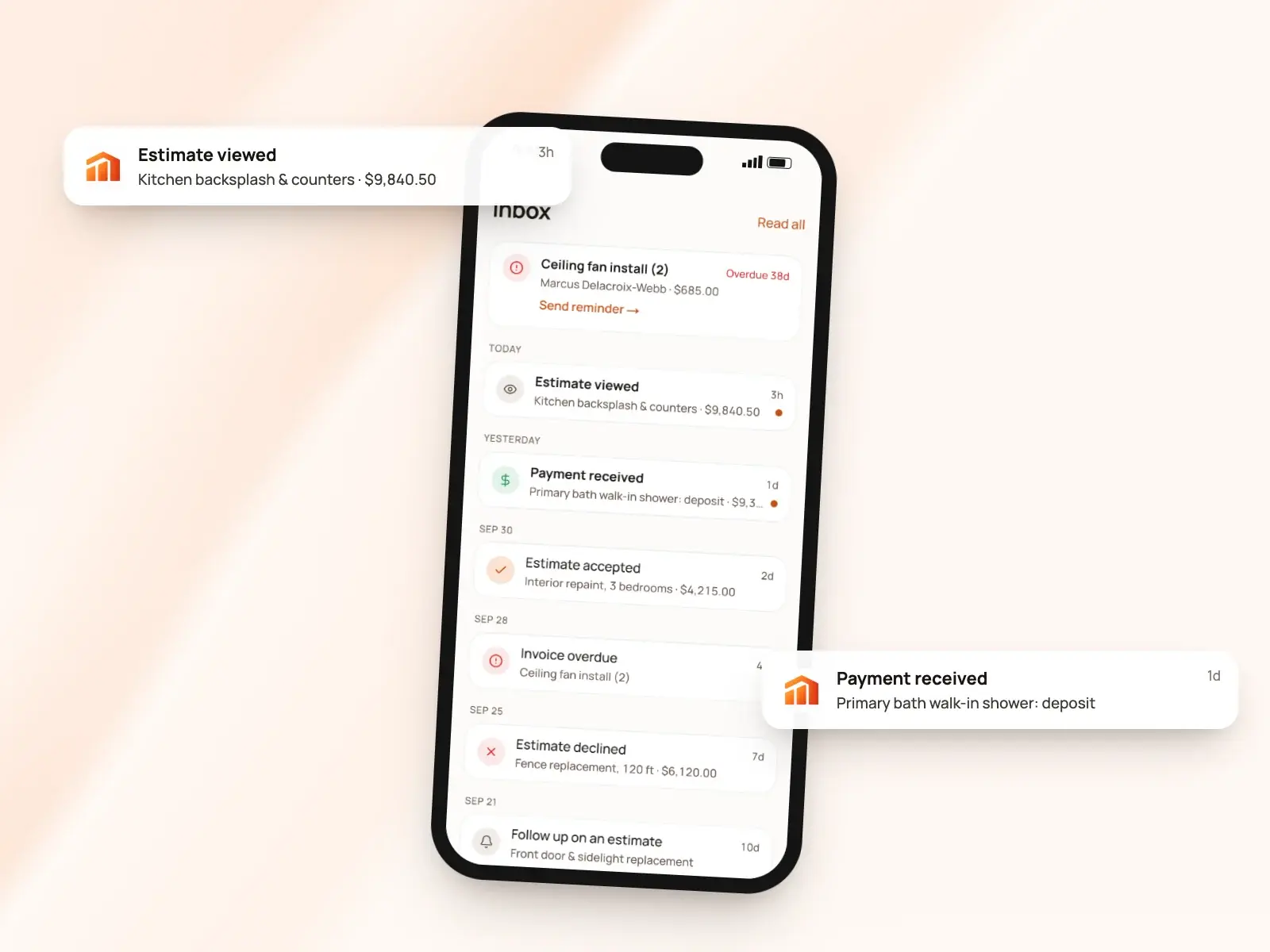
The difference: QuickBooks can send invoice reminders on a schedule you set. BuildWell shows you when the client has opened the estimate and leaves the follow-up to you. [17][8]
Devices, language and support
QuickBooks: QuickBooks Online runs in a browser and in iOS and Android apps; its pricing page says app access isn’t currently available on Free, and its mobile page says some features on higher plans may only be on the web. Invoices can go out in six languages, without translating your own text, and multicurrency comes on Essentials and up. Free gets chat support, paid plans add phone support, and Advanced adds priority support. [5][2][22][19]
BuildWell: One subscription, bought on the App Store, Google Play or the web, covers BuildWell on iPhone, Android and the web, in sync. On iPhones with LiDAR you can scan a room. The app works in English or Spanish and prints any estimate or invoice in either, and support is by email from the support page. [4][23]
Accounting, payroll and projects
QuickBooks: This is QuickBooks’ core: bookkeeping, reports, bill pay and accountant access on the paid plans. Plus adds project profitability, budgets and inventory; Advanced adds construction financials. Its construction page describes W-9 requests and 1099 mapping for subcontractors, time tracking through QuickBooks Time and connections to construction apps. Payroll is sold in bundles with accounting. [2][20][18]
BuildWell: BuildWell doesn’t do accounting, payroll, time tracking, scheduling, dispatch, CRM or GPS, and doesn’t sync with QuickBooks or Xero. It covers the estimate, the signature, the invoice and the payment, so you’d keep your books in separate accounting software. [1]
The difference: These are different jobs: QuickBooks keeps the books, BuildWell builds and bills the estimate, and the two don’t connect. [2][1]
Pricing compared
| Plan | Price | What it includes |
|---|---|---|
| QuickBooks Online Free | $0 | 1 user; 2 invoices a month, per the plan card; 1 bank account; chat support; the pricing page says app access and third-party integrations aren’t currently available [2] |
| QuickBooks Online Simple Start | $38 a month ($19 for the first 3 months) | 1 user plus 2 accountants; invoices and payments, bookkeeping, reports, bill pay; phone support [2] |
| QuickBooks Online Essentials | $85 a month ($42.50 for the first 3 months) | 3 users plus 2 accountants; adds Payments AI, enhanced reports and multicurrency [2][16][19] |
| QuickBooks Online Plus | $140 a month ($70 for the first 3 months) | 5 users plus 2 accountants; adds progress invoicing, project profitability, budgets and inventory [2][13] |
| QuickBooks Online Advanced | $340 a month ($170 for the first 3 months) | 25 users plus 3 accountants; adds batch invoices, construction financials and priority support [2][13] |
| BuildWell Weekly | $7.99 a week | Every feature, on iPhone, Android and web [1] |
| BuildWell Annual | $79.99 a year | The same features, paid yearly [1] |
QuickBooks Online has a free plan and four paid plans priced by the month, from 1 user on Simple Start to 25 on Advanced. The pricing page shows 50% off for the first 3 months and a 30-day free trial of paid plans. Payroll comes in bundles with accounting, from $88 a month plus $6.50 per employee at the regular price. [2][18]
BuildWell is one plan at $7.99 a week or $79.99 a year after a 3-day free trial, with every feature included and no free plan. Payment fees sit on top in both: QuickBooks lists its own rates, and BuildWell passes through Stripe’s at cost. [1][15][14]
The verdict
These apps do different jobs. QuickBooks Online is accounting software with estimates, invoices and payments inside the books; BuildWell is an estimating and invoicing app that prices construction work from local data. The question is whether you also want an app that builds and prices the estimate. [2][6][1]
Choose QuickBooks if…
Choose QuickBooks if you want estimates, invoices and payments recorded straight into your accounting, with bookkeeping, reports, bill pay and accountant access in one place and, on Plus and Advanced, progress invoicing and project profitability. It also fits a business that invoices in more than one currency or language, or wants payroll from the same company. [2][13][19][22][18]
Choose BuildWell if…
Choose BuildWell if you’d rather describe the job and get it priced: line items and quantities planned by AI, materials at stores near the job and labor at local wages, signed on the client’s phone, invoiced in stages and paid at Stripe’s cost, at $7.99 a week or $79.99 a year. It doesn’t do accounting or sync with QuickBooks. [6][3][8][11][14][1]
Estimates priced for your ZIP
Describe the job. BuildWell lists the work, prices it from local store prices and your area’s wages, gets it signed and turns it into the invoice.
- AI estimates priced for your area
- Estimates, invoices, clients and projects
- Clients sign on any phone
- Card and bank payments, no extra BuildWell fee
- iPhone, Android and the web
- AI estimates priced for your area
- Estimates, invoices, clients and projects
- Clients sign on any phone
- Card and bank payments, no extra BuildWell fee
- iPhone, Android and the web
Both plans include every feature and start with a 3-day free trial. Add a card to start; you’re not charged until the trial ends. Cancel anytime.
Common questions
01Can BuildWell replace QuickBooks?
02What do online payments cost?
03Does QuickBooks do progress invoicing and deposits?
04Can clients sign estimates in QuickBooks?
05Does QuickBooks have AI that writes estimates?
Sources
Facts checked on October 4, 2026. Prices and plans change; check each company’s site before you buy.
- BuildWell pricing (checked 2026-10-04)
- QuickBooks pricing (checked 2026-10-04)
- BuildWell estimating software (checked 2026-10-04)
- BuildWell estimate app (checked 2026-10-04)
- QuickBooks mobile app (checked 2026-10-04)
- BuildWell AI estimates (checked 2026-10-04)
- QuickBooks help: create and send estimates (checked 2026-10-04)
- BuildWell client portal (checked 2026-10-04)
- QuickBooks help: estimates and invoices (checked 2026-10-04)
- QuickBooks help: capture signatures in the app (checked 2026-10-04)
- BuildWell invoicing (checked 2026-10-04)
- QuickBooks help: convert an estimate (checked 2026-10-04)
- QuickBooks invoicing (checked 2026-10-04)
- BuildWell online payments (checked 2026-10-04)
- QuickBooks payment rates (checked 2026-10-04)
- QuickBooks payments agent (checked 2026-10-04)
- QuickBooks help: invoice reminders (checked 2026-10-04)
- QuickBooks payroll pricing (checked 2026-10-04)
- QuickBooks help: multicurrency (checked 2026-10-04)
- QuickBooks for construction (checked 2026-10-04)
- BuildWell job photos and renders (checked 2026-10-04)
- QuickBooks help: invoice languages (checked 2026-10-04)
- BuildWell support (checked 2026-10-04)

Try BuildWell today
Estimates, invoices, e-signatures and payments in one place, on your phone and on the web.